
การแนะนำ
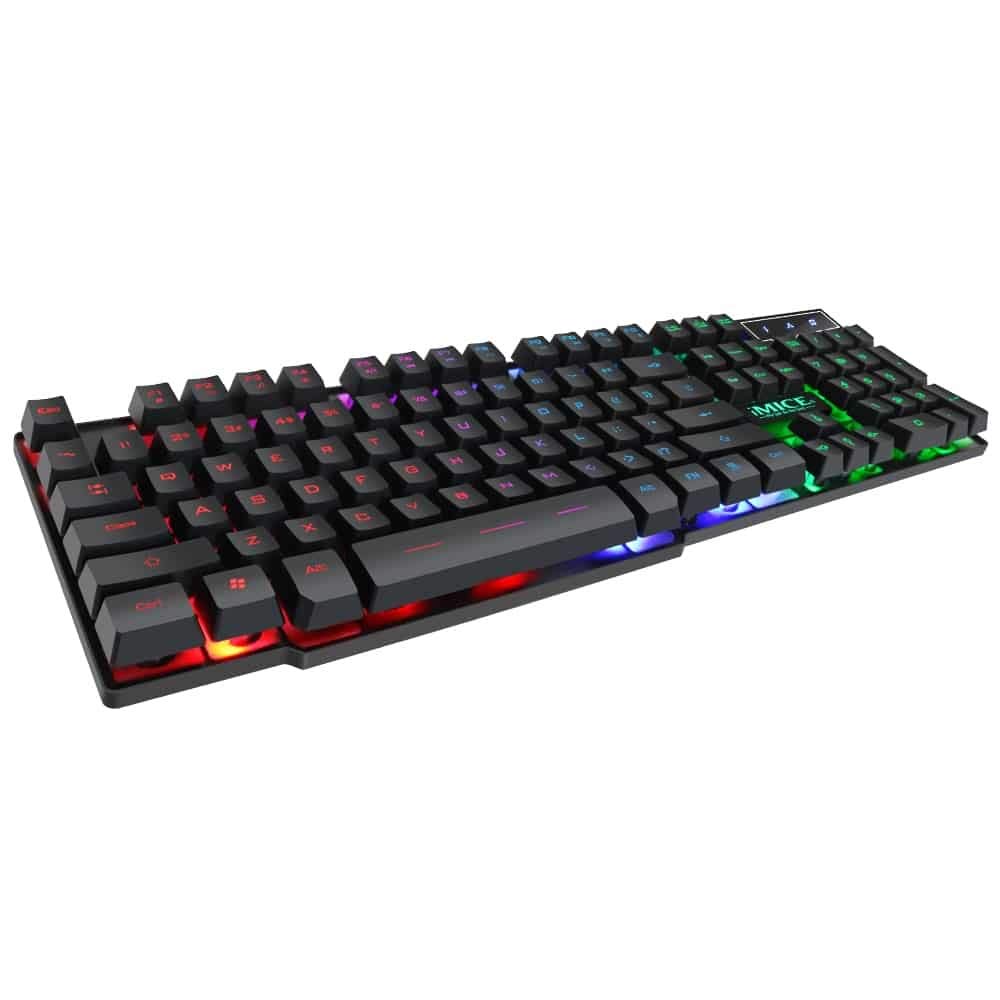
This manual provides instructions for the iMICE AK-600 Backlit USB Wired Gaming Keyboard. It covers setup, operation, maintenance, and troubleshooting to ensure optimal performance and longevity of your device. Please read this manual thoroughly before using the keyboard.
การตั้งค่า
มีอะไรอยู่ในกล่อง
The iMICE AK-600 keyboard package includes:
- iMICE AK-600 Backlit USB Wired Gaming Keyboard (with integrated USB cable)
การเชื่อมต่อคีย์บอร์ด
To connect your iMICE AK-600 keyboard:
- ค้นหาพอร์ต USB ที่มีอยู่ในคอมพิวเตอร์ของคุณ
- Plug the integrated USB cable from the keyboard into the USB port.
- The keyboard is plug-and-play and should be automatically recognized by your operating system without requiring additional drivers for basic functionality.
คำแนะนำการใช้งาน
ฟังก์ชันพื้นฐานของแป้นพิมพ์
The iMICE AK-600 features a standard 104-button layout, providing all essential keys for typing and gaming.
การควบคุมแบ็คไลท์
The keyboard is equipped with a three-color backlight system (red, blue, green). The key characters are illuminated for visibility in low-light conditions.
- To change the backlight color or cycle through modes, use the dedicated backlight control key (often labeled with a light bulb icon or similar).
- Pressing the key repeatedly will switch between red, blue, green, and off modes.
ปุ่มมัลติมีเดีย
The keyboard includes 12 groups of multimedia function keys, typically accessed by pressing the Fn key in combination with the F1-F12 keys. These provide quick access to functions such as volume control, media playback, and more.
ป้องกันการโดนผีหลอก
The iMICE AK-600 supports 19-key anti-ghosting. This feature ensures that multiple key presses are registered simultaneously and accurately, preventing input conflicts during fast-paced gaming or typing.
การบำรุงรักษาและการดูแล
การบำรุงรักษาอย่างถูกวิธีจะช่วยยืดอายุการใช้งานของคีย์บอร์ดของคุณ:
- การทำความสะอาด: Regularly wipe the keyboard surface with a soft, dry, lint-free cloth to remove dust and debris. For deeper cleaning, use a slightly damp ใช้ผ้าชุบสบู่เหลวเช็ด โดยระวังอย่าให้ของเหลวเข้าไปในแป้นพิมพ์
- การรั่วไหลของของเหลว: The keyboard features an integrated liquid guide hole design to help with minor spills. However, it is not fully waterproof. In case of a spill, immediately disconnect the keyboard from your computer and allow it to dry completely before reconnecting.
- หลีกเลี่ยงสารเคมีที่รุนแรง: Do not use abrasive cleaners, solvents, or strong detergents, as these can damage the keyboard's finish and key legends.
- การดูแลสายเคเบิล: Ensure the USB cable is not excessively bent, twisted, or placed under heavy objects, which could damage the internal wires.
การแก้ไขปัญหา
แป้นพิมพ์ไม่ตอบสนอง
- Ensure the USB cable is securely connected to both the keyboard and an active USB port on your computer.
- ลองเชื่อมต่อคีย์บอร์ดกับพอร์ต USB อื่นบนคอมพิวเตอร์ของคุณ
- รีสตาร์ทเครื่องคอมพิวเตอร์ของคุณ
- ทดสอบแป้นพิมพ์บนคอมพิวเตอร์เครื่องอื่นเพื่อตรวจสอบว่าปัญหาอยู่ที่แป้นพิมพ์หรือพอร์ต USB/ไดรเวอร์ของคอมพิวเตอร์
แบ็คไลท์ไม่ทำงาน
- ตรวจสอบว่าแป้นพิมพ์เชื่อมต่ออย่างถูกต้องและได้รับพลังงานแล้ว
- Press the backlight control key (often labeled with a light bulb icon) to cycle through backlight modes and ensure it is not turned off.
คีย์บางคีย์ไม่ลงทะเบียน
- Gently clean around the affected keys to remove any dust or debris that might be obstructing the key mechanism.
- หากปัญหายังคงมีอยู่ โปรดติดต่อฝ่ายสนับสนุนลูกค้าเพื่อขอความช่วยเหลือเพิ่มเติม
ข้อมูลจำเพาะ
| คุณสมบัติ | รายละเอียด |
|---|---|
| ยี่ห้อ | OEM (iMICE) |
| แบบอย่าง | เอเค-600 |
| เทคโนโลยีการเชื่อมต่อ | USB (แบบมีสาย) |
| คำอธิบายแป้นพิมพ์ | การเล่นเกม |
| คุณสมบัติพิเศษ | Backlit (Red, Blue, Green) |
| วัสดุ | พลาสติก |
| ส่วนประกอบที่รวมอยู่ | สาย USB ในตัว |
| ประเภทสวิตซ์ | สัมผัสได้ |
| การวางแนวมือ | ถนัดทั้งสองมือ |
| จำนวนปุ่ม/แป้นกด | 104 |
| ระบบปฏิบัติการที่รองรับ | Windows (XP/2000/Vista/7/8/10), Android, Linux |
| ความยาวสายเคเบิล | 1.3 เมตร |
| อายุการใช้งานที่สำคัญ | Up to 5 million presses |
การรับประกันและการสนับสนุน
For information regarding product warranty, returns, or technical support, please refer to the retailer's policy where the product was purchased. It is recommended to retain your purchase receipt as proof of purchase for any warranty claims. For direct manufacturer support, please visit the official OEM or iMICE webเว็บไซต์.