
การแนะนำ
Thank you for choosing the ROCKBROS Universal Bicycle and Motorcycle Phone Holder. This manual provides essential information for the proper installation, operation, and maintenance of your phone holder. Please read it carefully before use to ensure optimal performance and safety.
คุณสมบัติผลิตภัณฑ์
- โครงสร้างทนทาน: Made from high-quality CNC aluminum alloy for durability, lightweight design, and oxidation resistance.
- การยึดเกาะที่มั่นคง: Five-point protective design ensures stable and secure attachment of smartphones or GPS devices during rides.
- เข้ากันได้สากล: Accommodates mobile phones with widths from 55mm to 95mm (4.2 to 6.8 inches).
- การติดตั้งอเนกประสงค์: Compatible with handlebars ranging from 22.2mm to 31.8mm in diameter, suitable for bicycles, mountain bikes, motorcycles, and electric scooters.
- การหมุน 360°: Allows for free adjustment of your phone to any desired viewมุมอิง
- ติดตั้งง่าย: Simple mounting and dismounting process with the included Allen key.
- Smartphone Protection: Features removable silicone pads to protect your device from scratches and absorb vibrations.
เนื้อหาแพ็คเกจ
โปรดตรวจสอบว่ามีส่วนประกอบครบถ้วนหรือไม่:
- ROCKBROS Phone Holder Assembly
- แฮนด์บาร์ Clamp
- Silicone Pads (pre-installed or separate)
- คีย์อัลเลน
- Mounting Screws (short and long for various bar thicknesses)
การติดตั้งและการตั้งค่า
Follow these steps to install the phone holder on your bicycle or motorcycle handlebar:
- เตรียมแฮนด์จักรยาน: Ensure the handlebar area where you intend to mount the holder is clean and free of obstructions.
- แนบ Clamp: เปิดแฮนด์บาร์ clamp and place it around your handlebar. Use the appropriate rubber shims if your handlebar diameter is smaller than 31.8mm to ensure a snug fit. Secure the clamp using the provided screws and Allen key. Do not overtighten initially.
- ติดตั้งที่ยึด: Align the phone holder assembly with the clamp. Insert the screws through the holder and into the clamp. Tighten the screws with the Allen key until the holder is firmly attached to the handlebar. Ensure the holder is positioned to avoid interference with brakes or other controls.
- ปรับทิศทาง: The holder can be rotated 360 degrees. Adjust it to your preferred viewing angle before securing your phone.

Image: Step-by-step installation guide showing how to attach the phone holder to a handlebar using an Allen key.
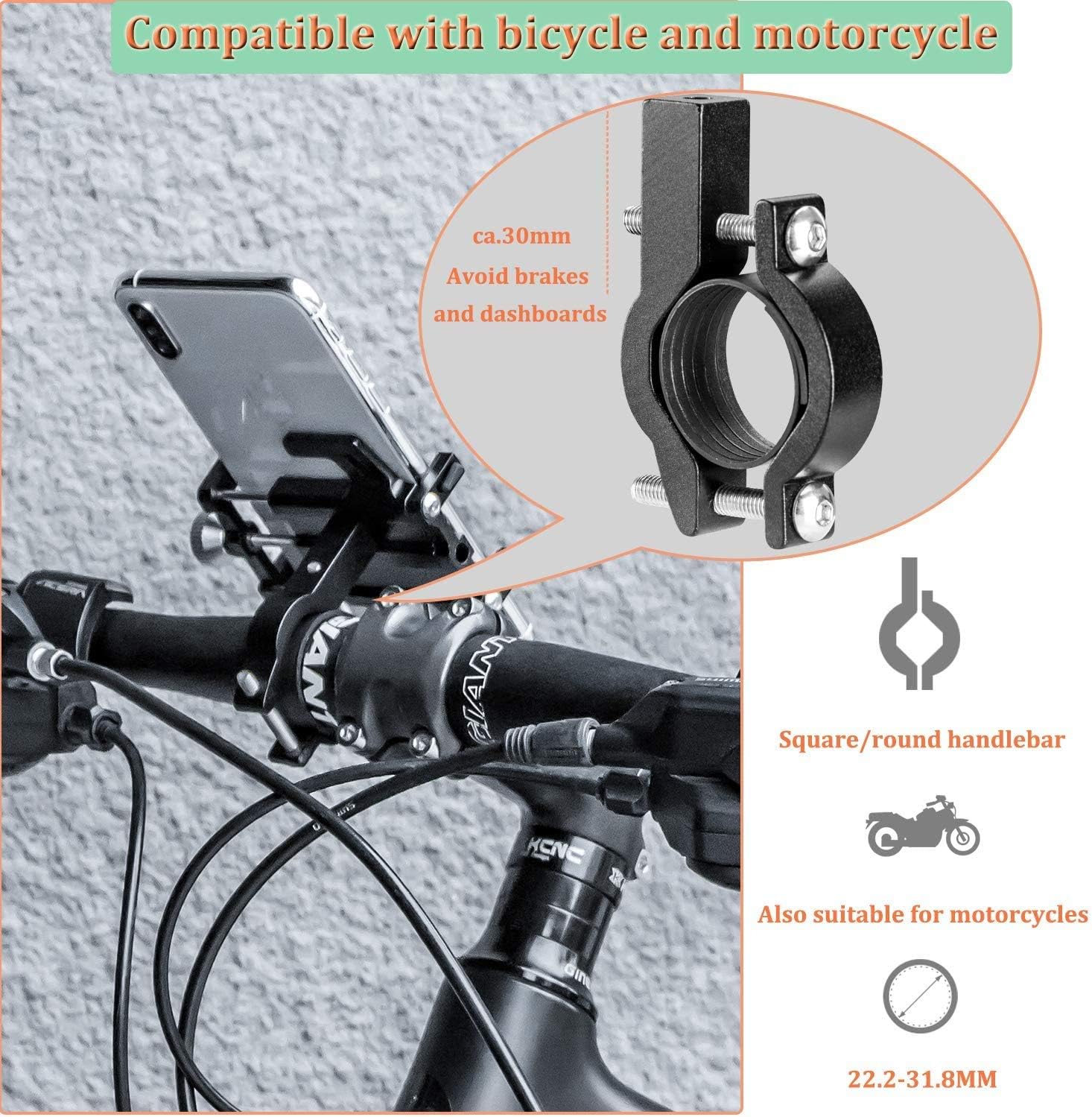
Image: Illustrates compatibility with square/round handlebars and motorcycles, showing a handlebar diameter range of 22.2-31.8mm.
คำแนะนำการใช้งาน
To use your ROCKBROS phone holder:
- เสียบสมาร์ทโฟน: Loosen the adjustment knob on the side of the holder to expand the arms. Carefully place your smartphone into the holder, ensuring it sits securely within the five protective corners.
- Secure Smartphone: Tighten the adjustment knob until your smartphone is held firmly in place. Ensure the phone is centered and that the holder's arms do not obstruct any essential buttons (e.g., volume, power) or ports.
- ปรับ Viewอิงมุม: Rotate the entire holder assembly to achieve your desired horizontal or vertical viewing angle. The 360° rotation allows for flexible positioning.
- Remove Smartphone: Loosen the adjustment knob to release the arms and carefully remove your smartphone.

Image: Demonstrates the 360-degree rotation feature and how the holder design allows access to phone buttons and ports.
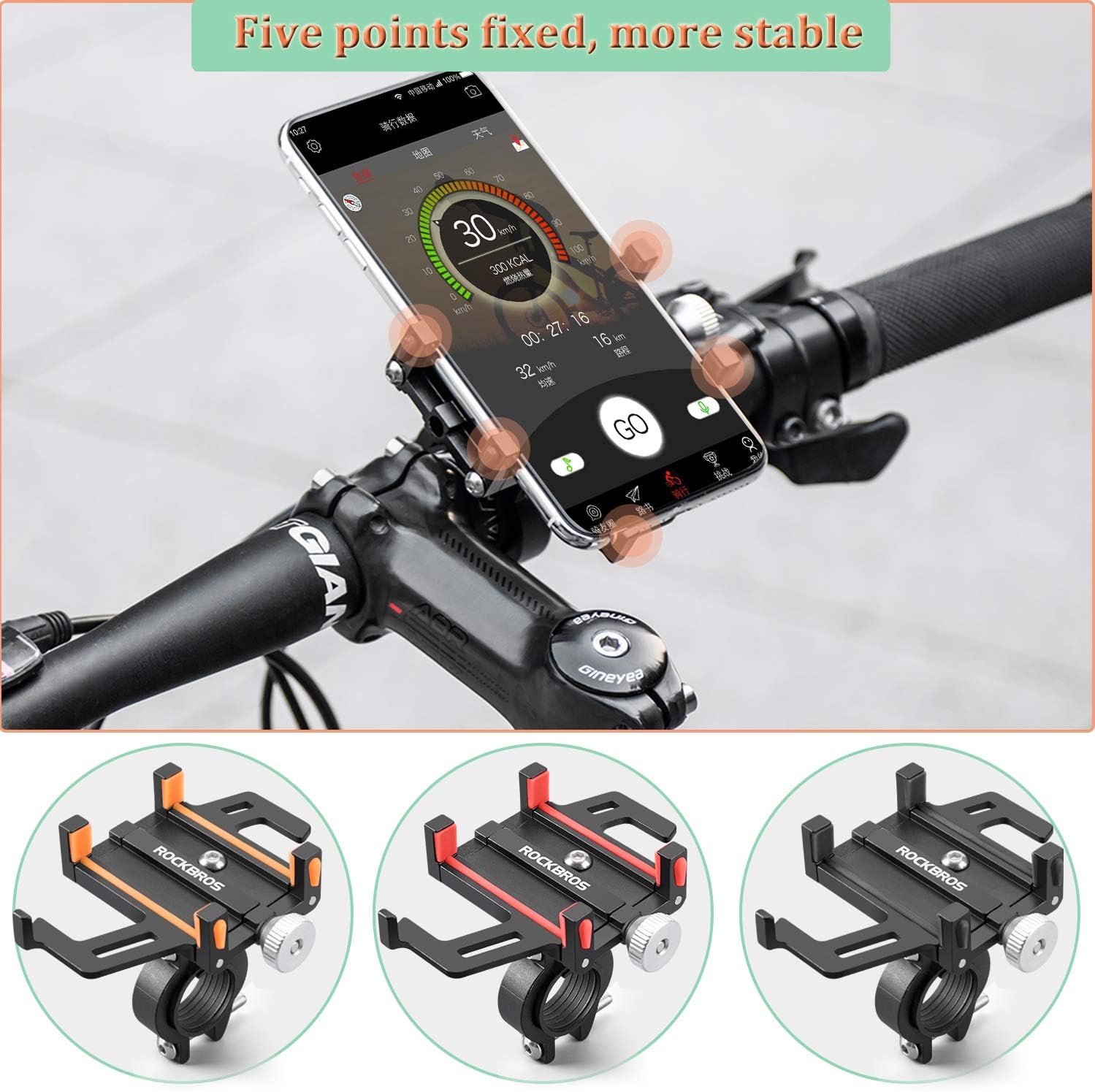
Image: Shows a smartphone securely held by the five-point grip design on a bicycle handlebar, highlighting stability.
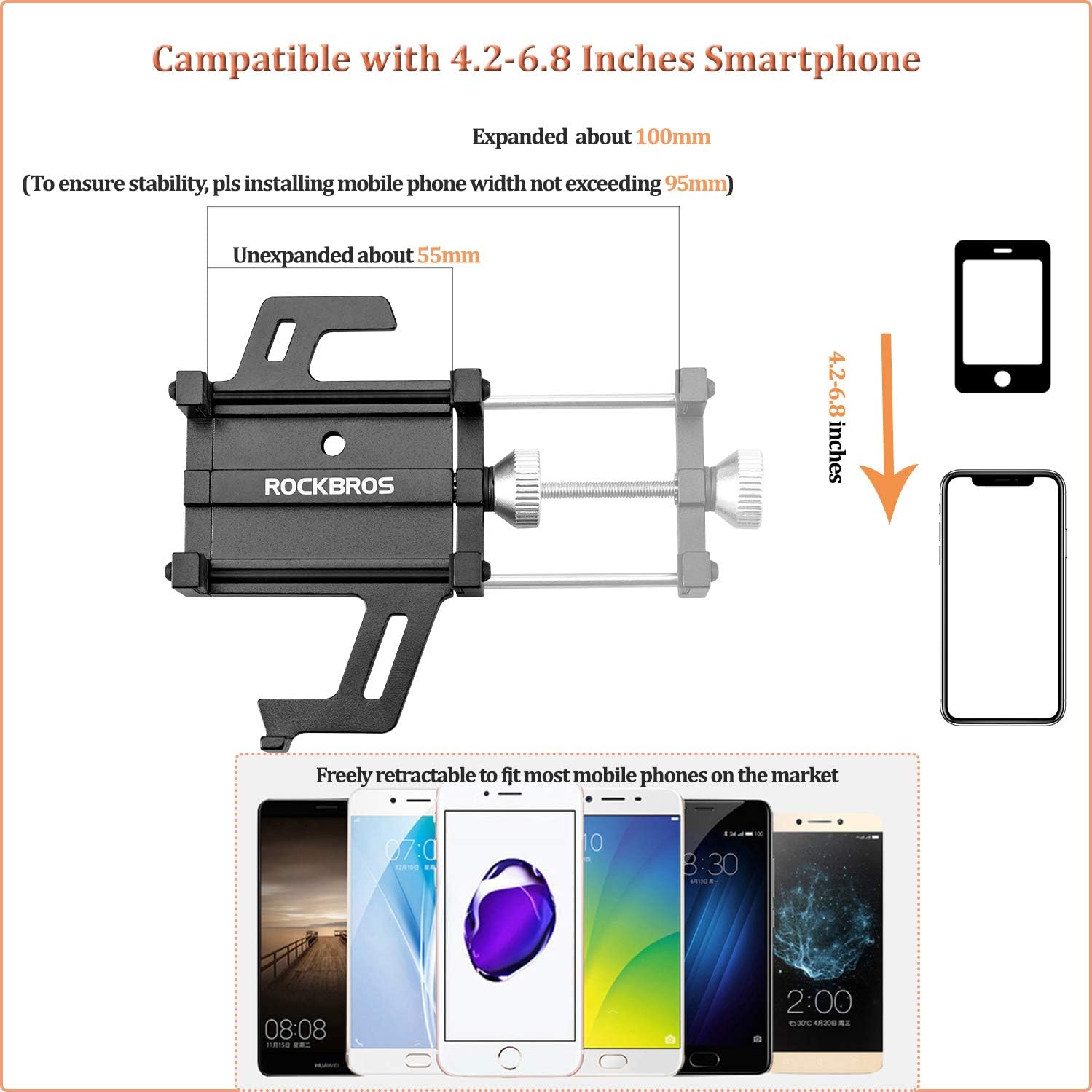
Image: Details the phone holder's compatibility with 4.2-6.8 inch smartphones, showing expanded and unexpanded dimensions (55mm to 95mm width).
การซ่อมบำรุง
Regular maintenance ensures the longevity and reliable performance of your phone holder:
- การทำความสะอาด: เช็ดที่ยึดด้วยผ้านุ่มamp cloth to remove dust and dirt. Avoid harsh chemicals that may damage the aluminum alloy or silicone parts.
- ตรวจสอบความแน่น: Periodically check all screws and the adjustment knob to ensure they are securely tightened. Retighten as necessary using the Allen key.
- แผ่นซิลิโคน: Inspect the silicone pads for wear or damage. While discoloration of silicone parts can occur over time due to exposure, it typically does not affect performance. Replace if severely damaged.
- พื้นที่จัดเก็บ: If not in use for extended periods, store the phone holder in a clean, dry place away from direct sunlight.
การแก้ไขปัญหา
| ปัญหา | สาเหตุที่เป็นไปได้ | สารละลาย |
|---|---|---|
| Phone holder feels loose on the handlebar. | Screws are not tight enough; incorrect shim used. | ขันแฮนด์ให้แน่น clamp screws with the Allen key. Ensure the correct rubber shim is used for your handlebar diameter. |
| Smartphone is not held securely. | Adjustment knob not tightened sufficiently; phone width exceeds limits. | Tighten the adjustment knob until the phone is firm. Verify your phone's width is within the 55-95mm range. |
| Holder blocks phone buttons (e.g., volume, power). | Phone is positioned incorrectly within the holder. | Slightly adjust the phone's vertical position within the holder to avoid button obstruction. The holder's design allows for some flexibility. |
| Holder rattles or vibrates excessively. | Loose mounting; worn silicone pads. | Check all mounting screws for tightness. Ensure silicone pads are properly seated and not damaged. |
ข้อมูลจำเพาะ
- หมายเลขรุ่น: 699-BK
- วัสดุ: CNC Aluminum Alloy, Silicone
- ขนาดสินค้า (กว้าง x ยาว x สูง) : ขนาด 10 x 4 x 8 ซม. (โดยประมาณ)
- น้ำหนักสินค้า: 120 กรัม
- ความกว้างของสมาร์ทโฟนที่รองรับ: 55 มม. - 95 มม. (4.2 - 6.8 นิ้ว)
- ขนาดเส้นผ่านศูนย์กลางแฮนด์ที่รองรับ: 22.2มม. - 31.8มม.
- ประเภทการติดตั้ง: แฮนด์จับ
- การหมุน: 360 องศา
- ระดับการต้านทานน้ำ: ทนน้ำ
- ความจุน้ำหนักสูงสุด: 200 กรัม
การรับประกันและการสนับสนุน
ROCKBROS is committed to customer satisfaction. If you are not satisfied with your ROCKBROS phone holder for any reason, you may return it within 60 days for a refund. For any questions, concerns, or issues encountered with your product, please contact ROCKBROS customer support. Contact information can typically be found on the product packaging or the official ROCKBROS webเว็บไซต์.