
การแนะนำ
This manual provides detailed instructions for the operation and maintenance of your Wendry RXTX10 Bluetooth Audio Receiver Transmitter. This versatile device allows you to wirelessly transmit audio from non-Bluetooth sources to Bluetooth headphones/speakers, or receive audio from Bluetooth-enabled devices on traditional wired audio systems. Please read this manual thoroughly before use to ensure proper functionality and to maximize your experience.
สินค้าเกินview

Image: The Wendry RXTX10 Bluetooth Audio Receiver Transmitter, showing its compact black design with control buttons and ports.
คุณสมบัติหลัก
- Easy operation for both audio transmission and reception.
- Bluetooth emission mode: Transmit audio from devices like TVs, CD players, or MP3 players to Bluetooth speakers or headsets.
- Bluetooth receiving mode: Stream music from mobile phones to traditional home audio systems.
- Supports volume control and track switching (last/next song).
- Integrated receiver and transmitter functionality in one device.
- Low-latency technology for real-time audio synchronization, suitable for online games, TV, and movies.
- Built-in rechargeable battery for extended working time.
เนื้อหาแพ็คเกจ

Image: The RXTX10 device shown alongside its USB charging cable and 3.5mm audio cable.
- 1 x Wendry RXTX10 Audio Receiver and Transmitter
- สายสัญญาณเสียงขนาด 1 มม. 3.5 เส้น
- สายชาร์จ USB 1 เส้น
- 1 x คู่มือผู้ใช้ (เอกสารนี้)
ข้อมูลจำเพาะ
| คุณสมบัติ | รายละเอียด |
|---|---|
| เวอร์ชันบลูทูธ | 4.2 |
| การรองรับโปรโตคอล | A2DP, AVRCP |
| การรองรับการถอดรหัส | MP3, WAV, WMA, APE |
| ระยะการส่งข้อมูล | Approx. 10 meters (32.8 ft) in open space |
| เวลาทำงาน | นานถึง 8 ชั่วโมง |
| อัตราส่วนสัญญาณต่อเสียงรบกวน | 95เดซิเบล |
| แบตเตอรี่ในตัว | 300mAh |
| เทคโนโลยีการเชื่อมต่อ | บลูทูธ |
| อุปกรณ์ที่รองรับ | Smartphones, Speakers, TVs, MP3 Players, CD Players |
| ประเภทขั้วต่อ | 3.5mm Jack, RCA (via adapter, not included) |
| โหมดเอาต์พุตเสียง | สเตอริโอ |
| น้ำหนักสินค้า | 0.05 กิโลกรัม (1.76 ออนซ์) |
การตั้งค่า
การชาร์จอุปกรณ์

Image: The RXTX10 device highlighting its built-in battery and charging capability.
- Connect the supplied USB charging cable to the micro USB port on the RXTX10.
- Connect the other end of the USB cable to a standard USB power adapter (5V) or a computer's USB port.
- ไฟแสดงสถานะจะแสดงสถานะการชาร์จ (ดูรายละเอียดเพิ่มเติมในส่วนไฟ LED แสดงสถานะ (หากมี))
- A full charge typically takes approximately 2 hours and provides up to 8 hours of working time.
การเปิด/ปิดเครื่อง
- การเปิดเครื่อง: กดปุ่มเปิดปิดค้างไว้ (ⓘ) for approximately 3 seconds until the indicator light illuminates.
- วิธีปิดเครื่อง: กดปุ่มเปิดปิดค้างไว้ (ⓘ) ค้างไว้ประมาณ 3 วินาที จนกว่าไฟแสดงสถานะจะดับลง
คำแนะนำการใช้งาน
Switching Modes (Receiver/Transmitter)
The RXTX10 supports both Receiver (RX) and Transmitter (TX) modes. The mode is typically indicated by a switch or button on the device. Ensure the device is in the correct mode for your intended use.
- โหมด RX (ตัวรับสัญญาณ): Used to receive Bluetooth audio from a smartphone, tablet, or computer and output it to a wired speaker, car stereo, or home audio system.
- โหมด TX (เครื่องส่งสัญญาณ): Used to transmit audio from a non-Bluetooth device (e.g., TV, CD player, MP3 player) to Bluetooth headphones or speakers.
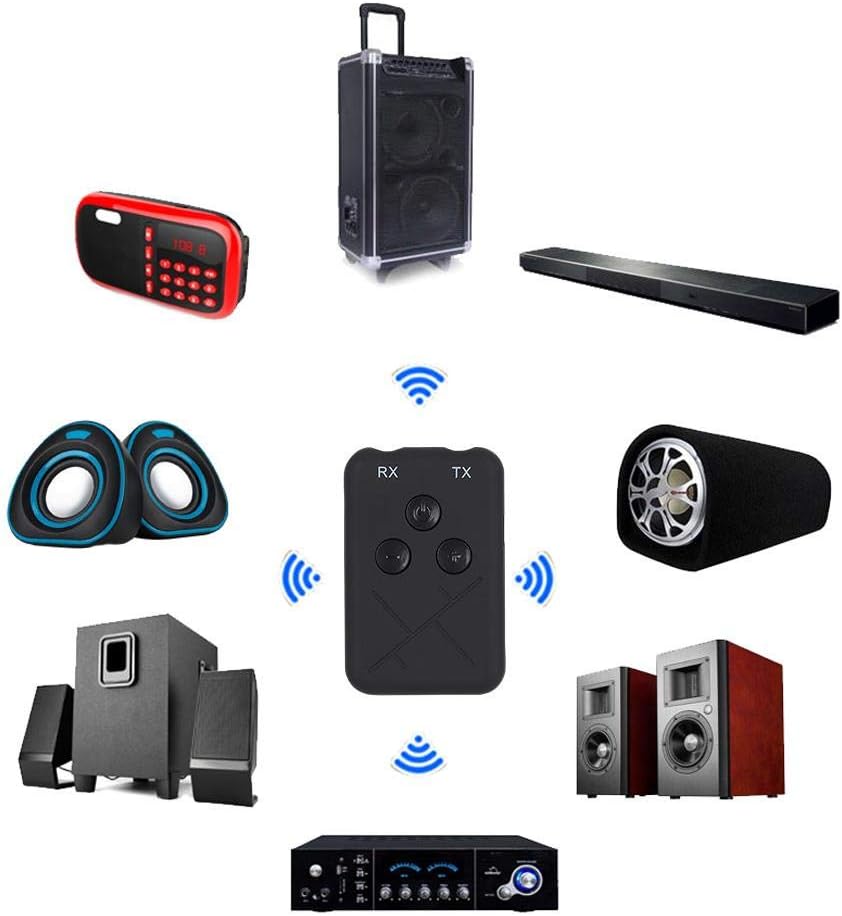
Image: The RXTX10 device centrally positioned, illustrating its connectivity to a range of audio equipment like speakers, soundbars, and amplifiers, indicating its dual receiver and transmitter capabilities.
โหมดตัวรับ (RX)
- Ensure the RXTX10 is in RX mode.
- Connect the RXTX10 to your non-Bluetooth audio device (e.g., wired speakers, car stereo) using the 3.5mm audio cable.
- Power on the RXTX10. It will automatically enter pairing mode (indicator light will flash).
- On your Bluetooth-enabled device (smartphone, tablet), search for Bluetooth devices and select "RXTX10" to pair.
- Once paired, the indicator light will become solid. You can now stream audio from your Bluetooth device to your connected audio system.

Image: The RXTX10 device connected via a 3.5mm cable to a speaker, with a smartphone wirelessly streaming music to it, demonstrating receiver mode functionality.
โหมดส่งสัญญาณ (TX)
- Ensure the RXTX10 is in TX mode.
- Connect the RXTX10 to your non-Bluetooth audio source (e.g., TV, CD player) using the 3.5mm audio cable.
- Power on the RXTX10. It will automatically enter pairing mode (indicator light will flash).
- ใส่หูฟังหรือลำโพง Bluetooth ของคุณเข้าสู่โหมดจับคู่
- The RXTX10 will automatically search for and connect to nearby Bluetooth receiving devices. Once connected, the indicator light will become solid.
- เสียงจากอุปกรณ์ต้นทางของคุณจะถูกส่งแบบไร้สายไปยังหูฟังหรือลำโพงบลูทูธของคุณ

Image: The RXTX10 device connected to a television, transmitting audio wirelessly to two speakers, highlighting its low-latency capability for synchronized sound with video.
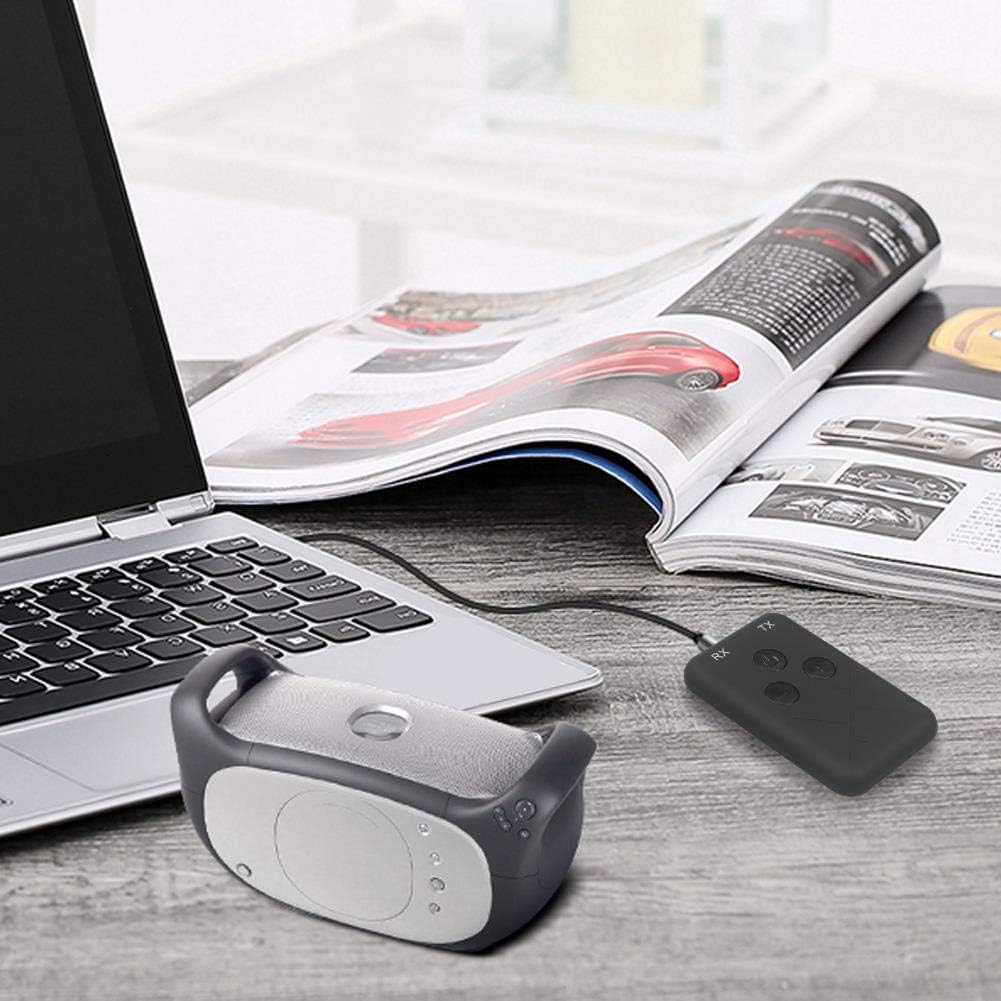
Image: The RXTX10 device connected to a laptop via a 3.5mm cable, transmitting audio to a nearby Bluetooth speaker, demonstrating its use with computers.
Volume Control and Song Switching
The RXTX10 features dedicated buttons for audio control:
- ปรับระดับเสียงขึ้น: กดปุ่ม + ปุ่ม.
- ลดเสียงลง: กดปุ่ม - ปุ่ม.
- เพลงถัดไป: กดค้างไว้ + button (functionality may vary based on connected device).
- แทร็กก่อนหน้า: กดค้างไว้ - button (functionality may vary based on connected device).
การซ่อมบำรุง
- ควรเก็บอุปกรณ์ให้แห้ง ความชื้นอาจทำให้วงจรภายในเสียหายได้
- อย่าให้เครื่องสัมผัสกับอุณหภูมิที่สูงหรือต่ำเกินไป
- ทำความสะอาดอุปกรณ์ด้วยผ้านุ่มและแห้ง หลีกเลี่ยงการใช้สารเคมีรุนแรงหรือน้ำยาทำความสะอาดที่มีฤทธิ์กัดกร่อน
- เก็บอุปกรณ์ไว้ในที่แห้งและเย็นเมื่อไม่ได้ใช้งานเป็นเวลานาน
- หลีกเลี่ยงการทำอุปกรณ์หล่นหรือกระแทกอย่างรุนแรง
การแก้ไขปัญหา
| ปัญหา | สาเหตุที่เป็นไปได้ | สารละลาย |
|---|---|---|
| อุปกรณ์ไม่เปิดเครื่อง | แบตเตอรี่อ่อน | ชาร์จอุปกรณ์ให้เต็มโดยใช้สาย USB ที่ให้มา |
| ไม่สามารถเชื่อมต่อกับอุปกรณ์อื่นได้ | อุปกรณ์ไม่ได้อยู่ในโหมดจับคู่; อยู่ห่างกันเกินไป; มีสัญญาณรบกวน | Ensure the RXTX10 is in the correct RX/TX mode and pairing mode (flashing indicator). Place devices closer. Turn off other Bluetooth devices. |
| ไม่มีช่องต่อสัญญาณเสียงเข้า/ออก | Incorrect cable connection; wrong mode; volume too low. | Check 3.5mm audio cable connections. Verify RXTX10 is in the correct RX/TX mode. Adjust volume on both the RXTX10 and the connected audio device. |
| คุณภาพเสียงไม่ดีหรือไม่เสถียร | Distance too great; obstacles; low battery. | Reduce distance between devices. Remove obstacles. Ensure the RXTX10 is fully charged. |
การรับประกันและการสนับสนุน
For warranty information or technical support, please refer to the contact details provided with your purchase documentation or visit the official Wendry webไซต์ เก็บหลักฐานการซื้อของคุณไว้เพื่อใช้ในกรณีเรียกร้องการรับประกัน
For further assistance, you may contact Wendry customer service via their official channels. Please have your model number (RXTX10) and purchase date ready.