
การแนะนำ
Thank you for choosing the KROM Kernel TKL Mechanical Gaming Keyboard. This compact, tenkeyless (TKL) keyboard is designed for gaming enthusiasts, offering a responsive mechanical experience with customizable RGB backlighting and a Spanish layout. This manual provides detailed instructions for setup, operation, maintenance, and troubleshooting to ensure optimal performance and longevity of your device.
สินค้าเกินview
คุณสมบัติหลัก
- สวิตช์เชิงกล: Durable and responsive mechanical key switches for precise input.
- ดีไซน์แบบไม่มีแป้นตัวเลข (TKL): Compact form factor without a numeric keypad, ideal for saving desk space and improving mouse movement.
- ไฟแบ็คไลท์ RGB: Customizable LED backlighting with various effects and colors.
- ฟังก์ชั่นมาโคร: Assign macro functions to any key for personalized commands.
- คีย์มัลติมีเดีย: Dedicated or function-layer multimedia controls for convenience.
- ป้องกันภาพซ้อน: ช่วยให้มั่นใจได้ว่าการกดปุ่มทุกครั้งจะได้รับการบันทึกอย่างแม่นยำ แม้ในระหว่างการเล่นเกมที่ดุเดือด
- โครงสร้างทนทาน: สร้างขึ้นด้วยวัสดุคุณภาพเพื่อประสิทธิภาพที่ยาวนาน
- รูปแบบภาษาสเปน: Designed with a QWERTY Spanish key layout.
เนื้อหาแพ็คเกจ
- KROM Kernel TKL Mechanical Gaming Keyboard
- สาย USB (ติดมาด้วย)
- คู่มือการใช้งาน (เอกสารนี้)
- (Note: Additional accessories may vary by region or specific product bundle.)
ภาพที่ 1.1: KROM Kernel TKL Mechanical Gaming Keyboard packaging, showing the front and back of the box with product features and design.

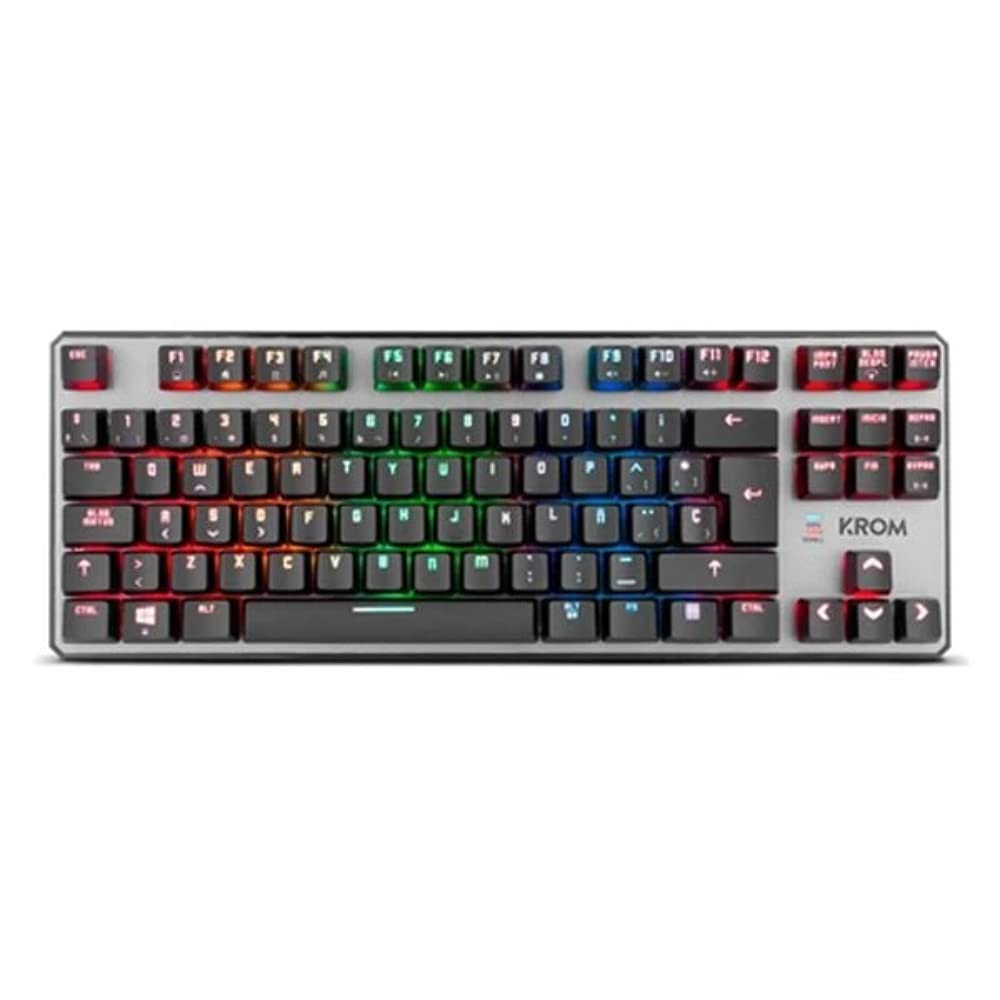
ภาพที่ 1.2: จากบนลงล่าง view of the KROM Kernel TKL keyboard, showcasing its compact design and vibrant RGB backlighting across all keys.
การตั้งค่า
- แกะคีย์บอร์ดออก: Carefully remove the KROM Kernel TKL keyboard from its packaging.
- เชื่อมต่อกับคอมพิวเตอร์: Locate the USB cable attached to the keyboard. Plug the USB connector into an available USB port on your computer (PC or laptop).
- การติดตั้งไดร์เวอร์: The keyboard is plug-and-play. Your operating system (Windows 7/8/8.1/10) should automatically detect and install the necessary drivers. This process may take a few moments.
- ตรวจสอบการทำงาน: Once drivers are installed, test the keyboard by typing in a text editor or browser to ensure all keys are responsive.
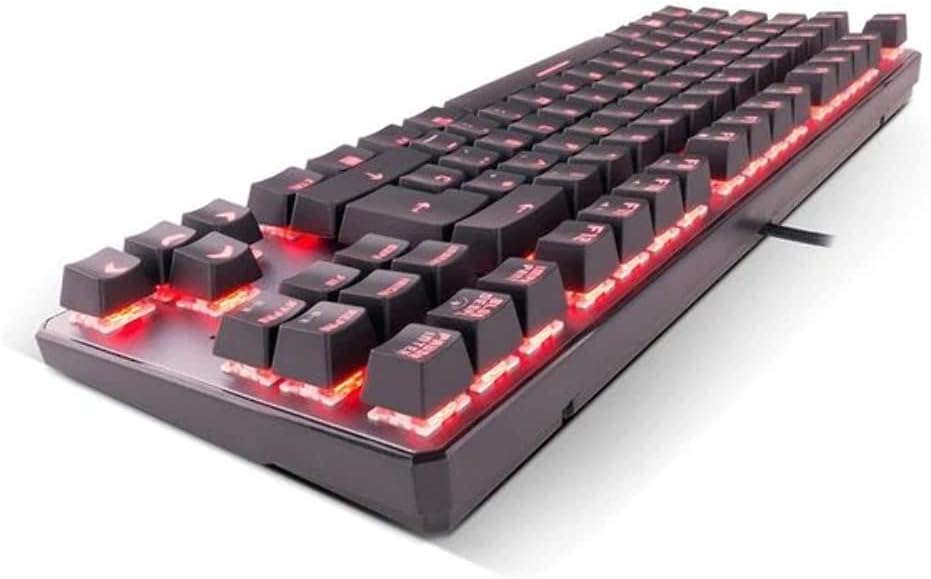
ภาพที่ 2.1: ด้านข้าง view of the KROM Kernel TKL keyboard, highlighting the red backlighting visible beneath the keycaps and the compact profile.
คำแนะนำการใช้งาน
การควบคุมไฟแบ็คไลท์ RGB
The KROM Kernel TKL keyboard features dynamic RGB backlighting. Use the following key combinations to adjust lighting effects:
- Fn + [ปุ่ม]: Specific function keys (often F1-F12 or dedicated keys) are used in combination with the Function (Fn) key to cycle through lighting modes, adjust brightness, change speed, or select colors. Refer to the keyboard's keycap legends for specific symbols indicating lighting controls.
- การปรับความสว่าง: Typically Fn + Up/Down arrow keys or dedicated brightness keys.
- ความเร็วของเอฟเฟกต์: Often Fn + Left/Right arrow keys to increase or decrease the speed of dynamic lighting effects.
- การสลับโหมด: Cycle through various pre-set RGB lighting modes (e.g., wave, ripple, breathing, static color) using a dedicated Fn combination.

ภาพที่ 3.1: The KROM Kernel TKL keyboard displaying its full RGB spectrum backlighting, enhancing the visual appeal during use.
Macro Function Assignment
The keyboard supports on-the-fly macro recording or software-based macro assignment. For on-the-fly recording:
- เริ่มการบันทึก: Press a specific Macro Record key (often labeled "MR" or a Fn combination).
- Select Target Key: Press the key you wish to assign the macro to.
- ลำดับการบันทึก: พิมพ์ลำดับของคีย์ที่คุณต้องการบันทึกเป็นแมโคร
- สิ้นสุดการบันทึก: Press the Macro Record key again to save the macro.
Note: Detailed macro programming instructions may require specific software or refer to the full digital manual available on the KROM webเว็บไซต์.
ปุ่มมัลติมีเดียและปุ่มลัด
Access multimedia functions and system shortcuts using the Fn key in combination with the F-keys (F1-F12) or other designated keys. Common functions include:
- การควบคุมระดับเสียง: Fn + Fx (e.g., F1-F3 for Mute, Volume Down, Volume Up).
- การเล่นสื่อ: Fn + Fx (e.g., F5-F8 for Play/Pause, Stop, Previous Track, Next Track).
- ทางลัดแอปพลิเคชัน: Fn + Fx (e.g., F9-F12 for Email, Web Browser, My Computer, Calculator).

ภาพที่ 3.2: ภาพระยะใกล้ view of the KROM Kernel TKL keyboard's keycaps, clearly showing the Spanish QWERTY layout and secondary functions.
การซ่อมบำรุง
การบำรุงรักษาอย่างถูกต้องจะช่วยให้แป้นพิมพ์ของคุณมีอายุการใช้งานยาวนานและมีประสิทธิภาพ
- การทำความสะอาด:
- ถอดแป้นพิมพ์ออกจากคอมพิวเตอร์ของคุณก่อนทำความสะอาด
- ใช้กระป๋องอัดอากาศเพื่อกำจัดฝุ่นและเศษต่างๆ ออกจากระหว่างปุ่มต่างๆ
- เช็ดปุ่มและพื้นผิวแป้นพิมพ์ด้วยผ้านุ่มๆ เช็ดเบาๆampผ้าที่ไม่เป็นขุย หลีกเลี่ยงความชื้นมากเกินไป
- ห้ามใช้สารเคมีรุนแรง น้ำยาทำความสะอาดที่มีฤทธิ์กัดกร่อน หรือตัวทำละลาย
- พื้นที่จัดเก็บ: เก็บแป้นพิมพ์ไว้ในที่แห้งและเย็น หลีกเลี่ยงแสงแดดโดยตรงและอุณหภูมิที่สูงหรือต่ำเกินไป
- การจัดการ: Avoid dropping the keyboard or exposing it to liquids. Do not attempt to disassemble the keyboard as this may void the warranty.

ภาพที่ 4.1: โปรข้างfile view of the KROM Kernel TKL keyboard, illustrating its ergonomic tilt and compact design.

ภาพที่ 4.2: A close-up image showing a mechanical switch on the KROM Kernel TKL keyboard, highlighting its design and potential for easy replacement (CIY Technology).

ภาพที่ 4.3: The CIY Technology logo, indicating that the keyboard features hot-swappable mechanical switches for easy customization or replacement.
การแก้ไขปัญหา
If you encounter issues with your KROM Kernel TKL keyboard, refer to the following common solutions:
- แป้นพิมพ์ไม่ตอบสนอง:
- ตรวจสอบให้แน่ใจว่าสาย USB เสียบเข้ากับคีย์บอร์ดและคอมพิวเตอร์อย่างแน่นหนา
- ลองเสียบคีย์บอร์ดเข้ากับพอร์ต USB อื่นบนคอมพิวเตอร์ของคุณ
- รีสตาร์ทเครื่องคอมพิวเตอร์ของคุณ
- ทดสอบแป้นพิมพ์บนคอมพิวเตอร์เครื่องอื่นเพื่อตรวจสอบว่าปัญหาอยู่ที่แป้นพิมพ์หรือระบบของคุณ
- ไฟแบ็คไลท์ไม่ทำงานหรือไม่ถูกต้อง:
- Check if the backlighting is turned off. Use the Fn key combinations to cycle through lighting modes and adjust brightness.
- Ensure no software conflicts are interfering with the lighting controls.
- คีย์ไม่ลงทะเบียนหรือพิมพ์ซ้ำ:
- ใช้ลมเป่าทำความสะอาดปุ่มที่ได้รับผลกระทบเพื่อขจัดเศษฝุ่นหรือสิ่งสกปรกออกไป
- If the keyboard uses hot-swappable switches (like the "CIY Technology" mentioned in an image), try gently removing and re-inserting the switch for the problematic key.
- ตรวจสอบให้แน่ใจว่าไดรเวอร์ระบบปฏิบัติการของคุณเป็นเวอร์ชันล่าสุด
- ฟังก์ชันมาโครใช้งานไม่ได้:
- Review the macro programming steps to ensure correct recording.
- Check if any software is overriding the keyboard's native macro functions.
ข้อมูลจำเพาะ
| คุณสมบัติ | รายละเอียด |
|---|---|
| หมายเลขรุ่น | NXKROMKRNLTKL |
| ประเภทแป้นพิมพ์ | เครื่องจักรกล |
| เค้าโครง | Spanish QWERTY (TKL) |
| การแบ็คไลท์ | ไฟ LED RGB |
| การเชื่อมต่อ | Wired USB (Gold-plated) |
| ความยาวสายเคเบิล | 180 cm (Braided) |
| แรงขับเคลื่อน | 60 +/- 10 กรัม |
| อัตราการสำรวจความคิดเห็น | 1000 เฮิรตซ์ |
| หน่วยความจำภายใน | 64 KB (for macros/profiles) |
| การบริโภคปัจจุบัน | 100-260มิลลิแอมป์ |
| เล่มที่tage | 5.0 +/- 0.25 V |
| ขนาด (กว้าง x ยาว x สูง) | 361 x 133.5 x 22.5 มม. |
| น้ำหนัก | 950 +/- 30 กรัม |
| ความเข้ากันได้ | วินโดวส์ 7 / 8 / 8.1 / 10 |
| คุณสมบัติพิเศษ | Macro function assignment, Multimedia keys, Shortcut keys |
การรับประกันและการสนับสนุน
KROM products are designed for reliability and performance. This product comes with a standard manufacturer's warranty. For specific warranty terms and conditions, please refer to the warranty card included with your product or visit the official KROM webเว็บไซต์.
For technical support, driver downloads, or further assistance, please visit the KROM official support page or contact their customer service. Contact information can typically be found on the KROM webบรรจุภัณฑ์ไซต์หรือผลิตภัณฑ์
KROM อย่างเป็นทางการ Webเว็บไซต์: www.kromgaming.com (หมายเหตุ: นี่เป็นเพียงตัวอย่างชั่วคราว URL, please verify the actual KROM support webเว็บไซต์.)