
1. บทนำ
The Xiaomi Mi 5000mAh Power Bank is a portable charging solution designed for smartphones and other USB-powered devices. Its slim 9.9mm design and lightweight construction (156 grams) make it highly portable, fitting easily into a pocket or bag. Equipped with a 5000mAh lithium-ion polymer battery, it provides reliable power on the go. The integrated battery indicator keeps you informed about the remaining charge level.
2. ข้อมูลด้านความปลอดภัย
- Do not expose the power bank to extreme temperatures (above 60°C / 140°F or below 0°C / 32°F), direct sunlight, or fire.
- Avoid dropping, disassembling, or attempting to repair the device yourself. This may cause damage or injury.
- Keep the power bank away from water, moisture, and other liquids.
- Use only certified charging cables and adapters. Using incompatible accessories may lead to fire, explosion, or other hazards.
- เก็บให้พ้นจากมือเด็ก
- Dispose of the power bank according to local regulations for electronic waste. Do not dispose of it in household waste.
3. เนื้อหาบรรจุภัณฑ์
- Xiaomi Mi 5000mAh Power Bank (Model XPB5000)
- USB Charging Cable (Micro USB to USB-A)
- คู่มือการใช้งาน
4. สินค้าหมดview
Familiarize yourself with the components of your Xiaomi Mi 5000mAh Power Bank.
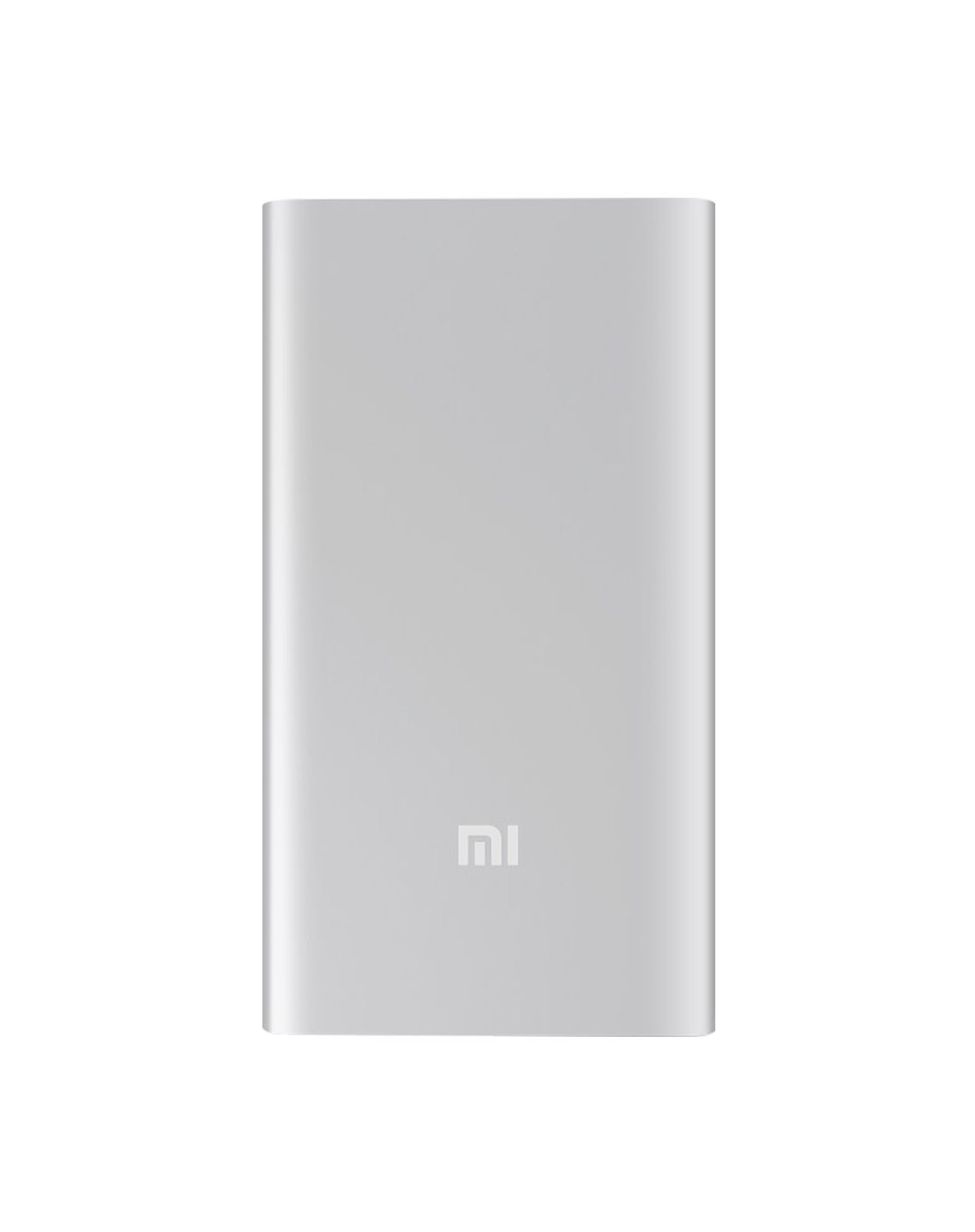
รูปที่ 4.1 : ด้านหน้า view of the Xiaomi Mi 5000mAh Power Bank, silver color with the 'Mi' logo.

รูปที่ 4.2: ด้านบน view of the power bank, highlighting the ports and indicators.
- พอร์ตอินพุต Micro USB: Used to charge the power bank itself.
- พอร์ตเอาต์พุต USB-A: ใช้สำหรับชาร์จอุปกรณ์ภายนอก
- ปุ่มเปิด/ปิด: Press once to check battery level; press and hold to turn on/off (if applicable, some power banks are auto-on).
- ไฟ LED แสดงสถานะ: Four small lights that show the remaining battery capacity of the power bank. Each light typically represents 25% of the charge.
5. การตั้งค่า
5.1 ค่าบริการเริ่มต้น
Before using your Xiaomi Mi 5000mAh Power Bank for the first time, it is recommended to fully charge it.
- Connect the Micro USB end of the provided cable to the power bank's Micro USB Input Port.
- เชื่อมต่อปลายสายด้าน USB-A เข้ากับอะแดปเตอร์ USB ติดผนัง (ไม่ได้รวมอยู่ในชุด) หรือพอร์ต USB ของคอมพิวเตอร์
- The LED indicators will light up and blink, showing the charging progress. All four LEDs will remain solid when the power bank is fully charged.
6. คู่มือการใช้งาน
6.1 การชาร์จพาวเวอร์แบงค์
วิธีชาร์จพาวเวอร์แบงค์ของคุณ:
- Use the included USB cable to connect the power bank's Micro USB input port to a power source (e.g., wall charger, computer USB port).
- The LED indicators will show the charging status. When all four LEDs are solid, the power bank is fully charged.
6.2 การชาร์จอุปกรณ์ของคุณ
To charge a smartphone or other USB-powered device:
- Connect your device's charging cable to the USB-A Output Port of the power bank.
- เชื่อมต่อปลายสายอีกด้านเข้ากับอุปกรณ์ของคุณ
- พาวเวอร์แบงค์ควรเริ่มชาร์จอุปกรณ์ของคุณโดยอัตโนมัติ หากไม่เป็นเช่นนั้น ให้กดปุ่มเปิด/ปิดหนึ่งครั้งเพื่อเริ่มการชาร์จ
- The LED indicators will show the power bank's remaining charge while it is in use.
7. การบำรุงรักษา
- การทำความสะอาด: ใช้ผ้านุ่มและแห้งเช็ดทำความสะอาดพาวเวอร์แบงค์ ห้ามใช้สารเคมีรุนแรงหรือวัสดุที่มีฤทธิ์กัดกร่อน
- พื้นที่จัดเก็บ: Store the power bank in a cool, dry place away from direct sunlight and extreme temperatures. If storing for extended periods, charge it to about 50% every three months to prolong battery life.
- การดูแลแบตเตอรี่ ควรหลีกเลี่ยงการปล่อยประจุแบตเตอรี่สำรองจนหมดบ่อยๆ เพราะอาจทำให้อายุการใช้งานโดยรวมลดลงได้
8 การแก้ไขปัญหา
| ปัญหา | วิธีแก้ปัญหาที่เป็นไปได้ |
|---|---|
| พาวเวอร์แบงค์ชาร์จไม่เข้า | Ensure the charging cable is securely connected to both the power bank and the power source. Try a different cable or wall adapter. Check if the power source is active. |
| อุปกรณ์ไม่ได้ชาร์จจากพาวเวอร์แบงค์ | Check if the power bank has sufficient charge (indicated by LEDs). Ensure the cable connecting the device to the power bank is functional and securely connected. Press the power button on the power bank once. |
| ชาร์จช้า | Ensure you are using a high-quality cable. The charging speed may vary depending on the device being charged and the power bank's remaining capacity. |
| ไฟ LED แสดงสถานะไม่ทำงาน | The power bank might be completely discharged or damaged. Try charging it for a few hours. If the issue persists, contact support. |
9. ข้อมูลจำเพาะ
| คุณสมบัติ | รายละเอียด |
|---|---|
| ชื่อยี่ห้อ | เสี่ยวหมี่ |
| หมายเลขรุ่น | เอ็กซ์พีบี5000 |
| ความจุของแบตเตอรี่ | 5000 มิลลิแอมป์ |
| ส่วนประกอบของเซลล์แบตเตอรี่ | ลิเธียมโพลีเมอร์ |
| สี | เงิน |
| คุณสมบัติพิเศษ | น้ำหนักเบา |
| เล่มที่tage | 5 โวลต์ |
| ปัจจุบัน | 2.1 Amps |
| แหล่งพลังงาน | ใช้พลังงานจากแบตเตอรี่ |
| อุปกรณ์ที่รองรับ | สมาร์ทโฟน |
| รุ่นโทรศัพท์ที่รองรับ | Apple iPhone 5S, Apple iPhone 6 (and other USB-compatible devices) |
| พอร์ตอินพุต | 1 (Micro USB) |
| พอร์ตเอาท์พุท | 1 (ยูเอสบี-เอ) |
| ขนาดรายการ (ยาว x กว้าง x สูง) | 15 x 4.5 x 2.5 ซม. |
| น้ำหนัก | น้ำหนักประมาณ 156 กรัม |
| GTIN / UPC | 06954176883742 / 700254076065 190268050890 |
Note: The specification 'Number of Ports: 6' from product data likely refers to the combination of physical ports (Micro USB input, USB-A output) and the four LED indicators.
10. การรับประกันและการสนับสนุน
10.1 ข้อมูลการรับประกัน
According to the product specifications, this item is sold with "No Warranty". Please refer to your point of purchase for any return or exchange policies.
10.2 การสนับสนุนลูกค้า
For further assistance or inquiries regarding your Xiaomi Mi 5000mAh Power Bank, please contact the retailer where the product was purchased or visit the official Xiaomi support webเว็บไซต์สำหรับข้อมูลผลิตภัณฑ์ทั่วไป
Xiaomi อย่างเป็นทางการ Webเว็บไซต์: https://www.mi.com/global/support