
1. บทนำ
This manual provides essential information for the proper setup, operation, and maintenance of your Sony SLV-FT5 VHS Video Cassette Recorder (VCR). Please read these instructions thoroughly before using the unit to ensure optimal performance and safety.
2. ข้อมูลด้านความปลอดภัย
ปฏิบัติตามข้อควรระวังด้านความปลอดภัยพื้นฐานเสมอเมื่อใช้ผลิตภัณฑ์นี้ เพื่อลดความเสี่ยงต่อการเกิดไฟไหม้ ไฟฟ้าช็อต และการบาดเจ็บ
- อย่าให้เครื่องโดนฝนหรือความชื้น
- อย่าเปิดตู้. ส่งต่อบริการไปยังบุคลากรที่มีคุณสมบัติเหมาะสมเท่านั้น
- ตรวจสอบให้แน่ใจว่ามีการระบายอากาศที่เหมาะสม อย่าปิดกั้นช่องระบายอากาศ
- ใช้เฉพาะแหล่งจ่ายไฟที่ระบุไว้สำหรับหน่วยนี้เท่านั้น
- เก็บเครื่องให้ห่างจากแหล่งความร้อนและแสงแดดโดยตรง
3. การตั้งค่า
3.1 การแกะกล่อง
Carefully remove the VCR and all accessories from the packaging. Verify that all components are present: the SLV-FT5 VCR unit, remote control, and necessary connection cables (e.g., RCA audio/video cables).
3.2 การเชื่อมต่อกับโทรทัศน์
To connect the VCR to your television, use the provided RCA audio/video cables. Match the colored plugs to the corresponding colored jacks on both the VCR and your TV (Yellow for Video, White for Left Audio, Red for Right Audio).

รูปที่ 1: Rear panel of the Sony SLV-FT5 VCR. This image displays the various input and output ports, including RCA jacks for audio and video, and the power input. The product label with model number SLV-FT5 and power specifications (100V 18W 50/60Hz) is also visible.
3.3 การเชื่อมต่อสายไฟ
Plug the VCR's power cord into a standard electrical outlet (AC 100V, 50/60Hz). Ensure the power outlet is easily accessible.
3.4 ตั้งค่าการควบคุมระยะไกล
Open the battery compartment on the back of the remote control and insert two AA batteries, observing the correct polarity (+/-). Close the compartment securely.

รูปที่ 2: The Sony RMT-V219 remote control, designed for the SLV-FT5 VCR. This image also shows the included RCA audio/video cables, which are typically used for connecting the VCR to a television.
4. การใช้งานเครื่องวีซีอาร์
4.1 การเปิด/ปิดเครื่อง
กดปุ่ม พลัง button on the VCR's front panel or the remote control to turn the unit on or off.
4.2 Loading and Unloading a VHS Tape
- กำลังโหลด: Insert a VHS cassette into the tape slot on the front of the VCR with the tape window facing forward. The VCR will automatically pull the tape in.
- ยกเลิกการโหลดรูปภาพ: กดปุ่ม ดีดออก button on the VCR or remote control. The tape will be ejected.
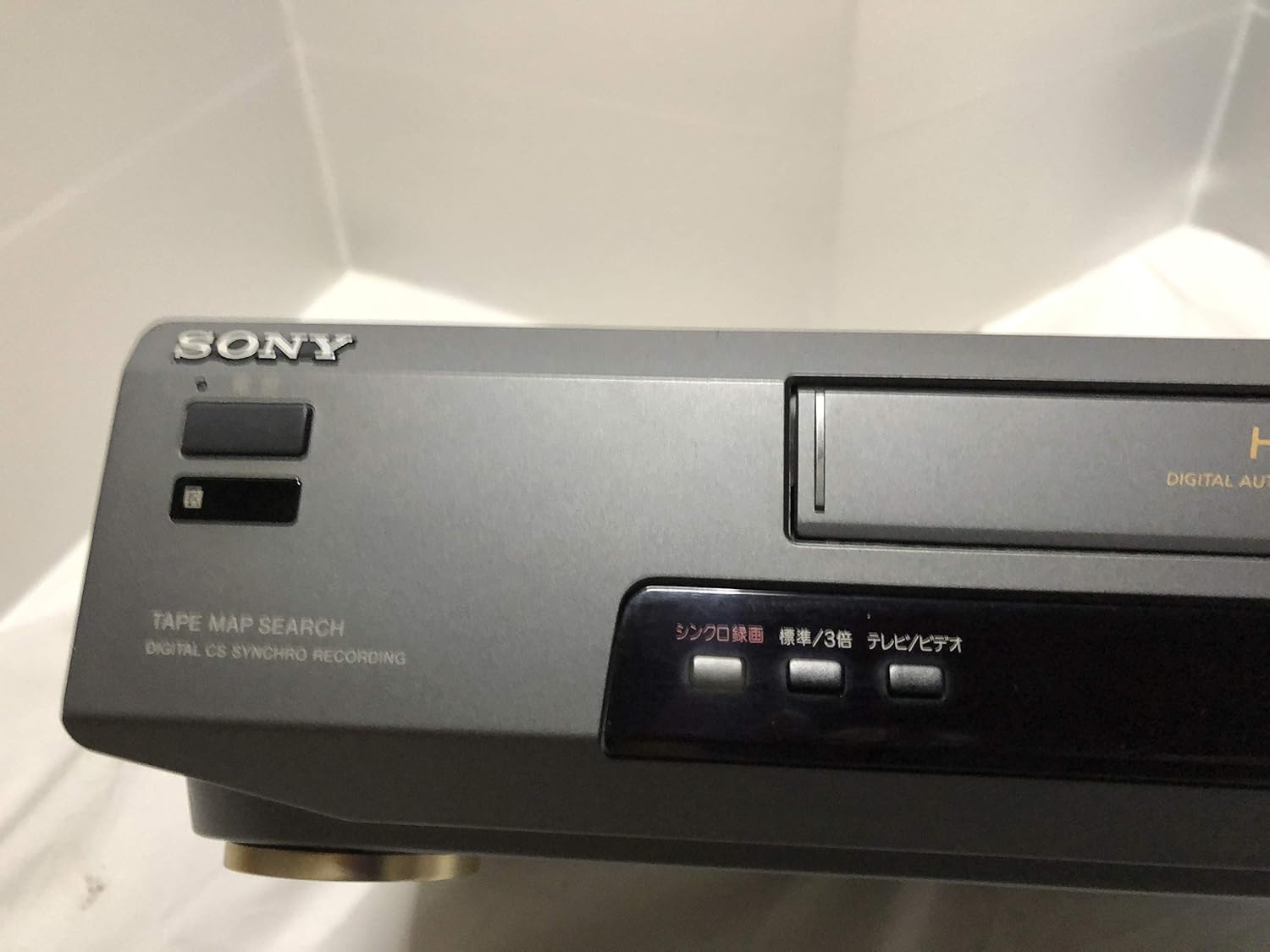
รูปที่ 3: Front left section of the Sony SLV-FT5 VCR. This view highlights the tape loading slot and the 'TAPE MAP SEARCH' feature, which assists in navigating recorded content on a tape.
4.3 การเล่นซ้ำ
After loading a tape, press the เล่น button (►) on the VCR or remote control to begin playback. Use the หยุดชั่วคราว (∥), หยุด (), ย้อนกลับ (◀◀) และ ก้าวไปข้างหน้าอย่างรวดเร็ว (►►) ปุ่มควบคุมการเล่น

รูปที่ 4: Front right section of the Sony SLV-FT5 VCR. This image displays the main playback controls (Play, Stop, Rewind, Fast Forward, Pause) and additional buttons for 'Quick Timer' and 'Tracking' adjustments.
4.4 การบันทึก
To record, ensure a blank or recordable tape is inserted. Select the desired input source (e.g., TV channel). Press the บันทึก (●) button on the VCR or remote control. Press หยุด (■) เพื่อหยุดการบันทึก
4.5 Tracking Adjustment
If the picture quality during playback is poor (e.g., horizontal lines or noise), use the การติดตาม buttons on the front panel or remote control to fine-tune the tape's alignment with the VCR's heads.
5. การบำรุงรักษา
5.1 การทำความสะอาดหน่วย
Wipe the exterior of the VCR with a soft, dry cloth. For stubborn stains, use a cloth lightly dampล้างออกด้วยน้ำยาทำความสะอาดอ่อนๆ แล้วเช็ดให้แห้ง ห้ามใช้สารทำความสะอาดที่มีฤทธิ์กัดกร่อนหรือตัวทำละลาย
การทำความสะอาดหัว 5.2 หัว
Over time, VCR heads can accumulate dirt, leading to poor picture and sound quality. Use a commercially available dry-type VHS head cleaning cassette according to its instructions. Avoid wet-type cleaners as they can damage the heads.
5.3 พื้นที่จัดเก็บ
When not in use for extended periods, disconnect the VCR from the power outlet. Store the unit in a cool, dry place, away from dust and direct sunlight.
6 การแก้ไขปัญหา
If you encounter issues with your VCR, refer to the following common problems and solutions before seeking professional service.
| ปัญหา | สาเหตุที่เป็นไปได้ | สารละลาย |
|---|---|---|
| ไม่มีไฟฟ้า | สายไฟหลุด; มีปัญหาที่ปลั๊กไฟ | ตรวจสอบการเชื่อมต่อสายไฟ ลองใช้เต้ารับอื่น |
| ไม่มีภาพ/เสียง | Incorrect TV input; loose A/V cables | Select correct TV input (e.g., Video 1, AV); ensure A/V cables are securely connected. |
| Poor picture quality (snowy, lines) | Dirty VCR heads; tracking issue; old/damaged tape | Clean VCR heads; adjust tracking; try a different tape. |
| เทปไม่ยอมออกมา | Power issue; mechanical malfunction | Ensure power is on; try pressing EJECT multiple times. If issue persists, seek service. |
| รีโมตคอนโทรลไม่ทำงาน | แบตเตอรี่หมด; เซ็นเซอร์ถูกปิดกั้น | Replace batteries; ensure no obstacles between remote and VCR sensor. |
7. ข้อมูลจำเพาะ
| คุณสมบัติ | ข้อมูลจำเพาะ |
|---|---|
| ยี่ห้อ | โซนี่ |
| หมายเลขรุ่น | SLV-FT5 |
| ประเภทสื่อ | วีเอชเอส |
| ปณิธาน | 720 x 480 พิกเซล |
| น้ำหนักผลิตภัณฑ์ | 4160 กรัม |
| โหมดเอาต์พุตเสียง | สเตอริโอ |
| รูปแบบเสียงที่รองรับ | Monaural, Stereo |
| การเข้ารหัสวิดีโอ | อนาล็อก |
| อุปกรณ์ที่รองรับ | โทรทัศน์ |
| ความเข้ากันได้ของวิดีโออินพุต | กทส. |
| ความต้องการด้านพลังงาน | 100V, 18W, 50/60Hz |
8. การรับประกันและการสนับสนุน
For warranty information and customer support, please refer to the documentation included with your purchase or visit the official Sony webไซต์นี้ โปรดเก็บหลักฐานการซื้อไว้เพื่อใช้ยืนยันการรับประกัน