
1. บทนำ
This manual provides essential instructions for setting up, operating, and maintaining your Apple iPhone 4S. The iPhone 4S is a smartphone featuring a 3.5-inch Retina display, an 8-megapixel camera, and runs on iOS. This specific model is an 8 GB, unlocked version, compatible with GSM carriers.
2. ข้อมูลด้านความปลอดภัย
- อย่าให้เครื่องสัมผัสกับอุณหภูมิที่สูงหรือต่ำเกินไป แสงแดดโดยตรง หรือความชื้นที่มากเกินไป
- หลีกเลี่ยงการทำตกหรือให้เครื่องได้รับแรงกระแทกรุนแรง
- Use only Apple-approved accessories for charging and connectivity.
- Do not attempt to disassemble or repair the device yourself, as this may void any applicable warranty and cause damage.
- Keep the device away from medical devices to avoid potential interference.
3. เนื้อหาบรรจุภัณฑ์
ตรวจสอบว่าแพ็คเกจของคุณมีรายการต่อไปนี้:
- Apple iPhone 4S (8 GB, Unlocked)
- USB Power Adapter (charger)
- USB to 30-pin Dock Connector Cable

Image: Included accessories, typically a USB power adapter and a 30-pin USB cable.
4. อุปกรณ์โอเวอร์view
Familiarize yourself with the physical components of your iPhone 4S.

ภาพ: ด้านหน้า view of the iPhone 4S, showing the display, Home button, earpiece, and front camera.
- กล้องหน้า: Located above the display, used for video calls and selfies.
- หูฟัง: For listening during phone calls.
- แสดง: 3.5-inch Retina multi-touch screen.
- ปุ่มโฮม: Below the display, used to return to the Home screen, activate Siri, and switch applications.

ภาพ: ด้านข้าง view of the iPhone 4S, highlighting the SIM card tray and volume buttons.
- ปุ่มปรับระดับเสียง: On the left side, used to adjust media and call volume.
- Ring/Silent Switch: Above the volume buttons, to quickly switch between ring and silent modes.
- ถาดใส่ซิมการ์ด: On the right side, for inserting your micro-SIM card.
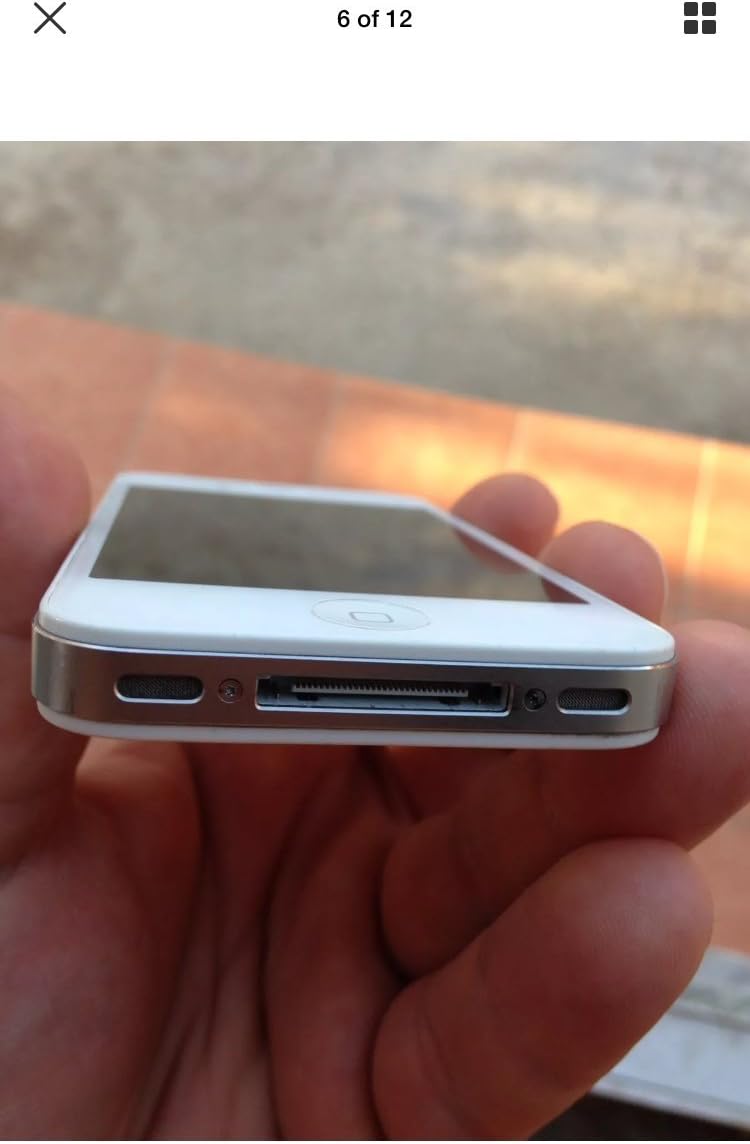
ภาพ: ด้านล่าง view of the iPhone 4S, showing the 30-pin dock connector and speaker grilles.
- ขั้วต่อ Dock 30 พิน: At the bottom, used for charging and connecting to a computer.
- วิทยากร: Located on either side of the dock connector.
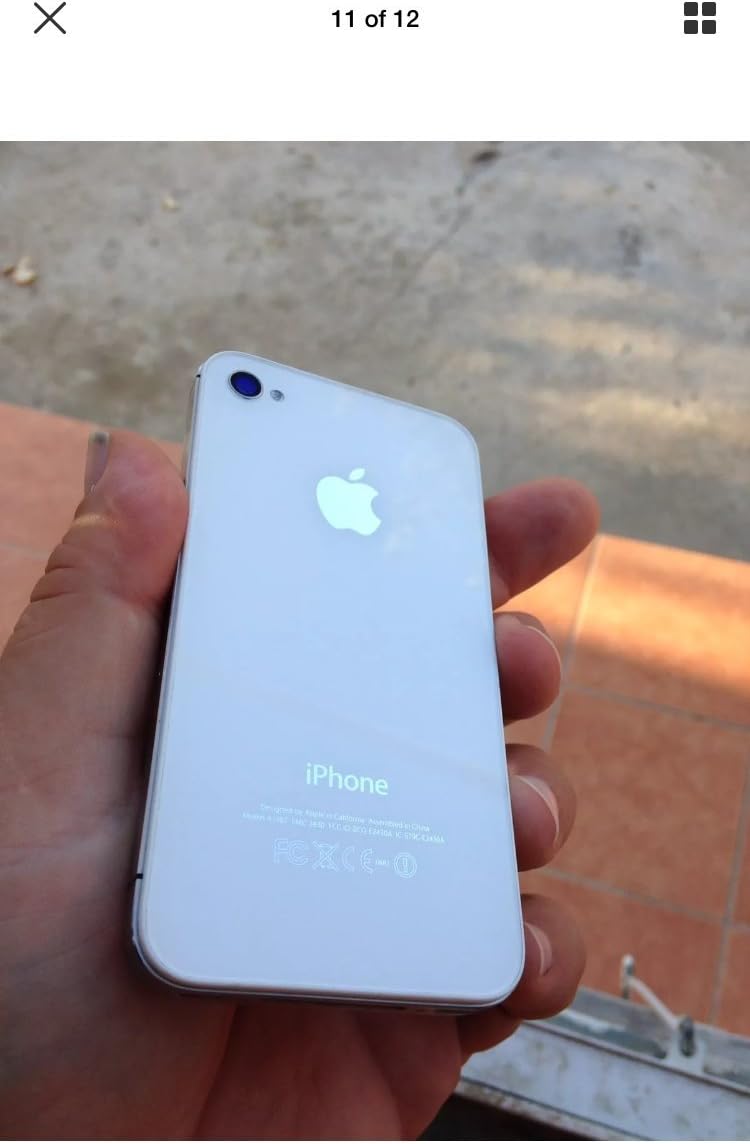
ภาพ: ด้านบน view of the iPhone 4S, showing the power/sleep button and headphone jack.
- ปุ่มเปิดปิด/สลีป: On the top right, used to turn the device on/off or put it to sleep.
- แจ็คหูฟัง: On the top left, for connecting headphones.

ภาพ: ด้านหลัง view of the iPhone 4S, showing the 8-megapixel rear camera with LED flash and the Apple logo.
- กล้องหลัง: 8-megapixel camera with LED flash for photos and 1080p video recording.
5. การตั้งค่า
5.1. การติดตั้งซิมการ์ด
- Locate the SIM card tray on the right side of the iPhone.
- Insert a SIM ejector tool (or a small paperclip) into the small hole on the SIM tray. Press firmly until the tray pops out.
- Place your micro-SIM card into the tray with the gold contacts facing down and the notched corner aligned.
- Carefully push the SIM tray back into the iPhone until it is flush with the side.
5.2. การเปิดเครื่องและการเปิดใช้งานครั้งแรก
- กดปุ่มค้างไว้ ปุ่มเปิด/ปิด/สลีป on the top of the device until the Apple logo appears.
- Follow the on-screen instructions to set up your iPhone. This includes selecting your language, region, connecting to a Wi-Fi network, and activating the device.
- You may be prompted to sign in with an Apple ID or create a new one.
6. คู่มือการใช้งาน
6.1. การนำทางพื้นฐาน
- หน้าจอสัมผัส: แตะเพื่อเลือก ปัดเพื่อเลื่อน บีบเพื่อซูม
- ปุ่มโฮม: Press once to return to the Home screen. Double-press to open the multitasking switcher. Press and hold to activate Siri.
- ปุ่มเปิดปิด/สลีป: Press once to lock/unlock the screen. Press and hold to power off the device.
6.2. การโทรและการส่งข้อความ
- เปิด โทรศัพท์ แอปสำหรับโทรออก
- เปิด ข้อความ แอปสำหรับส่งและรับข้อความ SMS/MMS
6.3. การใช้กล้อง
The iPhone 4S features an 8-megapixel rear camera capable of 1080p HD video recording and a front VGA camera for video calls.
- เปิด กล้อง แอป.
- แตะที่หน้าจอเพื่อโฟกัส
- แตะปุ่มชัตเตอร์เพื่อถ่ายภาพหรือเริ่ม/หยุดการบันทึกวิดีโอ
6.4. อินเทอร์เน็ตและแอปพลิเคชัน
- เชื่อมต่อ Wi-Fi ผ่าน การตั้งค่า > Wi-Fi.
- เข้าถึงอินเตอร์เน็ตโดยใช้ ซาฟารี web เบราว์เซอร์
- Download applications from the แอปสโตร์.
7. การบำรุงรักษา
7.1. การทำความสะอาด iPhone ของคุณ
- ใช้ผ้าที่ไม่เป็นขุยและนุ่มเพื่อทำความสะอาดหน้าจอและภายนอก
- Avoid using abrasive cleaners, aerosols, or solvents.
7.2. การดูแลแบตเตอรี่
- The iPhone 4S is equipped with a 1500 mAh Lithium-Ion battery.
- Charge your device regularly using the provided USB power adapter and cable.
- หลีกเลี่ยงการปล่อยแบตเตอรี่จนหมดบ่อยครั้งเพื่อยืดอายุการใช้งาน
7.3. การอัปเดตซอฟต์แวร์
ตรวจสอบและติดตั้งการอัปเดตซอฟต์แวร์เป็นประจำเพื่อให้มั่นใจถึงประสิทธิภาพและความปลอดภัยที่เหมาะสมที่สุด ไปที่ การตั้งค่า > ทั่วไป > อัปเดตซอฟต์แวร์.
8 การแก้ไขปัญหา
8.1. อุปกรณ์ไม่เปิด
- Ensure the battery is charged. Connect the iPhone to a power source for at least 15 minutes.
- Perform a force restart: Press and hold both the ปุ่มโฮม และ ปุ่มเปิด/ปิด/สลีป simultaneously until the Apple logo appears.
8.2. No Network Service
- ตรวจสอบว่าใส่ซิมการ์ดถูกต้องหรือไม่
- Verify that cellular data is enabled in การตั้งค่า > เซลลูล่าร์.
- รีสตาร์ท iPhone
- Ensure your account with your carrier is active and in good standing.
8.3. แอปขัดข้องหรือหยุดทำงาน
- ปิดและเปิดแอปใหม่อีกครั้ง
- รีสตาร์ท iPhone
- ตรวจสอบให้แน่ใจว่า iOS ของคุณเป็นเวอร์ชันล่าสุด
9. ข้อมูลจำเพาะ
| ยี่ห้อ | แอปเปิล |
| ชื่อรุ่น | ไอโฟน 4S |
| ระบบปฏิบัติการ | iOS 5 (upgradable to iOS 7.1.2, planned upgrade to iOS 8) |
| ความเร็วซีพียู | 1 GHz Dual-Core Cortex-A9 (Apple A5) |
| ความจุของหน่วยความจำ | 8GB |
| ขนาดหน้าจอ | 3.5 นิ้ว |
| ปณิธาน | 960 x 640 pixels (Retina Display) |
| เทคโนโลยีเซลลูล่าร์ | 2G, 3G (GSM 850/900/1800/1900, HSDPA 850/900/1700/1900/2100) |
| เทคโนโลยีการเชื่อมต่อ | ไวไฟ, บลูทูธ |
| กล้องหลัง | 8 MP, 3264 x 2448 pixels, autofocus, LED flash, 1080p@30fps video |
| กล้องหน้า | VGA, 480p@30fps video |
| ความจุของแบตเตอรี่ | ลิเธียมไอออน 1500 mAh |
| น้ำหนักสินค้า | 4.96 ออนซ์ (140 กรัม) |
| ขนาด (สูง x กว้าง x ลึก) | 4.5 x 2.31 x 0.37 นิ้ว (115.2 x 58.6 x 9.3 มม.) |
| ช่องใส่ซิมการ์ด | Single Micro-SIM |
10. การรับประกันและการสนับสนุน
This product is described as refurbished and comes with no manufacturer warranty. For any issues or support inquiries, please contact the seller directly from whom you purchased the device. Refer to your purchase documentation for seller contact information.