
การแนะนำ
Thank you for choosing the iHip IP-IV-NPR Fiber Cord Headphones. This manual provides essential information for the proper setup, operation, and maintenance of your new headphones. Please read these instructions carefully before use to ensure optimal performance and longevity of your product.
สินค้าเกินview
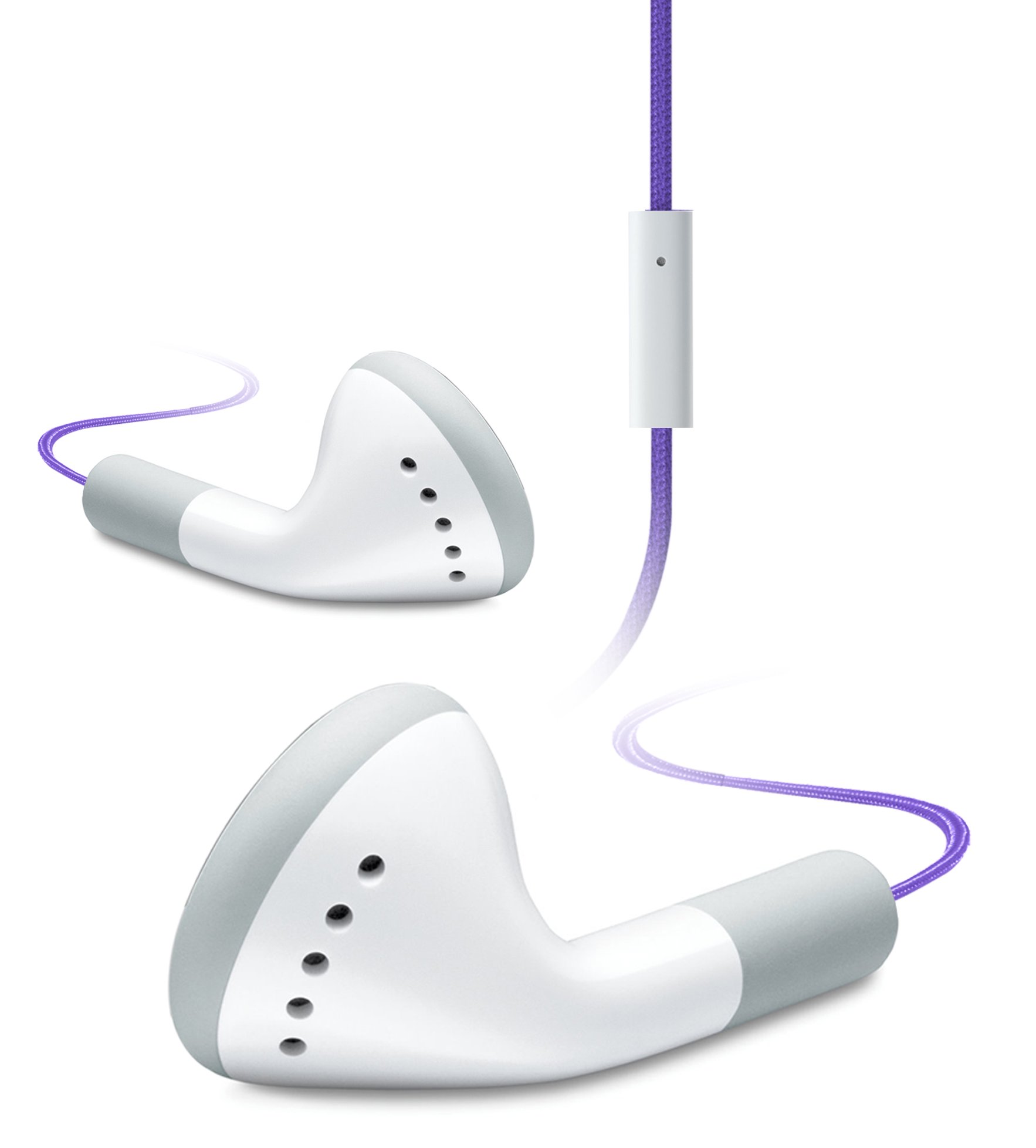
Image of the iHip IP-IV-NPR Fiber Cord Headphones, showcasing the purple color and in-line microphone.
The iHip IP-IV-NPR headphones are designed for a clear audio experience with the convenience of an in-line microphone. They feature a durable fiber cord and are compatible with a wide range of smartphones and portable devices.
คุณสมบัติหลัก:
- Fiber Cord Technology: Enhances durability and reduces tangling.
- High-efficiency Driver: Delivers clear and balanced audio output.
- Extended Bass Response: Provides richer low-frequency sounds.
- ไมโครโฟนแบบอินไลน์: ช่วยให้สามารถสื่อสารได้โดยไม่ต้องใช้มือ
- 3 Custom Fitted Ear Tips: Ensures a comfortable and secure fit for various ear sizes.
- ความเข้ากันได้กว้าง: Designed to work with most smartphones, including iPhone, iPad, and iPod touch models.
การตั้งค่า
1. Choosing the Right Ear Tips:
The headphones come with three sizes of silicone ear tips (small, medium, large). Selecting the correct size is crucial for comfort, sound quality, and noise isolation.
- ถอดจุกหูฟังที่ติดตั้งไว้ล่วงหน้าออกอย่างเบามือ
- Try each size to determine which provides the most comfortable and secure fit in your ear canal. A good seal will improve bass response and block out external noise.
- Once selected, firmly attach the new ear tips to the headphone nozzles.
2. การเชื่อมต่อกับอุปกรณ์ของคุณ:
The iHip IP-IV-NPR headphones use a standard 3.5mm audio jack for connection.
- Locate the 3.5mm headphone jack on your smartphone, tablet, or audio player.
- Insert the headphone's 3.5mm plug firmly into the device's audio jack until it clicks into place.
- ตรวจสอบให้แน่ใจว่าการเชื่อมต่อมีความปลอดภัยเพื่อป้องกันการรบกวนเสียง
คำแนะนำการใช้งาน
การเล่นเสียง:
Once connected, you can control audio playback directly from your device. The in-line microphone unit may also feature a single button for basic controls.
- เล่น/หยุดชั่วคราว: Press the button on the in-line microphone once to play or pause audio.
- เพลงถัดไป: กดปุ่มสองครั้งอย่างรวดเร็วเพื่อข้ามไปยังเพลงถัดไป
- แทร็กก่อนหน้า: กดปุ่มสามครั้งอย่างรวดเร็วเพื่อกลับไปยังแทร็กก่อนหน้า
Using the In-Line Microphone:
The integrated microphone allows for hands-free calling when connected to a compatible smartphone.
- รับ/วางสาย: Press the button on the in-line microphone once to answer an incoming call or end an active call.
- ปฏิเสธสาย: กดปุ่มค้างไว้ประมาณสองวินาทีเพื่อปฏิเสธสายเรียกเข้า
- เปิดใช้งาน Voice Assistant: Press and hold the button for approximately two seconds (when not on a call) to activate your device's voice assistant (e.g., Siri, Google Assistant).
Note: Volume control is typically managed directly from your connected device.
การซ่อมบำรุง
การทำความสะอาด:
- ควรทำความสะอาดปลายหูฟังเป็นประจำด้วยผ้าเนื้อนุ่มและแห้งamp cloth. You may remove the ear tips for a more thorough cleaning with mild soap and water, ensuring they are completely dry before reattaching.
- Wipe the headphone body and cord with a dry, soft cloth. Avoid using harsh chemicals or abrasive materials.
- Ensure no moisture enters the headphone drivers or the 3.5mm jack.
พื้นที่จัดเก็บ:
- Store your headphones in a clean, dry place away from extreme temperatures.
- Avoid tightly wrapping the cord to prevent damage to the internal wiring.
- Keep headphones away from sharp objects that could cut or fray the fiber cord.
การแก้ไขปัญหา
| ปัญหา | สาเหตุที่เป็นไปได้ | สารละลาย |
|---|---|---|
| ไม่มีเสียงหรือเสียงเบา | Headphone plug not fully inserted; device volume too low; incorrect audio output selected on device. | Ensure the 3.5mm plug is fully inserted. Increase device volume. Check device audio settings to confirm output is set to headphones. |
| เสียงเพี้ยนหรือขาดหาย | Loose connection; damaged cable; dirty audio jack on device. | Re-insert the plug firmly. Try headphones with another device to rule out device issue. Clean device's audio jack if necessary. |
| ไมโครโฟนไม่ทำงาน | Headphone plug not fully inserted; device microphone settings; app permissions. | Ensure the 3.5mm plug is fully inserted. Check your device's microphone settings and app permissions for the app you are using. |
| Poor fit or falling out of ears | ขนาดจุกหูฟังไม่ถูกต้อง | Experiment with the different ear tip sizes provided to find the most secure and comfortable fit. |
ข้อมูลจำเพาะ
- ยี่ห้อ: ไอฮิป
- หมายเลขรุ่น: IP-IV-NPR
- ฟอร์มแฟกเตอร์: ในหู
- เทคโนโลยีการเชื่อมต่อ: ต่อสาย (แจ็ค 3.5 มม.)
- คุณสมบัติสายเคเบิล: Fiber Cord, Retractable (referring to material durability, not physical retraction)
- คุณสมบัติเพิ่มเติม: In-Line Microphone, Noise Isolation (passive)
- สี: สีม่วง
- ยูพีซี: 817851020640
การรับประกันและการสนับสนุน
For warranty information or technical support, please refer to the documentation included with your purchase or visit the official iHip webไซต์ เก็บหลักฐานการซื้อของคุณไว้เพื่อใช้ในกรณีเรียกร้องการรับประกัน
If you experience issues not covered in this manual, please contact iHip customer service for further assistance.