
Panasonic DC-S1M2
Instruction Manual for Panasonic LUMIX S1II Digital Camera
Модели: DC-S1M2
Муқаддима
The Panasonic LUMIX S1II is a full-frame mirrorless digital camera designed for creators who require both dynamic video capabilities and crisp, expressive photography. It features LUMIX's advanced color science and wide dynamic range, delivering true-to-life tones and exceptional detail. This manual provides essential information for setting up, operating, maintaining, and troubleshooting your LUMIX S1II camera to ensure optimal performance.
Маҳсулот ба охир расидview
Familiarize yourself with the main components and key features of your LUMIX S1II camera.

Пеш View: Shows the L-Mount lens mount, the LUMIX logo, and the S1II model designation. The camera body features a textured grip for secure handling.

кунҷӣ View: Provides a better perspective of the camera's ergonomic design and the placement of the shutter button and front dial.
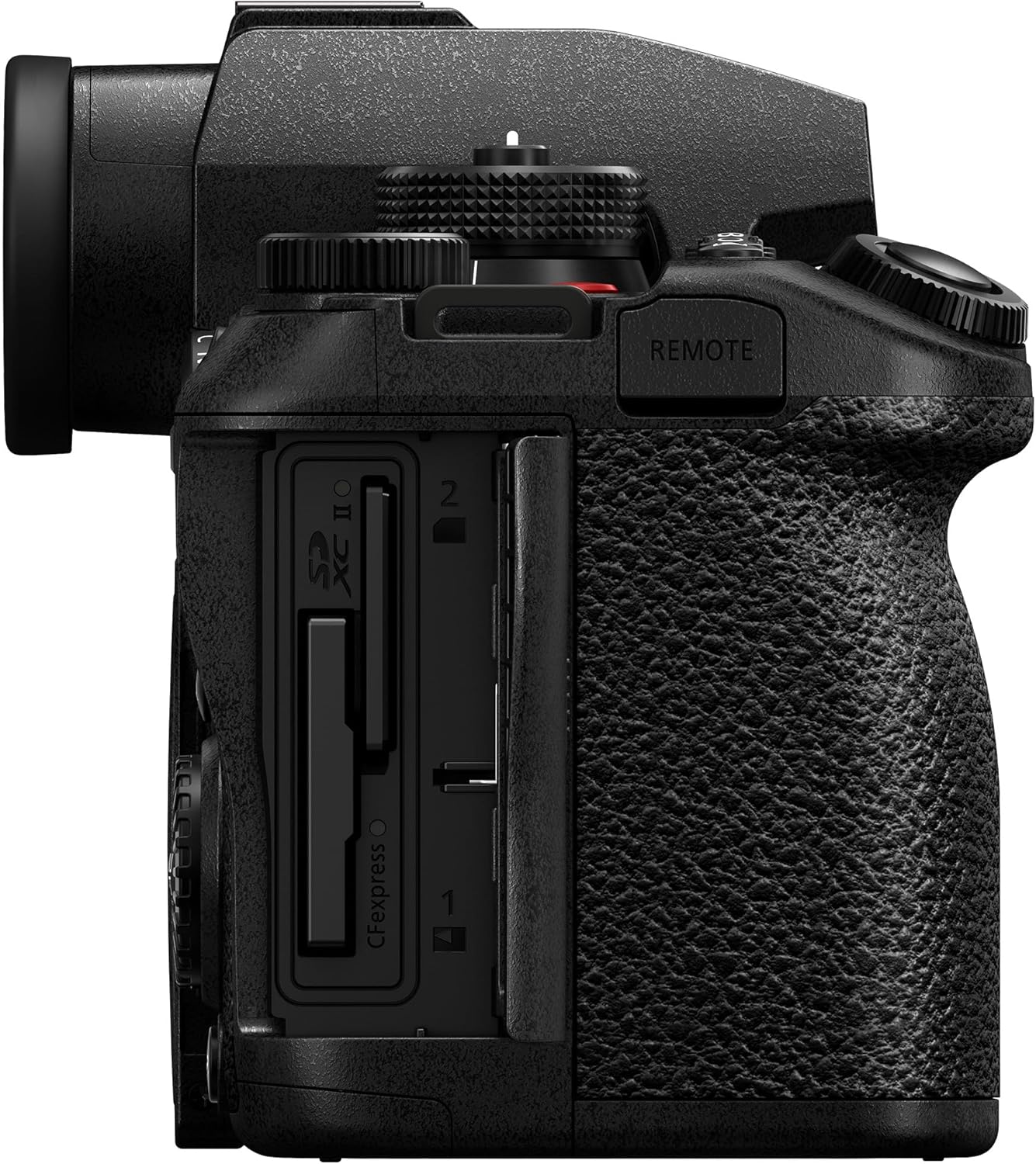
Тараф View (Card Slots): Illustrates the dual memory card slots, supporting both SD (UHS-II) and CFexpress Type B cards for flexible storage options.

Қафо View: Displays the electronic viewfinder (EVF), the main control dials, and the articulated LCD screen in its closed position.

Articulated Screen & EVF: The 1,840k-dot tilt and free-angle rear monitor offers versatile viewing angles, complemented by a high-resolution 5,760k-dot OLED Live View Finder (LVF).

Давомнокӣ: The camera features a splash, dust, and freeze-resistant design, ensuring reliable operation in various environmental conditions. Note: Resistance does not guarantee damage will occur.
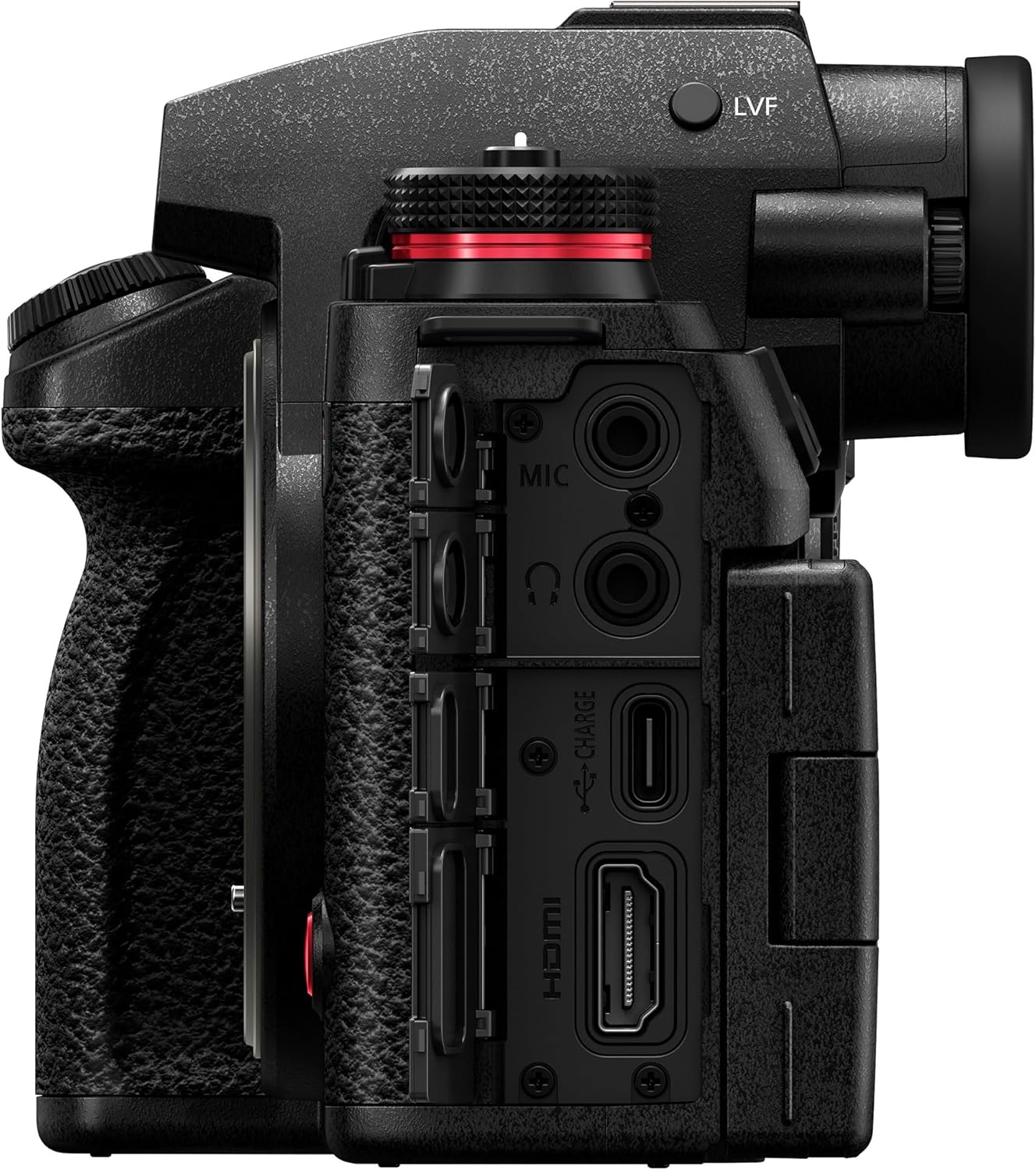
Портҳои пайвастшавӣ: Ин view highlights the various input/output ports, including microphone input, headphone output, USB-C for charging and data transfer, and HDMI for external monitoring or recording.
Ташкил кардан
1. Кушодан ва санҷиши ибтидоӣ
Carefully remove all items from the packaging. Verify that all components listed in the "What's in the Box" section are present and inspect the camera for any visible damage.
2. Пуркунии батарея
The camera uses a BLK22 battery. Insert the included battery into the battery charger and connect the charger to a power outlet. The charging indicator will show the charging status. A full charge typically takes approximately 3 hours. Ensure the battery is fully charged before first use.
3. Ҷойгиркунии батарея ва корти хотира
Open the battery compartment cover on the bottom of the camera and insert the charged battery. Close the cover securely. Open the memory card slot cover on the side of the camera and insert a compatible SD (UHS-II) or CFexpress Type B card until it clicks into place. Close the cover.
4. Пайваст кардани линза
Align the white or red mounting mark on the lens with the corresponding mark on the camera body's L-Mount. Rotate the lens clockwise until it clicks into place. To detach, press the lens release button and rotate the lens counter-clockwise.
Истифода бурдани камера
1. Фаъол/хомӯш
To power on the camera, rotate the power switch located on the top plate. To power off, rotate it back to the OFF position.
2. Усулҳои асосии тирандозӣ
The mode dial on the top of the camera allows you to select various shooting modes, including Program AE (P), Aperture Priority AE (A), Shutter Priority AE (S), Manual Exposure (M), and custom modes (C1-C3). Rotate the dial to your desired mode.
3. Adjusting Settings (ISO, White Balance)
Dedicated buttons on the top plate provide quick access to ISO sensitivity and White Balance settings. Press the respective button and use the control dials to adjust the values. The LUMIX S1II features a 24.1MP partially stacked CMOS sensor for excellent image quality across various ISO ranges.
4. Системаи Автофокус
The camera is equipped with a Phase Hybrid AF system enhanced by AI subject recognition, providing fast and accurate focusing. You can switch between single autofocus (AFS), continuous autofocus (AFC), and manual focus (MF) using the dedicated switch. The system is capable of tracking fast-moving subjects, supporting AFC burst shooting up to 70 fps.
5. Сабти видео
To start video recording, press the dedicated record button, typically located on the front or top of the camera. The LUMIX S1II supports high-resolution video recording, including 5.1K 60p open gate recording, oversampled 4K, and high frame rate video up to C4K/4K 120p. A red light indicates when recording is active.
6. Муътадилсозии тасвир
The camera features advanced 8.0-stop 5-axis In-Body Image Stabilization (I.S.) and Active I.S. for smooth, steady shots, even when walking or using wide-angle lenses. This system automatically compensates for camera shake.
Нигоҳдорӣ
1. Тоза кардани корпус ва линзаи камера
Use a soft, lint-free cloth to clean the camera body. For the lens, use a lens brush or blower to remove dust, then gently wipe with a micro-fiber lens cloth and lens cleaning solution if necessary. Avoid touching the sensor directly.
2. Нигоҳдорӣ
When not in use, store the camera in a dry, cool place away from direct sunlight and extreme temperatures. It is recommended to remove the battery if storing for extended periods. Use a desiccant packet in your camera bag to absorb moisture.
3. Навсозии нармафзор
Дастгирии Panasonic-ро мунтазам тафтиш кунед website for firmware updates. Keeping your camera's firmware up-to-date ensures optimal performance, new features, and bug fixes.
Мушкилкушо
This section addresses common issues you might encounter with your LUMIX S1II camera. For more detailed troubleshooting or issues not listed here, please refer to the comprehensive online manual or contact Panasonic customer support.
- Камера фаъол нест: Боварӣ ҳосил кунед, ки батарея пурра пур карда шудааст ва дуруст ҷойгир карда шудааст. Агар мавҷуд бошад, батареяи пуркардашудаи дигарро истифода баред.
- Тасвирҳо норавшананд: Check your focus mode (Autofocus vs. Manual Focus). Ensure sufficient lighting. Verify that image stabilization is enabled if shooting handheld in low light. Clean the lens.
- Хатогии корти хотира: Ensure the memory card is fully inserted. Try reformatting the card (this will erase all data). Use a different, compatible memory card.
- Overheating during video recording: High-resolution and high frame rate video recording can generate heat. Ensure adequate ventilation around the camera. Consider using an external SSD for recording if available, as this can reduce internal heat generation. Reduce recording resolution or frame rate if continuous recording is causing issues.
- Autofocus is slow or inaccurate: Ensure there is sufficient contrast in your subject. Check your AF area mode and ensure it is appropriate for your subject. Clean the lens contacts.
Мушаххасоти
| Хусусият | Тафсилот |
|---|---|
| Номи модел | LUMIX S1II |
| Рақами модели ашё | DC-S1M2BODY |
| Бренд | Panasonic |
| Максимум Webcam Resolution Image | 24.1 МП |
| Технологияи сенсори акс | CMOS (Partially Stacked) |
| Устуворсозии тасвир | Sensor-shift (8.0-stop 5-axis I.S. and Active I.S.) |
| Дастгоҳҳои мувофиқ | Лейка Л. |
| Дастгир карда шудааст File Формат | JPEG, HEIF, ProRes RAW HQ (Internal Recording) |
| Таносуби тараф | 16:9, 3:2, 4:3 |
| Минимуми васеъшудаи ISO | 50 |
| Тавсифи ҳисобкунӣ | Center-Weighted Average, Highlight Weighted, Multi-Zone, Multiple, Spot |
| Андозаҳои маҳсулот | 9.1 x 9.1 x 9.1 инч |
| Вазни ашё | 1 фунт |
| Батареяҳо | 1 AA batteries required. (included) - <i>Note: This appears to be an error in the source data, as the camera uses a BLK22 battery.</i> |
| Санаи аввалин дастрас | 13 майи соли 2025 |
Дар қуттӣ чӣ ҳаст
The following items are included with your Panasonic LUMIX S1II camera:
- Бастаи батарея
- Пуркунандаи батарея
- Тасмори китф
- Сарпӯши бадан
- Hot Shoe cover
Кафолат ва дастгирӣ
For warranty information, technical support, and service inquiries, please visit the official Panasonic support webсайт ё шӯъбаи хидматрасонии муштариёни онҳо тамос гиред. Квитансияи хариди худро ҳамчун далели харид барои даъвоҳои кафолат нигоҳ доред.
Ask a question about this manual
Ask about setup, troubleshooting, compatibility, parts, safety, or missing instructions. Manuals+ will review the question and use this page’s manual context to help answer it.