
పరిచయం
This manual provides detailed instructions for the installation, operation, and maintenance of your EZoneTronics PCD001 Portable Wireless Car Stereo. Please read this manual thoroughly before using the device to ensure proper functionality and to prevent damage.
ఉత్పత్తి ముగిసిందిview
కీ ఫీచర్లు
- 7-Inch Touchscreen Display: Provides a clear and responsive interface for navigation and media control.
- వైర్లెస్ ఆపిల్ కార్ప్లే & ఆండ్రాయిడ్ ఆటో: Seamlessly integrates with Apple and Android smartphones for navigation, music, and communication.
- FM ట్రాన్స్మిటర్: Connects to your vehicle's original radio system via AUX Out or FM Out for audio output.
- ప్లగ్ మరియు ప్లే ఇన్స్టాలేషన్: Designed for easy setup without modifying existing car equipment.
- బహుముఖ మౌంటు ఎంపికలు: Can be mounted on the dashboard or windshield using a suction cup holder.
- అదనపు విధులు: Supports Bluetooth connectivity, hands-free calling, voice control (Siri/Google Assistant), video playback, and music streaming.
- మీడియా అనుకూలత: Supports SD card and USB devices for media playback.
పెట్టెలో ఏముంది
అన్ప్యాక్ చేసేటప్పుడు అన్ని భాగాలు ఉన్నాయని నిర్ధారించుకోండి:
- 1 x EZoneTronics PCD001 Portable Wireless Car Stereo Unit
- 1 x Mounting Bracket (for dash or windshield)
- 1 x Car Charger (power adapter)
- 1 x Driving Recorder (if included in your package)
- 1 x SD Card (if included in your package)
- 1 x Webcam (if included in your package)
Note: The inclusion of the Driving Recorder, SD Card, and Webcam may vary by package.
సెటప్ మరియు ఇన్స్టాలేషన్
పరికరాన్ని మౌంట్ చేస్తోంది
The device can be mounted on your car's dashboard or windshield. Choose a location that does not obstruct your view లేదా వాహన నియంత్రణలతో జోక్యం చేసుకోవచ్చు.
- ఉపరితలాన్ని శుభ్రం చేయండి: Ensure the chosen mounting surface (dashboard or windshield) is clean and dry.
- సక్షన్ కప్ను అటాచ్ చేయండి: Press the suction cup firmly onto the surface and engage the locking mechanism to secure it.
- కోణాన్ని సర్దుబాటు చేయండి: Use the adjustable arm and swivel joint to position the screen for optimal viewing. The mount allows for 360-degree rotation and 180-degree angle adjustment.
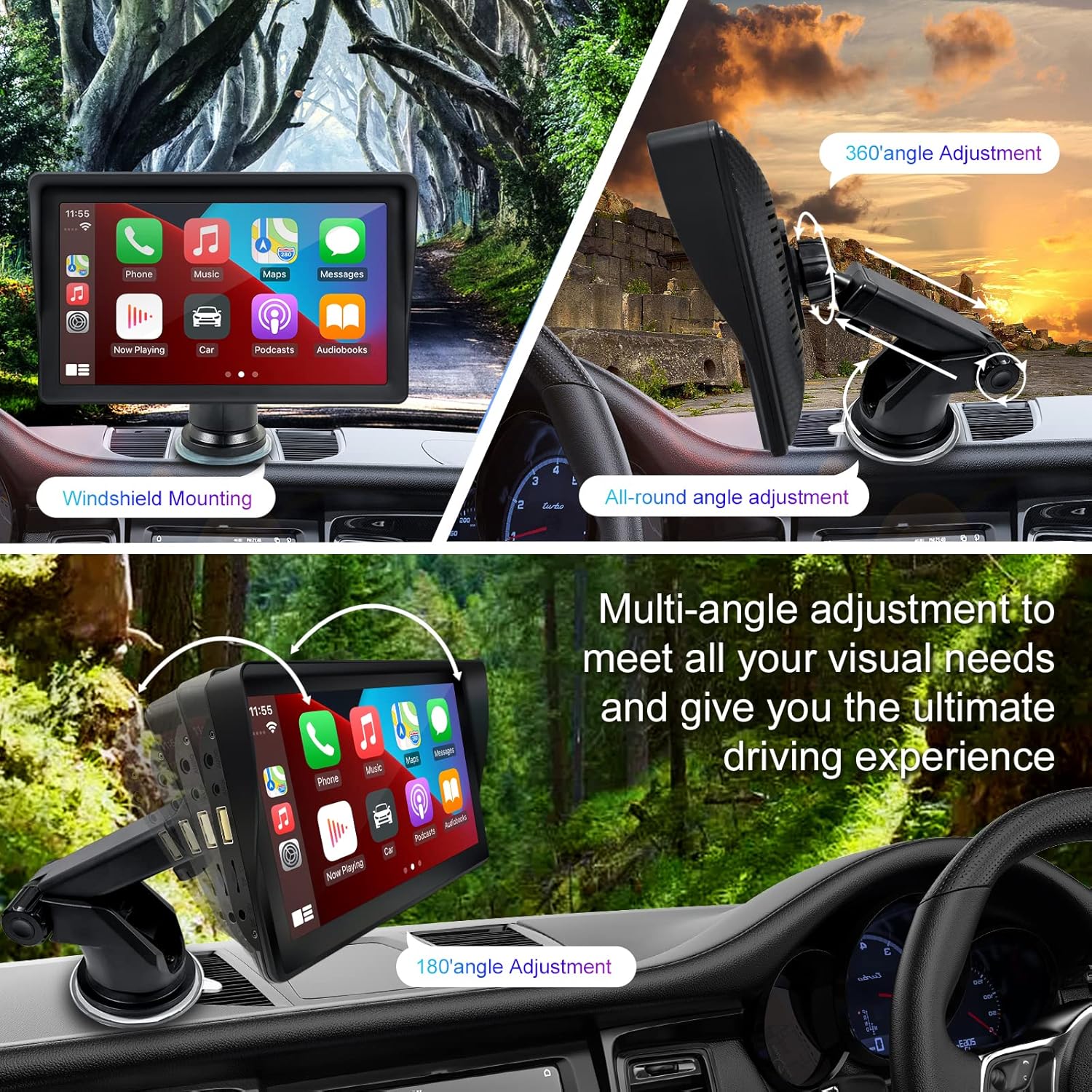
Figure 1: Mounting options and angle adjustments for the portable car stereo.
పవర్ కనెక్షన్
Connect the provided car charger to the device's power input port and then into your vehicle's 12V power outlet (cigarette lighter socket). The device supports 12-24V power input.
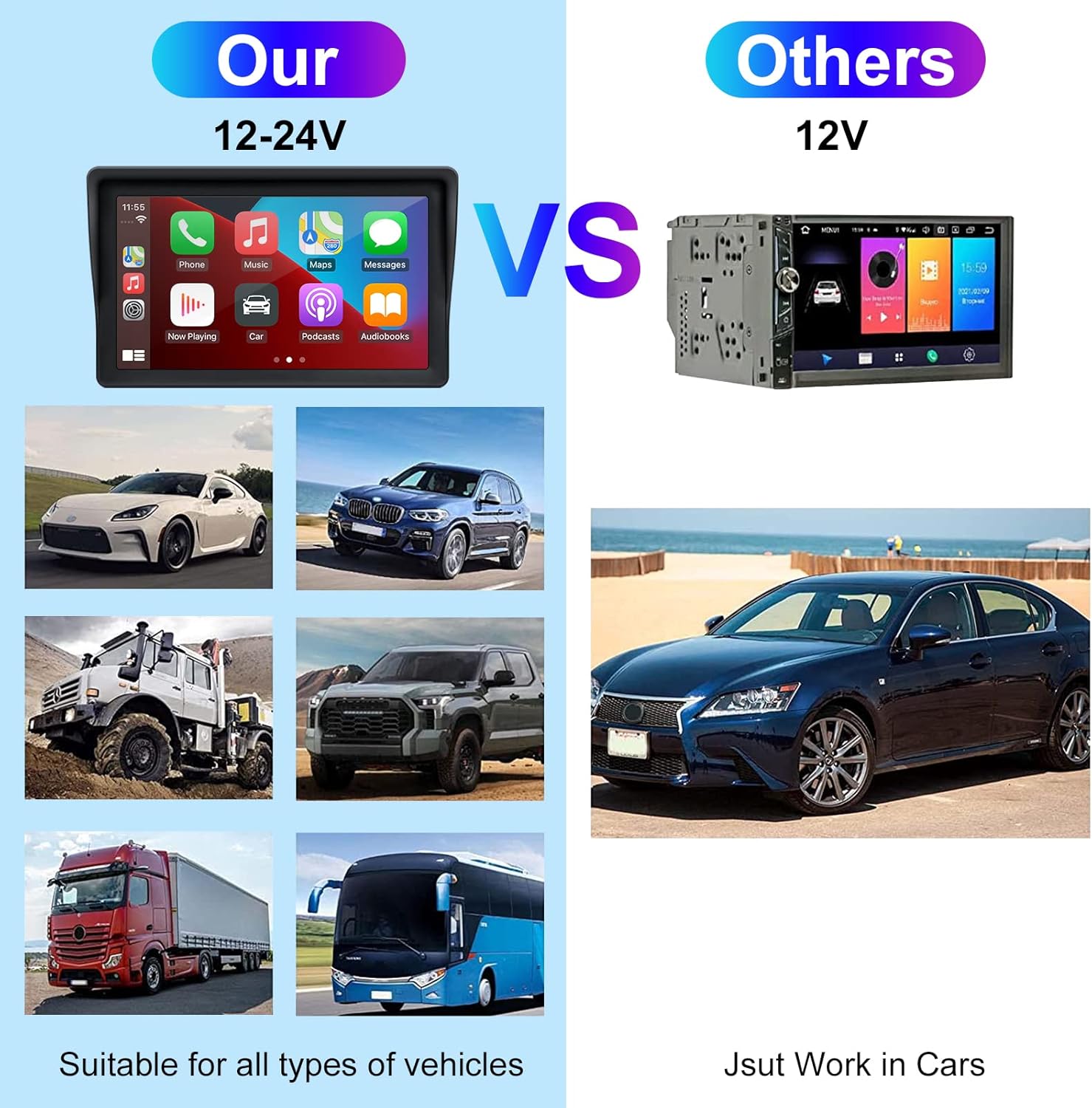
Figure 2: The EZoneTronics unit is compatible with 12-24V vehicle power systems.
ఆపరేటింగ్ సూచనలు
Initial Power On and Interface
Once powered, the device will boot up and display the main interface. This interface provides access to Apple CarPlay, Android Auto, and other functions.

Figure 3: Main interface displaying Apple CarPlay.
Connecting to Apple CarPlay or Android Auto
The device supports wireless connection for both Apple CarPlay and Android Auto.
- బ్లూటూత్ మరియు Wi-Fi ని ప్రారంభించండి: మీ స్మార్ట్ఫోన్లో, బ్లూటూత్ మరియు వై-ఫై రెండూ ప్రారంభించబడ్డాయని నిర్ధారించుకోండి.
- జత పరికరం: On the car stereo, navigate to the Bluetooth settings and pair with your smartphone.
- ఆటోమేటిక్ కనెక్షన్: Once paired, the device should automatically prompt you to connect to Apple CarPlay or Android Auto. Follow the on-screen instructions on both the car stereo and your phone to complete the setup.
- మిర్రర్ లింక్: For devices not supporting CarPlay or Android Auto, or if you prefer, you can use the Mirror Link function to display your phone's screen on the unit.

Figure 4: Wireless connection for Apple CarPlay and Android Auto.
Audio Output (FM Transmitter / AUX Out)
To output audio from the car stereo to your vehicle's sound system, you have two primary options:
- FM ట్రాన్స్మిటర్:
- On the EZoneTronics unit, select the FM Transmitter function.
- Choose an unused FM frequency.
- Tune your vehicle's FM radio to the same frequency. Audio from the portable stereo will now play through your car's speakers.
- AUX అవుట్:
- Connect an AUX cable from the AUX Out port on the EZoneTronics unit to your vehicle's AUX In port.
- Select AUX input on your vehicle's audio system.


Figure 5: FM Transmitter and other core functions.
Voice Control (Siri / Google Assistant)
Once connected to Apple CarPlay or Android Auto, you can activate your smartphone's voice assistant (Siri or Google Assistant) for hands-free control. This allows you to make calls, send messages, get directions, and play music using voice commands.
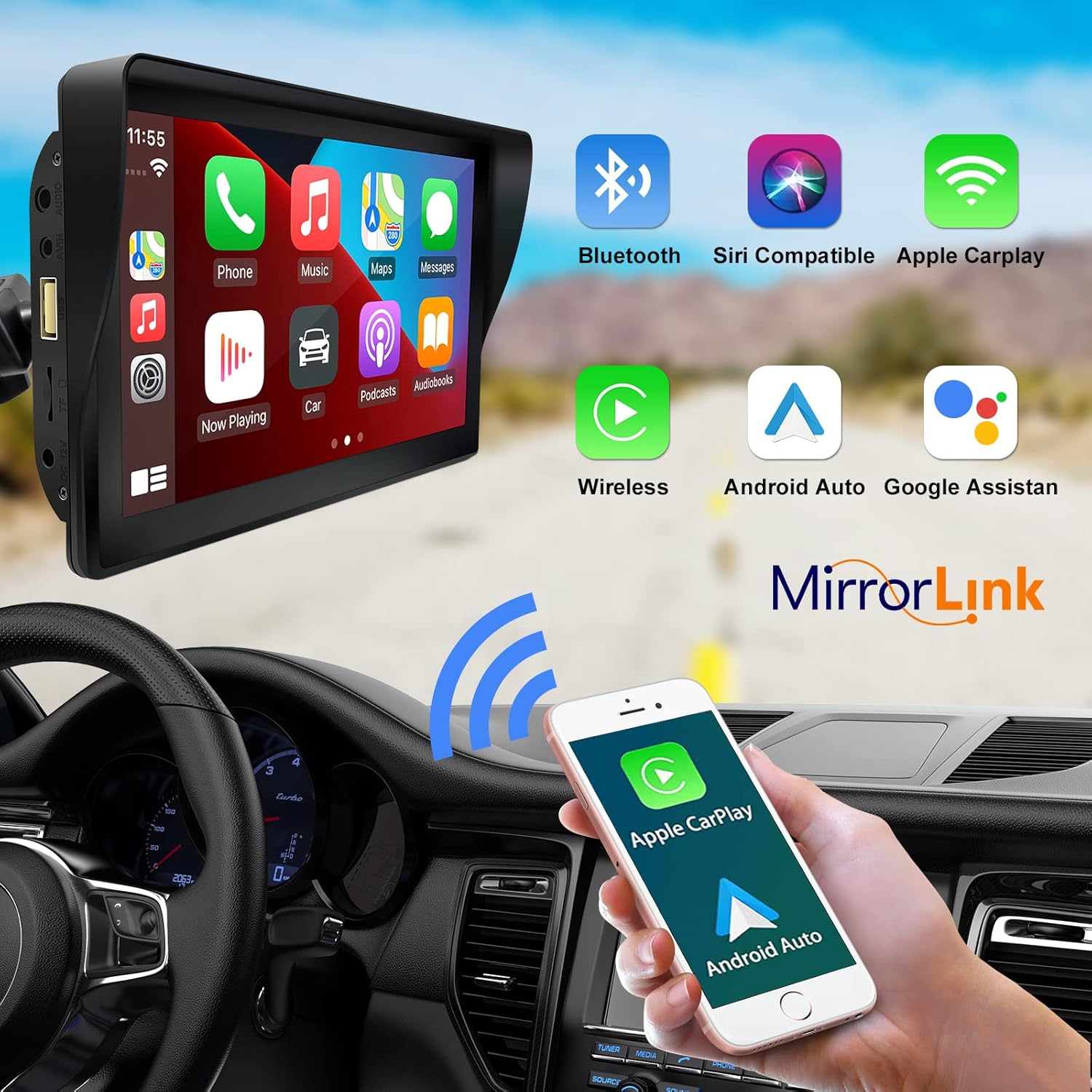
Figure 6: Voice control and connectivity features.
Media Playback (SD Card / USB)
The unit supports media playback from SD cards and USB devices.
- Insert an SD card into the designated slot or a USB drive into the USB port.
- Navigate to the media player application on the car stereo.
- Select the desired audio or video fileప్లేబ్యాక్ కోసం లు.


Figure 7: USB and SD card media playback options.
ట్రబుల్షూటింగ్
If you encounter issues with your EZoneTronics PCD001, refer to the following common problems and solutions:
| సమస్య | సాధ్యమైన కారణం / పరిష్కారం |
|---|---|
| పరికరం పవర్ ఆన్ చేయదు. |
|
| Cannot connect to Apple CarPlay / Android Auto wirelessly. |
|
| No audio output from car speakers. |
|
| టచ్స్క్రీన్ స్పందించడం లేదు. |
|
| GPS navigation is inaccurate or not working. |
|
స్పెసిఫికేషన్లు
| ఫీచర్ | వివరాలు |
|---|---|
| మోడల్ పేరు | PCD001 |
| బ్రాండ్ | EZoneTronics |
| స్క్రీన్ పరిమాణం | 7 అంగుళాలు |
| ప్రదర్శన రకం | IPS |
| టచ్ స్క్రీన్ రకం | కెపాసిటివ్ |
| ఆపరేటింగ్ సిస్టమ్ | Android (Internal OS for unit functions, supports CarPlay/Android Auto) |
| కనెక్టివిటీ టెక్నాలజీ | Wireless CarPlay, Wireless Android Auto, Bluetooth, FM Transmitter, AUX Out |
| ఆడియో అవుట్పుట్ మోడ్ | AUX, Stereo |
| మద్దతు ఉన్న ఉపగ్రహ నావిగేషన్ సిస్టమ్ | GPS (via connected smartphone) |
| మౌంటు రకం | Dashboard Mount, Windshield Mount |
| అనుకూల పరికరాలు | Smartphones (Apple iOS and Android) |
| వాహన సేవా రకం | Car (Universal 12-24V compatibility) |
నిర్వహణ
Proper maintenance ensures the longevity and optimal performance of your EZoneTronics PCD001.
- స్క్రీన్ క్లీనింగ్: స్క్రీన్ను సున్నితంగా తుడవడానికి మృదువైన, మెత్తటి బట్టను ఉపయోగించండి. మొండి మరకల కోసం, కొద్దిగా dampనీటితో లేదా స్క్రీన్-సేఫ్ క్లీనర్తో వస్త్రాన్ని తుడవండి. కఠినమైన రసాయనాలు లేదా రాపిడి పదార్థాలను నివారించండి.
- కేబుల్ నిర్వహణ: Ensure all cables are neatly routed and secured to prevent entanglement or damage.
- ఉష్ణోగ్రత: పరికరాన్ని ఎక్కువసేపు వేడిగా మరియు చల్లగా ఉండే తీవ్రమైన ఉష్ణోగ్రతలకు గురిచేయకుండా ఉండండి.
- సాఫ్ట్వేర్ అప్డేట్లు: తయారీదారుని కాలానుగుణంగా తనిఖీ చేయండి website or device settings for any available software updates to improve performance and add features.
వారంటీ మరియు మద్దతు
వారంటీ సమాచారం
The EZoneTronics PCD001 Portable Wireless Car Stereo comes with a ఒక సంవత్సరం వారంటీ కొనుగోలు చేసిన తేదీ నుండి. ఈ వారంటీ సాధారణ ఉపయోగంలో తయారీ లోపాలు మరియు లోపాలను కవర్ చేస్తుంది. దుర్వినియోగం, ప్రమాదాలు, అనధికార మార్పులు లేదా సరికాని ఇన్స్టాలేషన్ వల్ల కలిగే నష్టాన్ని ఇది కవర్ చేయదు.
వారంటీ క్లెయిమ్ల కోసం దయచేసి మీ కొనుగోలు రుజువును ఉంచుకోండి.
కస్టమర్ మద్దతు
For technical assistance, warranty claims, or further inquiries, please contact EZoneTronics customer support:
- Webసైట్: www.ezonetronics.com
- ఇమెయిల్: support@ezonetronics.com
When contacting support, please provide your product model (PCD001) and a detailed description of the issue.