1. அறிமுகம்
This manual provides detailed instructions for the installation, operation, and maintenance of your ZOSI 8-Channel 5MP Wi-Fi 6 Security Camera System. This system includes a 12-inch LCD monitor with a built-in NVR, four 5MP pan-tilt Wi-Fi cameras, and a pre-installed 1TB hard drive for continuous recording. Key features include AI person detection, color night vision, and two-way audio communication.

படம் 1.1: முடிந்ததுview of the ZOSI 8-Channel 5MP Wi-Fi 6 Security Camera System components.
2. தொகுப்பு உள்ளடக்கங்கள்
Verify that all items listed below are included in your package. If any items are missing or damaged, please contact ZOSI customer support.
- 1 x 8-Channel 12-inch LCD NVR Monitor with 1TB Hard Drive
- 4 x 5MP Wi-Fi Pan-Tilt Indoor/Outdoor Cameras
- 4 x Power Adapters for Wi-Fi Cameras
- என்விஆருக்கான 1 x பவர் அடாப்டர்
- 1 x ஈதர்நெட் கேபிள்
- 1 x USB 2.0 Mouse
- 1 x விரைவு தொடக்க வழிகாட்டி
- 1 x Mounting Screw Bag (contains screws and wall plugs)
- 1 x NVR Mounting Hole Sticker
- 4 x Mounting Templates for Cameras
- 4 x எச்சரிக்கை ஸ்டிக்கர்கள்

Image 2.1: Contents of the ZOSI Security Camera System package.
3. அமைவு வழிமுறைகள்
3.1 சிஸ்டம் முடிந்துவிட்டதுview மற்றும் இணைப்புகள்
Familiarize yourself with the ports and components of your NVR and cameras before beginning installation.

Image 3.1: Component identification for the ZOSI NVR and Wi-Fi camera.
3.2 Initial Power-Up and Automatic Pairing
The cameras and NVR are pre-paired at the factory for a plug-and-play setup. Simply connect the NVR and cameras to power outlets.
- Connect the NVR power adapter to the NVR and a power outlet.
- Connect each camera's power adapter to the camera and a power outlet.
- The cameras will automatically connect to the NVR. Live view should appear on the 12-inch LCD monitor within minutes.
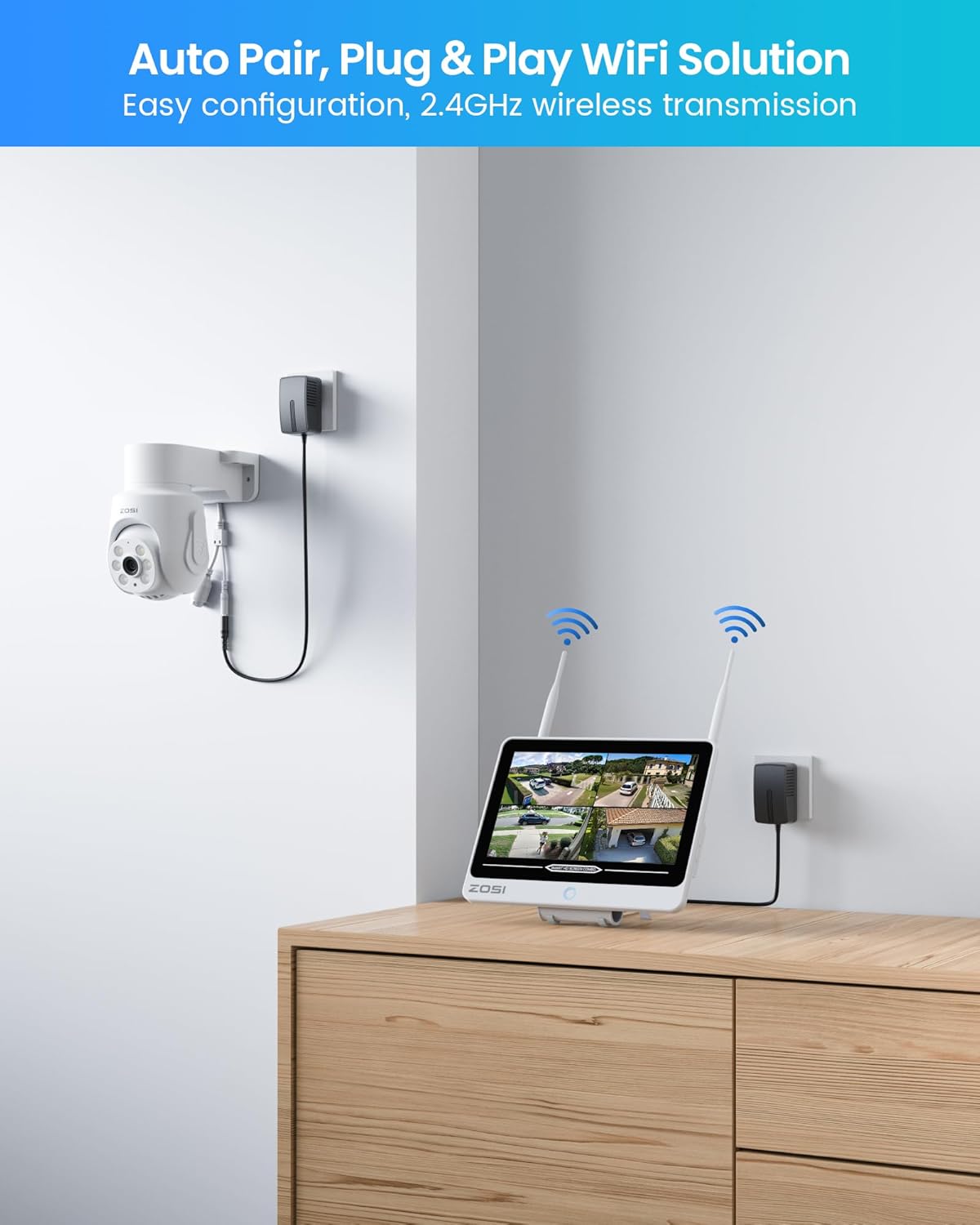
Image 3.2: Plug and Play setup for the ZOSI Wi-Fi Security System.
3.3 Adding Cameras via Wired Pairing (If needed)
If a camera does not automatically pair or if you are adding new cameras, follow these steps for wired pairing:
- Step 1: Connect Camera to NVR
Power on the camera and NVR. Connect the camera to the NVR using a network cable. The network cable can be removed after successful pairing.
Image 3.3: Wired connection for camera pairing.
- Step 2: Access IPC Channel Configuration
Right-click on the NVR screen with the connected mouse. Navigate to IPC Channel Config பின்னர் தேர்ந்தெடுக்கவும் தேடல்.
Image 3.4: NVR menu for IPC Channel Configuration.
- Step 3: Add Detected Camera
கிளிக் செய்யவும் அனைத்தையும் சேர் to add the detected camera(s). Wait for the status to show இணைக்கப்பட்டது and for the camera's image to display on the monitor.
Image 3.5: Adding cameras in the NVR interface.
4. இயக்க வழிமுறைகள்
4.1 Video Monitoring and Recording
The NVR provides a live view of all connected cameras on its 12-inch LCD monitor. The system is configured for 24/7 continuous recording to the pre-installed 1TB hard drive. Older footage will be automatically overwritten when the hard drive is full.

Image 4.1: NVR monitor displaying multiple camera feeds.
4.2 கேமரா அம்சங்கள்
- 5MP HD தெளிவுத்திறன்: Each camera captures video at 5-megapixel resolution, providing clear and detailed images.

Image 4.2: 5MP HD resolution and 360-degree view திறன்.
- வண்ண இரவு பார்வை: The cameras feature warm lights for full-color night vision up to 65 feet, in addition to infrared black and white mode for low-light conditions.

Image 4.3: Color night vision with spotlight.
- Pan-Tilt Functionality: Each camera offers 355° horizontal and 50° vertical rotation, allowing for comprehensive area coverage and zero blind spots.
- AI மனித கண்டறிதல்: Advanced artificial intelligence accurately identifies human movement, reducing false alarms from other moving objects.
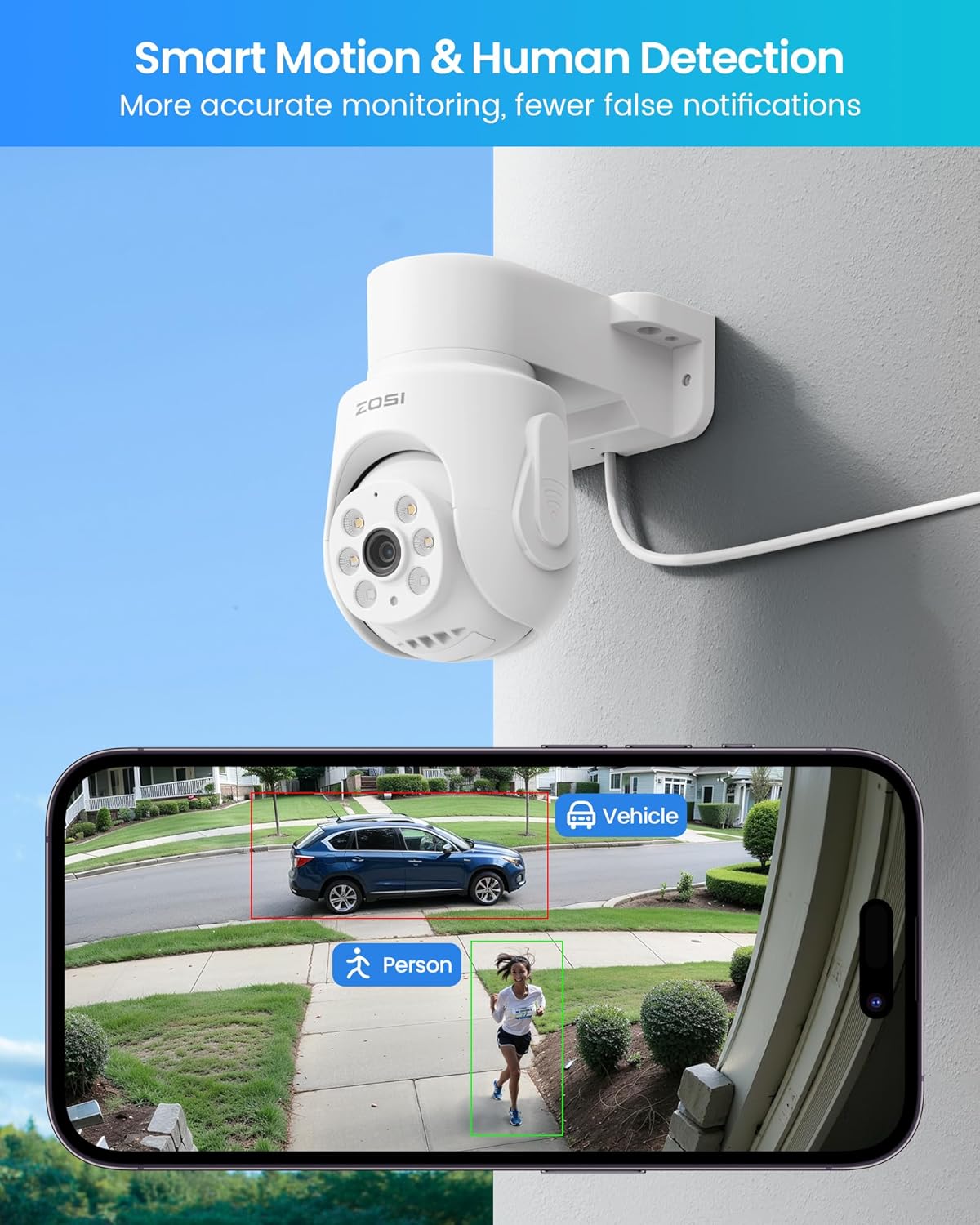
Image 4.4: Smart motion and human detection in action.
- இருவழி ஆடியோ: Built-in microphone and speaker enable real-time two-way communication through the cameras.

Image 4.5: Two-way audio communication feature.
- செயலில் தடுப்பு: Trigger spotlights and sirens remotely via the ZOSI Smart App to deter intruders.

Image 4.6: Active deterrence with light and siren.
- வைஃபை 6 தொழில்நுட்பம்: Utilizes Wi-Fi 6 for enhanced wireless transmission speed, lower latency, and improved stability. Supports 2.4GHz Wi-Fi.
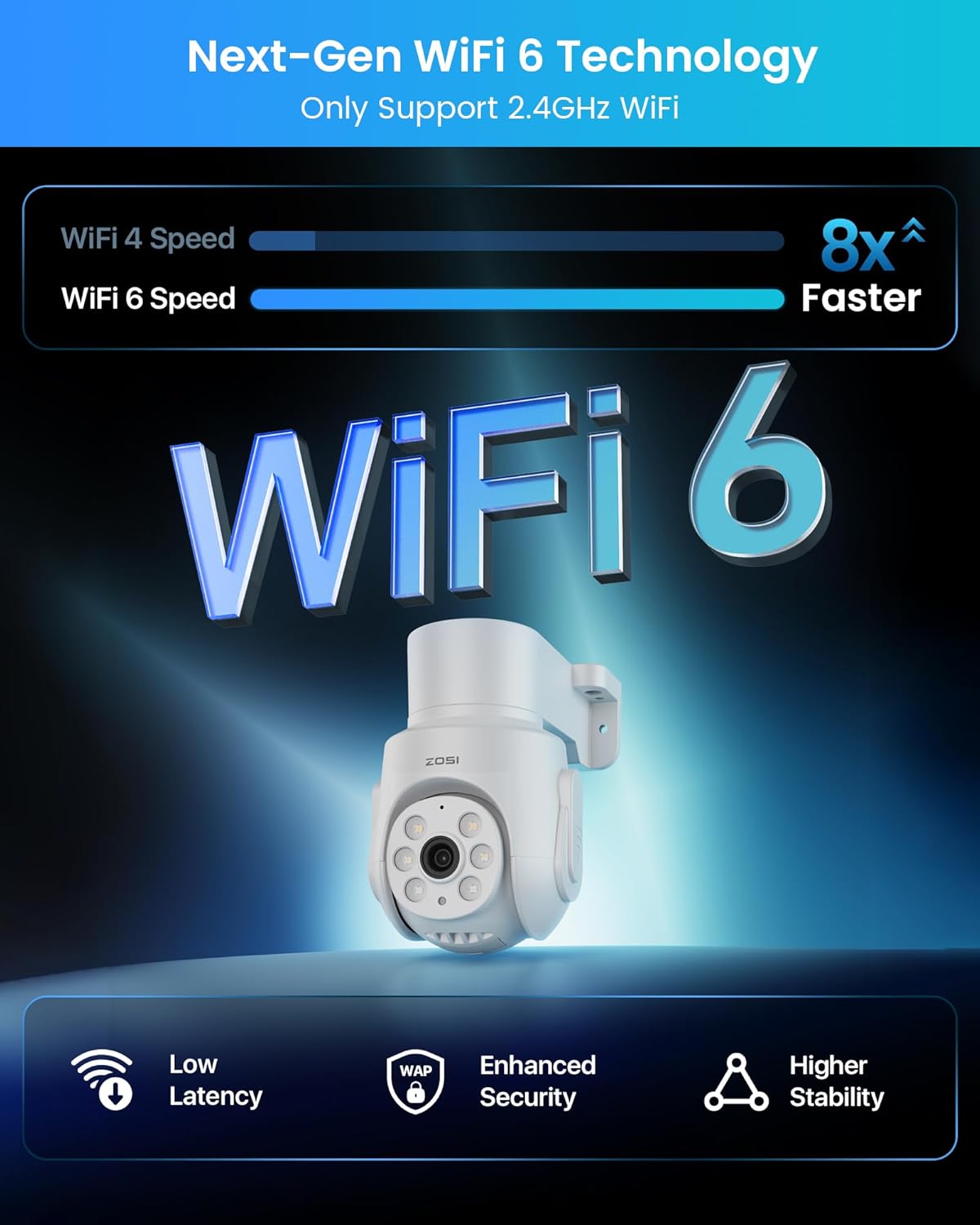
Image 4.7: Benefits of Next-Gen Wi-Fi 6 Technology.
- IP66 வானிலை எதிர்ப்பு: Cameras are designed to withstand various weather conditions for outdoor and indoor use.

Image 4.8: IP66 Weatherproof camera design.
4.3 ZOSI Smart App
The ZOSI Smart App allows for remote viewing, playback, and management of your security system from smartphones, tablets, and computers.
- தொலைநிலை நேரலை View & பின்னணி: Access live camera feeds and review பதிவு செய்யப்பட்ட footagஎங்கிருந்தும் இ.

Image 4.9: Remote live view and playback on various devices.
- Customizable Activity Zones: Define specific areas for motion detection to receive relevant alerts and minimize unnecessary notifications.

Image 4.10: Customizable activity zones for focused monitoring.
- உடனடி எச்சரிக்கைகள்: Receive real-time app notifications or email alerts upon detection of human movement.
- குடும்ப பகிர்வு: Easily share live views and recorded footage with family members.

Image 4.11: Family sharing feature for camera access.
5. பராமரிப்பு
வழக்கமான பராமரிப்பு உங்கள் பாதுகாப்பு அமைப்பின் உகந்த செயல்திறன் மற்றும் நீண்ட ஆயுளை உறுதி செய்கிறது.
- கேமரா லென்ஸ் சுத்தம்: Periodically clean camera lenses with a soft, dry cloth to remove dust and smudges that may affect image clarity. Avoid abrasive cleaners.
- நிலைபொருள் புதுப்பிப்புகள்: Check the ZOSI Smart App or ZOSI website for available firmware updates to ensure your system has the latest features and security enhancements.
- கேபிள் ஆய்வு: Regularly inspect all power and network cables for any signs of wear or damage. Replace damaged cables immediately.
- ஹார்டு டிரைவ் மேலாண்மை: The 1TB HDD supports 24/7 recording with automatic overwrite. For long-term storage of critical events, back up footage via USB. The system supports expansion up to 8TB.
6. சரிசெய்தல்
If you encounter issues with your ZOSI security system, refer to the following common troubleshooting steps:
- மானிட்டரில் படம் இல்லை:
- NVR இயக்கப்பட்டிருப்பதையும், பவர் அடாப்டர் பாதுகாப்பாக இணைக்கப்பட்டுள்ளதையும் உறுதிசெய்யவும்.
- Verify that the monitor is connected to the NVR via HDMI and is set to the correct input source.
- Check if cameras are powered on and within range of the NVR's Wi-Fi signal.
- Camera Not Connecting/Signal Lost:
- கேமராவில் சக்தி இருப்பதை உறுதிசெய்யவும்.
- Relocate the camera closer to the NVR or ensure there are no significant obstructions (e.g., thick walls, metal structures) between the camera and NVR.
- Try re-pairing the camera using the wired pairing method described in Section 3.3.
- பதிவு இல்லை:
- Check the NVR's recording settings to ensure continuous recording is enabled.
- Verify the 1TB hard drive is properly installed and recognized by the NVR.
- If the hard drive is full, ensure the auto-overwrite function is enabled.
- தவறான இயக்க எச்சரிக்கைகள்:
- Adjust the motion detection sensitivity in the NVR settings or ZOSI Smart App.
- Utilize the customizable activity zones feature to exclude areas prone to irrelevant motion (e.g., public roads, swaying trees).
- இருவழி ஆடியோ வேலை செய்யவில்லை:
- Ensure the microphone and speaker settings are enabled in the camera's configuration.
- Check the volume levels on both the NVR/app and the camera.
மேலும் உதவிக்கு, ZOSI வாடிக்கையாளர் ஆதரவைத் தொடர்பு கொள்ளவும்.
7. விவரக்குறிப்புகள்
| பிராண்ட் | ZOSI |
| மாதிரி எண் | 88L1-2805W4-US |
| இணைப்பு தொழில்நுட்பம் | Wireless (Wi-Fi 6), Wired (Ethernet) |
| வீடியோ பிடிப்பு தீர்மானம் | 5 எம்.பி. (2560x1920) |
| சிறப்பு அம்சங்கள் | AI Human Detection, Siren Alarm, Smart Playback, Two-Way Audio, Weatherproof (IP66) |
| சேனல்களின் எண்ணிக்கை | 8 |
| நினைவக சேமிப்பு திறன் | 1 TB (pre-installed HDD), Expandable up to 8 TB |
| நிறம் | வெள்ளை |
| சக்தி ஆதாரம் | கம்பியூட்டப்பட்ட மின்சாரம் |
| பொருளின் பரிமாணங்கள் (L x W x H) | 12 x 12 x 7 அங்குலங்கள் (தயாரிப்பு பரிமாணங்கள்) |
| பரிந்துரைக்கப்பட்ட பயன்பாடுகள் | உட்புற, வெளிப்புற |
| இணக்கமான சாதனங்கள் | Cameras, Laptops, Smartphones, TV, Tablets |
| இரவு பார்வை தொழில்நுட்பம் | Color Night Vision (with warm light), Infrared B/W Night Vision |
| நைட் விஷன் ரேஞ்ச் | 65 அடி வரை |
| பதிவு முறை | Continuous (24/7), Event, Manual |
| Viewing கோணம் | 360 Degrees (Pan-Tilt Camera) |
| பொருளின் எடை | 10.63 பவுண்டுகள் |
8. உத்தரவாதம் மற்றும் ஆதரவு
ZOSI is committed to providing reliable security solutions and customer satisfaction.
- வாடிக்கையாளர் ஆதரவு: ZOSI offers lifetime customer support for its products.
- தனியுரிமை: ZOSI partners with Amazon Web Services (AWS) to protect user privacy. Videos are encrypted end-to-end via 2048-bit RSA, 128-bit AES-GCM algorithms, and TLS protocol to ensure data security.
For technical assistance, warranty claims, or any inquiries, please visit the official ZOSI support page or contact their customer service team.
கூடுதல் தகவல்களையும் ஆதரவு வளங்களையும் இங்கே காணலாம் ZOSI Store on Amazon.

Image 8.1: Scan for ZOSI support.