
1. Utangulizi
The PHILIPS TAZ6000 is a versatile all-in-one sound system designed for a rich audio experience. It combines a CD player, DAB+/FM radio, Bluetooth 5.4 connectivity, and USB playback, offering multiple ways to enjoy your music. Its portable design with both AC and battery power options allows you to take your music anywhere. This manual provides detailed instructions for setting up, operating, and maintaining your device.

The Philips TAZ6000, an all-in-one CD/FM DAB++ radio player, offering multiple audio sources in a compact design.
2. Taarifa za Usalama
Tafadhali soma maonyo na maelekezo yote ya usalama kwa makini kabla ya kutumia bidhaa hii. Weka mwongozo huu kwa marejeleo ya baadaye.
- Chanzo cha Nguvu: Tumia adapta ya umeme au betri zilizobainishwa pekee. Hakikisha voltage inalingana na mahitaji ya kitengo.
- Uingizaji hewa: Usizuie fursa yoyote ya uingizaji hewa. Sakinisha kwa mujibu wa maelekezo ya mtengenezaji.
- Maji na Unyevu: Usiweke kifaa hiki kwenye matone au manyunyu. Usiweke vitu vilivyojaa vimiminika, kama vile vase, kwenye kifaa.
- Joto: Usisakinishe karibu na vyanzo vyovyote vya joto kama vile radiators, rejista za joto, jiko, au vifaa vingine (pamoja na amplifiers) zinazotoa joto.
- Kusafisha: Safisha tu kwa kitambaa kavu.
- Kuhudumia: Usijaribu kuhudumia bidhaa hii mwenyewe. Rejelea huduma zote kwa wafanyikazi waliohitimu wa huduma.
3. Yaliyomo kwenye Kifurushi
Hakikisha bidhaa zote zipo kwenye kifurushi:
- Main Unit (PHILIPS TAZ6000)
- Cable ya Nguvu
- Mwongozo wa Kuanza Haraka
- Karatasi ya Usalama
- Kadi ya Udhamini
4. Bidhaa Imeishaview
Familiarize yourself with the main components and controls of your PHILIPS TAZ6000.

Mbele view of the Philips TAZ6000, showing the CD compartment, display, control buttons, and speakers.

Juu na nyuma view of the Philips TAZ6000, highlighting the telescopic antenna and AC power input.
Vidhibiti na Viunganisho:
- Kitufe cha Nguvu: Huwasha au kuzima kitengo.
- Onyesha: Inaonyesha hali ya sasa, taarifa za wimbo, masafa ya redio, n.k.
- Vifungo Chanzo: Selects between CD/BT, DAB/FM, USB/AUX IN.
- Udhibiti wa Sauti: Hurekebisha kiwango cha kutoa sauti.
- Vidhibiti vya Uchezaji: Play/Pause, Skip/Search (for CD/USB), Tune (for radio).
- Vifungo vya kuweka mapema: Hifadhi na urejeshe vituo vya redio unavyopenda.
- Mlango wa USB: Kwa kucheza MP3 files kutoka kwa kiendeshi cha USB.
- Jack ya Kipokea sauti cha 3.5mm: Kwa usikilizaji wa faragha.
- Audio-in Port: Unganisha vifaa vya sauti vya nje.
- Antena ya Telescopic: For DAB+/FM radio reception.
- Uingizaji wa Nguvu ya AC: Huunganisha kwenye chanzo cha umeme cha mtandao.
5. Kuweka
Uunganisho wa Nguvu 5.1
The PHILIPS TAZ6000 can be powered by AC mains or batteries.
- Nguvu ya AC: Connect the supplied power cable to the AC power input on the rear of the unit and then to a wall outlet.
- Nguvu ya Betri: For portable use, insert 6 x C-type (LR14) batteries into the battery compartment on the bottom of the unit. Ensure correct polarity.
5.2 Uwekaji wa Antena
For optimal DAB+/FM radio reception, fully extend the telescopic antenna. Adjust its position for the best signal quality.

The Philips TAZ6000 with its telescopic antenna extended, crucial for clear DAB+/FM radio reception.
6. Maagizo ya Uendeshaji
6.1 Operesheni ya Msingi
- Washa/Zima: Bonyeza kitufe cha Nguvu ili kuwasha au kuzima kitengo.
- Marekebisho ya Sauti: Use the Volume +/- buttons to increase or decrease the sound level.
6.2 Uchezaji wa CD
The unit supports CD, MP3-CD, CD-R/RW formats.
- Fungua kifuniko cha sehemu ya CD.
- Weka CD upande wa lebo ukiangalia juu.
- Funga kifuniko cha sehemu ya CD.
- Press the CD/BT button to select CD mode.
- Playback will start automatically. Use the playback controls to skip tracks or pause.
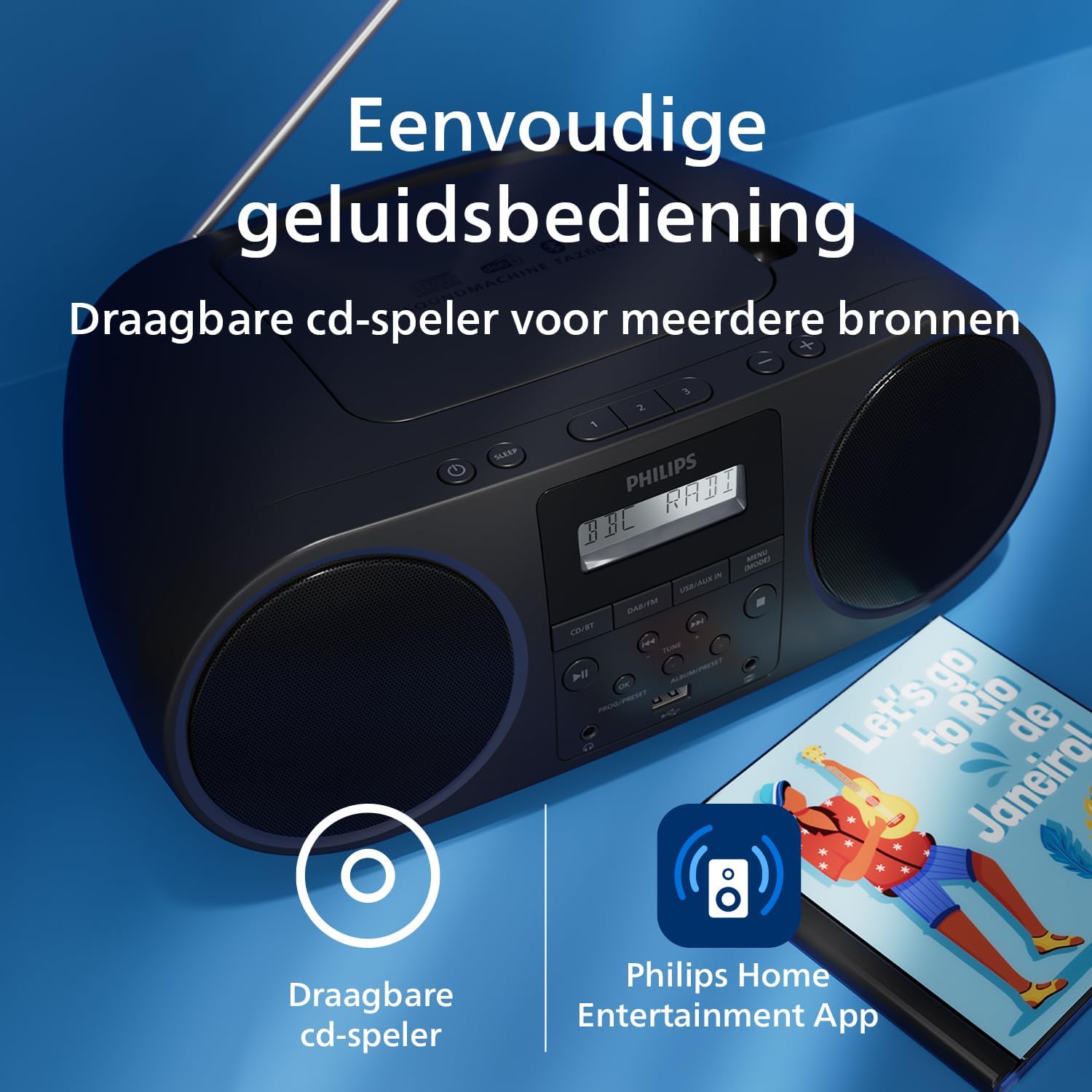
The Philips TAZ6000 functions as a portable CD player, allowing you to enjoy your CD collection on the go.
6.3 DAB+/FM Radio Operation
Enjoy clear digital radio with DAB+ or traditional FM broadcasts.
- Press the DAB/FM button to select the desired radio mode.
- Tambaza kiotomatiki: In DAB+ mode, the unit will automatically scan and store available stations upon first use. For FM, you can perform an auto scan or manual tune.
- Kufunga: Use the Tune +/- buttons to manually tune to stations or search for the next available station.
- Kuweka mapema: Store up to 30 favorite stations. To store, tune to the desired station, press and hold a preset number button (1-3), then release. To recall, simply press the corresponding preset number button.
6.4 Kuoanisha Bluetooth
Tiririsha sauti bila waya kutoka kwa vifaa vyako vinavyotumia Bluetooth.
- Press the CD/BT button to select Bluetooth mode. The display will show "PAIRING" or similar.
- Kwenye kifaa chako cha Bluetooth (km, simu mahiri), washa Bluetooth na utafute vifaa vinavyopatikana.
- Select "PHILIPS TAZ6000" from the list.
- Once connected, you can play audio from your device through the TAZ6000.
The unit supports Bluetooth 5.4 with LC3 codec for enhanced sound quality and Auracast for multi-device streaming (firmware update may be required for full Auracast functionality).

The Philips TAZ6000 offers versatile connectivity including USB, audio-in, Bluetooth 5.4, and DAB+/FM radio.

Experience improved sound and multi-device streaming with Bluetooth 5.4 and Auracast support on the Philips TAZ6000.
6.5 Uchezaji wa USB
Play MP3, FLAC, WMA, and WAV audio files kutoka kwa gari la USB.
- Ingiza gari la USB flash kwenye bandari ya USB.
- Press the USB/AUX IN button to select USB mode.
- Uchezaji utaanza kiotomatiki. Tumia vidhibiti vya uchezaji ili kusogeza nyimbo.
6.6 Audio-in Connection
Connect external audio devices like turntables or older MP3 players.
- Connect one end of a 3.5mm audio cable (not supplied) to the Audio-in port on the TAZ6000.
- Unganisha upande mwingine kwenye sauti ya kifaa chako cha nje.
- Press the USB/AUX IN button to select AUX IN mode.
- Cheza sauti kutoka kwa kifaa chako cha nje.
6.7 Matumizi ya Vipaza sauti
For private listening, connect headphones with a 3.5mm jack to the headphone port.

Easily connect headphones for private listening or a USB drive for MP3 playback using the dedicated ports on the Philips TAZ6000.
6.8 Philips Home Entertainment App Control
Control your TAZ6000 remotely using the Philips Home Entertainment app on your smartphone.
- Download the Philips Home Entertainment app from your device's app store.
- Ensure your smartphone is connected to the same network as the TAZ6000 (if applicable, or via Bluetooth).
- Open the app and follow the on-screen instructions to connect to your TAZ6000.
- Through the app, you can switch sources, select radio stations, adjust volume and bass, set a sleep timer, and change display brightness.

Control your Philips TAZ6000 conveniently from your smartphone using the Philips Home Entertainment app, offering remote access to various functions.
7. Matengenezo
7.1 Kusafisha
- Futa kitengo kwa laini, damp kitambaa. Usitumie visafishaji vya abrasive au vimumunyisho.
- Kwa lenzi ya CD, tumia kisafishaji maalum cha lenzi za CD.
7.2 Hifadhi
When not in use for extended periods, disconnect the power cable and remove batteries. Store the unit in a cool, dry place away from direct sunlight and extreme temperatures.

The Philips TAZ6000 is constructed with recycled materials and features responsible packaging, reflecting its eco-friendly design.
8. Utatuzi wa shida
If you encounter issues with your PHILIPS TAZ6000, refer to the following common problems and solutions:
| Tatizo | Sababu inayowezekana | Suluhisho |
|---|---|---|
| Hakuna nguvu | Kebo ya umeme haijaunganishwa; Betri zimeisha au zimeingizwa vibaya. | Ensure power cable is securely connected. Replace batteries or check polarity. |
| Hakuna sauti | Sauti ya chini sana; Chanzo kisicho sahihi kimechaguliwa; Vipokea sauti vya masikioni vimeunganishwa. | Increase volume. Select the correct input source (CD, DAB/FM, BT, USB, AUX). Disconnect headphones if using speakers. |
| CD haichezi | CD inserted incorrectly; CD is scratched or dirty; Disc format not supported. | Insert CD with label side up. Clean or replace CD. Ensure it's a supported format (CD, MP3-CD, CD-R/RW). |
| Mapokezi duni ya redio | Antena haijapanuliwa au kuwekwa kwa usahihi; Eneo la ishara dhaifu. | Panua kikamilifu na urekebishe antenna ya telescopic. Jaribu kuhamisha kitengo hadi eneo tofauti. |
| Uoanishaji wa Bluetooth umeshindwa | Unit not in pairing mode; Device too far; Bluetooth disabled on device. | Hakikisha kifaa kiko katika hali ya kuoanisha Bluetooth. Sogeza kifaa karibu. Washa Bluetooth kwenye kifaa chako. |
9. Vipimo
| Kipengele | Vipimo |
|---|---|
| Chapa | FILIPI |
| Mtengenezaji | Maono ya TP |
| Nambari ya Mfano | TAZ6000/10 |
| Njia ya Pato la Sauti | Stereo |
| Miundo ya Sauti Inayotumika (USB) | MP3, FLAC, WMA, WAV |
| Miundo ya Diski Inayotumika | CD, MP3-CD, CD-R/RW |
| Wattage | 4 watts |
| Chanzo cha Nguvu | Wired Electric (AC), Battery (6 x C-type LR14, not included) |
| Muunganisho | Bluetooth 5.4, USB, 3.5mm Audio-in, 3.5mm Headphone Jack |
| Vifaa Sambamba | Television, Tablet, Personal Computer, Smartphone |
| Vipimo vya Bidhaa (L x W x H) | Sentimita 16.5 x 31 x 12.8 (inchi 6.5 x 12.2 x 5.0) |
| Uzito | Gramu 790 (pauni 1.74) |
10. Udhamini na Msaada
For warranty information, please refer to the Warranty Card included in your package. Keep your proof of purchase for any warranty claims.
For technical support, product registration, or frequently asked questions, please visit the official Philips support website or contact their customer service. Contact details can typically be found on the Philips webtovuti au katika Mwongozo wa Kuanza Haraka.
Msaada mkondoni: www.philips.com/support