Introduktion
Tack för köpetasing the Swan Nordic 40cm Tripod Pedestal Fan. This manual provides important information regarding the assembly, operation, maintenance, and safety of your new fan. Please read these instructions carefully before use and retain them for future reference.

Bild: Fram view of the Swan Nordic 40cm Tripod Pedestal Fan, showcasing its grey finish and wooden tripod legs.
Viktiga säkerhetsinstruktioner
För att minska risken för brand, elstötar eller skador, följ alltid dessa grundläggande säkerhetsåtgärder:
- Se till att voltagVolymen som anges på märkskylten matchar din elnätsström.tage.
- Använd inte fläkten med skadad sladd eller kontakt. Om sladden är skadad måste den bytas ut av tillverkaren, dess servicerepresentant eller liknande kvalificerad person för att undvika fara.
- Unplug the fan from the outlet when not in use, before cleaning, or before moving.
- Doppa inte fläkten, kontakten eller sladden i vatten eller andra vätskor.
- Låt inte barn leka med fläkten. Noggrann övervakning är nödvändig när någon apparat används av eller i närheten av barn.
- Undvik kontakt med rörliga delar.
- Använd inte fläkten i närvaro av explosiva och/eller brandfarliga ångor.
- Placera fläkten på en stabil, jämn yta för att förhindra att den välter.
- Stick inte in fingrar eller andra föremål genom gallret när fläkten är igång.
Paketets innehåll
Please check the contents of the box. If any items are missing or damaged, contact your retailer.
- Fan Head Assembly (including motor, blades, and grilles)
- Huvudstolpen
- Tripod Leg Assembly (3 wooden legs and connecting bracket)
- Fixing Screws and Washers
- Instruktionsmanual
Montering och installation
Följ dessa steg för att montera din piedestalfläkt:
- Attach Tripod Legs: Carefully attach the three wooden tripod legs to the main pole's connecting bracket using the provided screws and washers. Ensure they are securely tightened to form a stable base.
- Insert Main Pole: Insert the main pole into the assembled tripod base. Secure it with any provided locking mechanisms or screws.
- Montera fläkthuvud: Place the fan head assembly onto the top of the main pole. Ensure it clicks into place or is secured with the designated screw/knob.
- Positionering: Place the assembled fan on a firm, level surface. Ensure there is adequate space around the fan for proper air circulation and to prevent obstruction of the grilles.

Image: The Swan Nordic 40cm Tripod Pedestal Fan positioned in a modern living space, demonstrating its stable tripod base.
Bruksanvisning
This section details how to use your fan.
Påslagning och hastighetskontroll
- Anslut till ström: Plug the fan's power cord into a suitable electrical outlet.
- Välj hastighet: Locate the rotary switch on the motor housing at the back of the fan head. Turn the switch to select your desired speed setting:
- "O": Av
- "Jag": Low Speed
- II: Medelhastighet
- "III": High Speed
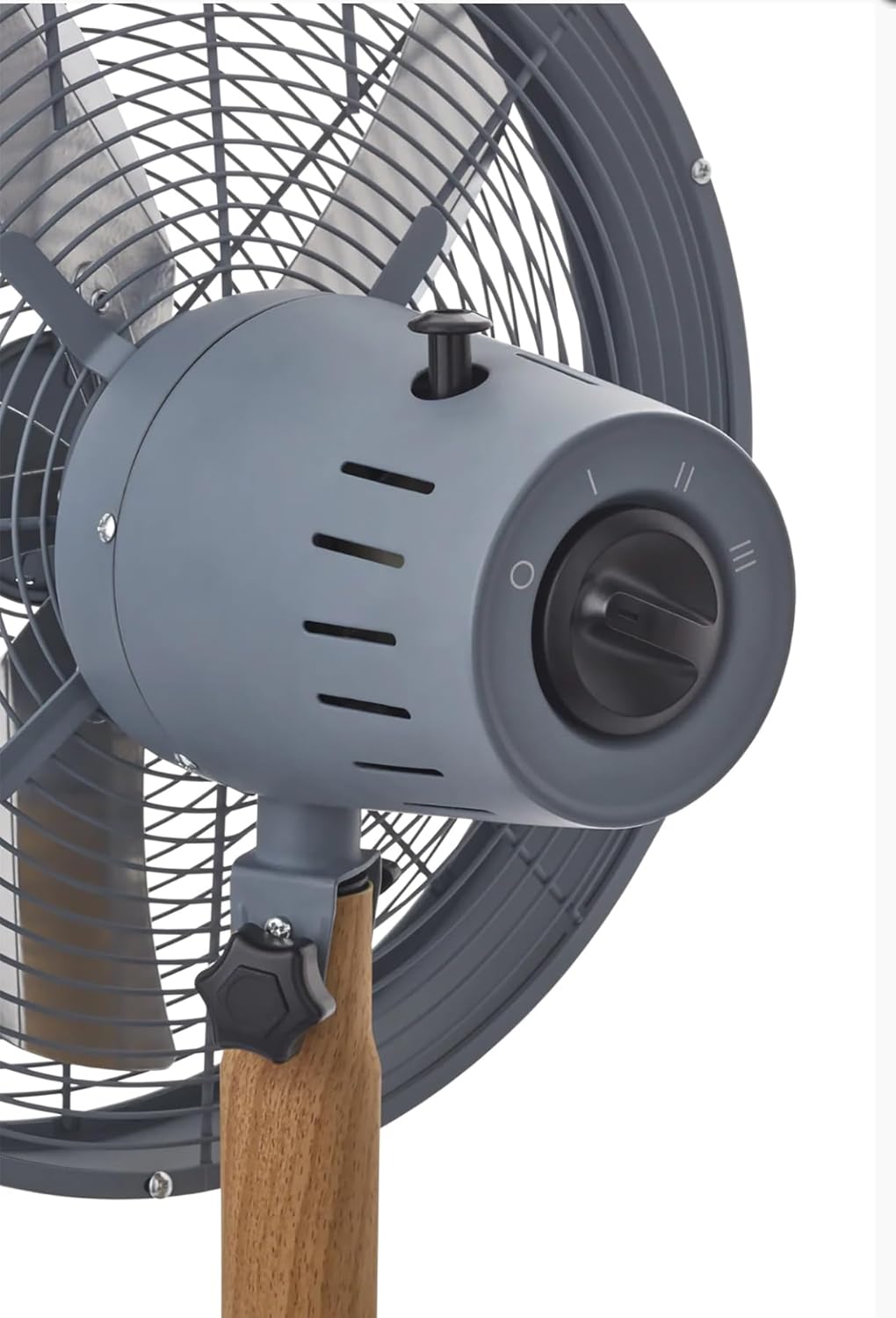
Bild: En detaljerad view of the fan's control panel, showing the rotary switch for speed selection and the oscillation pull-pin.
Oscillationsfunktion
The fan features an oscillation function to distribute air over a wider area.
- To Start Oscillation: Push down the oscillation pin located on top of the motor housing.
- För att stoppa oscillationen: Pull up the oscillation pin. The fan will then blow air in a fixed direction.
Justera lutningsvinkeln
The fan head can be tilted to direct airflow upwards or downwards.
- För att justera: Loosen the tilt adjustment knob located on the side of the fan head support. Adjust the fan head to the desired angle, then securely tighten the knob to fix its position.
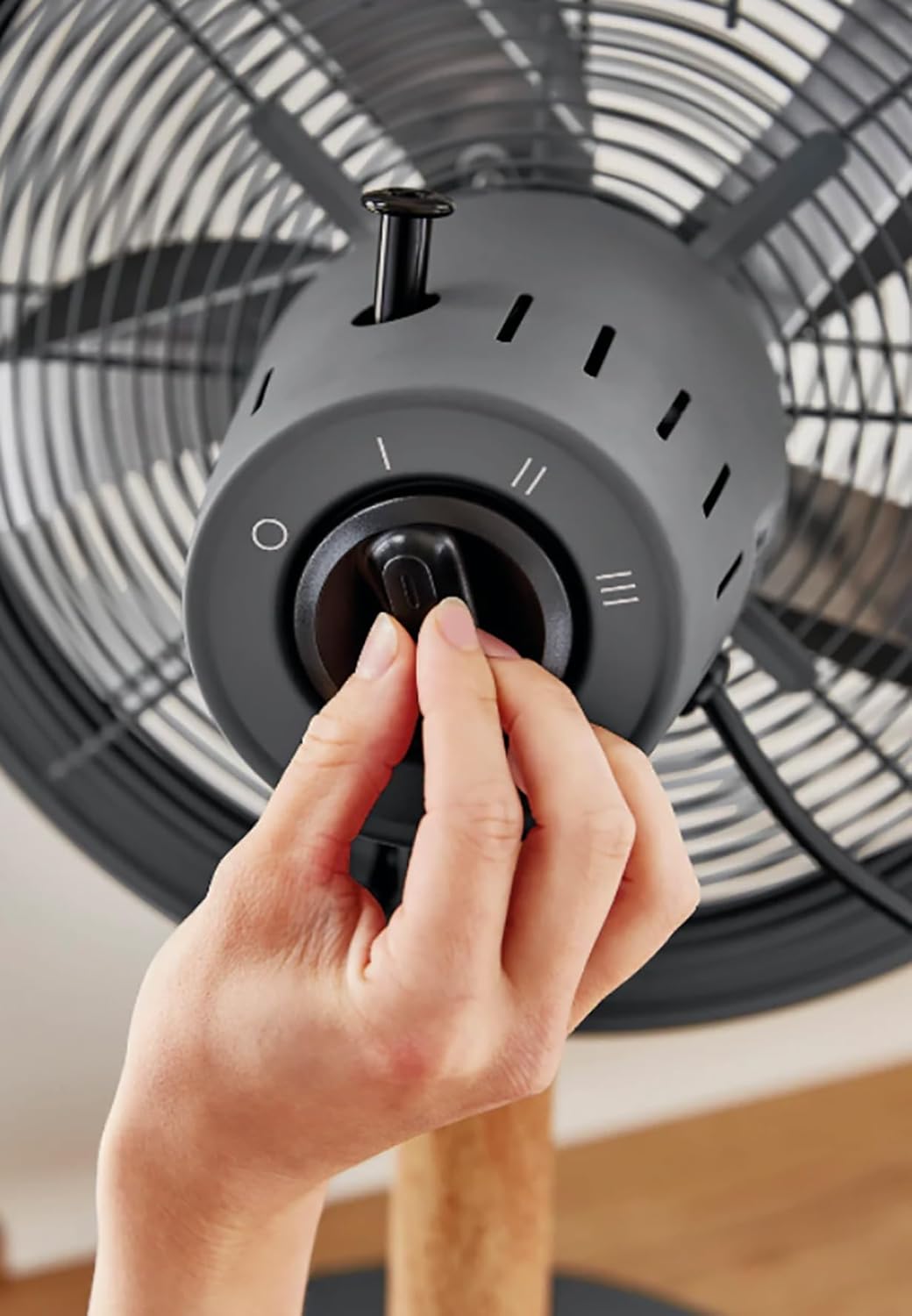
Image: A hand demonstrating the operation of the rotary switch to select fan speed.
Underhåll och rengöring
Regular cleaning and maintenance will ensure optimal performance and extend the life of your fan.
- Dra alltid ur sladden till fläkten från eluttaget före rengöring.
- Utvändig rengöring: Använd en mjuk, damp trasa för att torka av fläktens utsida. Använd inte slipande rengöringsmedel eller lösningsmedel.
- Galler och blad: Dust can accumulate on the grilles and blades. Use a vacuum cleaner with a brush attachment or a soft, dry cloth to remove dust. For thorough cleaning, the front grille may be removed by unscrewing the retaining clips/screws (refer to assembly instructions in reverse). Ensure all parts are dry before reassembling and operating.
- Lagring: När fläkten inte används under längre perioder, förvara den på en sval och torr plats, helst i originalförpackningen.
Felsökning
Om du stöter på problem med din fläkt, se följande vanliga problem och lösningar:
| Problem | Möjlig orsak | Lösning |
|---|---|---|
| Fläkten slås inte på. | Ingen strömförsörjning. Fläkten är inte inkopplad. Speed switch is OFF. | Kontrollera eluttaget. Se till att kontakten är helt isatt. Turn the speed switch to I, II, or III. |
| Svagt luftflöde. | Låg hastighetsinställning. Galler eller blad är smutsiga. | Öka hastighetsinställningen. Clean the grilles and blades as per maintenance instructions. |
| Fläkten är bullrig. | Lösa delar. Fläkten står inte på en plan yta. | Check all screws and connections are tight. Placera fläkten på en stabil, jämn yta. |
| Oscillationen fungerar inte. | Oscillation pin not engaged. | Push down the oscillation pin firmly. |
Om problemet kvarstår efter att du har provat dessa lösningar, vänligen kontakta kundsupporten.
Specifikationer
- Stämpla: Svan
- Modell: Nordic 40cm Tripod Pedestal Fan
- Effekt / Wattage: 50 watt
- Voltage: 220 volt (AC)
- Antal hastigheter: 3
- Material: Metal (housing), Wood (tripod legs)
- Artikelvikt: 5.5 kg
- Produktmått: Approximately 50D x 50W centimetres
- Specialfunktioner: Adjustable tilting head, Oscillation function, High quality metal housing, Tripod legs, Rotary switch.
Garanti och support
Specifik garantiinformation finns vanligtvis i din inköpshandling eller på tillverkarens officiella webbplats. webwebbplats. Vänligen spara ditt inköpsbevis för eventuella garantianspråk.
For technical support, spare parts, or service, please contact Swan customer service through their official channels. Contact information can usually be found on the product packaging or the brand's webplats.