
1. Introduktion
Tack för köpetasing the AKAI Audio TS-90 2.0 Wireless Bluetooth Tower Speaker. This manual provides essential information for the safe and efficient operation of your new audio system. Please read it thoroughly before use and retain it for future reference.
The AKAI TS-90 is a powerful 90W tower speaker system designed to deliver high-quality audio with versatile connectivity options, including Bluetooth, USB, and Aux. It also features an FM radio, equalizer modes, and a wireless microphone for karaoke.
2. Säkerhetsinformation
För att säkerställa säker drift och förhindra skador, var vänlig och följ följande försiktighetsåtgärder:
- Utsätt inte enheten för regn, fukt eller extrema temperaturer.
- Säkerställ ordentlig ventilation; blockera inte några ventilationsöppningar.
- Använd endast strömadaptern som medföljer enheten.
- Öppna inte högtalarhöljet; överlåt all service till kvalificerad personal.
- Håll enheten borta från direkt solljus, värmekällor och starka magnetfält.
- Rengör endast enheten med en torr trasa.
3. Paketets innehåll
Kontrollera att alla artiklar finns i paketet:
- AKAI Audio TS-90 Tower Speaker (2 units)
- Trådlös mikrofon
- Fjärrkontroll
- Ljudkabel
- Användarmanual (detta dokument)

This image displays the two tower speakers and the remote control, which are standard components of the AKAI TS-90 package.
4. Produkt överview
The AKAI TS-90 features a robust design with multiple input options and controls for an enhanced audio experience.
4.1 Frontpanel och display
The front panel of the main speaker unit includes the display and primary controls. The display shows the current mode (e.g., "BLUE" for Bluetooth), volume level, and track information.

This image highlights the sleek finish and the digital display on the top part of the speaker, which indicates the active input mode.
4.2 Anslutningar på baksidan
The rear panel of the main speaker unit houses all input and output ports.

This image details the rear connections, including the SPK OUT for connecting the secondary speaker, MIC INPUT for the wireless microphone, and the main POWER ON/OFF switch.
- TALA UT: Connects to the secondary speaker unit.
- MIC -INGÅNG: For connecting the wireless microphone receiver.
- STRÖM PÅ/AV: Main power switch for the system.
- AUX IN: For connecting external audio devices via a 3.5mm or RCA cable.
- USB-port: För att spela upp ljud files från en USB-enhet.
4.3 Högtalarkomponenter
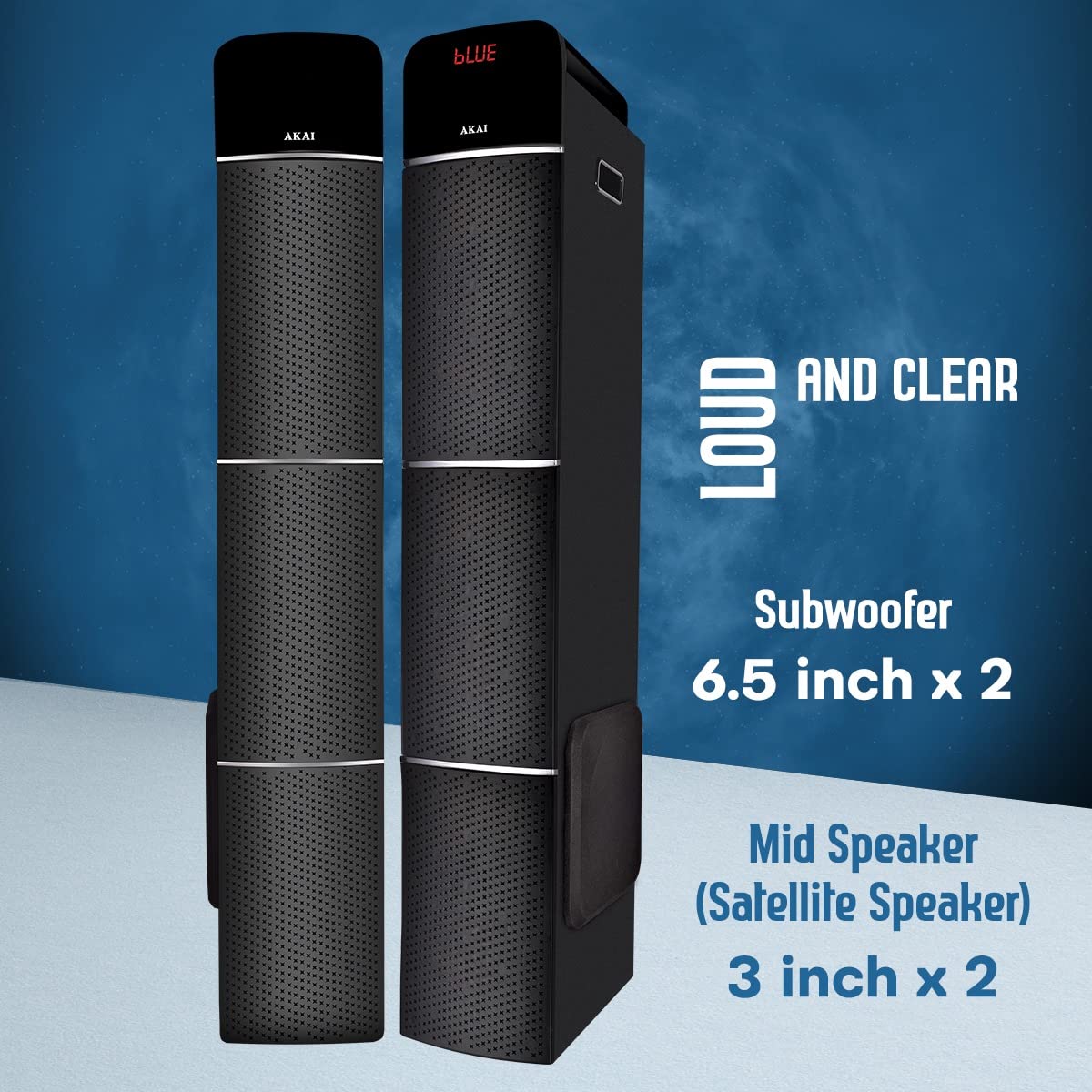
This image illustrates the speaker configuration, featuring two 6.5-inch subwoofers and two 3-inch mid-range (satellite) speakers for balanced audio output.
5. Inställning
Follow these steps for the initial setup of your AKAI TS-90 Tower Speaker system.
- Placering: Position the two tower speakers on a flat, stable surface. Ensure adequate space around them for optimal sound dispersion and ventilation.
- Anslut sekundär högtalare: Using the provided speaker cable, connect the "SPK OUT" port on the main speaker unit to the input port on the secondary speaker unit.
- Strömanslutning: Connect the power cord to the main speaker unit and then plug it into a standard AC power outlet.
- Ström på: Flip the "POWER ON/OFF" switch on the rear panel to the "ON" position. The display on the front panel should light up.
- Initial volym: Before playing audio, set the volume to a low level using the remote control or the control knob on the speaker.
6. Bruksanvisning
The AKAI TS-90 offers various modes for audio playback.
6.1 Lägesval
Press the "MODE" button on the remote control or the main unit to cycle through available input sources: Bluetooth, USB, AUX, and FM Radio.

This image visually represents the primary connectivity methods: Bluetooth for wireless streaming, USB for media playback from flash drives, and Aux for wired connections.
6.2 Bluetooth-läge
- Select "Bluetooth" mode using the MODE button. The display will show "BLUE" and a pairing indicator.
- Aktivera Bluetooth på din mobila enhet och sök efter tillgängliga enheter.
- Select "AKAI TS-90" from the list. Once paired, the speaker will emit a confirmation sound.
- You can now play audio from your device wirelessly through the speakers.
6.3 USB-uppspelning
- Sätt i ett USB-minne som innehåller MP3-ljud files till USB-porten på huvudenheten.
- Select "USB" mode. The speaker will automatically detect and begin playing audio files.
- Use the remote control to navigate tracks (Previous/Next), play/pause, and adjust volume.
6.4 AUX-ingång
- Connect your external audio device (e.g., smartphone, tablet, TV) to the "AUX IN" port using an appropriate audio cable.
- Select "AUX" mode. Audio from your connected device will now play through the speakers.
6.5 FM -radio
- Välj "FM"-läge.
- Press the "SCAN" button on the remote control to automatically scan and save available FM stations.
- Use the Previous/Next buttons to cycle through saved stations.
6.6 Wireless Microphone and Karaoke
The AKAI TS-90 includes a wireless microphone for karaoke functionality.

This image demonstrates the use of the included wireless microphone, enabling users to engage in karaoke activities with the speaker system.
- Ensure the wireless microphone is powered on and its receiver is connected to the "MIC INPUT" port on the speaker's rear panel.
- Adjust the microphone volume using the dedicated control on the speaker or remote, if available.
- Play your desired karaoke track from any input source (Bluetooth, USB, AUX).
6.7 Equalizer-lägen (EQ)
The speaker features various equalizer modes to optimize sound for different music genres.

This image shows the speakers alongside a television, emphasizing their role in a home audio system and the availability of EQ modes for sound customization.
Press the "EQ" button on the remote control to cycle through preset equalizer settings (e.g., Pop, Rock, Jazz, Classic, Flat).
7. Underhåll
Proper care will ensure the longevity and performance of your AKAI TS-90 speakers.
- Rengöring: Använd en mjuk, torr trasa för att rengöra högtalarnas utsida. Använd inte flytande rengöringsmedel eller slipande material.
- Ventilation: Se till att ventilationsöppningarna inte är blockerade av damm eller skräp.
- Lagring: Om högtalarna förvaras under en längre tid, koppla ifrån dem från strömmen och förvara dem på en sval och torr plats.
8. Felsökning
If you encounter issues with your AKAI TS-90, refer to the following common problems and solutions.
| Problem | Möjlig orsak | Lösning |
|---|---|---|
| Ingen ström | Nätsladden är inte ansluten; Strömbrytaren är avstängd; Eluttaget är trasigt. | Kontrollera nätsladdens anslutning; Se till att strömbrytaren är PÅ; Prova ett annat eluttag. |
| Inget ljud | Volume too low; Incorrect input mode selected; Audio cable loose/faulty; Bluetooth not paired. | Increase volume; Select correct input mode; Reconnect audio cable; Re-pair Bluetooth device. |
| Bluetooth-parningsfel | Device too far; Bluetooth not enabled on source device; Speaker already paired to another device. | Flytta enheten närmare; Aktivera Bluetooth på källenheten; Koppla bort från andra enheter och försök igen. |
| Trådlös mikrofon fungerar inte | Microphone batteries low/dead; Microphone not powered on; Receiver not connected to MIC INPUT. | Replace microphone batteries; Ensure microphone is ON; Connect receiver to MIC INPUT. |
| Fjärrkontrollen fungerar inte | Batteries low/dead; Obstruction between remote and speaker; Remote not pointed at sensor. | Replace remote batteries; Remove obstructions; Point remote directly at the speaker's IR sensor. |
9. Specifikationer
Detailed technical specifications for the AKAI Audio TS-90 Tower Speaker.
| Särdrag | Detalj |
|---|---|
| Modellnamn | TS-90 |
| Stämpla | AKAI |
| Typ av högtalare | Tower, Floor Standing |
| Anslutningsteknik | Bluetooth, Trådlös |
| Trådlös kommunikationsteknik | Bluetooth |
| Högtalare maximal uteffekt | 90 watt (RMS) |
| Ljudutmatningsläge | Stereo |
| Surroundljudskanalkonfiguration | 2.1 |
| Specialfunktioner | Display, Equalizer, Remote Control, USB Port, Wireless Microphone |
| Kompatibla enheter | Smartphone, surfplatta |
| Kontrollmetod | Touch, Fjärrkontroll |
| Strömkälla | AC |
| Material | Trä |
| Objektets vikt | 19.9 kg (ungefär) |
| Paketets mått | 103.8 x 47.2 x 32.6 cm |
| Subwoofer storlek | 6.5 tum x 2 |
| Mid Speaker (Satellite Speaker) Size | 3 tum x 2 |
10. Garanti och support
For warranty information and customer support, please refer to the warranty card included with your product or visit the official AKAI webwebbplats. Spara ditt inköpskvitto som inköpsbevis för eventuella garantianspråk.
For technical assistance or service inquiries, please contact AKAI customer support through their official channels. Contact details are typically provided in the product packaging or on the brand's webplats.
Note: Customer reviews indicate varying experiences with customer service. It is recommended to register your product upon purchase and retain all documentation.