1. Produk Langkungview
This document provides instructions for the LEDVANCE Green Accessory Lens, Model 64275. This lens is designed as an accessory for the LEDVANCE Jelly Jar LED Luminaire (Model 62448) to modify its light output color to green. It is important to note that this product is the accessory lens only, and the luminaire itself is sold separately.
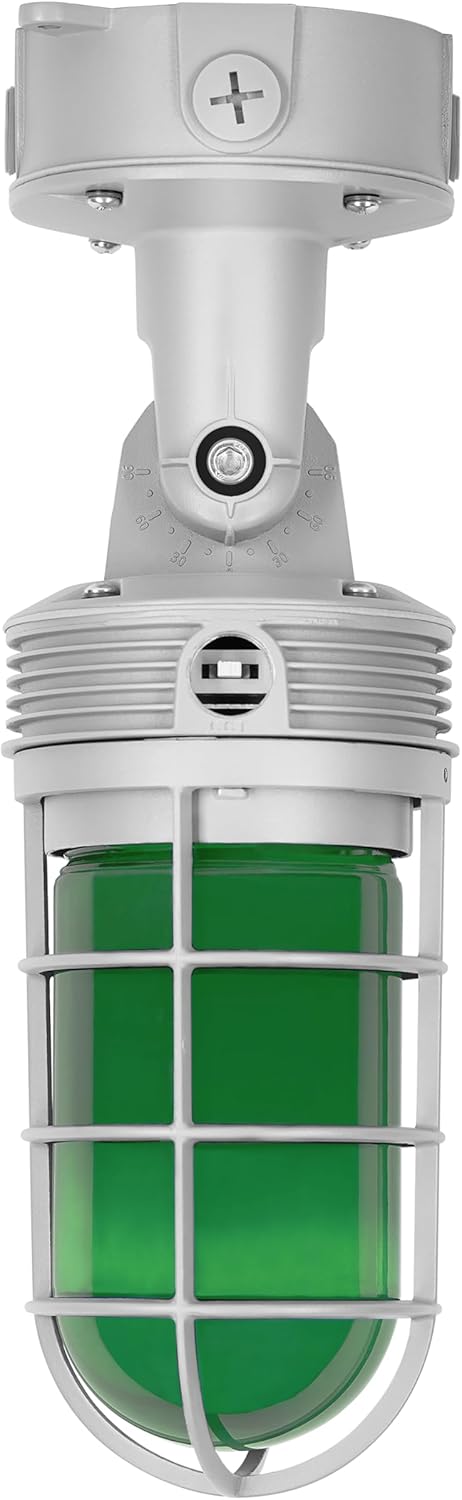
Gambar 1.1: The LEDVANCE Jelly Jar LED Luminaire shown with the Green Accessory Lens installed. This image illustrates the complete product assembly for which this lens is an accessory.
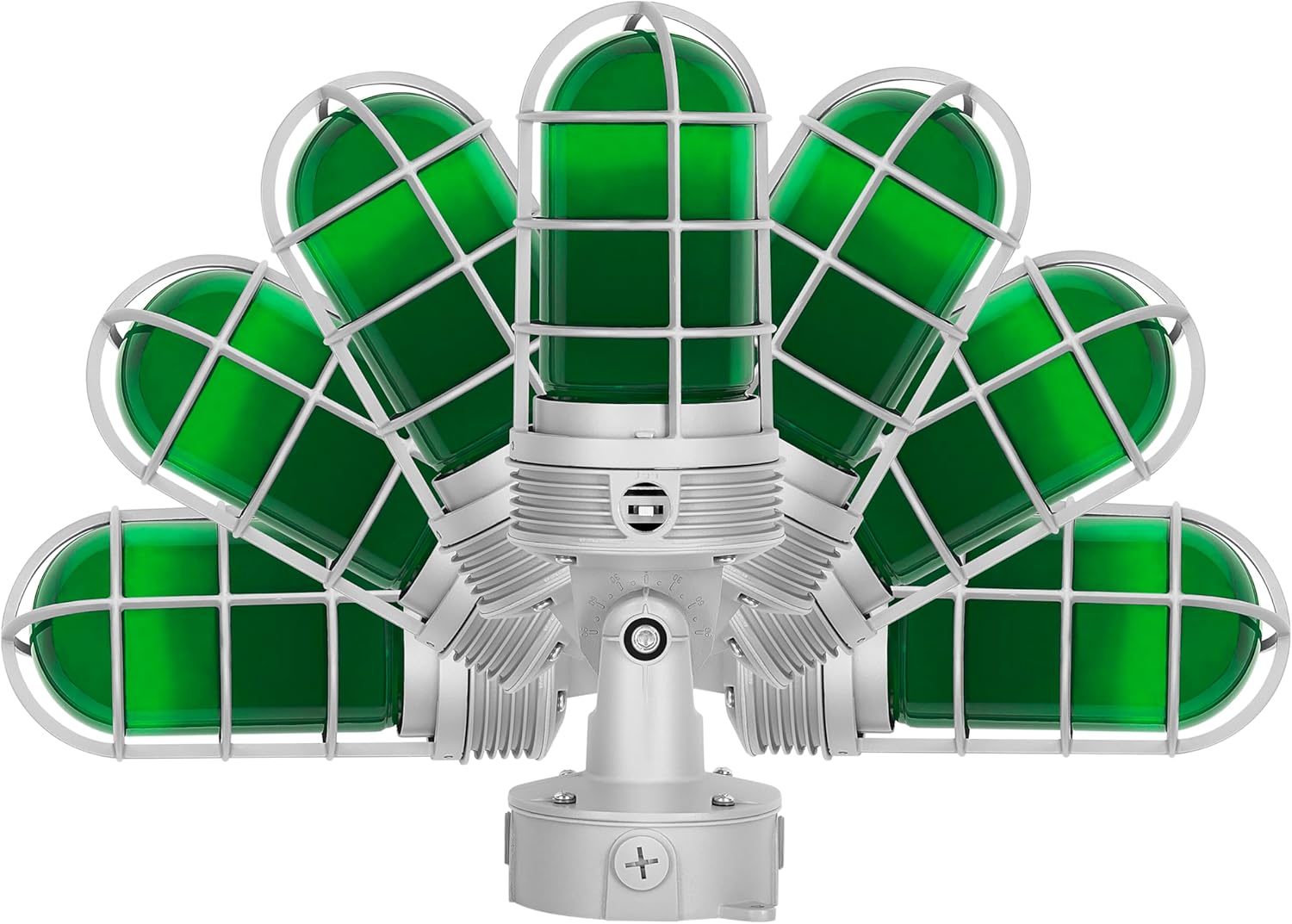
Gambar 1.2: A display of multiple LEDVANCE Jelly Jar LED Luminaires, each fitted with a different colored accessory lens, including red, green, blue, and yellow. This demonstrates the range of available lens options and the modular nature of the product.
Klip 1.1: An official LEDVANCE video titled "Advancing Light with LEDVANCE." This video provides an overview of the LEDVANCE brand and its commitment to lighting innovation, offering context for the product's manufacturer.
2. Émbaran Kasalametan
Please read and understand all safety instructions before installing or using the accessory lens. Failure to follow these instructions may result in electric shock, fire, or other hazards.
- Always disconnect power to the luminaire at the circuit breaker before attempting any installation, removal, or maintenance of the accessory lens.
- Handle the glass lens with care to prevent breakage and injury.
- Ensure the luminaire is cool to the touch before handling the lens.
- This accessory lens is designed for use only with the specified LEDVANCE Jelly Jar LED Luminaire (Model 62448). Do not attempt to use it with other fixtures.
- Upami anjeun henteu yakin ngeunaan bagian mana waé tina prosés pamasangan, konsultasi ka tukang listrik anu mumpuni.
3. Pamasangan
This Green Accessory Lens is intended to be installed onto a compatible LEDVANCE Jelly Jar LED Luminaire (Model 62448). Refer to the luminaire's instruction manual for its initial installation and wiring. The following steps detail the installation of the accessory lens:
- Pegatkeun daya: Before beginning, ensure that the power supply to the luminaire is completely disconnected at the circuit breaker. Verify that the luminaire is off and cool.
- Remove Existing Lens (if applicable): If an existing lens (e.g., clear, frosted) is installed on your Jelly Jar LED Luminaire, carefully unscrew or unlatch the retaining mechanism (cage or ring) that secures it. Gently remove the old lens.
- Install Green Accessory Lens: Position the Green Accessory Lens into the luminaire's housing. Ensure it sits securely and is properly aligned.
- Lensa Aman: Reattach and tighten the retaining mechanism (cage or ring) to firmly hold the green lens in place. Do not overtighten, but ensure it is snug to prevent water ingress if the luminaire is wet location rated.
- Mulangkeun Daya: Once the lens is securely installed, restore power to the luminaire at the circuit breaker.
4. Operasi
The LEDVANCE Green Accessory Lens functions by filtering the light emitted from the compatible luminaire, changing its color to green. This lens does not have any electrical components or adjustable settings itself.
- Kaluaran Warna: Once installed, the luminaire will emit green light.
- Luminaire Settings: The compatible LEDVANCE Jelly Jar LED Luminaire (Model 62448) features selectable wattage (10W/20W) and color temperature (3000K/4000K/5000K). These settings are adjusted directly on the luminaire itself, independent of the accessory lens. Refer to the luminaire's manual for instructions on adjusting these settings.
Klip 4.1: An official LEDVANCE video titled "Color Temperature Guide (CCT)." This video explains the concept of Color Correlated Temperature (CCT) and how it affects lighting, which is a feature of the compatible LEDVANCE Jelly Jar LED Luminaire.
5. Pangropéa
Regular maintenance helps ensure optimal performance and longevity of your accessory lens.
- beberesih: Periodically clean the exterior of the glass lens with a soft, damp cloth. For stubborn dirt, a mild, non-abrasive cleaning solution can be used. Ensure the luminaire is off and cool before cleaning. Avoid harsh chemicals that may damage the lens material.
- Pamariksaan: Periodically inspect the lens for any cracks, chips, or signs of damage. If the lens is damaged, it should be replaced to maintain the integrity and safety of the luminaire.
6. Cara ngungkulan
If you encounter issues with your Green Accessory Lens, consider the following:
- Incorrect Light Color: Ensure that the correct green accessory lens is securely installed and that no other colored filters are present.
- Teu aya Kaluaran Cahaya: If the luminaire is not producing any light, the issue is likely with the luminaire itself or its power supply, not the accessory lens. Refer to the LEDVANCE Jelly Jar LED Luminaire's instruction manual for troubleshooting steps related to the fixture's operation.
- Lampu Taram atanapi Kedip-kedip: This is typically an issue with the luminaire or its electrical connection. Consult the luminaire's manual or a qualified electrician.
7. Spésifikasi
| Nomer modél | 64275 |
| Ngaran produk | Green Accessory Lens |
| merek | LEDVANCE |
| Bahan | Kaca |
| Warna | Héjo |
| Item Beurat | 1.05 pon |
| Compatible Luminaire Dimensions (Approx.) | 4.47"L x 4.47"W x 7.6"H (for the complete Jelly Jar LED Luminaire with lens) |
Note: Performance specifications such as wattage, brightness, and CCT are features of the compatible LEDVANCE Jelly Jar LED Luminaire (Model 62448), not the accessory lens itself.
8. Garansi
This LEDVANCE Green Accessory Lens is covered by a 5 taun jaminan kawates produsén urang. This warranty covers defects in materials and workmanship under normal use and service. For full warranty terms and conditions, please refer to the official LEDVANCE warranty documentation or contact customer support.
9. Rojongan
For technical assistance, warranty claims, or further information regarding your LEDVANCE Green Accessory Lens or compatible luminaires, please contact LEDVANCE customer support.
You can also visit the official LEDVANCE store for additional product information and resources: