
Selelekela
Welcome to the ELEHEAR-Beyond Pro Hearing Aids user manual. These Bluetooth rechargeable Over-The-Counter (OTC) hearing aids are designed to provide clear, natural sound for individuals with mild to moderate hearing loss. Featuring VocClear 2.0 technology, an enhanced app, and a comfortable Receiver-in-Canal (RIC) design, the Beyond Pro aims to improve your listening experience. This manual provides essential information on setup, operation, maintenance, and troubleshooting to ensure optimal performance of your device.
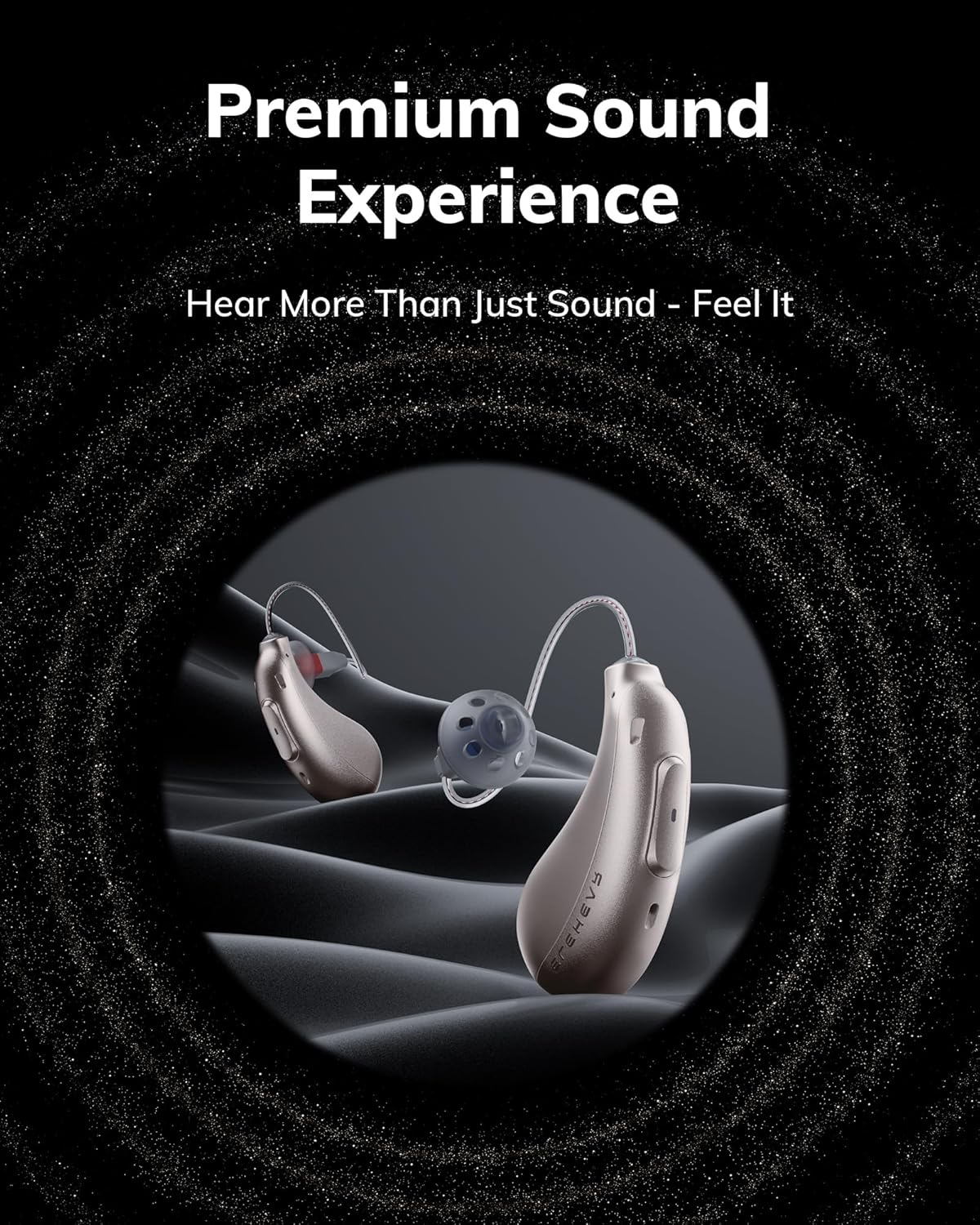
Image: ELEHEAR-Beyond Pro Hearing Aids, showcasing their design for a premium sound experience.
Se ka Lebokoseng
Ka kopo netefatsa hore lintho tsohle tse latelang li kenyelelitsoe sephutheloana sa hau:
- ELEHEAR-Beyond Pro Hearing Aids (Left and Right)
- Portable Charging Case
- Assorted Ear Domes (various sizes)
- Cable ea ho tjhaja ea USB-C
- Cleaning Brush and Tool
- Wax Plugs and Removers
- Bukana ea mosebelisi (tokomane ena)
Tlhophiso
1. Charging Your Hearing Aids
Before first use, fully charge your ELEHEAR-Beyond Pro hearing aids and their charging case.
- Nyeoe ea ho tjhaja: Connect the USB-C charging cable to the charging port on the back of the case and to a power source. The LED indicators on the case will show charging status.
- Lithuso tsa ho utloa: Place the hearing aids into their respective slots in the charging case. They will automatically begin charging. The case LEDs indicate the charging status of the hearing aids.
- Charge e potlakileng: A 15-minute charge provides up to 6 hours of use. A full charge offers up to 20 hours of runtime, with the case providing an additional 4 full charges.
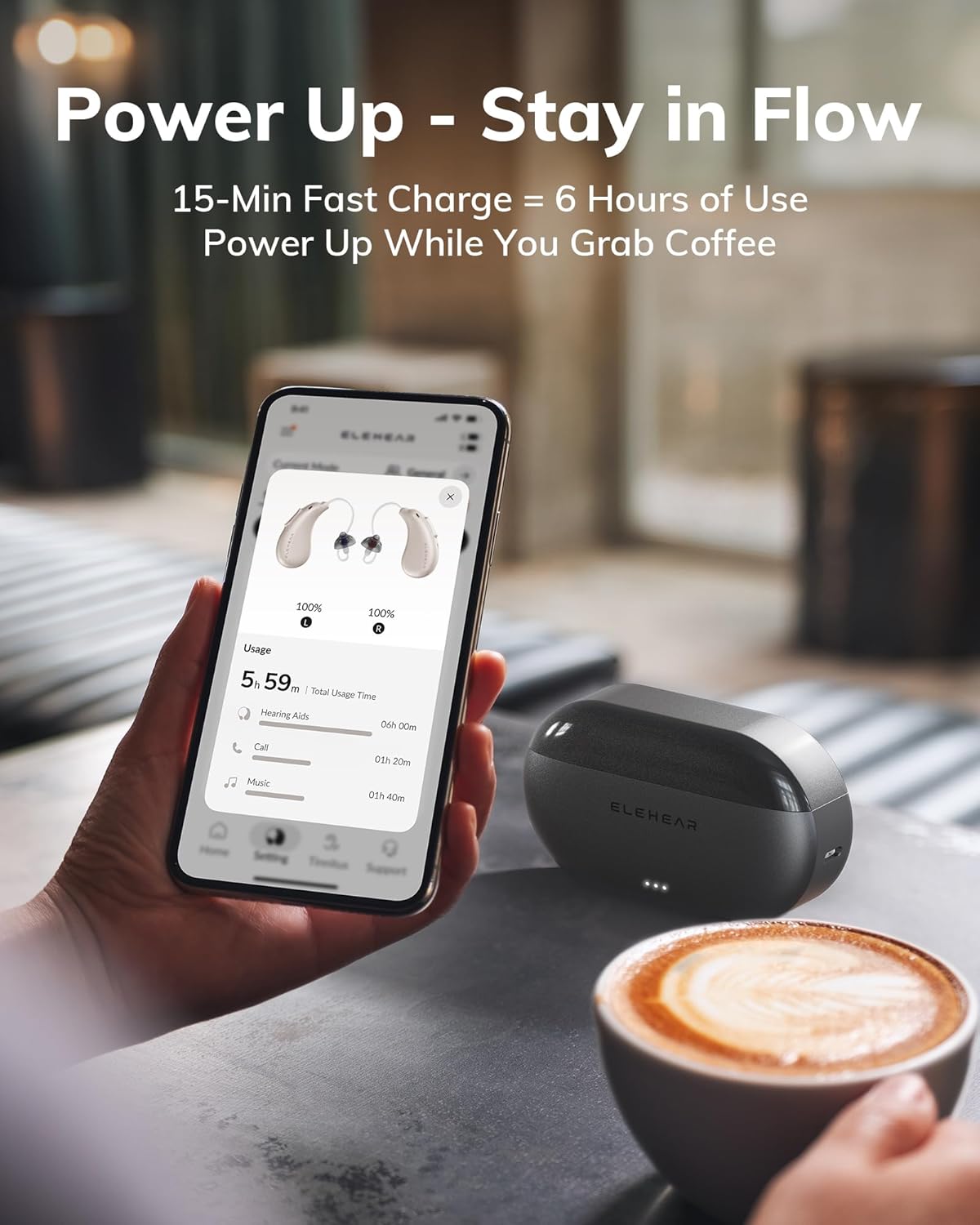
Image: The ELEHEAR-Beyond Pro charging case and app interface, demonstrating the fast charging capability.
2. Fitting the Hearing Aids
Proper fit is crucial for comfort and sound quality.
- Choose the Right Dome: The package includes various sizes of ear domes. Experiment to find the size that feels most comfortable and provides a secure seal in your ear canal without causing discomfort.
- Insert the Hearing Aid: Gently place the hearing aid into your ear, ensuring the dome is comfortably seated in your ear canal and the main body of the hearing aid rests behind your ear. The Receiver-in-Canal (RIC) design is lightweight and designed for all-day wear.
3. Ho kenya App le ho kopanya
The ELEHEAR smart app enhances your experience with customizable settings.
- Khoasolla sesebelisoa: Batla "ELEHEAR" in the Apple App Store (iOS) or Google Play Store (Android) and install the application.
- Dumella Bluetooth: Netefatsa hore Bluetooth e kenelletse ho smartphone ea hau.
- Ho kopanya: Open the ELEHEAR app. Take the hearing aids out of the charging case to automatically turn them on and enter pairing mode. Follow the on-screen instructions in the app to connect your devices.
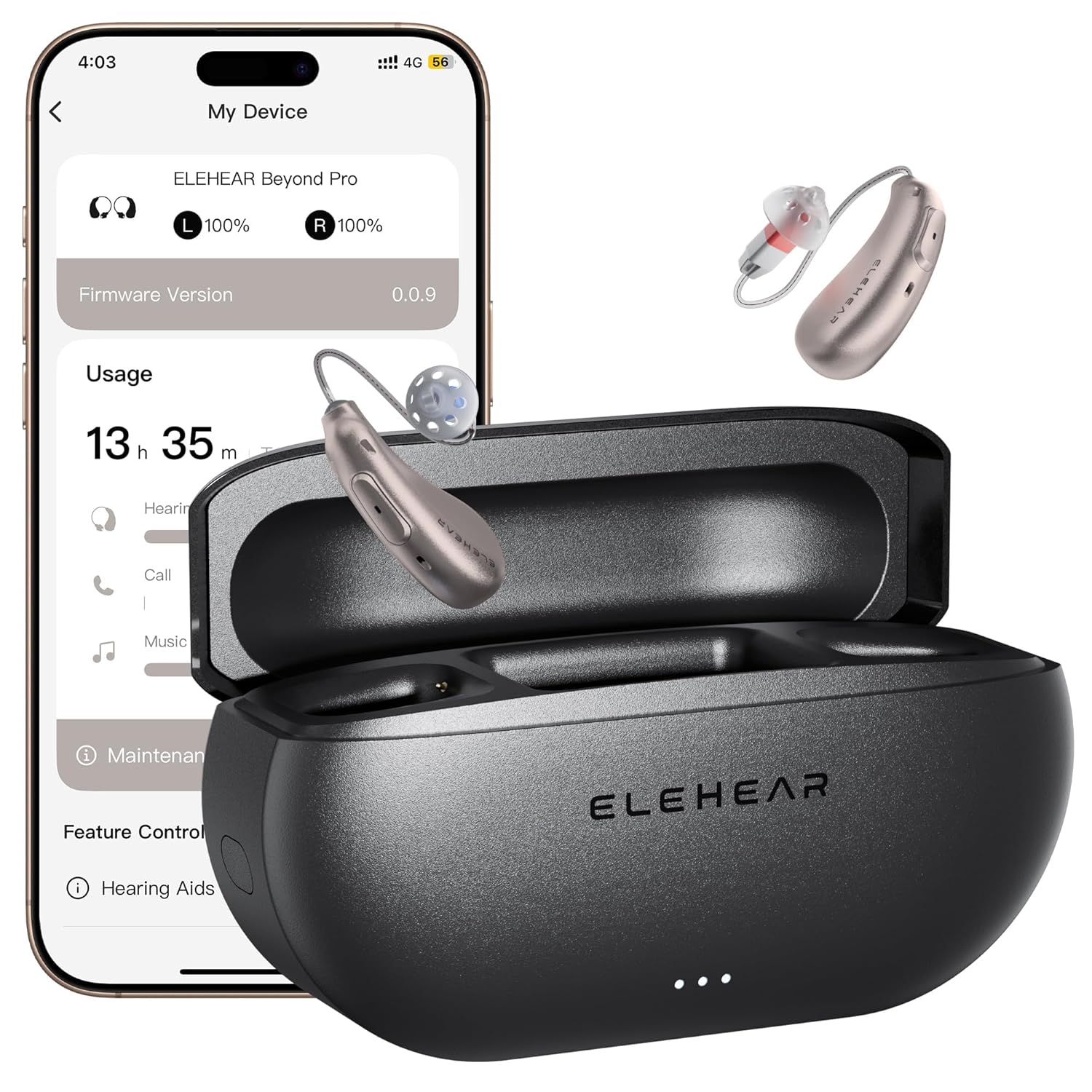
Image: The ELEHEAR-Beyond Pro hearing aids and their charging case, alongside a smartphone showing the connected app.
Operating Your Hearing Aids
1. Matla On/O tima
- Ka ho iketsa: The hearing aids automatically turn on when removed from the charging case and turn off when placed back into the case.
- Manual Power On: Hold the Volume Up button for 3 seconds.
- Motlakase ka Manual Off: Hold the Volume Up button for 5 seconds.
2. On-Device Controls
The hearing aids feature intuitive physical controls for quick adjustments.
- Matlafatsa: Hold Volume Up for 3 seconds.
- Tlosa motlakase: Hold Volume Up for 5 seconds.
- Bapala: Hold Volume Down for 2 seconds.
- Emisa: Hold Volume Down for 2 seconds.
- Volume holimo: Short press increases volume by one notch.
- Buka ea tlase: Short press decreases volume by one notch.

Image: Visual guide to the on-device controls for the ELEHEAR-Beyond Pro hearing aids.
3. App Features and Customization
The ELEHEAR app provides advanced control and personalization.
- Voice Adjustments: Use the app's intuitive interface to fine-tune sound settings, including volume, tone, and balance, for each ear.
- Sebopeho sa molumo: Explore 20 immersive soundscapes (e.g., rain, breeze, vinyl crackle) for relaxation, focus, or winding down.
- VocClear 2.0 Technology: This feature delivers 30% clearer speech by eliminating muffled tones and enhancing high-frequency details up to 8500Hz with ultra-low latency (8ms). It includes 50dB amplification, feedback reduction, and noise cancellation (24dB).

Image: Representation of the VocClear 2.0 technology, highlighting its speech clarity and noise management features.

Image: The ELEHEAR app interface, demonstrating sound adjustment capabilities.
4. Khokahano ea Bluetooth
Connect your hearing aids to other Bluetooth-enabled devices for audio streaming and calls.
- Ho kopanya: Once paired with your smartphone via the app, the hearing aids can connect to other devices like tablets or computers through your device's Bluetooth settings.
- Phallela ka audio: Enjoy clear audio for music, podcasts, and videos directly through your hearing aids.
- Mehala: Make and receive calls with enhanced voice pickup and playback.

Image: Various users engaging in activities with their ELEHEAR-Beyond Pro hearing aids, demonstrating versatile Bluetooth 5.3 connectivity.

Image: A woman using her hearing aids for a video call, emphasizing reliable Bluetooth audio.
5. Mokhoa oa 'Mino
The ELEHEAR-Beyond Pro features a dedicated music mode, specially tuned to preserve the richness of vocals and high-frequency instruments. This mode delivers studio-grade sound fidelity for an immersive audio experience.

Image: A person enjoying music, illustrating the specialized Music Mode of the hearing aids.
Tlhokomelo
1. Cleaning Your Hearing Aids
Ho hloekisa kamehla ho tiisa ts'ebetso e nepahetseng le bohloeki.
- Ho Hloekisa Letsatsi le Letsatsi: Use the provided cleaning brush and a soft, dry cloth to gently wipe the hearing aids and ear domes. Remove any earwax or debris from the sound outlet and microphone ports.
- Qoba Liquids: Do not use water, cleaning solutions, or alcohol directly on the hearing aids, as this can damage the electronic components.
- Dome Replacement: Replace ear domes regularly, or when they show signs of wear or damage, to maintain sound quality and comfort.
2. Polokelo
When not in use, store your hearing aids properly.
- Nyeoe ea ho tjhaja: Always store the hearing aids in their charging case to protect them and keep them charged.
- Tikoloho e omileng: Store the case in a cool, dry place away from direct sunlight and extreme temperatures.
Ho batle phoso
If you encounter any issues, refer to the table below for common problems and solutions.
| Bothata | Lebaka le ka khonehang | Tharollo |
|---|---|---|
| Ha ho Molumo kapa Molumo o Fokolang | Low battery; blocked ear dome/sound outlet; incorrect volume setting; hearing aid not turned on. | Charge hearing aids; clean ear dome and sound outlet; adjust volume via app or on-device controls; ensure hearing aids are powered on. |
| Whistling or Feedback | Improper fit; ear dome too small; earwax buildup in ear canal. | Re-insert hearing aid for a snug fit; try a larger ear dome; consult a healthcare professional for earwax removal if necessary. |
| Difficulty Understanding Speech | Environmental noise; settings not optimized; hearing aid not functioning correctly. | Use the ELEHEAR app to adjust sound settings (VocClear 2.0, noise reduction); try different soundscapes; ensure proper fit. |
| Mathata a Khokahano ea Bluetooth | Bluetooth off on device; hearing aids not in pairing mode; interference. | Ensure Bluetooth is enabled on your phone; restart hearing aids (place in case, then remove); try re-pairing through the app. |
| Mathata a ho tjhaja | Cable not connected properly; dirty charging contacts; faulty power source. | Check USB-C cable connection; clean charging contacts on hearing aids and case with a dry cloth; try a different power adapter or outlet. |
Litlhaloso
| Sebopeho | Lintlha |
|---|---|
| Lebitso la Mohlala | Beyond Pro |
| Ntho Nomoro ea Mohlala | Beyond Pro CG1 |
| Brand | ELEHEAR |
| Mmala | Champagne Gold |
| Lintho tse bonahalang | Plastiki |
| Setaele | Both Ear (Receiver-in-Canal) |
| Libetri | 3 Libetri tsa Lithium Ion (tse kenyelelitsoeng) |
| Battery Life (Hearing Mode) | Ho fihla ho lihora tse 20 ka tefiso e le 'ngoe |
| Nyeoe ea ho tjhaja | Provides 4 additional full charges |
| Chelete e potlakileng | 15 minutes for up to 6 hours of use |
| Amptokafatso | 50dB |
| Phokotso ea Lerata | 24dB |
| Ho lieha ho fihla | 8ms (ultra-low) |
| Maqhubu a Range | Up to 8500Hz (enhanced high-frequency detail) |
| Khokahano | Bluetooth 5.3 |
| Ts'ebetsong ea App | iOS le Android |
| Litekanyo tsa sephutheloana | 5.39 x 3.78 x 2.83 lisenthimithara |
| Boima ba 'mele | 13.44 lik'hilograma |
Warranty le Tšehetso
Your ELEHEAR-Beyond Pro Hearing Aids come with a manufacturer's warranty.
- Nako ea Warranty: A one-year warranty covers manufacturing defects.
- Leano la Phetoho: Initial replacement for issues is typically available within 45 days of purchase. After this period, a service or replacement fee may apply for the remainder of the warranty term. Please refer to your purchase documentation for specific terms and conditions.
- Tšehetso ea Bareki: For technical assistance, warranty claims, or further inquiries, please visit the official ELEHEAR website or contact their customer service department. Contact information can usually be found on the product packaging or the ELEHEAR brand store on Amazon.


