
1. Sehlahisoa Overview
The boAt Airdopes 148 Gen 2 are True Wireless Stereo (TWS) earbuds designed for an immersive audio experience. They feature a long-lasting battery, advanced microphone technology for clear calls, and a low-latency mode for gaming. This manual provides instructions for setting up, operating, and maintaining your earbuds.
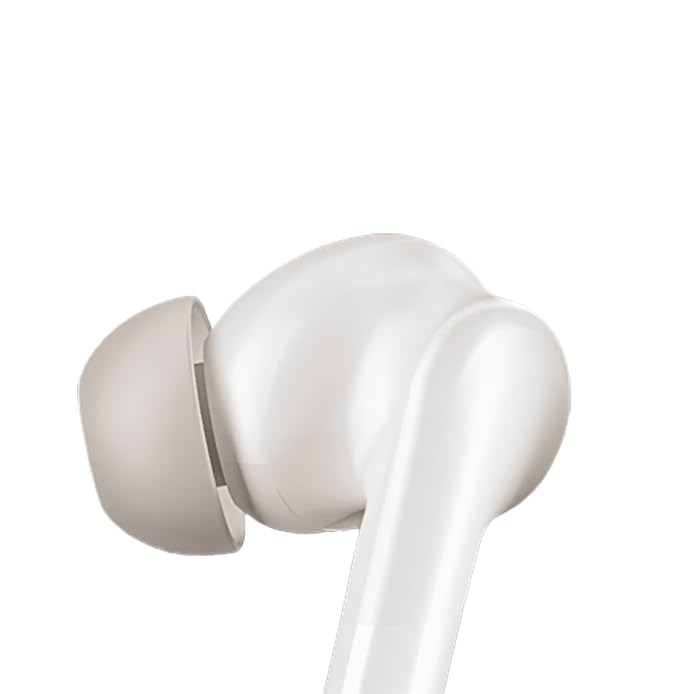
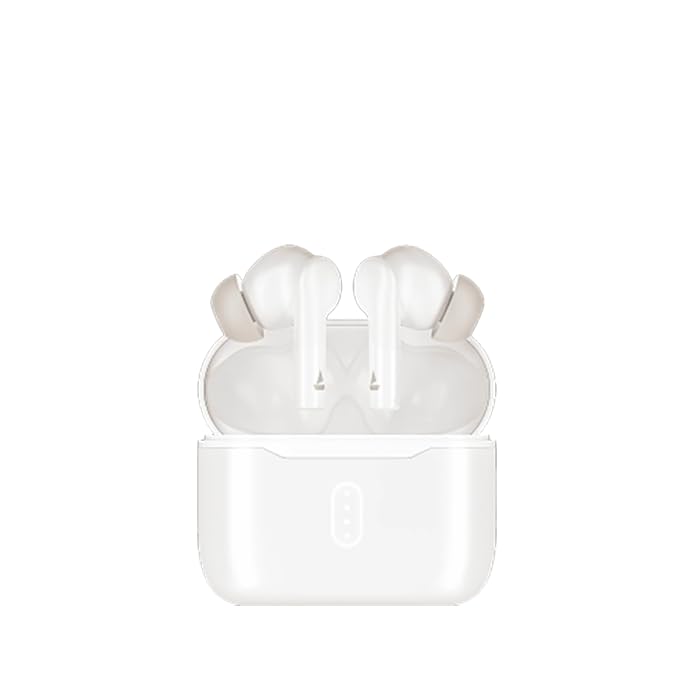
Image: boAt Airdopes 148 Gen 2 earbuds shown with their charging case.
2. Se ka Lebokoseng
Ka kopo, sheba litaba tsa sephutheloana ho netefatsa hore lintho tsohle li teng:
- boAt Airdopes 148 Gen 2 Earbuds (Left and Right)
- Nyeoe ea ho tjhaja
- USB Charging Cable
- Additional Ear Cushions (various sizes)
- Bukana ea Mosebelisi
3. Litaelo tsa ho seta
3.1 Tefiso ea Pele
Pele o sebelisoa ka lekhetlo la pele, tjhaja li-earbud le mokotla oa ho tjhaja ka botlalo.
- Kenya li-earbud ka bobeli ka mokotleng oa ho tjhaja.
- Hokela thapo ea ho tjhaja ea USB boema-kepeng ba ho tjhaja khase le mohloling oa matla.
- Mabone a ponts'o a ka lebokoseng a tla bonts'a boemo ba ho tjhaja. Hang ha a se a tjhajilwe ka botlalo, mabone a ka fetoha kapa a tima.

Image: The boAt Airdopes 148 Gen 2 charging case with earbuds inserted, illustrating the charging process.
3.2 Pairing with Your Device (Insta Wake N' Pair)
The Airdopes 148 Gen 2 feature Insta Wake N' Pair (IWP) technology for seamless connection.
- Bula sekwahelo sa mokotla oa ho tjhaja. Li-earbud li tla bulela 'me li kenye mokhoa oa ho para.
- Numella Bluetooth ho smartphone kapa sesebelisoa se seng.
- Batla "Airdopes 148 Gen 2" in the list of available Bluetooth devices.
- Select it to connect. Once connected, you will hear an audio prompt.
Note: The earbuds will automatically connect to the last paired device when the case lid is opened, if Bluetooth is enabled on the device.

Image: A visual representation of key features including Bluetooth v5.4 and Insta Wake N' Pair technology.
4. Litaelo tsa Ts'ebetso
4.1 Taolo ea ho ama
The Airdopes 148 Gen 2 feature intuitive touch controls on each earbud:
- Bapala/Emisa: Tobetsa hang feela ho li-earbud.
- Pina e Latelang: Tobetsa habeli tsebeng e ka ho le letona.
- Pina e fetileng: Tlanya habeli tsebeng e ka letsohong le letšehali.
- Araba/Khaola mohala: Tobetsa hang feela ho li-earbud.
- Hana Mohala: Long press (2 seconds) on either earbud.
- Sebelisa Mothusi oa Lentsoe: Tlanya gararo ho e 'ngoe ea li-earbud.
- BEAST Mode On/Off: Long press (3 seconds) on the right earbud.
- Switch Dual EQs: Long press (3 seconds) on the left earbud.
4.2 BEAST Mode (Low Latency)
Activate BEAST Mode for an ultra-low latency audio experience, ideal for gaming and video streaming. This minimizes audio delay between your device and the earbuds.
- Ho kenya tšebetsong: Tobetsa earbud e nepahetseng nako e telele bakeng sa metsotsoana e 3.
- Ho tima: Long press the right earbud for 3 seconds again.
4.3 Dual EQs
Switch between different sound profiles (e.g., Balanced, Bass) to suit your audio preference.
- To Switch: Long press the left earbud for 3 seconds.
4.4 Mothusi oa lentsoe
Access your device's voice assistant (e.g., Google Assistant, Siri) directly from the earbuds.
- Ho kenya tšebetsong: Tlanya gararo ho e 'ngoe ea li-earbud.
4.5 Calling with ENx Technology
The earbuds feature Quad Mics with ENx Technology for clear voice calls by cancelling environmental noise.

Image: A user wearing an earbud, highlighting the Quad Mics with ENx Technology for enhanced call clarity.
4.6 Bophelo ba Betri
The Airdopes 148 Gen 2 offer up to 48 hours of total playback time with the charging case. ASAP Charge provides 180 minutes of playback from just 10 minutes of charging.

Image: A graphic illustrating the impressive battery life of up to 48 hours and the fast charging capability.
5. Tlhokomelo
5.1 Ho hloekisa
Ho hloekisa kamehla ho thusa ho boloka boleng bo utloahalang le bohloeki.
- Hlakola li-earbud le mokotla oa ho tjhaja ka bonolo ka lesela le bonolo, le omeletseng le se nang letlapa.
- Tlosa lintlha tsa litsebe 'me u li hloekise ka sesepa le metsi a bonolo, ebe u li omisa hantle pele u li kopanya hape.
- Use a cotton swab or a small, soft brush to carefully clean the speaker mesh and charging contacts.
Setšoantšo: Haufi view of an earbud tip, showing the area that requires regular cleaning.
5.2 Ho Hanela Metsi (IPX4)
The Airdopes 148 Gen 2 are IPX4 rated, meaning they are resistant to splashes of water and sweat. They are not designed for submersion in water.
- Avoid exposing the earbuds to heavy rain or submerging them in water.
- Dry the earbuds thoroughly if they get wet from sweat or splashes before placing them back in the charging case.
6. Ho rarolla mathata
If you encounter issues with your Airdopes 148 Gen 2, try the following solutions:
- Ha ho Mathata a Modumo/Khokelo:
- Netefatsa hore li-earbud li tjhajiloe.
- Etsa bonnete ba hore Bluetooth e kentse tšebetsong sesebelisoa sa hau.
- Forget "Airdopes 148 Gen 2" from your device's Bluetooth list and re-pair.
- Qala sesebelisoa sa hau bocha.
- Earbud e le 'ngoe ha e sebetse:
- Beha li-earbud ka bobeli ka har'a khetla, koala sekoahelo, ema metsotsoana e seng mekae, ebe u bula hape.
- Netefatsa hore li-earbud ka bobeli li tjhajiloe.
- Mathata a ho tjhaja:
- Hlahloba thapo ea ho tjhaja le adaptara.
- Ensure charging contacts on earbuds and case are clean.
- Bolumo bo Tlase:
- Fetola molumo oa sesebelisoa sa hau le li-earbud.
- Clean earbud speaker mesh.
7. Litlhaloso
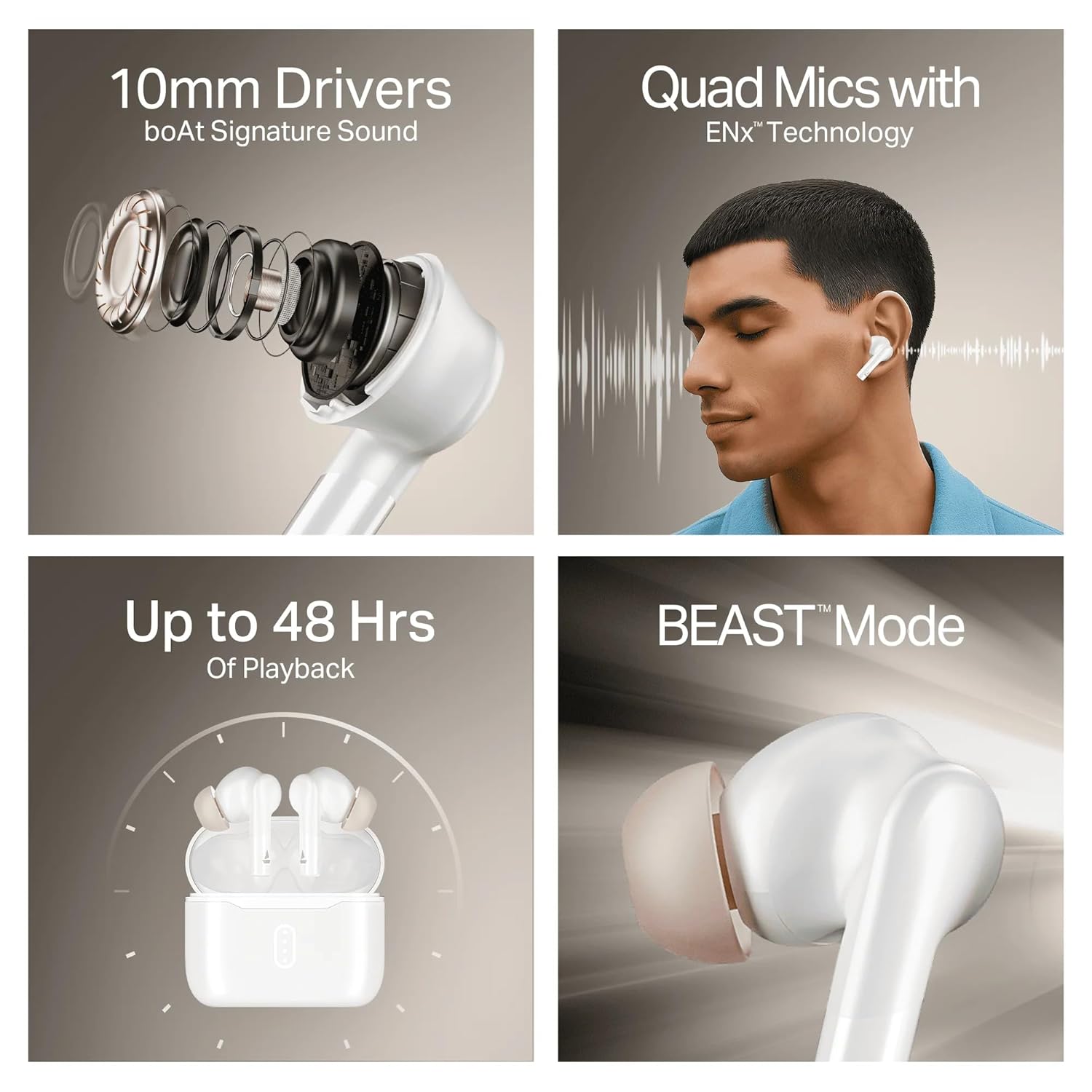
Image: A summary of key specifications and features of the Airdopes 148 Gen 2.
| Sebopeho | Tlhaloso |
|---|---|
| Lebitso la Mohlala | Airdopes 148 Gen 2 |
| Bluetooth Version | 5.4 |
| Nako ea ho Bapala | Ho fihlela lihora tse 48 (ka nyeoe ea ho tjhaja) |
| ASAP Tefiso | Tefiso ea metsotso e 10 = ho bapala metsotso e 180 |
| Limaekerofounu | Li-Microphone tse 'ne tse nang le Theknoloji ea ENx |
| Bakhanni | 10 limilimithara |
| Ho hanyetsa Metsi | IPX4 |
| Latency Mode | BEAST Mode (Ultra-low latency) |
| Khokahano | Wireless |
| Mofuta oa Taolo | Touch Control |
| Lisebelisoa tse lumellanang | Li-laptop, Li-smartphone, Matlapa |
8. Tiisetso le Tšehetso
8.1 Boitsebiso ba Tiisetso
The boAt Airdopes 148 Gen 2 comes with a 12 + 3 months manufacturer warranty. Ka kopo, boloka bopaki ba theko ea hau bakeng sa likopo tsa waranti.
8.2 Tšehetso ea Bareki
For any support, queries, or warranty claims, please contact boAt customer service:
- Lengolo-tsoibila: info@imaginemarkengindia.com
- Moetsi: Imagine Marketing Ltd