
1. Selelekela
This manual provides detailed instructions for the Hogance RF Page Turner Remote, Model HKRC005. This device allows for wireless page turning on various e-readers and tablets, enhancing your reading experience. Please read this manual thoroughly before using the product to ensure proper operation and longevity.
The Hogance RF Page Turner is compatible with a wide range of capacitive screen e-readers and tablets, including Kindle 10, Kindle 11, Kindle Scribe (KS), Kindle Paperwhite (KPW, KPW2, KPW3, KPW4, KPW5), Kindle Oasis (KO, KO2, KO3), Kindle Kids Edition, iPhone, Android Tablets, Smartphones, Surface devices, and the Kindle App. It supports wireless page turning for eBooks, novels, and comics.
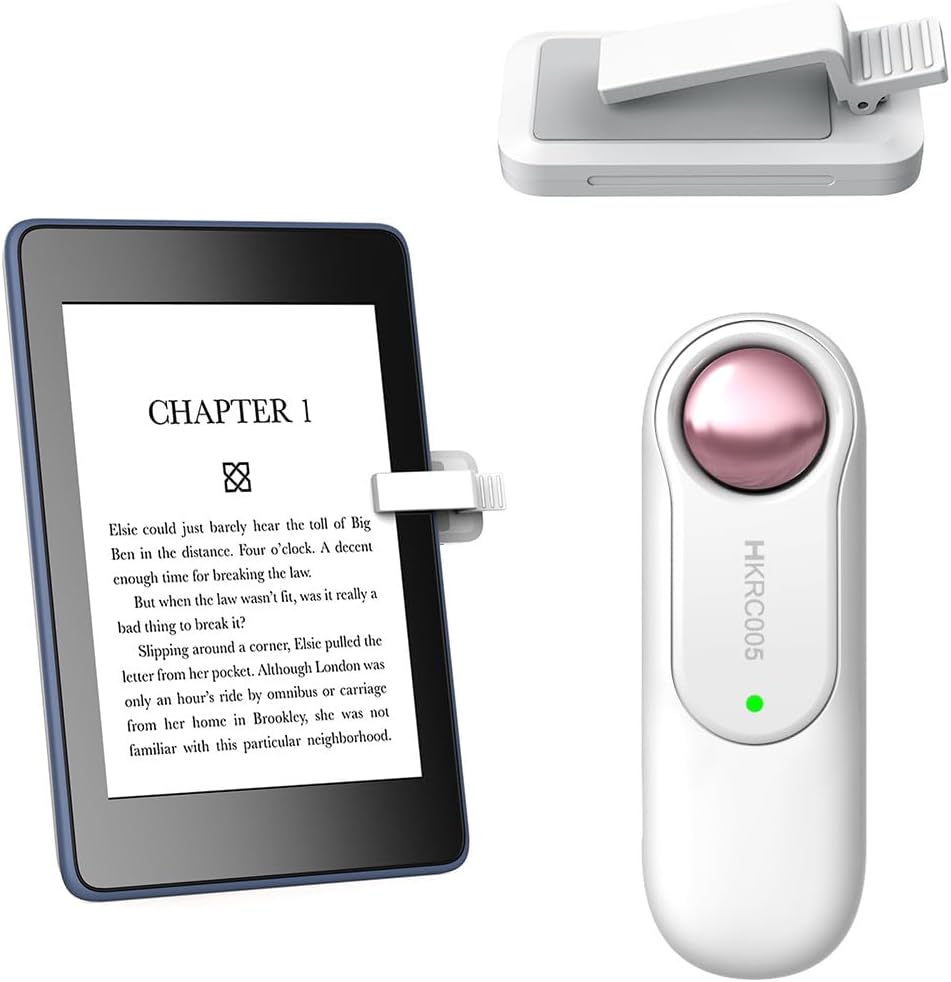
Setšoantšo sa 1.1: Ho fetaview of the Hogance RF Page Turner Remote and its receiver, shown with an e-reader.
2. Likahare tsa Sephutheloana
- 1 x Hogance RF Page Turner Remote (HKRC005)
- 1 x Receiver Clip
- 1 x USB Charging Cable (not explicitly listed but implied by rechargeable battery)
- Buka ea litaelo (tokomane ena)

Image 2.1: The remote control and the receiver clip, ready for use.
3. Seta
Follow these steps to set up your Hogance RF Page Turner for first use:
- Tefisa Sesebediswa: Ensure both the remote and the receiver are fully charged. The device includes rechargeable lithium-ion batteries. Use the provided USB cable to charge.
- Activate the Receiver: Press the active button on the receiver. A small indicator light will confirm it is active.
- Clip the Receiver: Carefully clip the receiver onto the screen of your e-reader or tablet. Position it in a location that allows it to make contact with the screen for page turning. Ensure it is securely attached but does not obstruct your view or damage the screen.
- E Itokiselitse ho Sebelisa: The device is designed for immediate use without complex pairing. Once the receiver is active and clipped, the remote should function directly.

Image 3.1: Visual guide for setting up the page turner, showing activation, clipping the receiver, and remote use.
4. Litaelo tsa Ts'ebetso
Once set up, operating the Hogance RF Page Turner is straightforward:
- Ho Phetla Leqephe: Use the two buttons on the remote control to turn pages. Typically, one button advances to the next page, and the other returns to the previous page.
- Relaxed Reading: The wireless functionality allows you to turn pages without needing to touch your device's screen, providing a comfortable reading experience, especially when reading in bed or from a distance.
Hlokomela: The two buttons on the remote control are specifically designed for page-turning functions to improve its service life and user experience.

Image 4.1: A user demonstrating the remote page-turning function, highlighting comfort and ease of use for various digital content types.
5. Tlhokomelo
To ensure the longevity and optimal performance of your Hogance RF Page Turner, follow these maintenance guidelines:
- Bophelo ba Battery: After a full charge, the receiver typically lasts 30-60 days, and the remote control can last more than 2-3 months, depending on usage. Recharge the devices when the indicator light suggests low battery.
- Ho hloekisa: Use a soft, dry cloth to clean the remote and receiver. Avoid using abrasive cleaners or solvents, which may damage the surface.
- Polokelo: Boloka sesebelisoa sebakeng se phodileng, se omileng hole le khanya ea letsatsi le mocheso o feteletseng ha se sa sebelisoe.
- Ho tšoara: Handle the receiver clip with care to avoid bending or breaking it, as it makes direct contact with your device's screen.
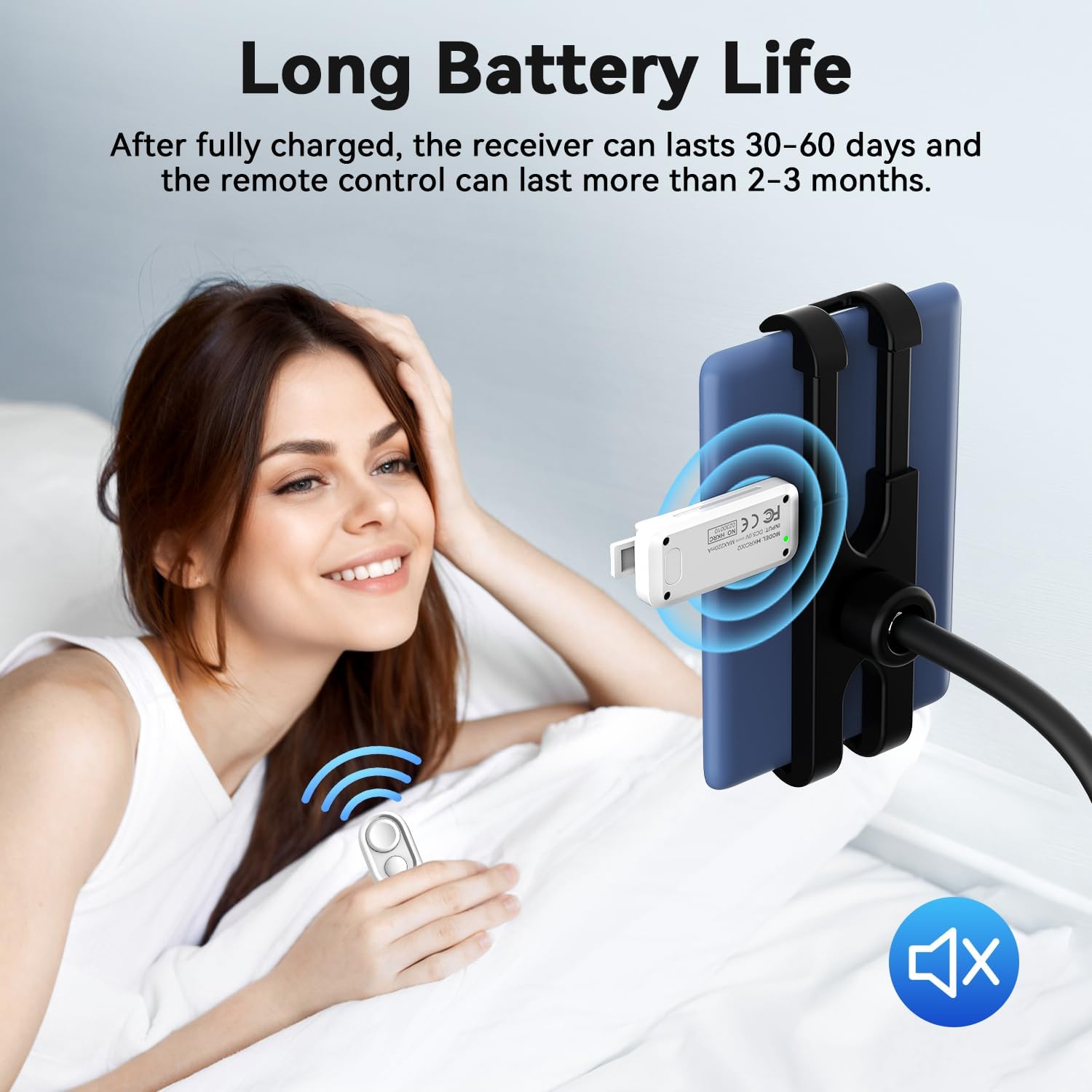
Image 5.1: Information regarding the extended battery life of the receiver and remote control.
6. Ho rarolla mathata
If you encounter issues with your Hogance RF Page Turner, consider the following:
- Sesebelisoa ha se arabe:
- Ensure both the remote and receiver are charged.
- Verify the receiver is active (check indicator light).
- Check the receiver's placement on the screen. It needs to be in a position that effectively simulates a touch. Adjust its position if necessary.
- Inconsistent Page Turning:
- The receiver's contact with the screen might be loose or improperly aligned. Re-adjust the clip to ensure firm and correct contact.
- If using a device with a case or sleeve, ensure the receiver can still make proper contact with the screen. Some cases might interfere with the clip's grip or the receiver's reach.
- Remote Buttons Not Working:
- Confirm the remote has sufficient battery charge.
- Netefatsa hore ha ho na litšitiso lipakeng tsa remote le moamoheli.
7. Litlhaloso
| Brand | hogance |
| Lebitso la Mohlala | HKRC005 |
| Palo ea Lintho | 1 |
| Nomoro ea Likonopo | 2 |
| Mofuta oa Leshala | Lithium-ion (e ka nchafatsoa hape) |
| Libetri li kenyelelitsoe | Ee |
| Boima ba Ntho | 105 dikgerama |
| Litekanyo tsa sephutheloana | 14.6 x 9.5 x 3.2 cm, |
8. Tiisetso le Tšehetso
For warranty information and customer support, please refer to the seller or manufacturer directly. Contact details are typically provided with your purchase documentation or on the product packaging.