
Selelekela
This manual provides essential information for the safe and efficient use of your Toshiba GR-RT702WE-PMN(06) Inverter Refrigerator. Please read these instructions thoroughly before installation and operation, and keep them for future reference. This refrigerator features an Origin Inverter compressor, Multi-Air Flow cooling, a Tropical Compressor, and Active C Fresh technology to ensure optimal food preservation and energy efficiency.
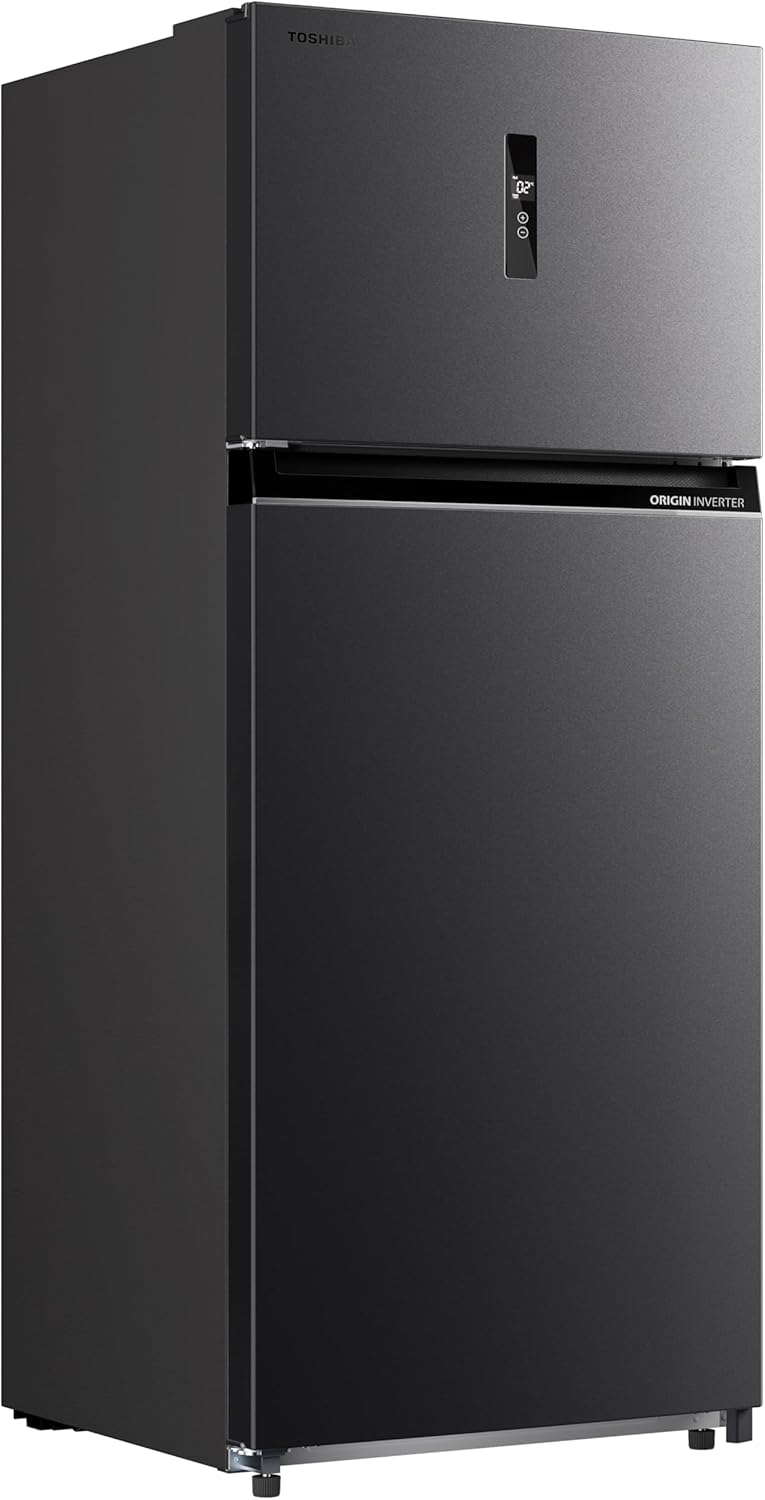
Figure 1: Toshiba GR-RT702WE-PMN(06) Inverter Refrigerator exterior view.
Ho seta le ho Kenya
1. Ho phutholla
Carefully remove all packaging materials, including tape and protective films. Dispose of packaging responsibly. Inspect the refrigerator for any damage incurred during transit. Do not operate if damaged.
2. Ho beoa
- Place the refrigerator on a firm, level surface to prevent vibrations and noise.
- Ensure adequate clearance around the unit for proper ventilation. Maintain at least 10 cm (4 inches) at the back and sides, and 30 cm (12 inches) at the top.
- Qoba khanya ea letsatsi e tobileng kapa ho ba haufi le mehloli ea mocheso (mohlala, litofo, li-radiator).
- The tropical compressor is designed for optimal performance in high ambient temperatures, but extreme heat should still be avoided.
3. Ho leka-lekana
Adjust the leveling feet at the bottom front of the refrigerator to ensure it is stable and level. This helps the doors close properly and reduces noise.
4. Khokelo ea Matla
Connect the refrigerator to a dedicated, grounded electrical outlet. Do not use extension cords or multi-plugs. Allow the refrigerator to stand upright for at least 2-4 hours before plugging it in to allow the refrigerant to settle.
5. Tlhoekiso ea Pele
Before storing food, clean the interior and exterior of the refrigerator with a soft cloth and a mild detergent solution. Rinse with clean water and dry thoroughly.
Litaelo tsa Ts'ebetso
1. Sehlopha sa Taolo
The electronic control panel allows you to adjust temperature settings for both the refrigerator and freezer compartments. Refer to the display for current temperature readings and adjustment options.
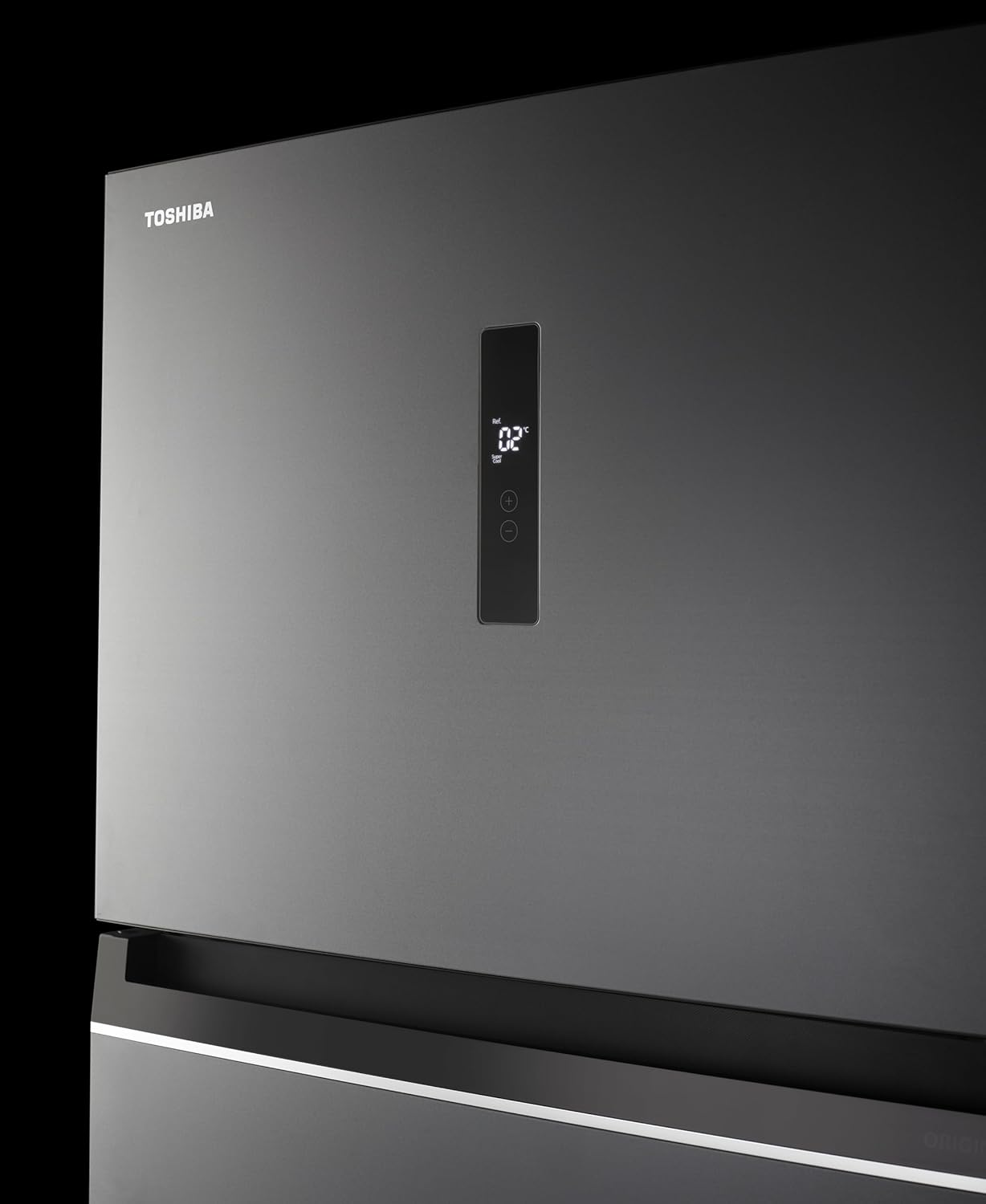
Figure 2: Digital control panel for temperature adjustment.
2. Mocheso Litlhophiso
Use the control panel buttons to set the desired temperature for each compartment. The Origin Inverter compressor automatically adjusts its speed to maintain stable temperatures, contributing to energy efficiency.
3. Humidity Control Drawer
The refrigerator includes a dedicated drawer with two levels of humidity adjustment, ranging from 60% to 80%. This feature allows you to customize the storage environment for fruits and vegetables, helping them stay fresh longer.
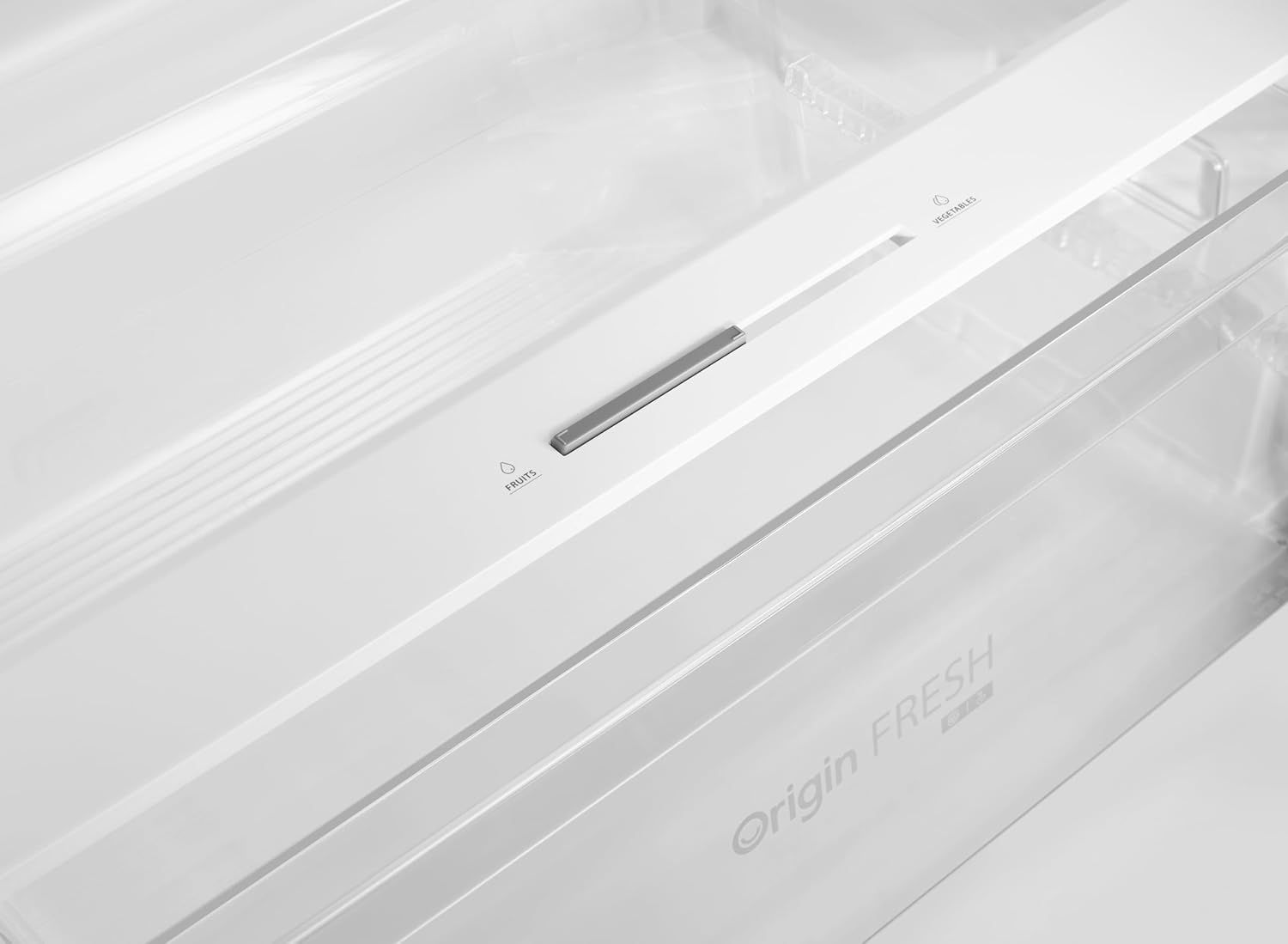
Figure 3: Humidity control slider for optimal fruit and vegetable storage.
4. Adjustable Door Racks and Shelves
The door racks and interior shelves can be adjusted or removed to accommodate items of various sizes, providing flexible storage options.

Figure 4: Interior layout with adjustable shelves and door bins.
5. Active C Fresh Technology
The Active C Fresh system helps to neutralize odors and maintain a hygienic environment inside the refrigerator, contributing to longer food freshness.

Figure 5: Active C Fresh module for odor control.
6. Multi-Air Flow System
The Multi-Air Flow system ensures even distribution of cold air throughout the refrigerator compartment, maintaining consistent temperatures and cooling food rapidly.

Figure 6: Multi-Air Flow vents for uniform cooling.
7. Ho Etsa Leqhoa
To make ice, fill the ice tray with water and place it in the freezer compartment. Once frozen, twist the tray gently to release the ice cubes.

Setšoantšo sa 7: Example of ice cubes produced by the refrigerator.
Tlhokomelo
1. Ho Hloekisa ka Hare-hare
- Hlakola sehatsetsi pele o hloekisa.
- Tlosa lintho tsohle tsa lijo le likarolo tse ntšitsoeng ( lishelefo, lithapo).
- Wash interior surfaces with a solution of mild detergent and warm water. Avoid abrasive cleaners or solvents.
- Rinse and dry thoroughly before returning food and parts.
2. Ho Hloekisa Bokantle
- Hlakola bokantle ba bokantle ka lesela le bonolo dampe tšetsoeng ka metsi le sesepa se bobebe.
- Clean door gaskets regularly to ensure a tight seal.
3. Ho theola metsi
This refrigerator features a No Frost system, which automatically prevents ice buildup in the freezer compartment. Manual defrosting is generally not required. If ice accumulation occurs due to improper use (e.g., leaving the door open), refer to the troubleshooting section.
4. Power Saving Tips
- Do not open the doors frequently or leave them open for extended periods.
- Lumella lijo tse chesang hore li pholile pele u li kenya ka sehatsetsing.
- Netefatsa hore litiiso tsa mamati li hloekile ebile li tiile.
- Keep the condenser coils at the back of the unit clean (if accessible) for efficient operation.
Tataiso ea tharollo ea mathata
Pele o ikopanya le tšebeletso ea bareki, ka kopo hlahloba mathata le litharollo tse latelang tse tloaelehileng:
| Bothata | Lebaka le ka khonehang | Tharollo |
|---|---|---|
| Sehatsetsi ha se pholile | Matla utage; plug not inserted; temperature setting too high; door left open. | Check power supply; ensure plug is secure; lower temperature setting; ensure door is closed properly. |
| Lerata le sa tloaelehang | Refrigerator not level; items touching the back wall; compressor operation. | Adjust leveling feet; rearrange items; compressor noise is normal during operation. |
| Water on floor (leakage) | Drain hose blocked; drip tray overflowing. | Hlakola phaephe ea ho ntsha metsi; terei ea ho ntsha metsi e se nang letho 'me u hloekise. |
| Lemati ha le koalehe hantle | Door gasket dirty or damaged; refrigerator not level; food items blocking closure. | Clean or replace gasket; level the refrigerator; rearrange food items. |
If the problem persists after checking these points, please contact Toshiba customer service.
Litlhaloso
| Sebopeho | Lintlha |
|---|---|
| Nomoro ea Mohlala | GR-RT702WE-PMN(06) |
| Lebitso la Brand | Toshiba |
| Bokhoni | 535 Lithara |
| Tlhophiso | Sehatsetsi se kaholimo ho Freezer |
| Mmala | Morandi Grey |
| Litekanyo tsa Sehlahisoa (D x W x H) | 68 cm x 70 cm x 172.3 cm |
| Boima ba Ntho | 87 lik'hilograma |
| Likarolo Tse Khethehileng | Humidity Control, Voltage Stability, Adjustable Door Racks |
| Mofuta oa Tlhophiso | Ho ikemela |
| Palo ea Menyako | 2 |
| Mofuta oa Sisteme ea Defrost | Ha ho Frost |
| Mofuta oa thepa ea mamati | Stainless Steel or Plastic |
| Sebopeho sa Foromo | Botebo bo Tloaelehileng |
| Mokhoa oa ho Pholisa | Sesebelisoa sa moea |
| Taolo e Fetohang ea Mocheso | No (Electronic control panel for settings) |
| Freezer e fetolehang | Che |
| Motlakase | Ee |
| Mofuta oa Lock | Elektronike |
| Tekanyetso ea Matla a Matla | 5 Linaleli |
Boitsebiso ba Warranty
Your Toshiba GR-RT702WE-PMN(06) Refrigerator comes with a Guarantee ea selemo sa 10 on the compressor. This warranty covers defects in materials and workmanship under normal use. Please retain your proof of purchase for warranty claims. For detailed terms and conditions, refer to the warranty card included with your product or contact Toshiba customer service.

Figure 8: The Origin Inverter compressor, covered by a 10-year warranty.
Tšehetso ea Bareki
For technical assistance, service requests, or further inquiries regarding your Toshiba refrigerator, please contact Toshiba customer service. Contact details can typically be found on the Toshiba official websaeteng kapa litokomaneng tse fanoeng le sesebelisoa sa hau.
When contacting support, please have your model number (GR-RT702WE-PMN(06)) and serial number ready.