
1. Selelekela
This manual provides essential information for the safe and efficient use of your Philips 32E1N3100LA monitor. Please read these instructions carefully before operating the device and retain them for future reference.
The Philips 32E1N3100LA is a 32-inch Full HD (1920x1080) monitor featuring a VA panel, 75Hz refresh rate, and 1ms MPRT response time, designed for a clear and smooth visual experience. It includes built-in speakers and supports Adaptive Sync technology.

Pele view of the Philips 32E1N3100LA monitor.
2. Boitsebiso ba Tšireletseho
Always follow these basic safety precautions when using your monitor:
- U se ke ua pepesetsa mochine pula kapa mongobo.
- Se ke oa bula sehlahlo casing. Ha ho na likarolo tse ka sebelisoang ke mosebelisi kahare.
- Etsa bonnete ba hore ho na le moea o nepahetseng ho potoloha mochine.
- Sebelisa feela adaptara ea motlakase e fanoeng le sebali.
- Boloka sebono se le hole le khanya ea letsatsi le mehloli ea mocheso.
- Refer to the official "Safety Information (PDF)" document for comprehensive safety guidelines.
For detailed safety instructions, please consult the official safety document: Lintlha tsa Polokeho (PDF)
3. Seta
3.1 Ho phutha
Carefully remove all components from the packaging. Ensure all items listed in the packing list are present and undamaged.
3.2 Ho Kopanya Setulo
- Beha sefahleho fatše sebakeng se bonolo, se hloekileng ho thibela mengoapo.
- Hokela molala oa setulo ho sekirini u sebelisa likurufu tse fanoeng.
- Tiisa motheo molaleng o emeng.

Ka morao view of the monitor with the stand assembly.
3.3 Lithapo tse hokelang
Connect the necessary cables to the monitor's rear ports:
- Cable ea Matla: Hokela thapo ea motlakase sebakeng sa motlakase oa mochine ebe o hokela sehokelong sa motlakase se theohileng fatše.
- Cable ea video: Connect an HDMI cable from your computer's video output to the monitor's HDMI input. Alternatively, use a D-Sub (VGA) cable if your system supports it.

Rear ports of the monitor for power and video connections.
3.4 Tsamaiso ea Lithapo
Utilize the integrated cable management feature on the stand to keep your workspace tidy.
Cable management feature on the monitor stand.
4. Ho sebetsa Monitor
4.1 Ho Bulela/Ho tima
Press the power button, usually located on the back or bottom edge of the monitor, to turn it on or off. The power LED will indicate the monitor's status.
4.2 Lenane la Pontsho ya Skrineng (OSD).
The monitor features a micro joystick control, typically located on the rear right side, for navigating the OSD menu. This allows you to adjust various settings.
Litlhophiso tsa litšoantšo
- Khanya/Phapang: Fetola litlhophiso tsena ho ntlafatsa ponahalo ea setšoantšo.
- Mocheso oa 'Mala: Select predefined color modes or customize RGB levels.
- Mokhoa oa LowBlue: Reduces harmful blue light emissions for eye comfort during prolonged use.
- Theknoloji e se nang Flicker: Minimizes screen flickering to reduce eye strain.

LowBlue Mode and Flicker-free technology for eye comfort.
4.2.2 Li-setting tsa molumo
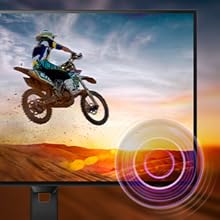
Adjust the volume of the built-in speakers through the OSD menu. An audio output jack is also available for connecting external headphones or speakers.

Monitor with built-in speakers.
4.3 Adaptive Sync (FreeSync)
This monitor supports Adaptive Sync technology, which synchronizes the display's refresh rate with your graphics card's frame rate. This helps eliminate screen tearing and stuttering for smoother gameplay and video playback. Ensure your graphics card supports FreeSync and that the feature is enabled in your graphics card settings and the monitor's OSD.

Adaptive Sync technology for smooth visuals.
5. Tlhokomelo
5.1 Ho hloekisa skrine
Hlakola skrine ka bonolo ka lesela le bonolo le se nang letlapa. Bakeng sa matšoao a manganga, ha bobebe dampen the cloth with a screen cleaner specifically designed for monitors. Do not spray cleaner directly onto the screen.
5.2 Ho Hloekisa Casing
Sebelisa lesela le bonolo, le omeletseng ho hlakola mochine casing. Qoba ho sebelisa lihlatsoi tse khorofo kapa li-solvent.
5.3 Tlhokomelo e akaretsang
- Qoba ho beha lintho tse boima holim'a sehlahlo kapa likhoele tsa sona.
- Se ke oa thibela menyetla ea moea o kenang.
- Tlosa sekirini ho tsoa sehokelong sa motlakase nakong ea lifefo tsa lehalima kapa ha se sa sebelisoe ka nako e telele.
6. Ho rarolla mathata
Haeba u na le mathata ka sesupo sa hau, sheba mathata a latelang a tloaelehileng le tharollo:
| Bothata | Tharollo e ka khonehang |
|---|---|
| Ha ho matla | Ensure the power cable is securely connected to the monitor and a working electrical outlet. Check the power adapter. |
| Ha ho setšoantšo skrineng | Verify the video cable (HDMI/D-Sub) is correctly connected to both the monitor and your computer. Ensure the correct input source is selected in the OSD menu. |
| Setšoantšo se lerootho kapa se sothehile | Adjust the resolution settings on your computer to match the monitor's native resolution (1920x1080). Check video cable quality and connection. |
| Ha ho modumo ho tswa dibui | Check the volume settings in the OSD menu and on your computer. Ensure the audio source is correctly configured. |
| Adaptive Sync not working | Confirm your graphics card supports FreeSync and that it is enabled in both your graphics card control panel and the monitor's OSD settings. |
7. Litlhaloso
| Sebopeho | Lintlha |
|---|---|
| Nomoro ea Mohlala | 32E1N3100LA/00 |
| Boholo ba skrine | 32 lisenthimithara |
| Mofuta oa Panel | Sehlopha sa VA |
| Qeto | FHD 1080p (1920 x 1080) |
| Aspect ratio | 16:9 |
| Refresh Rate | 75 Hz |
| Nako ea Karabelo | Miliseconde e le 1 (MPRT) |
| Phapang karo-karolelano | 3000:1 |
| Khanya | 300 cd/m² |
| Khokahano | 1x HDMI 1.4, 1x D-Sub (VGA) |
| Audio | Built-in Speakers, Audio Out |
| Adaptive Sync | FreeSync |
| Tšebeliso ea Matla | 30.5 Watts |
| Litekanyo (DxWxH) | 25P x 72l x 52H cm |
| Boima ba 'mele | 7 lik'hilograma |
| Thaba ea VESA | Yes (Wall Mount Type) |
8. Tiisetso le Tšehetso
8.1 Boitsebiso ba Tiisetso
This Philips monitor comes with a limited warranty. For specific terms, conditions, and duration of your warranty, please refer to the documentation included with your product or visit the official Philips support websebaka.
8.2 Tšehetso ea Bareki
For technical assistance, troubleshooting beyond this manual, or warranty claims, please contact Philips customer support. You can find contact information and additional resources on the official Philips websebaka.
Additional detailed instructions are available in the official user manual: Litaelo tsa ho sebelisoa (PDF)