
Увод
This instruction manual provides essential information for the safe and effective use of your Vivitar KidsTech Kidzcam Digital Camera. Please read this manual thoroughly before operating the device and retain it for future reference. This camera is designed for children and beginners to capture photos and videos with simple, intuitive controls.
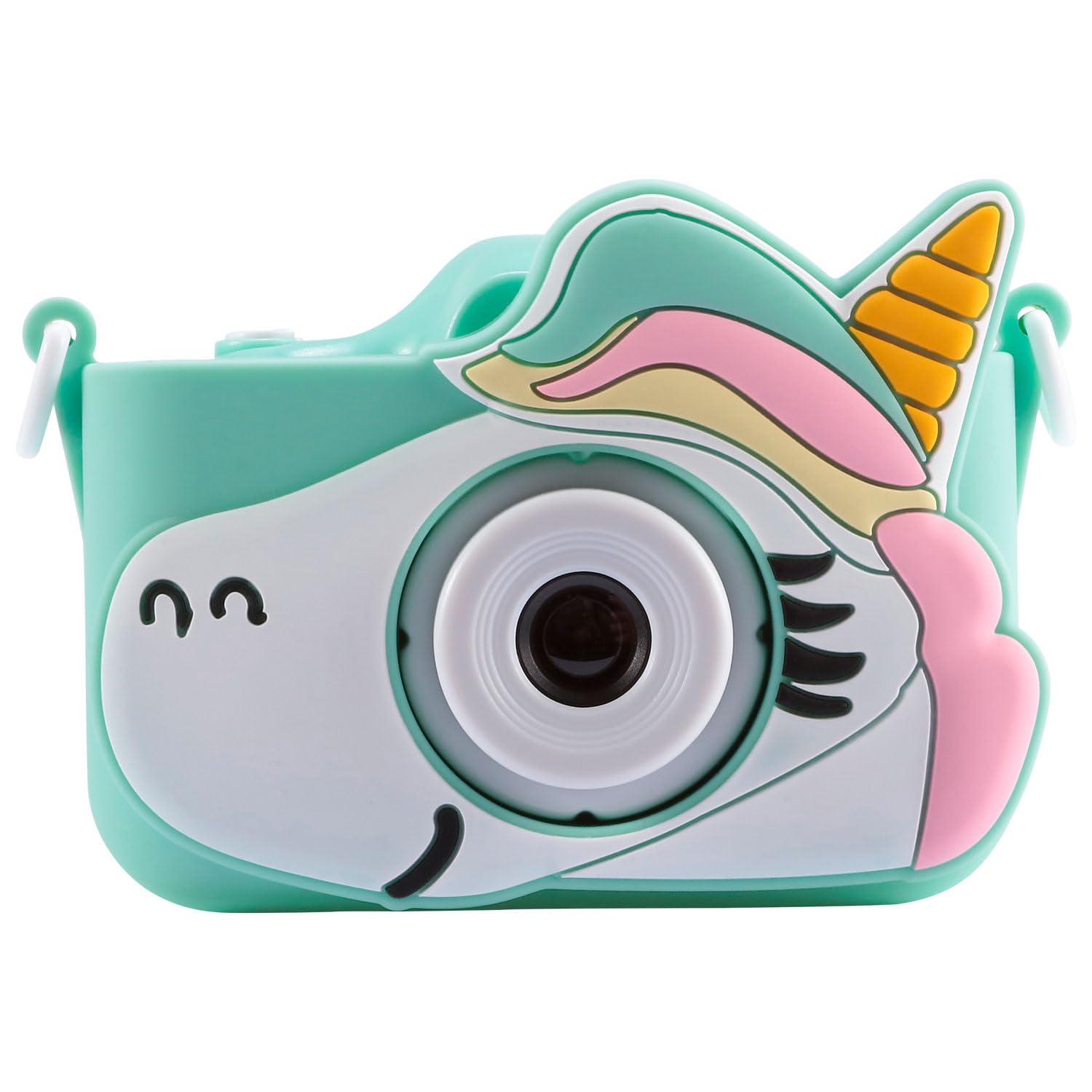
Image: Vivitar KidsTech Kidzcam Digital Camera (Green).
Шта је у кутији
Након отварања пакета, уверите се да су присутни сви следећи елементи:
- Vivitar KidsTech Kidzcam Digital Camera (Green)
- USB Cable / Adapter
- Protective Silicone Case (Unicorn design)
- Wrist Strap (beaded)


Image: Protective silicone case and camera with wrist strap.
Сетуп
1. Пуњење камере
Before first use, fully charge the camera's internal battery.
- Connect the small end of the provided USB cable to the camera's USB port.
- Повежите већи крај USB кабла са USB адаптером за напајање (није укључен) или USB портом рачунара.
- The charging indicator light will illuminate. Once charging is complete, the light may change color or turn off.
- Одспојите УСБ кабл када се пуњење заврши.
2. Укључивање/искључивање
- Да бисте укључили: Притисните и држите Дугме за напајање (usually located on the top or back of the camera) for a few seconds until the screen illuminates.
- Да бисте искључили напајање: Притисните и држите Дугме за напајање again until the screen turns off.

Слика: Позади view of the camera with screen and buttons.
Упутство за употребу
1. Кретање кроз мени
Use the directional buttons (Up, Down, Left, Right) and the OK/Shutter button to navigate through the camera's menu options displayed on the LCD screen.
2. Снимање фотографија
- Укључите камеру.
- Ensure the camera is in photo mode. If not, navigate to the photo icon on the screen and select it.
- Кадрирајте снимак помоћу ЛЦД екрана.
- Притисните тастер Дугме затварача (often the OK button or a dedicated button on top) to capture the image.
3. Снимање видео записа
- Укључите камеру.
- Navigate to the video mode icon on the screen and select it.
- Притисните тастер Дугме за снимање (often the Shutter/OK button) to start recording. A timer or indicator will show that recording is in progress.
- Притисните тастер Дугме за снимање поново да бисте зауставили снимање.
4. Viewснимање фотографија и видео записа
- Укључите камеру.
- Navigate to the playback/gallery icon on the screen and select it.
- Use the directional buttons to scroll through your captured photos and videos.
- Притисните тастер дугме ОК да view фотографију или пусти видео.
5. Преношење Fileс на рачунар
- Уверите се да је камера искључена.
- Повежите камеру са рачунаром помоћу приложеног УСБ кабла.
- The camera should appear as a removable disk or device on your computer.
- Open the camera's folder to access and transfer your photos and videos.
- Safely eject the camera from your computer before disconnecting the USB cable.
Одржавање
1. Чишћење камере
- Користите меку, суву крпу да обришете кућиште фотоапарата.
- For the lens and screen, use a specialized lens cleaning cloth. Do not use abrasive cleaners or solvents.
- Уверите се да је камера искључена пре чишћења.
2. Брига о батерији
- Избегавајте излагање камере екстремним температурама.
- Редовно пуните батерију, чак и ако се камера не користи често, како бисте одржали њено здравље.
3. Складиштење
- Чувајте камеру на хладном и сувом месту, заштићено од директне сунчеве светлости.
- Use the protective silicone case to prevent scratches and minor impacts.
Решавање проблема
Ако наиђете на проблеме са камером, погледајте следеће уобичајене проблеме и решења:
| Проблем | Решење |
|---|---|
| Камера се неће укључити. | Ensure the battery is charged. Connect the camera to a power source using the USB cable and try again. |
| Не могу да снимам фотографије/видео записе. | Check if the camera is in the correct mode (photo or video). Ensure there is sufficient internal storage. |
| Слике/видео снимци су замућени. | Ensure the lens is clean. Hold the camera steady when capturing. |
| Рачунар не препознаје камеру. | Ensure the camera is powered off before connecting. Try a different USB port or cable. Restart your computer. |
Спецификације
| Феатуре | Детаљ |
|---|---|
| Бранд | Уживо |
| Назив модела | Kidzcam |
| Боја | Kidzcam Camera (Green) |
| Технологија фото сензора | ЦМОС |
| Ефективна резолуција мировања | 1080п |
| Максимум Webцам Резолуција слике | 1080 мп |
| Видео Ресолутион | 1080и |
| Подржано File Формат | МП4 |
| Величина екрана | 2 инча |
| Технологија повезивања | УСБ |
| Дисплаи Типе | ЛЦД |
| Уграђени медији | Cable / Adapter (for connectivity) |
| УПЦ | 681066116609 |
| ASIN | B0GGTYLHVV |
Информације о гаранцији
This Vivitar KidsTech Kidzcam Digital Camera comes with a 30-дневна ограничена гаранција from the date of purchase. This warranty covers manufacturing defects. Please retain your proof of purchase for warranty claims. For specific terms and conditions, refer to the warranty card included with your product or visit the official Vivitar webсајту.
Подршка
For further assistance, technical support, or inquiries regarding your Vivitar KidsTech Kidzcam Digital Camera, please visit the official Vivitar webсајту или се обратите њиховом одељењу за корисничку подршку.
- Вивитар званичник Webсајт: ввв.вивитар.цом
- Refer to the packaging for specific contact information or support hours.


