
1. Производ је готовview
The Portronics Ignis 65 is a high-capacity 20000mAh power bank designed for portable charging of various electronic devices. It features 65W Power Delivery (PD) for fast charging laptops, tablets, and smartphones. The power bank includes an integrated Type-C cable and an LED digital display for monitoring battery status.
1.1 Садржај пакета
- Portronics Ignis 65 Power Bank (1N)
- Упутство за употребу (1N)
1.2 Кључне карактеристике
- Супер брзо пуњење од 65 В: Delivers high-speed charging for compatible laptops, tablets, and smartphones.
- 20000mAh High-Capacity: Provides extended power backup for multiple device charges.
- Type-C PD Input & Output Port: Supports 65W output and fast input for quick power bank recharging.
- Built-In Type-C Braided Cable: Integrated cable supports up to 65W charging and functions as a lanyard.
- Паметни ЛЕД екран: Приказује проценат батерије у реалном временуtagе и статус пуњења.
- Универзална компатибилност: Charges a wide range of devices including Android smartphones, iPhones, iPads, tablets, MacBooks, smartwatches, earphones, and other Type-C PD-enabled devices.
- Напредне безбедносне функције: Includes protection against over-charging, overheating, over-current, and short circuits.
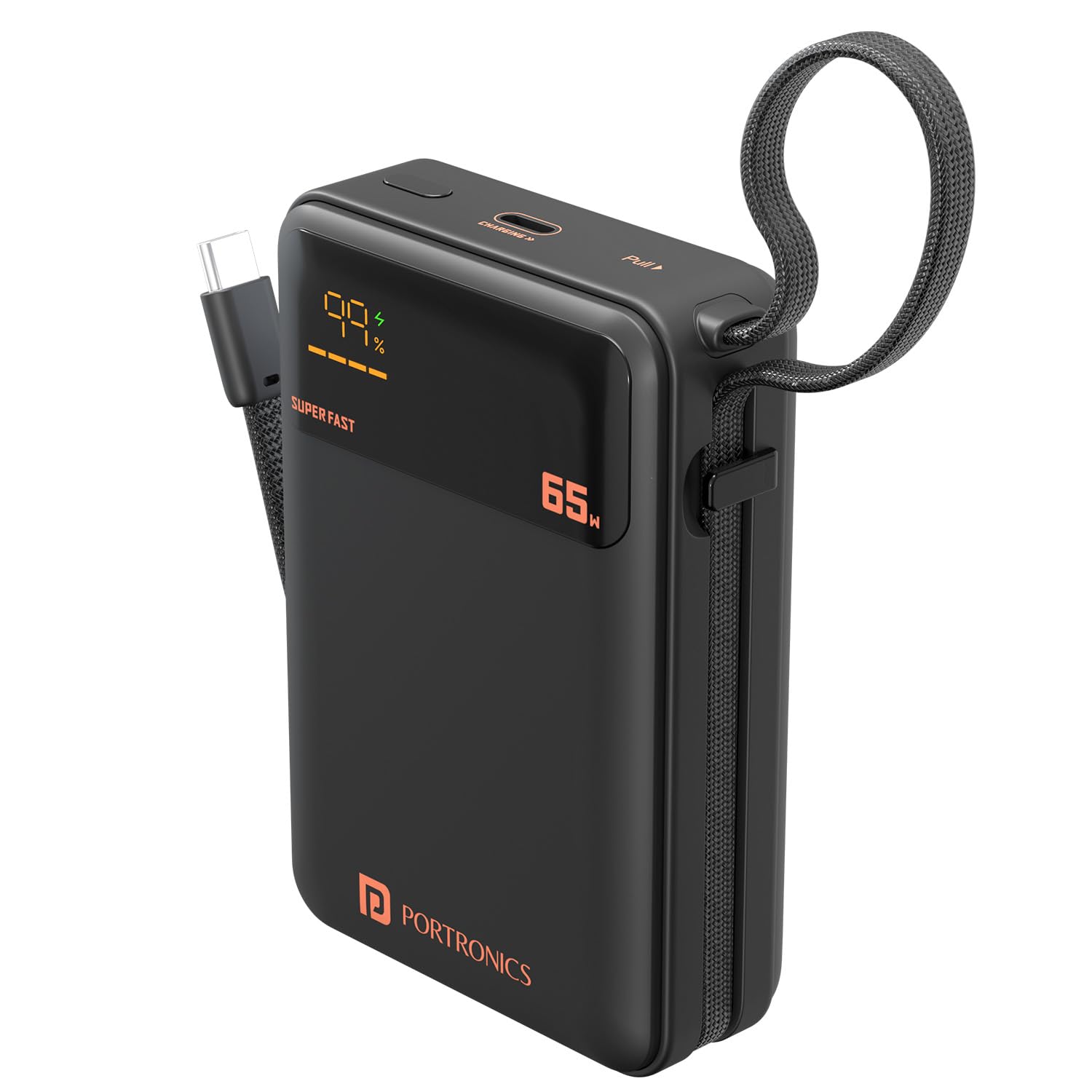
Image: The Portronics Ignis 65 Power Bank, showcasing its 20000mAh capacity while charging a smartphone via its integrated Type-C cable.
2. Безбедносне информације
To ensure safe operation and prolong the lifespan of your Portronics Ignis 65 Power Bank, please adhere to the following safety guidelines:
- Do not expose the power bank to extreme temperatures (above 60°C or below 0°C), direct sunlight, or fire.
- Avoid dropping, puncturing, or subjecting the power bank to strong impacts.
- Keep the power bank away from water, moisture, and corrosive liquids.
- Do not attempt to disassemble, repair, or modify the power bank. This will void the warranty and may cause safety hazards.
- Користите само сертификоване и компатибилне каблове и адаптере за пуњење.
- Чувати ван домашаја деце.
- Одложите преносни акумулатор одговорно у складу са локалним прописима.

Image: The Portronics Ignis 65 Power Bank with icons illustrating its built-in safety protections: overcharge protection, short circuit protection, fireproof casing, and advanced temperature control.
3. Почетно подешавање
Before using your Portronics Ignis 65 Power Bank for the first time, it is recommended to fully charge it.
3.1 Пуњење преносног пуњача
- Connect a compatible USB Type-C charging cable to the power bank's Type-C PD input/output port.
- Connect the other end of the cable to a power adapter (preferably a 65W PD adapter for fastest charging) and plug it into a wall outlet.
- The LED digital display will show the charging status and current battery percentage. The display will indicate "SUPER FAST" if a high-wattage PD charger is used.
- The power bank is fully charged when the LED display shows 100%.

Image: The Portronics Ignis 65 Power Bank highlighting its 65W maximum output and the dual functionality of its Type-C port and integrated Type-C cable for both input and output.
4. Упутство за употребу
4.1 Пуњење ваших уређаја
The Portronics Ignis 65 offers two methods for charging your devices:
- Using the Built-In Type-C Cable:
- Unfold the integrated flat braided Type-C cable from its storage slot.
- Connect the Type-C end of the cable directly to your compatible device's charging port.
- Преносна батерија ће аутоматски почети да пуни ваш уређај. ЛЕД дисплеј ће приказивати преостали ниво напуњености преносне батерије.
- Using the Type-C PD Port:
- Connect a compatible USB Type-C charging cable to the power bank's Type-C PD input/output port.
- Повежите други крај кабла са уређајем.
- Повер банк ће аутоматски почети да пуни ваш уређај.
Напомена: For optimal fast charging, ensure your device and cable support Power Delivery (PD) protocols. The power bank's LED display will show "SUPER FAST" when delivering high-wattagе пуњење.
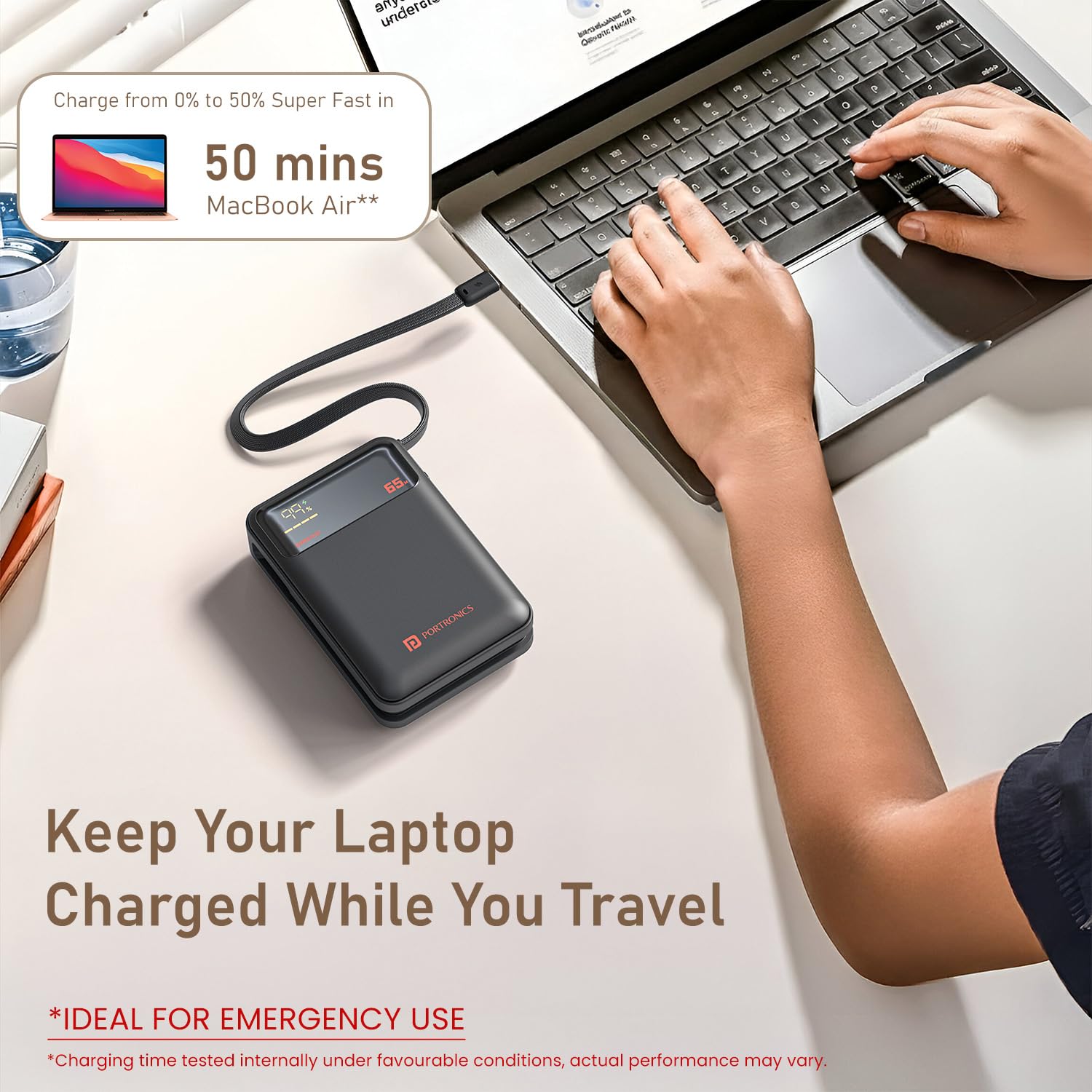
Image: The Portronics Ignis 65 Power Bank connected and charging a MacBook Air, demonstrating its capability to charge laptops.

Image: The Portronics Ignis 65 Power Bank illustrating its universal compatibility with Android smartphones, iPhones, tablets, iPads, MacBooks, smartwatches, earphones, and other laptops.
4.2 ЛЕД дигитални дисплеј
Интегрисани ЛЕД дисплеј пружа информације у реалном времену:
- Проценат батеријеtage: Shows the remaining charge level of the power bank (0-100%).
- Статус пуњења: Indicates when the power bank is being charged or is charging a device.
- "SUPER FAST" Indicator: Lights up when the power bank is engaged in high-speed 65W Power Delivery charging.
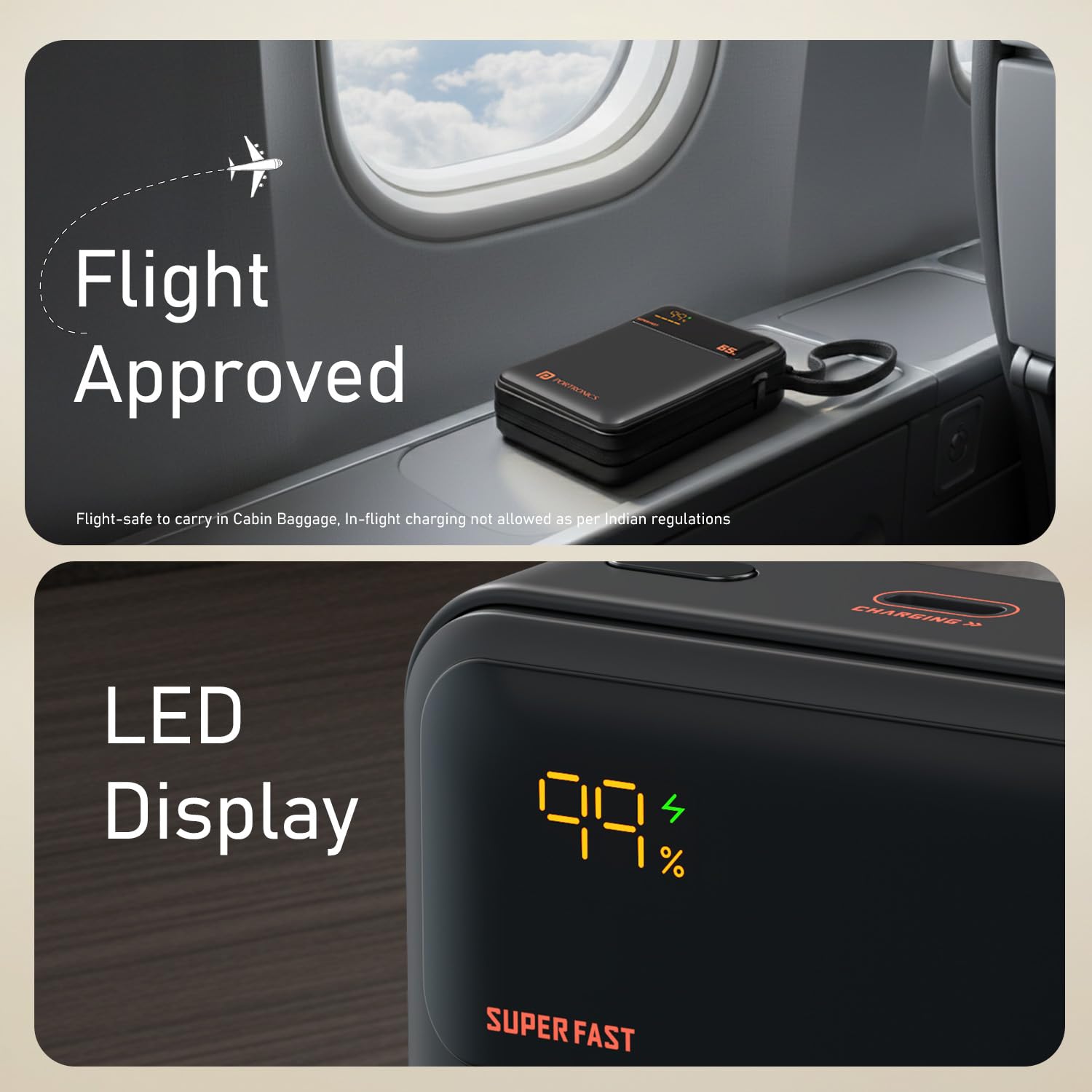
Image: A close-up of the Portronics Ignis 65 Power Bank's LED display, showing a 99% charge level and the 'SUPER FAST' indicator, alongside a 'Flight Approved' graphic.
5. Одржавање
Proper care and maintenance will help ensure the longevity and optimal performance of your power bank.
- Чишћење: Користите меку, суву крпу за чишћење спољашњости преносног пуњача. Не користите јаке хемикалије или абразивне материјале.
- Складиштење: Store the power bank in a cool, dry place away from direct sunlight and extreme temperatures. If storing for extended periods, charge the power bank to approximately 50-75% every 3-6 months to maintain battery health.
- Одржавање батерије: Avoid fully discharging the power bank frequently, as this can reduce battery lifespan.
КСНУМКС. Решавање проблема
If you encounter issues with your Portronics Ignis 65 Power Bank, refer to the following common solutions:
| Проблем | Могући узрок | Решење |
|---|---|---|
| Повер банка се не пуни | Loose cable connection, faulty adapter/cable, power outlet issue. | Ensure cables are securely connected. Try a different Type-C cable or power adapter. Test the power outlet with another device. |
| Уређај се не пуни из повер банке | Power bank is discharged, loose cable, incompatible device, faulty cable/port. | Check power bank's charge level on the LED display. Ensure cable is securely connected to both devices. Try a different cable or the other Type-C port/cable. Ensure your device is compatible. |
| Slow charging or not reaching 65W | Device/cable not PD compatible, power bank charge level low, multiple devices charging, thermal throttling. | Ensure your device and cable support 65W PD. Fully charge the power bank. Avoid charging multiple devices simultaneously if high power is needed for one. Allow the power bank to cool if it feels warm. |
| ЛЕД екран не ради | Унутрашњи квар. | Обратите се корисничкој подршци за помоћ. |
7. Спецификације производа
| Феатуре | Детаљ |
|---|---|
| Назив модела | Игнис |
| Број модела | ПОР-3019 |
| Капацитет батерије | 20000 Милиamp Сати (мАх) |
| Тип батерије | Литхиум Полимер |
| Максимална излазна снага | 65В |
| Тип конектора | USB Type C (Built-in cable and port) |
| Број портова | 1 (Type-C PD input/output) + 1 (Built-in Type-C cable output) |
| Компатибилни уређаји | Smartphones, Tablets, Laptops (Type-C PD enabled) |
| Боја | Црно |
| Тежина артикла | 380 грама |
| Димензије артикла (Д к Ш к дебљина) | 13.2L x 10.7W x 3.6Th Centimeters |
| Извор напајања | Баттери Поверед |
| Земља порекла | Индија |
8. Гаранција и подршка
8.1 Информације о гаранцији
The Portronics Ignis 65 Power Bank comes with a 1-годишња гаранција from the date of purchase. This warranty covers manufacturing defects. Please retain your purchase receipt for warranty claims.
8.2 Корисничка подршка
For any assistance, technical support, or warranty-related queries, please contact Portronics customer service:
- Телефон/ВхатсАпп: +91 9555-245-245
- Подршка путем е-поште: хелп@портроницс.цом
- Портал за подршку на мрежи: https://support.portronics.com
- Радно време: 10am - 6pm (IST)
Manufacturer Contact Information: Portronics Digital Pvt. Ltd., First Floor Property No D 8 Upper Basement Sector 8 Noida Uttar Pradesh 201301