
Увод
Thank you for choosing the LIGE FVA21-D Smart Watch. This manual provides essential information for setting up, operating, and maintaining your device. Please read it carefully to ensure optimal performance and longevity of your smartwatch.
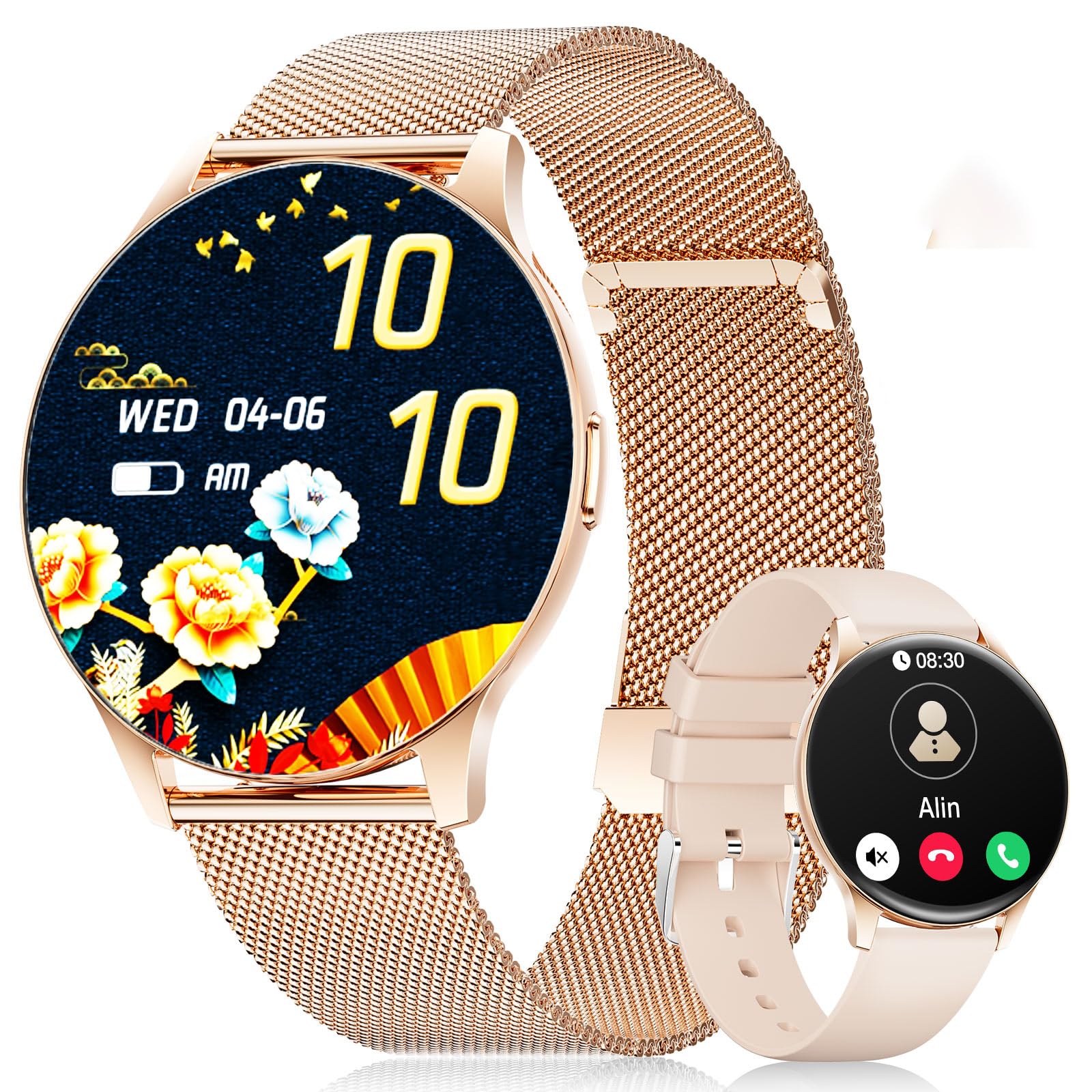
The LIGE FVA21-D Smart Watch featuring a 1.43-inch AMOLED display and a stylish gold mesh band.
Шта је у кутији
Upon unboxing your LIGE FVA21-D Smart Watch, you should find the following items:
- LIGE FVA21-D Smart Watch
- Кабл за пуњење
- Watch Strap (Gold Mesh)
- Additional Watch Strap (Apricot Silicone)
- Watch Setting Tools (if applicable for strap adjustment)
- Упутства за паметне сатове
This video demonstrates the unboxing process of the LIGE Smart Watch, showing all included components such as the watch, two different straps, charging cable, and user manual.
Сетуп
1. Пуњење паметног сата
Before initial use, fully charge your LIGE FVA21-D Smart Watch. Connect the magnetic charging cable to the charging points on the back of the watch and plug the USB end into a power source.

The magnetic charging cable attaching to the back of the LIGE Smart Watch for convenient power replenishment.
2. Инсталација и упаривање апликације
To unlock the full potential of your smartwatch, download and install the 'FitCloudPro' app on your smartphone. The app is compatible with Android 4.4+ and iOS 9.0+ devices.
- Scan the QR code displayed on your watch screen or in the manual to download the 'FitCloudPro' app.
- Отворите апликацију и пратите упутства на екрану да бисте креирали налог или се пријавили.
- Navigate to the 'Device' section in the app and select 'Add Device'.
- The app will search for nearby smartwatches. Select 'FV21' from the list to initiate pairing.
- Потврдите захтев за упаривање и на паметном телефону и на паметном сату.
This video demonstrates the process of installing the companion app and pairing the LIGE Smart Watch with a smartphone, including scanning the QR code and confirming the Bluetooth connection.
3. Постављање каиша
Your LIGE FVA21-D Smart Watch comes with two interchangeable straps: a gold mesh band and an apricot silicone band. To change the strap:
- Locate the quick-release pins on the back of the watch straps.
- Slide the pin inwards to detach the current strap from the watch body.
- Align the new strap with the watch lugs and slide the pin inwards.
- Release the pin to secure the strap in place. Gently pull on the strap to ensure it is properly attached.

The LIGE Smart Watch displayed with its two included straps, highlighting the versatility in style.
Упутство за употребу
1. Основна навигација
The LIGE FVA21-D Smart Watch features a full touch HD AMOLED screen for intuitive navigation:
- Превуците доле: Приступите брзим подешавањима (нпр. осветљеност, DND режим).
- Провуче до: View обавештења.
- Превуците лево/десно: Scroll through main functions and widgets (e.g., activity data, heart rate, weather, music control).
- Притисните бочно дугме: Return to the main watch face or turn the screen on/off.
2. Позовите функције
Once paired with your smartphone, the smartwatch supports Bluetooth calling:
- Обављајте позиве: Access the 'Telephone' function on your watch to dial numbers directly or select from frequent contacts synced from your phone.
- Одговори/одбиј позиве: When an incoming call is received, you can answer or reject it directly from your watch screen.

The LIGE Smart Watch displaying its Bluetooth call interface and message notification screen.
3. Обавештења
Receive real-time notifications for calls, messages, and various apps directly on your wrist. Ensure notification permissions are enabled in the 'FitCloudPro' app settings.
4. Бројчаници сата
Personalize your watch with over 200 customizable watch faces available through the 'FitCloudPro' app. You can also upload your own photos to create unique watch faces.
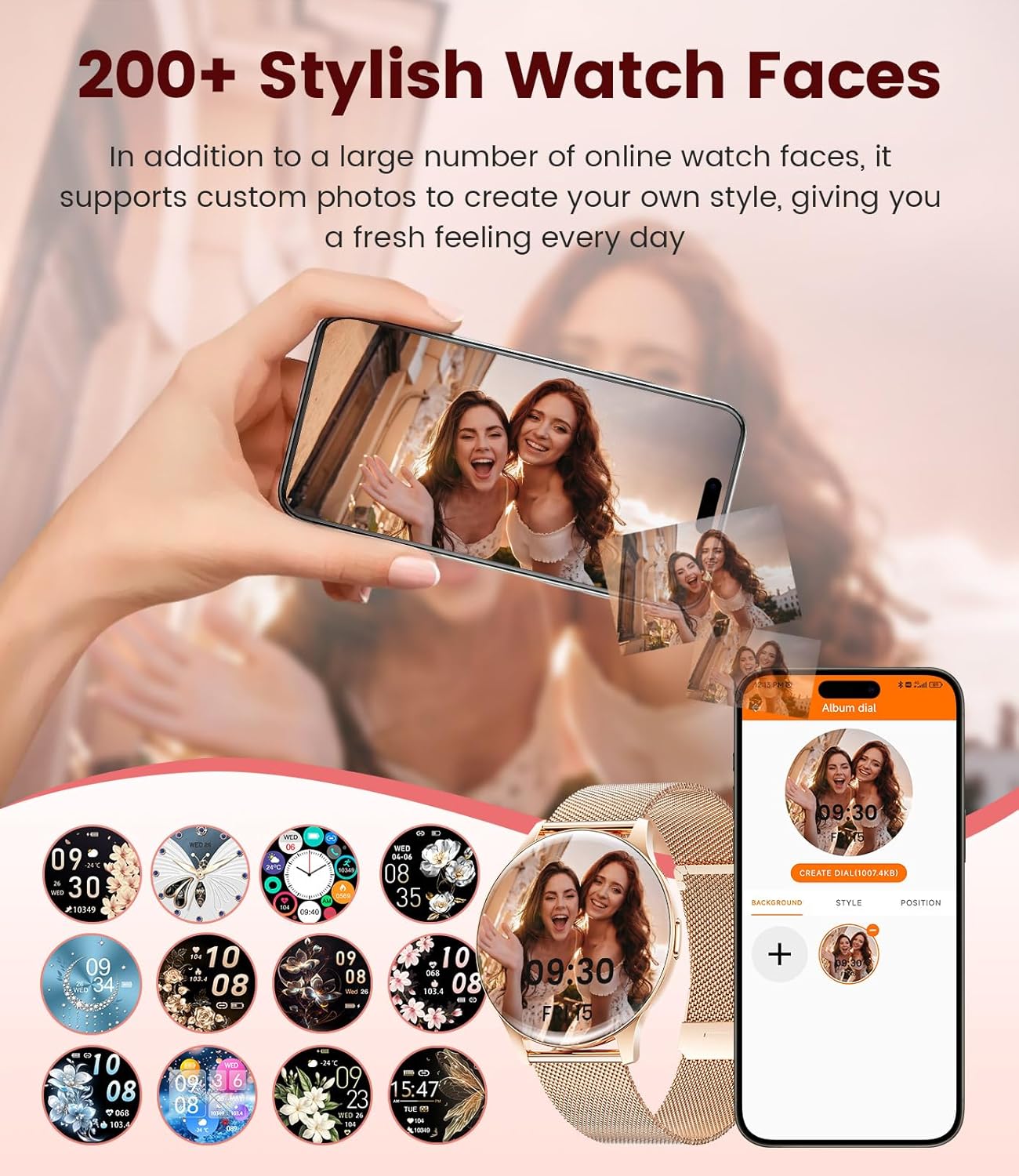
A selection of watch faces for the LIGE Smart Watch, including an option to customize with personal photos.
5. Праћење здравља
The LIGE FVA21-D Smart Watch offers comprehensive health tracking features:
- Мониторинг срчане фреквенције: Континуирано прати ваш пулс током целог дана.
- Праћење сна: Прати ваше обрасце спавања, укључујући дубок сан, лаган сан и време буђења.
- Женско здравље: Provides menstruation and pregnancy period reminders.
- Blood Oxygen & Blood Pressure: Measures blood oxygen levels and blood pressure (for reference only, not medical grade).
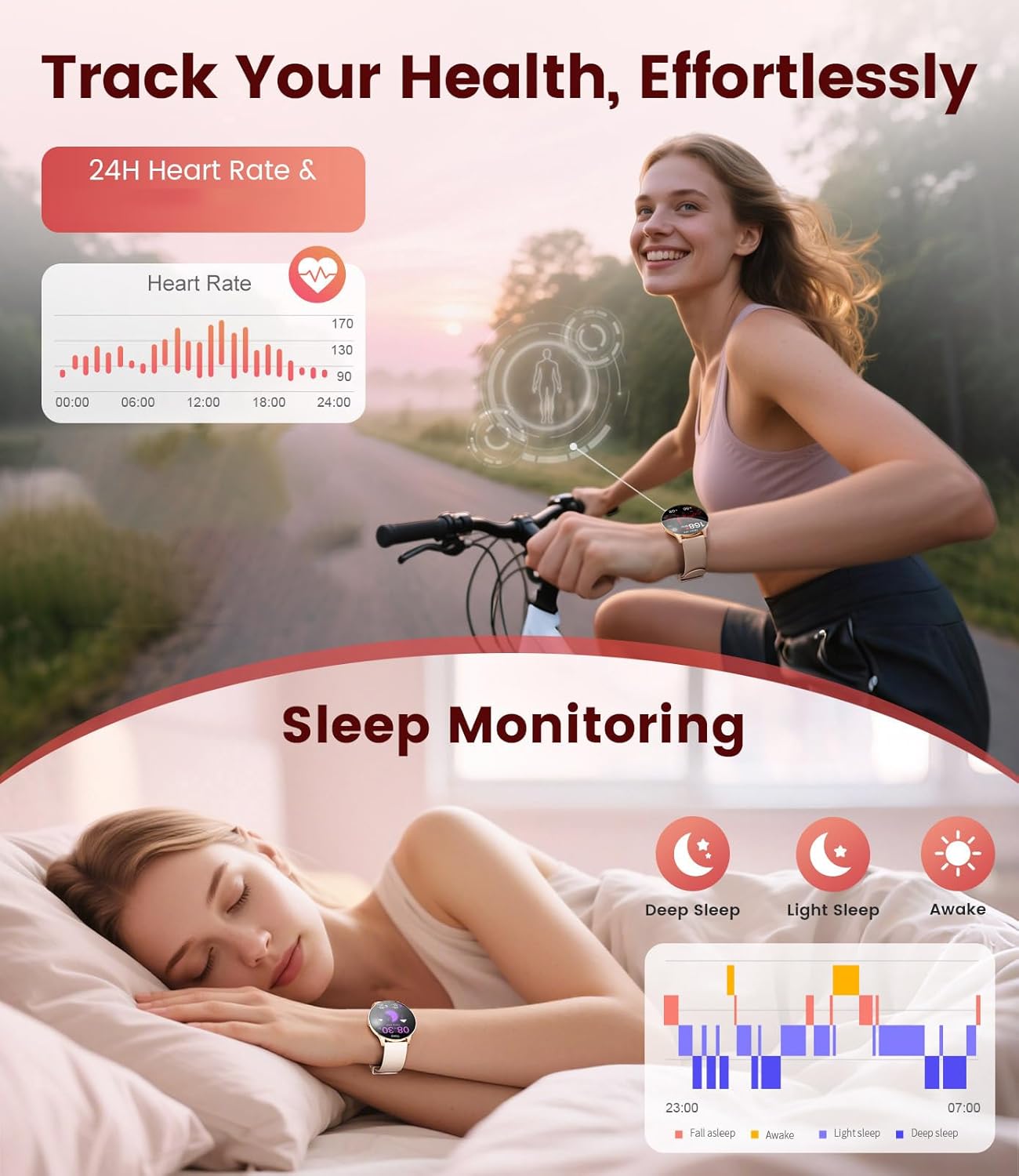
The LIGE Smart Watch displaying heart rate data and sleep monitoring graphs.

The LIGE Smart Watch interface showing menstruation and pregnancy period reminders for women's health tracking.
6. Спортски режими
With over 120 sports modes, the smartwatch helps you track various activities, including walking, running, cycling, yoga, and more. It records steps, distance, calories burned, and heart rate during workouts.

The LIGE Smart Watch displaying various sport mode icons and activity tracking metrics.
7. Остале карактеристике
The smartwatch includes additional useful functions:
- Временска прогноза: Добијајте ажурирања о времену у реалном времену.
- Контрола музике: Контролишите репродукцију музике на свом паметном телефону.
- Контрола камере: Користите свој сат као даљински управљач за камеру телефона.
- Аларми и подсетници: Подесите аларме, подсетнике за седентарни начин живота и подсетнике за пијење воде.
- Пронађите телефон: Locate your misplaced phone by triggering an alarm.
- Calculator & Stopwatch: Basic utility tools.
A collage of the LIGE Smart Watch's multifunctional features, including weather display, music control, camera remote, and various reminders.
Одржавање
1. Отпорност на воду (IP68)
The LIGE FVA21-D Smart Watch is IP68 waterproof, meaning it is resistant to dust and can withstand immersion in water up to 1.5 meters for 30 minutes. It is suitable for daily use, such as hand washing, rain, and shallow swimming. However, it is not recommended for hot showers, saunas, or diving, as steam and high water pressure may compromise the seal.
This video demonstrates the water resistance of the LIGE Smart Watch, showing it being rinsed under running water and functioning normally.
2. Чишћење
Regularly clean your watch and straps to prevent skin irritation and maintain appearance. Use a soft, dry cloth to wipe the watch body. For silicone straps, you can use mild soap and water. Ensure the watch is completely dry before wearing or charging.
3. Брига о батерији
Да бисте продужили век трајања батерије:
- Избегавајте екстремне температуре.
- Не дозволите да се батерија често потпуно испразни.
- Charge the watch using the provided original charging cable.
Решавање проблема
- Сат се не укључује: Ensure the watch is fully charged. If it still doesn't turn on, try pressing and holding the side button for 10-15 seconds.
- Не могу да упарим телефон: Make sure Bluetooth is enabled on your phone and the watch is within range. Restart both devices and try pairing again. Ensure the 'FitCloudPro' app has necessary permissions.
- Обавештења која нису примљена: Check app notification settings on your phone and within the 'FitCloudPro' app. Ensure the watch is connected via Bluetooth.
- Нетачни здравствени подаци: Ensure the watch is worn snugly on your wrist, not too tight or too loose. Avoid excessive movement during measurements. Note that health data is for reference and not for medical diagnosis.
- Kratko trajanje baterije: Смањите осветљеност екрана, онемогућите непотребна обавештења и ограничите континуирано праћење откуцаја срца ако није потребно.
Спецификације
| Феатуре | Спецификација |
|---|---|
| Број модела | FVA21-D |
| Величина екрана | 1.43 инча AMOLED |
| Резолуција екрана | 466к466 |
| Оперативни систем | Андроид 4.4+ и иОС 9.0+ |
| Повезивање | Блуетоотх |
| Отпорност на воду | ИП68 |
| Капацитет батерије | 200 Милиamp Сати (литијум-полимер) |
| Мемори Стораге | 256 МБ |
| Тежина артикла | 7.4 унци |
| Произвођач | ЛИГЕ |

Detailed product dimensions for the LIGE Smart Watch, including watch face diameter and strap length ranges.
Гаранција и подршка
LIGE provides reliable service for its products. If you encounter any questions or require assistance with your FVA21-D Smart Watch, please refer to the contact information provided in your product packaging or visit the official LIGE support webсајту. Сачувајте рачун о куповини за гаранције.