
1. Увод
Хвала вам на куповиниasing the LG 27G411A UltraGear Gaming Monitor. This manual provides essential information for the safe and efficient use of your monitor. Please read it thoroughly before operating the product and retain it for future reference. This 27-inch Full HD (1920 x 1080) IPS display is designed for an immersive gaming experience, featuring a 144Hz refresh rate, 1ms Motion Blur Reduction (MBR), HDR10 support, and compatibility with NVIDIA G-Sync and AMD FreeSync technologies.
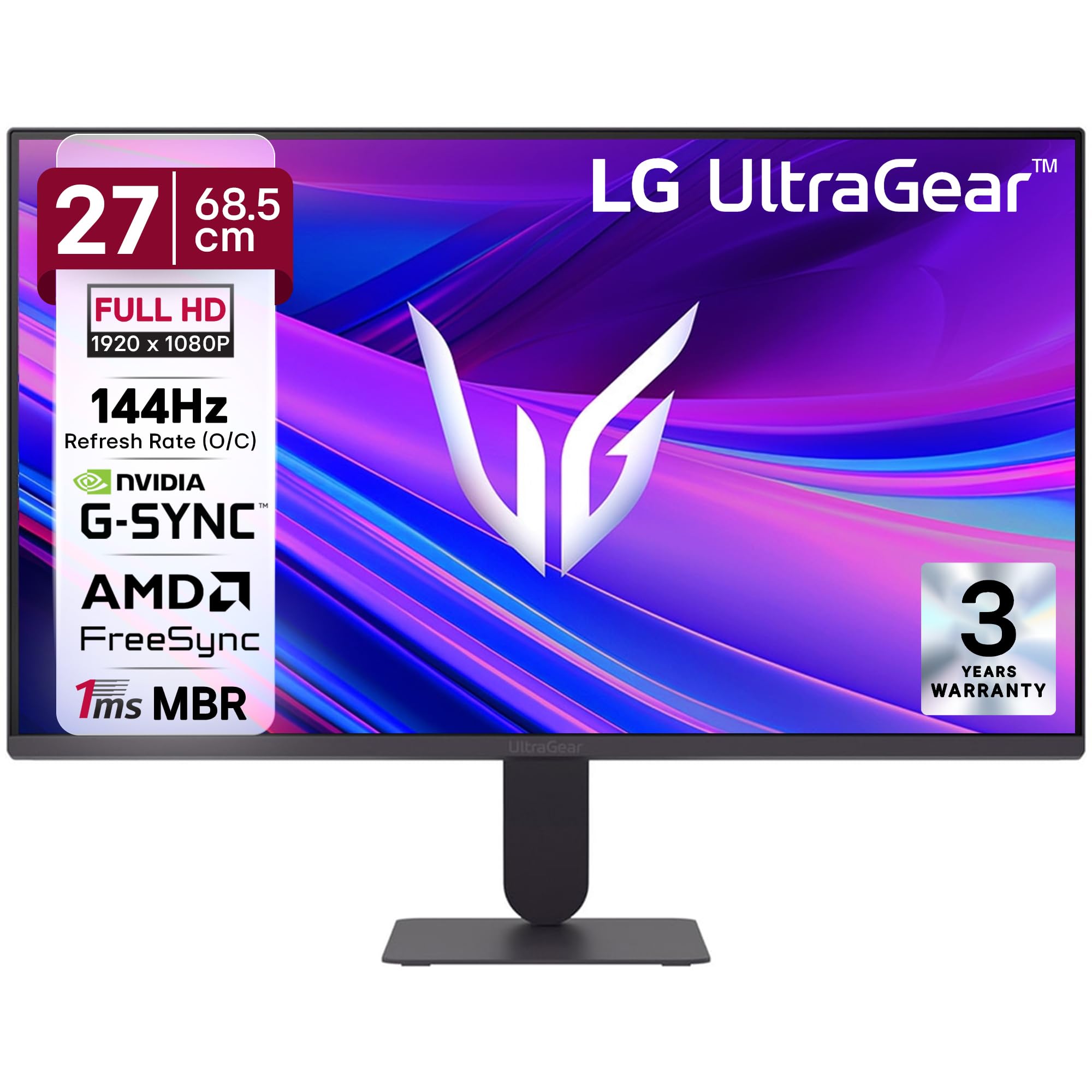
Слика 1: Предња страна view of the LG 27G411A UltraGear Gaming Monitor.
2. Безбедносне информације
Придржавајте се следећих мера предострожности како бисте спречили оштећење производа или повреде себе и других.
- Снага: Use only the power cord and adapter supplied with the monitor. Do not overload power outlets.
- Пласман: Place the monitor on a stable, level surface. Avoid direct sunlight, heat sources, and areas with high humidity or dust. Ensure adequate ventilation around the monitor.
- Руковање: Do not drop the monitor or subject it to strong impacts. Avoid touching the screen with sharp objects.
- Чишћење: Искључите кабл за напајање пре чишћења. Користите меку, суву крпу. Не користите течна средства за чишћење или аеросол спрејеве.
- Поправке: Не покушавајте сами да сервисирате овај производ. Све сервисирање препустите квалификованом сервисном особљу.
3. Садржај пакета
Проверите да ли се све ставке налазе у кутији вашег производа:
- LG 27G411A UltraGear Monitor
- Повер Цабле
- ХДМИ кабл
- Постоље за монитор (база и врат)
- Кориснички приручник (овај документ)
4. Подешавање
4.1 Склапање монитора
Пратите ове кораке да бисте саставили постоље за монитор и причврстили га на плочу екрана.
- Carefully place the monitor face down on a soft cloth or cushion to prevent scratches.
- Attach the stand neck to the base, securing it with the captive screw.
- Align the assembled stand with the mounting slot on the back of the monitor panel and push until it clicks into place.
- Alternatively, the monitor supports VESA 100x100mm wall mounting. Remove the stand if using a wall mount.

Figure 2: Illustration of the monitor's ultra-slim design, tilt adjustment, and VESA wall mount compatibility.
4.2 Повезивање монитора
Повежите своје уређаје са монитором помоћу одговарајућих каблова.
- Прикључак за напајање: Прикључите кабл за напајање на улаз за напајање монитора, а затим на зидну утичницу.
- ХДМИ веза: Use the supplied HDMI cable to connect your computer or gaming console to the HDMI port on the monitor.
- ДисплаиПорт веза: For optimal performance, especially for 144Hz refresh rate, connect your computer to the DisplayPort (DP) on the monitor using a DisplayPort cable (not always included).
- Излаз за слушалице: Connect headphones or external speakers to the 3-pole headphone out port for audio output.

Слика 3: Задња страна view of the monitor displaying the power input, HDMI, DisplayPort, and headphone out ports.

Слика 4: Детаљно view of the DisplayPort (DP-IN), HDMI, and Headphone (HP) ports.
5. Упутство за употребу
5.1 Укључивање/искључивање
Press the joystick button located at the bottom center of the monitor to turn it on or off. A short press will bring up the OSD menu, while a long press will power off the monitor.
5.2 Приказ на екрану (ОСД) мени
OSD мени вам омогућава да подесите разна подешавања монитора. Користите џојстик за навигацију:
- Померите џојстик горе/доле/лево/десно да бисте се кретали кроз опције менија.
- Притисните џојстик да бисте изабрали опцију или потврдили подешавање.
5.3 Picture Modes
The monitor offers several preset picture modes optimized for different content types:
- Прилагођено: Allows manual adjustment of all picture settings.
- Gamer1/Gamer2: User-configurable modes for gaming preferences.
- FPS/RTS: Optimized for First-Person Shooter and Real-Time Strategy games.
- живописно: Enhances color and contrast for general viewинг.
- Читалац: Reduces blue light for comfortable reading.
- ХДР ефекат: Simulates HDR content for non-HDR sources.
- Слабост боје: Adjusts color settings to assist users with color vision deficiency.
5.4 Gaming Enhancements
The LG 27G411A is equipped with features to enhance your gaming experience:
- Брзина освежавања од 144Hz и време за завршетак уноса од 1ms: Experience fluid motion and reduced ghosting. The monitor supports a native 120Hz refresh rate and up to 144Hz in overclock mode via DisplayPort 1.4 (HDMI 2.0 supports up to 144Hz).
- AMD FreeSync & NVIDIA G-Sync Compatible: Синхронизује брзину освежавања монитора са брзином кадрова вашег ГПУ-а како би се елиминисало цепање и замућивање слике.
- Црни стабилизатор: Осветљава тамна подручја како би вам помогло да уочите непријатеље који се крију у сенкама.
- Динамичка синхронизација акција (DAS): Минимизира кашњење уноса за акције у реалном времену.
- крстић: Places a fixed crosshair in the center of the screen for improved aiming in FPS games.
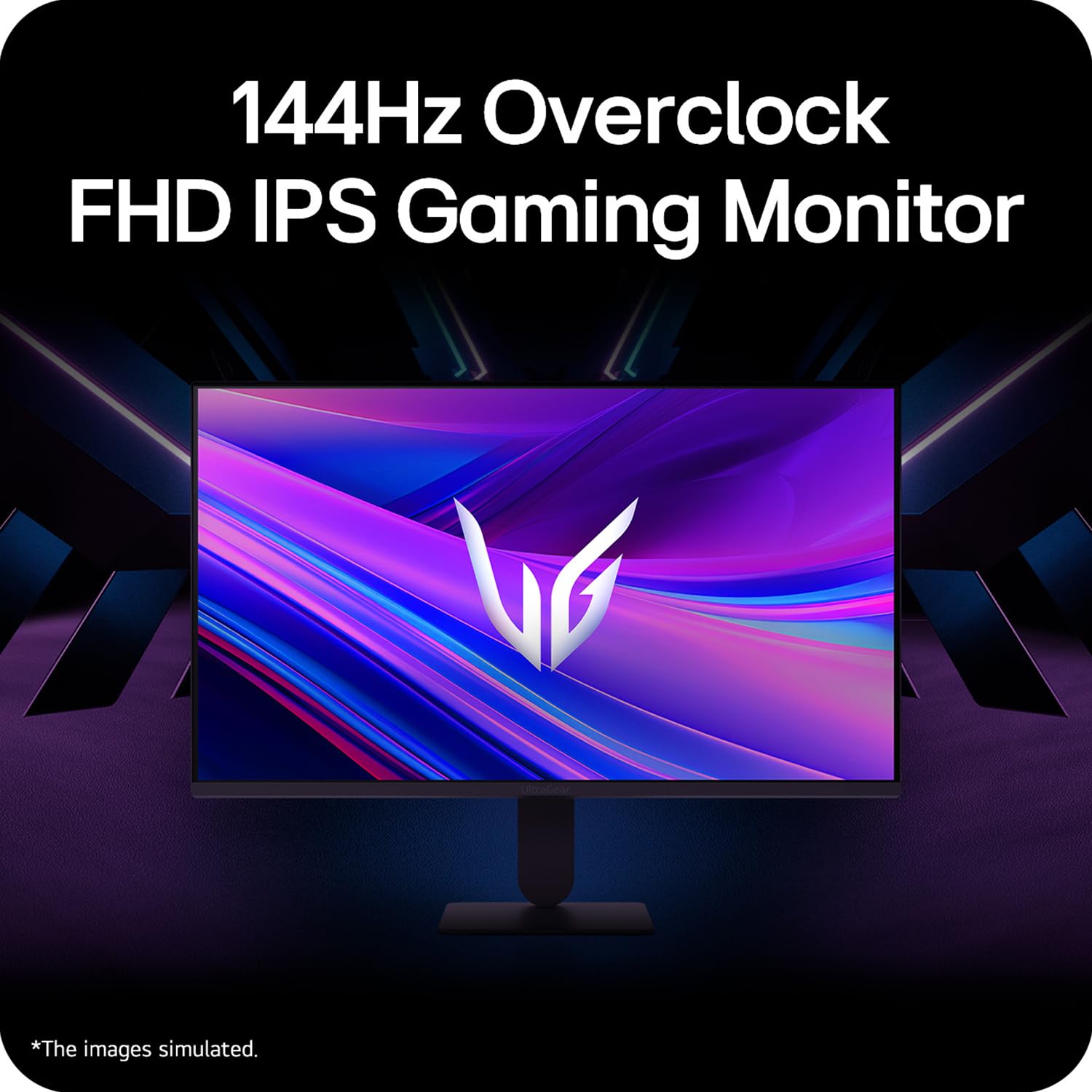
Figure 5: Visual representation of 144Hz overclock for fluid gaming motion.

Figure 6: Illustration of 1ms Motion Blur Reduction (MBR) for fast-paced gaming. Note: 1ms MBR causes lowered luminance and cannot be used with AMD FreeSync/DAS. Flicker may occur during 1ms MBR operation.

Figure 7: The monitor is certified compatible with NVIDIA G-Sync and AMD FreeSync technologies.

Figure 8: Precision Gaming Mode features: Dynamic Action Sync (DAS), Black Stabilizer, and Crosshair.
5.5 Карактеристике за негу очију
To reduce eye strain during prolonged use, the monitor includes:
- Безбедно треперење: Reduces screen flicker to minimize eye fatigue.
- Режим читача: Adjusts color temperature and brightness to simulate paper, making it easier on the eyes for reading tasks.
- Слабост боје: Provides color adjustments for users with color vision deficiencies.
5.6 Smart Convenience (LG Switch App)
The LG Switch app offers enhanced control and customization options for your monitor directly from your computer. Features include Dual mode, Smart screen split, Launch a video call, and Personalized Picture Wizard.

Figure 9: The LG Switch app provides smarter control and seamless switching between various display modes and settings.
6. Одржавање
6.1 Чишћење монитора
Да бисте одржали изглед и перформансе монитора:
- Увек искључите монитор из утичнице пре чишћења.
- Користите меку крпу која не оставља влакна да нежно обришете екран и спољашње површине.
- За тврдокорне трагове, лагано дampОчистите крпу водом или благим, неабразивним средством за чишћење екрана. Не прскајте течност директно на екран.
- Avoid using benzene, alcohol, or other volatile solvents, as they may damage the monitor.
КСНУМКС. Решавање проблема
Ако наиђете на проблеме са монитором, погледајте следећа уобичајена решења:
| Проблем | Могући узрок / решење |
|---|---|
| Нема струје | Ensure the power cable is securely connected to the monitor and a working power outlet. Check if the power outlet is functional. |
| Нема сигнала / Празан екран | Verify that the video cable (HDMI or DisplayPort) is securely connected to both the monitor and your computer/device. Ensure the correct input source is selected in the OSD menu. Check if the computer is powered on and not in sleep mode. |
| Треперење или искривљена слика | Check the video cable for damage or loose connections. Try a different video cable or port. Adjust the refresh rate settings on your computer. Disable 1ms MBR if flicker is observed. |
| Backlight leakage on corners | Minor backlight leakage can be a characteristic of IPS panels, especially visible on a completely black screen in a dark environment. This is generally not considered a defect unless it significantly impacts normal viewинг. |
| Monitor not recognized by PC | Update your graphics card drivers. Restart your computer. |
8. Спецификације
Key technical specifications for the LG 27G411A UltraGear Gaming Monitor:
- Величина екрана: 27 инча (68.5 цм)
- Тип панела: ИПС
- Резолуција: ФХД (1920 к 1080)
- Размера: 16:9
- Брзина освежавања: 144 Hz (Overclock)
- Време одговора: 1ms MBR (5ms GTG)
- Осветљеност: 250 цд/м² (типично)
- Однос контраста: 1500:1
- Гамут боја: сРГБ 99%
- ХДР подршка: ХДР10
- Прилагодљива синхронизација: Компатибилност са NVIDIA G-Sync, AMD FreeSync
- Viewугао угла: 178° (В/В)
- Повезивање: 1 x HDMI, 1 x DisplayPort, 1 x излаз за слушалице
- Dimensions (with stand, WxHxD): КСНУМКС к КСНУМКС к КСНУМКС цм (КСНУМКС к КСНУМКС к КСНУМКС инча)
- Тежина (са постољем): 3.8 кг
- Потрошња енергије: 20В (типично)
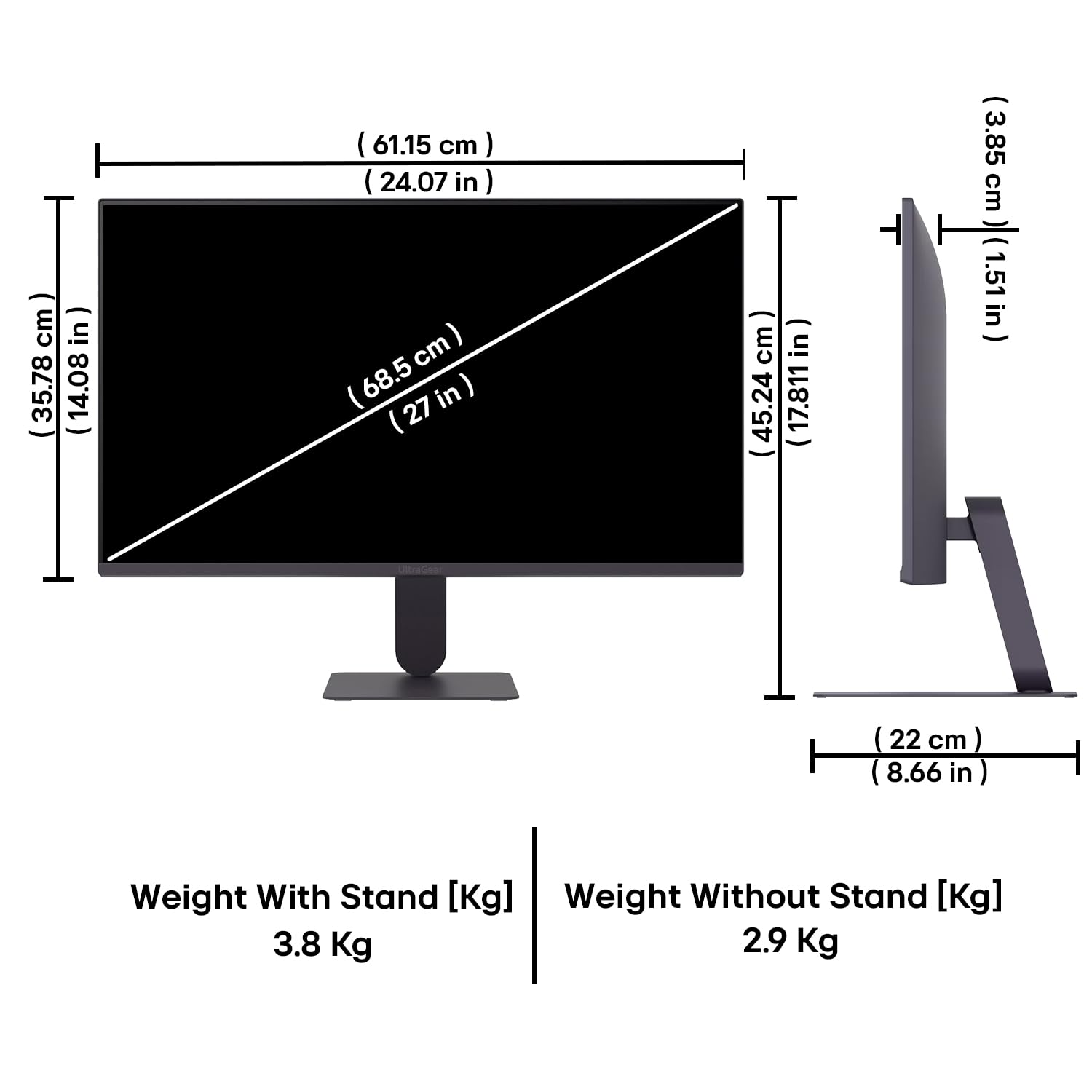
Figure 10: Physical dimensions and weight of the LG 27G411A monitor with and without the stand.
9. Информације о гаранцији
This LG 27G411A UltraGear Gaming Monitor comes with a 3 године гаранције произвођача covering parts and labor. Please retain your proof of purchase for warranty claims. For detailed terms and conditions, refer to the warranty card included in your product packaging or visit the official LG webсајту.
10. Корисничка подршка
За додатну помоћ, техничку подршку или упите у вези са сервисирањем, обратите се корисничкој служби компаније LG. Контакт информације можете пронаћи на званичној веб страници компаније LG. webсајту или у документацији која је достављена уз ваш монитор.
ЛГ Елецтроницс Индиа Пвт. доо
PLOT NO. A-5, MIDC RANJANGAON.
TALUKA SHIRUR, PUNE, MAHRASHTRA (INDIA), 412220


