
Увод
The Keychron B4 Pro is a versatile, ultra-slim wireless keyboard designed for efficiency and portability. Featuring a 96% compact layout, it supports multiple connectivity options including 2.4 GHz wireless, Bluetooth 5.2, and a wired USB Type-C connection. This manual provides detailed instructions for setting up, operating, and maintaining your B4 Pro keyboard, ensuring seamless compatibility across various operating systems like macOS, Windows, and Linux.
Шта је у кутији
An illustration detailing the items included in the Keychron B4 Pro package: the keyboard, a Type-C cable, a Type-A to Type-C adapter, a 2.4GHz Type-A receiver, and a silicone protective skin.
- 1 x Keychron B4 Pro Keyboard
- 1 к УСБ Типе-Ц кабл
- 1 x USB Type-A to Type-C Adapter
- 1 x 2.4 GHz Type-A Receiver
- 1 x Silicone Protective Skin
Сетуп
1. Почетно пуњење
Before first use, connect the keyboard to a power source using the provided USB Type-C cable to ensure it is fully charged. The keyboard is powered by an 800 mAh battery, offering extended usage on a single charge.
2. Повезивање тастатуре

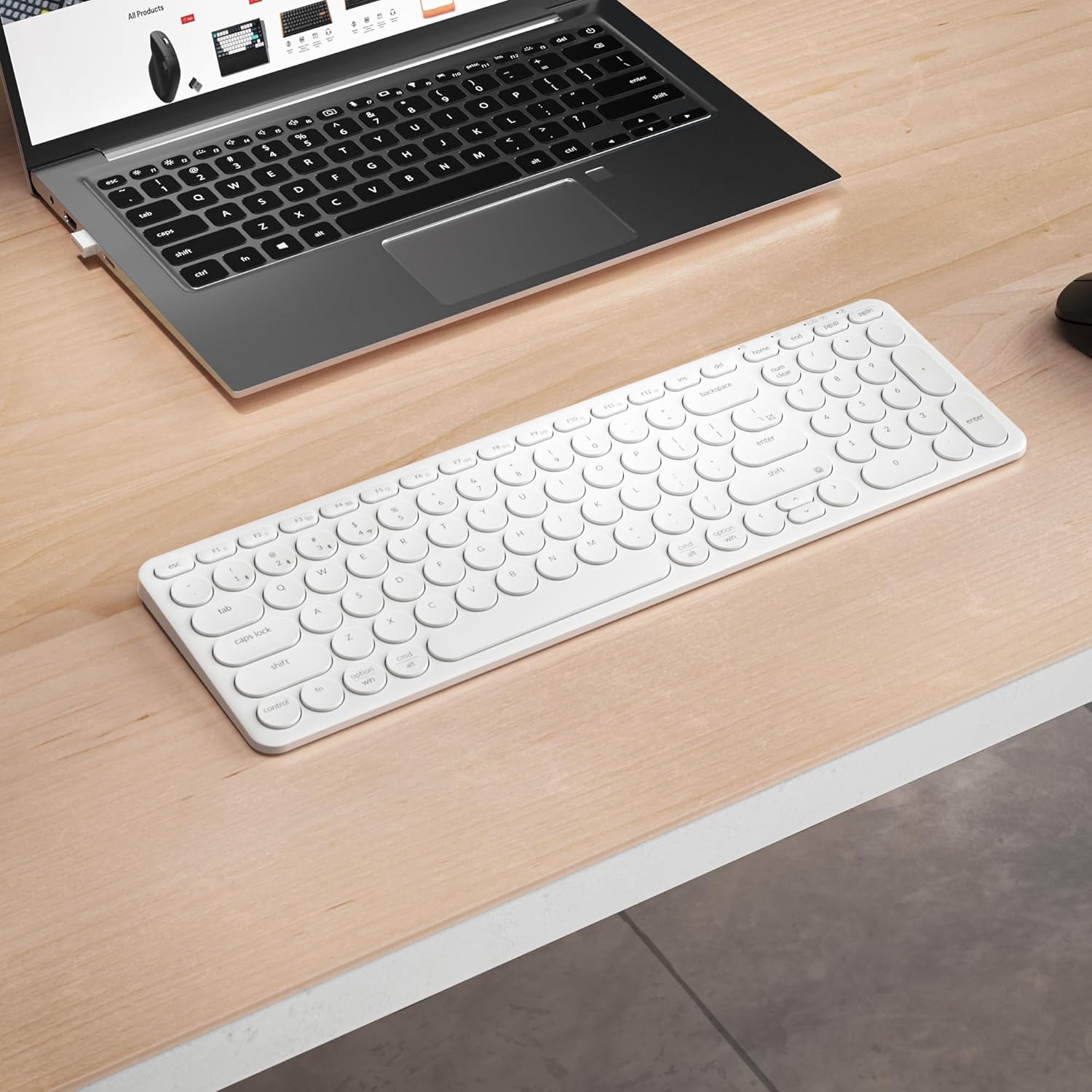
The Keychron B4 Pro keyboard on a desk with icons indicating its versatile connection modes: USB Type-C wired, 2.4 GHz wireless, and Bluetooth 5.2.
The Keychron B4 Pro supports three connection modes:
- 2.4 GHz Wireless Connection:
Insert the 2.4 GHz Type-A receiver into an available USB port on your computer. Switch the keyboard's mode switch to 2.4G. The keyboard should automatically connect, providing a smooth, low-latency experience with a 1000 Hz polling rate. To switch to the 2.4G channel, press Фн + КСНУМКС. - Блуетоотх 5.2 веза:
Switch the keyboard's mode switch to Bluetooth. On your device (phone, tablet, or laptop), search for Bluetooth devices and select "Keychron B4 Pro". You can connect up to three Bluetooth devices and switch between them using Фн + КСНУМКС, Фн + КСНУМКС, или Фн + КСНУМКС. - Жична USB веза типа C:
Connect the keyboard to your device using the provided USB Type-C cable. Switch the keyboard's mode switch to the wired option. This mode provides a direct and stable connection.
3. Operating System Mode Switch

The Keychron B4 Pro keyboard with visual cues for its compatibility across macOS, Windows, and Linux operating systems. It also shows shortcuts for switching 2.4GHz channels, taking screenshots (Fn + ), and connecting up to three Bluetooth devices (Fn + 1/2/3).
The B4 Pro is fully compatible with macOS, Windows, and Linux. Use the dedicated operating system switch located on the side of the keyboard to select the correct mode for your device. This ensures proper function key mapping and overall compatibility.
Упутство за употребу
1. Keychron Launcher Web Апликација

A computer screen displaying the Keychron Launcher web application, used for remapping keys and creating macros for the B4 Pro keyboard.
Customize your keyboard by remapping any key and creating macros using the Keychron Launcher web application. This application runs directly in your browser on macOS, Windows, and Linux, requiring no installation. Visit the official Keychron website to access the launcher.
2. Multimedia and Function Keys
To switch between multimedia keys and standard function keys (F1-F12), press Fn + X + L simultaneously. This allows you to toggle between dedicated media controls and traditional function key operations.
3. Emoji Shortcut
Access emojis quickly by pressing Фн+Схифт. This shortcut will open the emoji selection interface on compatible operating systems.
4. Silent Design

An image focusing on the silent design of the Keychron B4 Pro, explaining that its scissor switch keys effectively reduce typing noise. A diagram shows the scissor mechanism.
The B4 Pro features a silent design utilizing scissor switch keys. This mechanism effectively reduces the sound of clicking, providing a quieter typing experience suitable for various environments.
5. Comfortable Typing with Round Keys

A user's hand demonstrating typing on the Keychron B4 Pro keyboard, highlighting the ergonomic design of its round keycaps for comfortable and precise input.
The keyboard's ultra-thin body combined with rounded keycaps is designed for precise input and lasting comfort. The shape of the keys is intended to match the natural form of your fingertips, which can help reduce typing errors and improve overall efficiency.
Одржавање
1. Чишћење
To clean your keyboard, gently wipe the keycaps and surface with a soft, damp cloth. Avoid using harsh chemicals or abrasive materials that could damage the finish. For deeper cleaning, you may carefully remove keycaps if necessary, referring to online guides for proper technique to avoid damage.
2. Брига о батерији
The B4 Pro is equipped with an 800 mAh battery. To maximize battery lifespan, avoid fully discharging the keyboard frequently. Charge the keyboard when the battery indicator suggests low power. Store the keyboard in a cool, dry place when not in use for extended periods.
Решавање проблема
- Keyboard not connecting via 2.4 GHz:
Ensure the 2.4 GHz receiver is securely plugged into a USB port. Verify the keyboard's mode switch is set to 2.4G. Try a different USB port or restart your computer. - Проблеми са Bluetooth везом:
Make sure the keyboard is in Bluetooth mode and discoverable. Remove the keyboard from your device's Bluetooth list and attempt to pair again. Ensure your device's Bluetooth is enabled. - Тастери не реагују:
Check the connection mode (wired, 2.4G, Bluetooth) and ensure it matches your setup. If wired, try a different USB port or cable. If wireless, ensure the battery is charged. - Incorrect key functions (e.g., F-keys vs. multimedia):
Toggle the Fn + X + L shortcut to switch between multimedia and function key modes. Verify the OS mode switch is set correctly for your operating system. - Keyboard not charging:
Ensure the USB Type-C cable is properly connected to both the keyboard and a working power source. Try a different cable or power adapter.
Спецификације

A detailed diagram of the Keychron B4 Pro keyboard, providing its length, width, and thickness, along with its net weight.
| Феатуре | Детаљ |
|---|---|
| Назив модела | B4 Pro (B4P-K1) |
| Бранд | Кеицхрон |
| Технологија повезивања | 2.4 GHz Wireless, Bluetooth 5.2, USB Type-C Wired |
| Распоред тастатуре | 96% QWERTY |
| Број кључева | 96 |
| Посебна карактеристика | Silent Scissor Switches |
| Компатибилни оперативни системи | мацОС, Виндовс, Линук |
| Компатибилни уређаји | ПЦ, Лаптоп, Таблет |
| Извор напајања | Пуњива батерија од 800 мАх |
| Трајање батерије | До 300 сати (континуирана употреба) |
| Материјал | акрилонитрил бутадиен стирен (АБС) |
| Боја | Ивори Вхите |
| Димензије (Д к Ш к В) | 377 мм к 120 мм к 11 мм (14.84 ин к 4.72 ин к 0.43 ин) |
| Нето тежина | 475 г (1.047 лбс) |
Гаранција и подршка
For warranty information and technical support, please refer to the official Keychron website or contact Keychron customer service directly. Keep your purchase receipt for warranty claims.


