
Увод
Welcome to the GUHUAVMI GT4 Pro Smartwatch user manual. This guide provides detailed instructions on how to set up, operate, and maintain your new smartwatch. The GT4 Pro combines advanced health monitoring, comprehensive fitness tracking, and smart connectivity features in a durable, stylish design. Please read this manual carefully to ensure optimal performance and longevity of your device.
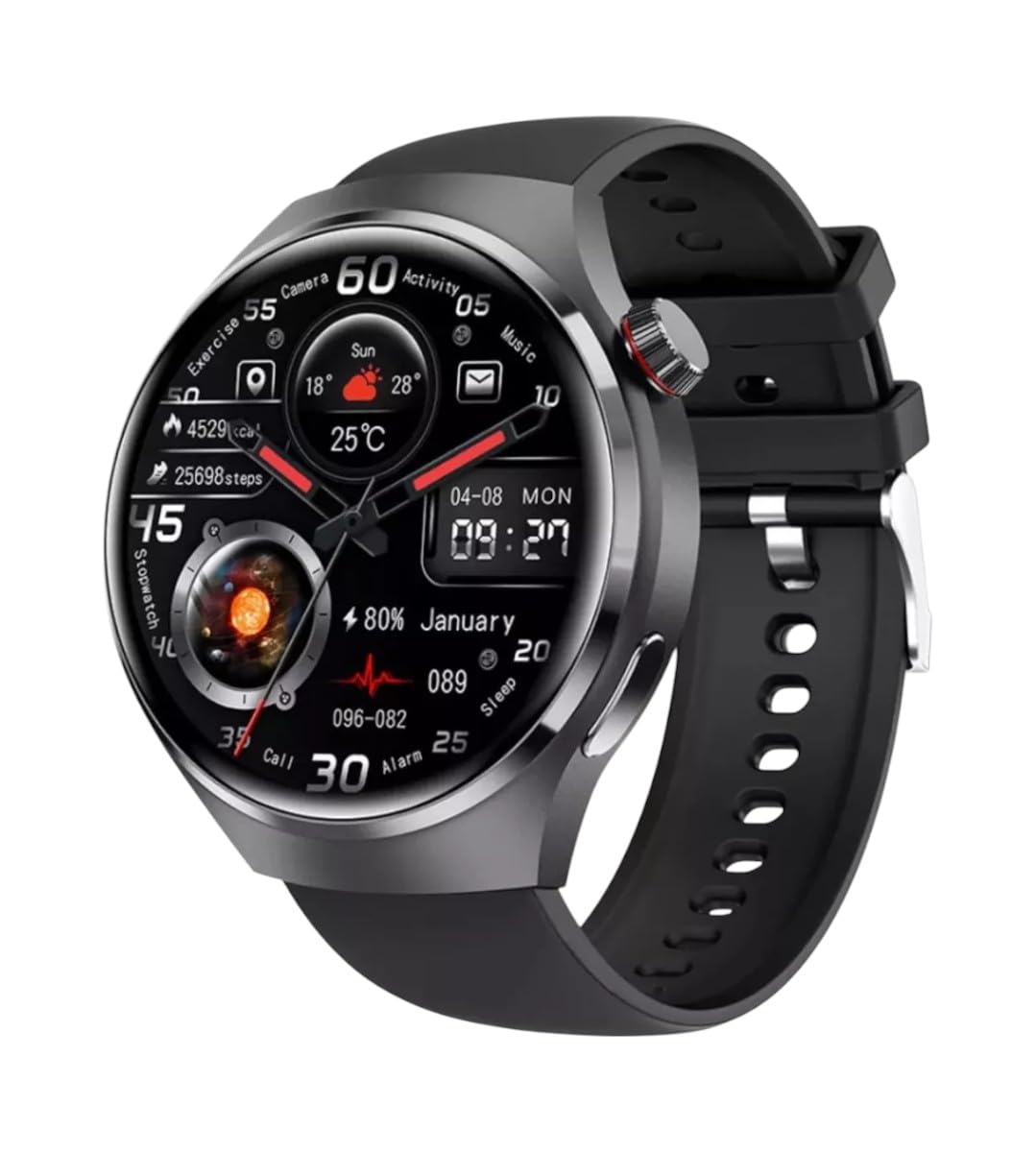
Слика: Фронт view of the GUHUAVMI GT4 Pro Smartwatch, showcasinњегов елегантан дизајн и екран.
Сетуп
1. Распакивање и компоненте
Пре него што почнете, уверите се да су све компоненте присутне у пакету:
- GUHUAVMI GT4 Pro Smartwatch
- Бежични пуњач
- Кориснички приручник (овај документ)
2. Пуњење паметног сата
For first-time use, fully charge your GT4 Pro Smartwatch. Connect the wireless charger to a USB power adapter (not included) and place the smartwatch onto the magnetic charging base. The watch will indicate charging status on its screen.
- Време пуњења: Приближно 3 сата за потпуно пуњење.
- Трајање батерије: Typical usage provides 5-7 days of battery life.

Image: The GUHUAVMI GT4 Pro Smartwatch placed on its magnetic wireless charger, displaying battery life and charging time information.
3. Укључивање/искључивање
- Укључено: Притисните и држите бочно дугме док се екран не упали.
- Искључивање: Press and hold the side button, then select the 'Power Off' option on the screen.
4. Преузимање и упаривање апликације
To unlock the full potential of your GT4 Pro, download the companion app on your smartphone. Scan the QR code provided in the watch's initial setup screen or search for the app name (usually indicated on the watch or packaging) in your phone's app store.
- Омогућите Блуетоотх на свом паметном телефону.
- Отворите пратећу апликацију и пратите упутства на екрану да бисте креирали налог или се пријавили.
- In the app, select 'Add Device' or 'Pair Device' and choose 'GT4 Pro' from the list of available devices.
- Потврдите захтев за упаривање и на паметном телефону и на паметном сату.
Упутство за употребу
1. Основна навигација
The GT4 Pro features a 1.6-inch HD AMOLED touchscreen and a side crown button for navigation.
- Превуците нагоре/надоле: Листајте кроз меније и обавештења.
- Превуците лево/десно: Приступите брзим виџетима или различитим изгледима сата.
- Додирните: Изаберите ставку или отворите апликацију.
- Притисните бочно дугме: Return to the home screen or access the app list.
2. АИ гласовни асистент
Your GT4 Pro is equipped with an integrated AI voice assistant for hands-free operation.
- Активација: Tap the voice assistant icon on the watch face or use a designated gesture/button press (refer to watch settings).
- команде: Speak clearly to ask questions, set reminders, make calls, or control music.
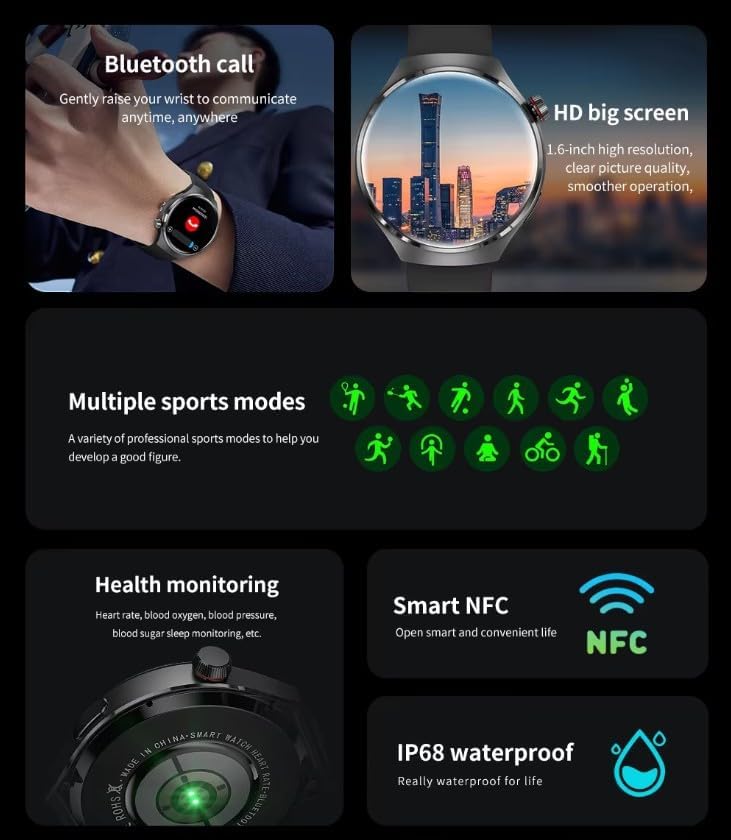
Image: The GUHUAVMI GT4 Pro Smartwatch displaying the AI voice assistant interface, showing exampброј гласовних команди.
3. Позивање преко Bluetooth-а
Када се упарите са паметним телефоном, можете упућивати и примати позиве директно са свог паметног сата.
- Упућивање позива: Access the dialer or contacts list on your watch.
- Примање позива: Одговарајте или одбијајте долазне позиве директно са екрана сата.
4. Праћење здравља
The GT4 Pro provides real-time health data to help you monitor your well-being.
- Откуцаји срца: Continuous monitoring throughout the day.
- Кисеоник у крви (SpO2): Измерите ниво засићености крви кисеоником.
- Blood Sugar: Provides estimated blood sugar readings.
- Праћење спавања: Прати спавањеtagи квалитет.
View detailed health reports in the companion app.
5. Праћење физичке спремности
Track your workouts and daily activity with precision.
- Више спортских начина: Select from various activities like running, cycling, swimming, and more for accurate data.
- Уграђени ГПС: Records your route, distance, and pace during outdoor activities.
- компас: Provides directional guidance for outdoor adventures.

Image: The GUHUAVMI GT4 Pro Smartwatch showcasing icons for NFC, GPS, compass, heart rate, and Bluetooth call, highlighting its comprehensive features.
6. NFC Features
The GT4 Pro supports NFC for convenient interactions.
- Контрола приступа: Use your watch for compatible access systems.
- Find My iPhone: Utilize NFC to locate your paired iPhone.
7. Dynamic Island Function
Experience enhanced interactive displays for notifications, music, and charging status.
- Interactive Displays: Smart displays adapt to show relevant information dynamically.
- ОТА надоградње: New functional interactive displays may be added through future over-the-air updates.
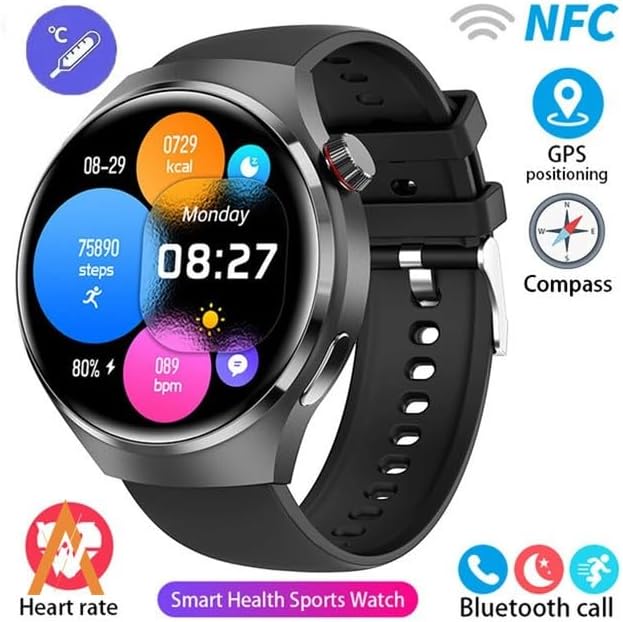
Image: The GUHUAVMI GT4 Pro Smartwatch screen demonstrating the Dynamic Island function, showing notifications and active processes.
8. Other Utility Features
The smartwatch includes several convenient tools:
- Даљинска камера: Даљински управљајте камером свог паметног телефона.
- Будилник: Подесите аларме директно са свог зглоба.
- Штоперица и тајмер: За прецизно мерење времена.
- Мерење температуре: Monitor ambient temperature.
- Multi-Time Zone Settings: Keep track of different time zones.
- Контрола репродукције музике: Manage music on your paired smartphone.
Одржавање
1. Отпорност на воду (IP68)
The GT4 Pro has an IP68 waterproof rating, meaning it is resistant to dust and can withstand immersion in water up to 1.5 meters for 30 minutes. It is suitable for swimming and use in rainy conditions.
- Do not use in hot water, saunas, or steam rooms.
- Avoid exposure to high-velocity water.
- After exposure to water, wipe the watch dry with a soft cloth.
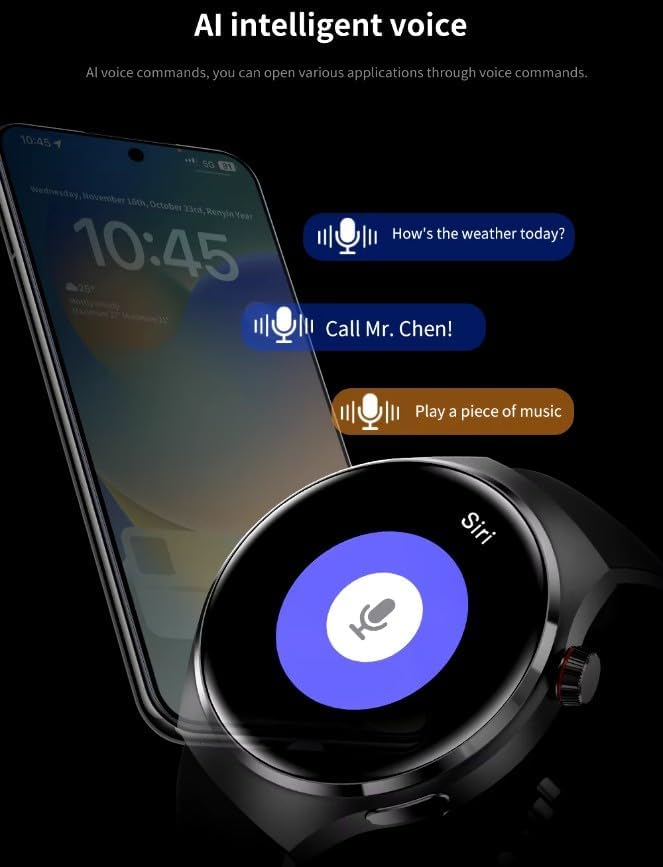
Image: Two GUHUAVMI GT4 Pro Smartwatches shown with water droplets, illustrating their IP68 waterproof capability.
2. Чишћење
Regularly clean your smartwatch to maintain its appearance and sensor accuracy.
- Обришите екран и кућиште меком крпомamp, крпа без длачица.
- Clean the charging contacts and heart rate sensor on the back of the watch to ensure proper function.
- Избегавајте употребу јаких хемикалија или абразивних материјала.
3. Ажурирања софтвера
Periodically check for software updates through the companion app. Updates can provide new features, performance improvements, and bug fixes.
Решавање проблема
- Сат се не укључује: Уверите се да је сат потпуно напуњен. Повежите га са пуњачем најмање 30 минута.
- Не може се упарити са паметним телефоном:
- Уверите се да је Bluetooth омогућен на вашем телефону и сату.
- Уверите се да је сат у домету вашег телефона.
- Поново покрените и сат и телефон.
- Проверите да ли је пратећа апликација ажурирана на најновију верзију.
- Нетачни здравствени подаци:
- Уверите се да сат чврсто приања на зглоб, не превише стегнут или превише лабав.
- Очистите сензоре на задњој страни сата.
- Избегавајте прекомерно кретање током мерења.
- Kratko trajanje baterije:
- Смањите осветљеност екрана.
- Disable unnecessary notifications or features.
- Ограничите континуирано праћење откуцаја срца ако није потребно.
Спецификације
| Феатуре | Опис |
|---|---|
| Број модела | ГТ4 Про |
| Дисплаи | 1.6-inch HD AMOLED, 360x360 resolution |
| Повезивање | Блуетоотх 5.0 |
| Водоотпорна оцена | ИП68 |
| Мониторинг здравља | Heart Rate, Blood Oxygen, Blood Sugar, Sleep Tracking |
| Праћење фитнеса | Built-in GPS, Compass, Multiple Sports Modes |
| Гласовни асистент | AI Voice Assistant Integrated |
| НФЦ | Supported (e.g., Find My iPhone, Access Control) |
| Цхаргинг Типе | Магнетно бежично пуњење |
| Типично трајање батерије | 5-7 дана |
| Време пуњења | Прибл. 3 сата |
| Укључене компоненте | Smartwatch, User Manual, Wireless Charger |
Гаранција и подршка
Информације о гаранцији
The GUHUAVMI GT4 Pro Smartwatch comes with a 6-месечна гаранција од датума куповине. Ова гаранција покрива производне недостатке при нормалној употреби. Не покрива штету насталу услед злоупотребе, незгода, неовлашћених модификација или нормалног хабања.
Корисничка подршка
If you encounter any issues or have questions regarding your GUHUAVMI GT4 Pro Smartwatch, please refer to the troubleshooting section of this manual. For further assistance, contact your retailer or the manufacturer's customer support channel. Please have your purchase receipt and product model number (GT4 Pro) ready when contacting support.