
1. Увод и крајview
The EPOS IMPACT 460T is a Microsoft Teams Certified stereo USB headset designed for hybrid workers. Featuring dual-mic noise filtering, it ensures premium voice pickup in open office environments. Enjoy rich, clear sound through professional-grade speakers and stay comfortable all day with soft dual ear pads and a padded headband. The headset includes a dedicated Teams button, lift-to-mute functionality, and an LED mic mute indicator. It is compatible with EPOS Connect & Manager software for easy management and updates.
2. Шта је у кутији
- EPOS Impact 460T Headset
- УСБ-Ц на УСБ-А адаптер
- Protective Carry Pouch
- Кориснички приручник (овај документ)
- Сафети Гуиде
- Лист о усклађености
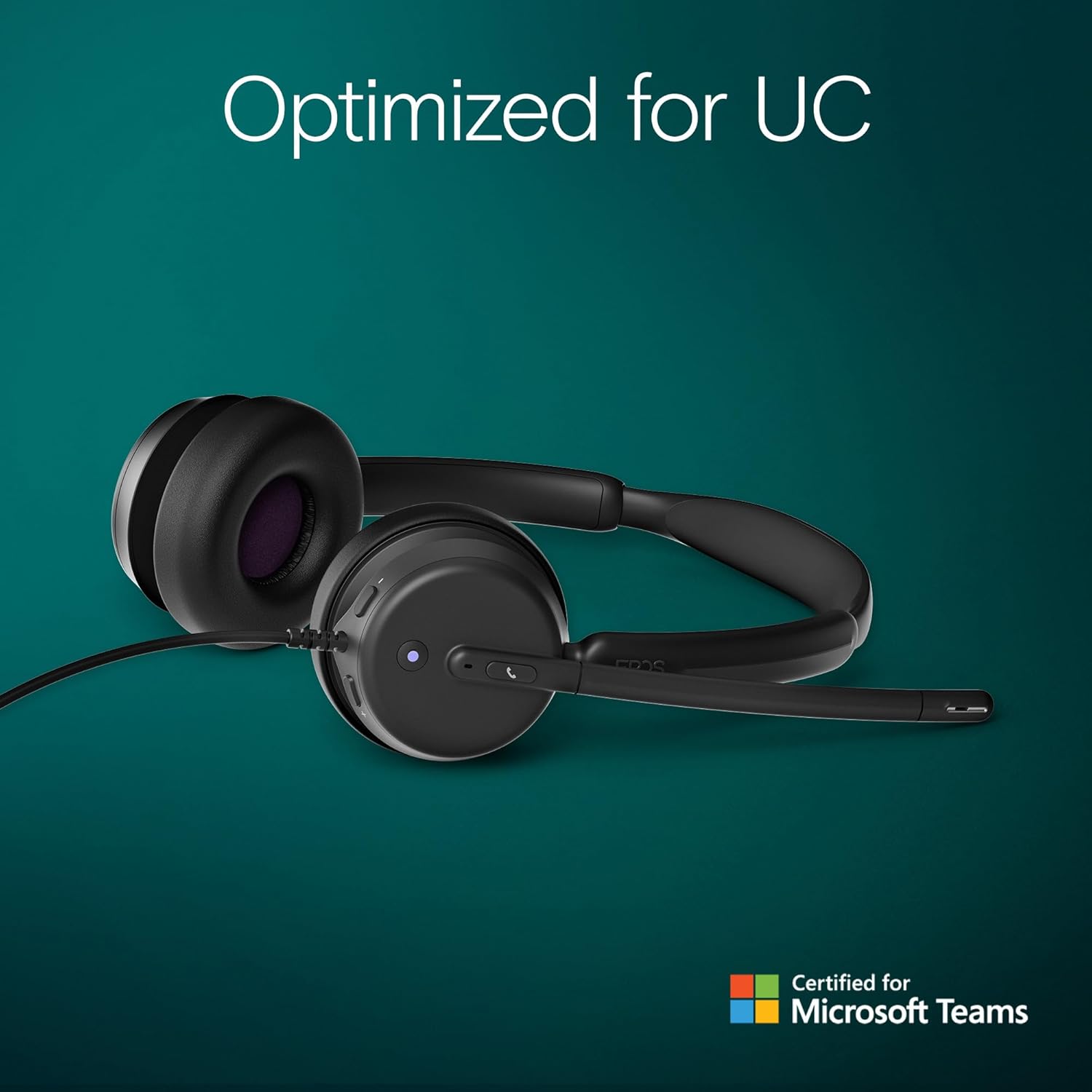
Figure 2.1: Included components with the EPOS Impact 460T headset.
3. Подешавање
- Повежите слушалице: Plug the USB-C connector of the headset directly into a compatible USB-C port on your computer, laptop, tablet, or smartphone.
- Use USB-A Adapter (if needed): If your device only has USB-A ports, attach the provided USB-C to USB-A adapter to the headset's USB-C connector, then plug the adapter into your device's USB-A port.
- Плуг-анд-Плаи: The headset is designed for plug-and-play functionality. Your operating system should automatically detect and install the necessary drivers.
- Подеси уклапање: Adjust the headband and microphone boom for a comfortable and secure fit. The ear cups are on-ear design with soft padding.
Видео 3.1: Оверview of the EPOS Impact 460T Headset, demonstrating its features and connectivity options.
4. Упутство за употребу
4.1. Управљање позивима
- Наменско дугме за тимове: For Microsoft Teams users, a dedicated button allows for quick joining of calls and managing Teams functions.
- Одговори/заврши позиве: Use the inline control unit or the dedicated call button on the headset to answer or end calls.
- Контрола јачине звука: Adjust the listening volume using the inline control unit.
- Искључивање микрофона:
- Lift-to-Mute: Simply lift the microphone boom arm upwards to mute your microphone.
- ЛЕД индикатор: An LED light on the microphone indicates its mute status, providing a visual cue.
4.2. Квалитет звука
The headset features dual-mic noise filtering technology to ensure clear voice pickup, minimizing background noise in open office environments. Professional-grade speakers deliver rich, clear sound for both calls and multimedia.

Figure 4.1: Close-up of the headset's earcup showing control buttons and microphone.
5. Карактеристике
- Сертификовано од стране Microsoft Teams-а: Optimized for Microsoft Teams Open Office, ensuring seamless integration and enhanced call quality.
- Dual Noise-Canceling Mics: Advanced noise-filtering technology transmits your voice clearly, suppressing unwanted background noise.
- Удобност током целог дана: Designed with dual noise-dampening ear pads, memory foam, and an ergonomic padded headband for extended wear.
- Hybrid-Ready Mobility: Fold-flat portability and durable materials make it suitable for both remote and in-office use. Includes a carry pouch for easy storage.
- ActiveGard Protection: Protects users from acoustic shock and sudden sound surges.
- Максимална компатибилност: Works with all major Unified Communications (UC) platforms, including Zoom.
- EPOS Software Support: Compatible with EPOS Connect & Manager for easy device management and firmware updates.
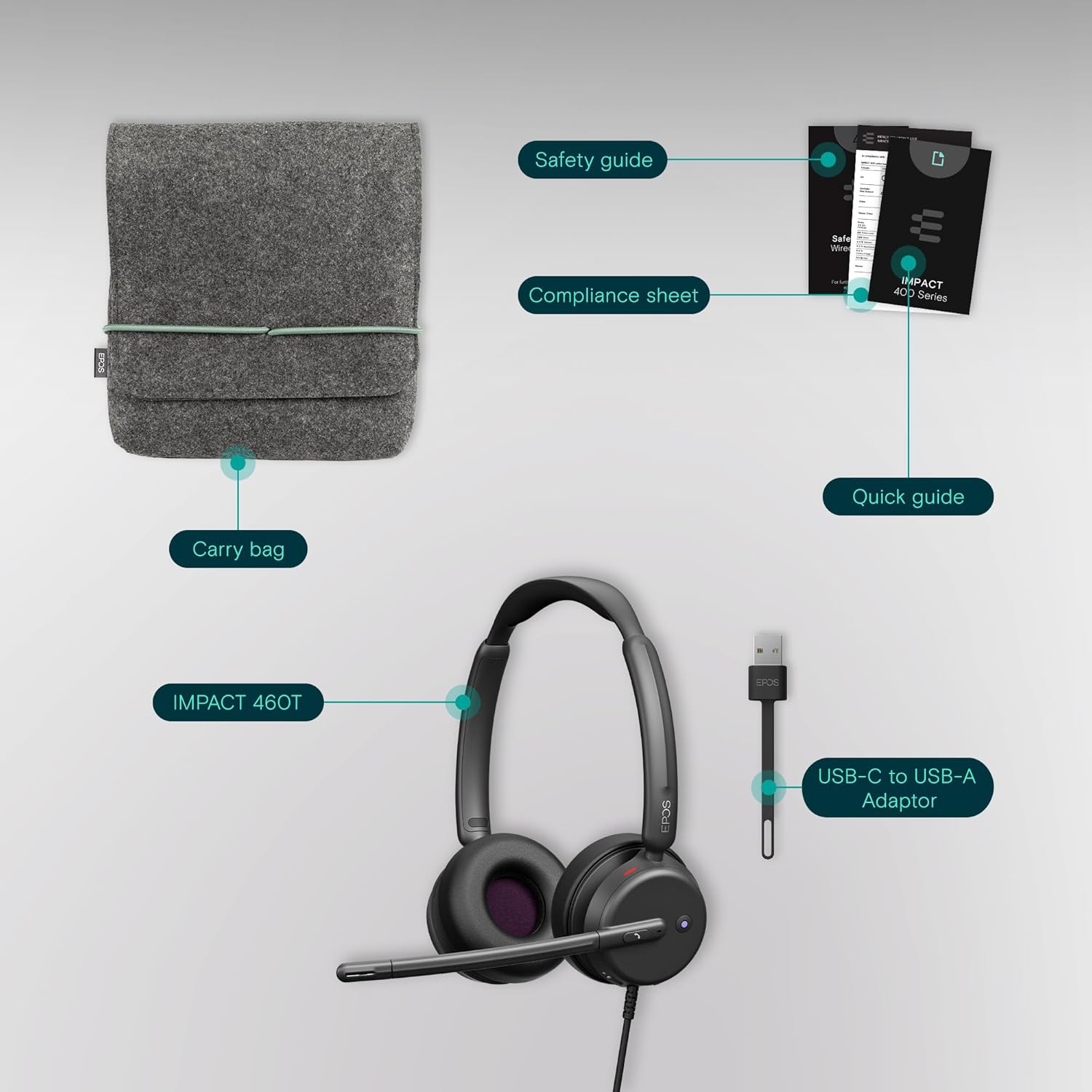
Figure 5.1: Advanced noise-filtering technology in action during a call.
6. Одржавање
- Чишћење: Користите меку, суву крпу за чишћење слушалица. Избегавајте употребу јаких хемикалија или абразивних материјала.
- Јастучићи за уши: Periodically check ear pads for wear and tear. Replacement ear pads may be available from EPOS support.
- Складиштење: When not in use, store the headset in the provided protective carry pouch to prevent damage and keep it clean.
- Нега каблова: Избегавајте оштре савијање или прекомерно повлачење кабла како бисте спречили унутрашња оштећења.
КСНУМКС. Решавање проблема
7.1. Нема звука или је квалитет звука лош
- Проверите везу: Ensure the USB-C (or USB-A with adapter) connector is fully inserted into your device.
- Нивои јачине звука: Verify that the volume on the headset's inline control unit and your device's system volume are turned up.
- Подразумевани уређај: Confirm that the EPOS Impact 460T is selected as the default audio input and output device in your operating system's sound settings and your communication application (e.g., Microsoft Teams, Zoom).
- Restart Application/Device: Close and reopen your communication application, or restart your computer/device.
7.2. Микрофон не ради
- Провери статус искључивања звука: Ensure the microphone boom is lowered and the LED mute indicator is off (not red). Check the mute button on the inline control unit.
- Default Microphone: Verify that the EPOS Impact 460T is selected as the default microphone in your operating system's sound settings and your communication application.
- Дозволе за апликације: Ensure your communication application has permission to access the microphone.
8. Спецификације
| Феатуре | Детаљ |
|---|---|
| Назив модела | 460Т |
| Технологија повезивања | Wired (USB-C, includes USB-A adapter) |
| Постављање уха | Он Еар |
| Контрола буке | Dual Noise-Canceling Mics, Passive Noise Control |
| Микрофон | Lift-to-mute boom arm, LED mute indicator |
| Тип контроле | Volume Control, Call Button (inline remote) |
| Компатибилни уређаји | Desktops, Laptops, Tablets, Smartphones |
| Препоручена употреба | Calls, Home Office, Business, Remote Work |
| Тежина | 13 унци |
| Димензије | 7.87 к 8.07 к 2.56 инча |
| Материјал | Plastic (with memory foam ear pads) |
9. Гаранција и подршка
The EPOS Impact 460T headset typically comes with a manufacturer's warranty. Please refer to the included warranty information in your product packaging for specific terms and duration. For technical support, driver updates, and device management, visit the official EPOS website or utilize the EPOS Connect & Manager software.
Additional protection plans may be available for purchase, offering extended coverage beyond the standard manufacturer's warranty. Check with your retailer for details.