
Techmade TM-URI01
Techmade Universal 3-in-1 Remote Control (Model TM-URI01) Instruction Manual
Увод
This manual provides comprehensive instructions for the setup, operation, and maintenance of your Techmade Universal 3-in-1 Remote Control, Model TM-URI01. This remote is designed to consolidate control of up to three infrared devices, including televisions, set-top boxes (digital terrestrial and satellite), and DVD players, offering broad compatibility with brands such as Samsung, LG, and Sony.
1. Подешавање
1.1 Инсталација батерије
Даљински управљач захтева две ААА батерије (нису укључене). Пратите ове кораке да бисте их инсталирали:
- Пронађите поклопац одељка за батерије на задњој страни даљинског управљача.
- Притисните језичак надоле и скините поклопац.
- Уметните две ААА батерије, водећи рачуна да позитивни (+) и негативни (-) терминали буду правилно поравнати са ознакама унутар одељка.
- Вратите поклопац одељка за батерију на место док не кликне чврсто.
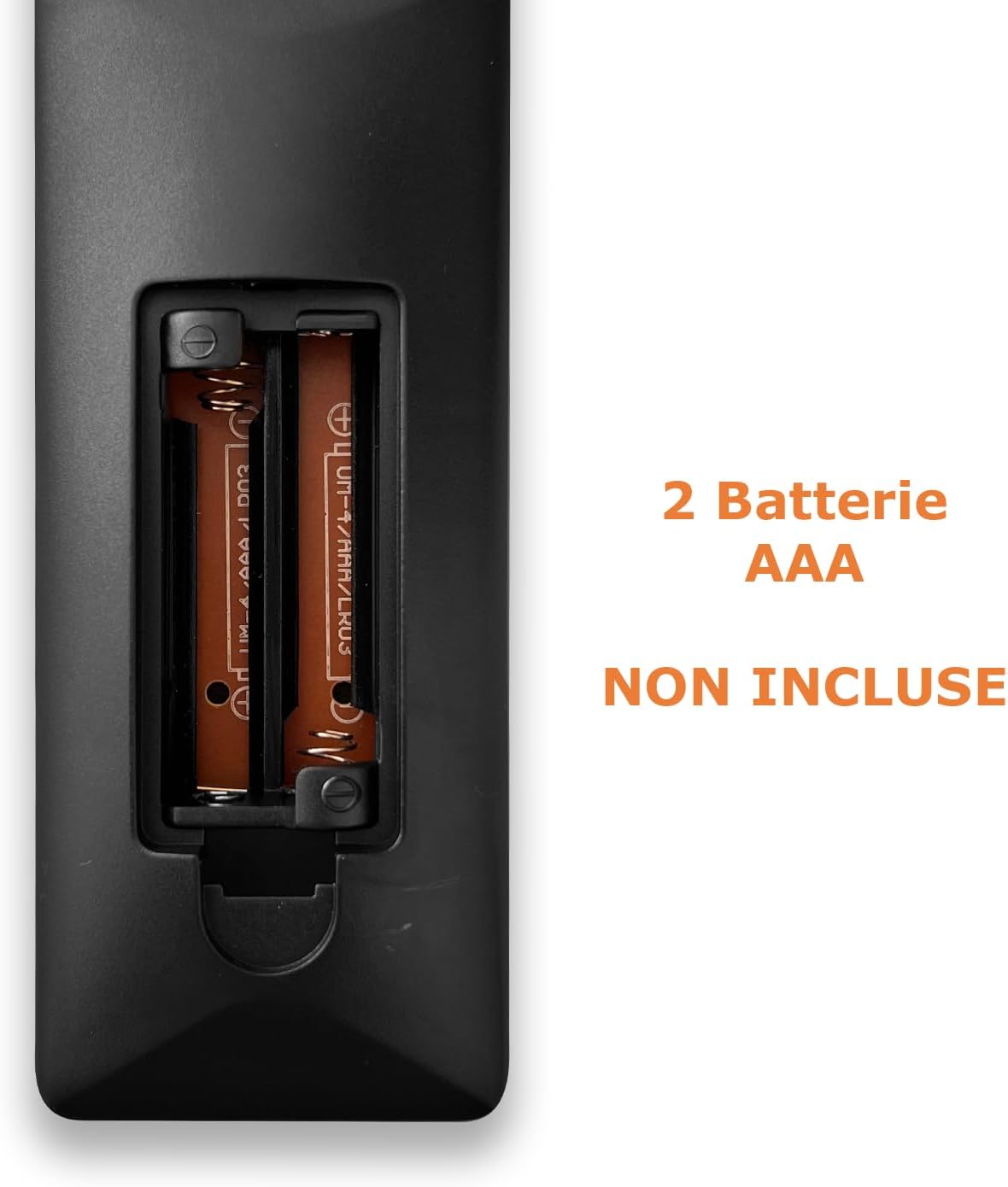
Image: Back of the remote control with the battery compartment open, indicating where to insert two AAA batteries.
1.2 Програмирање даљинског управљача
The Techmade TM-URI01 remote control can be programmed to operate up to three different devices (TV, SAT/DVB-T, DVD). The remote retains its settings even when batteries are removed, thanks to its permanent memory.
Method 1: Direct Code Entry (Recommended)
- Turn on the device you wish to control (e.g., TV, Set-top box, DVD player).
- Press and hold the corresponding device button on the remote (e.g., TV, САТ, ДВД) for approximately 3 seconds until the indicator light (usually the power button LED) illuminates and stays on.
- Enter the 4-digit code for your device's brand. A list of common codes is typically provided in a separate code booklet (not included in this manual). For example, for Samsung TVs, try codes like 0001, 0002, etc.
- If the indicator light turns off, the code has been accepted. Test the remote by pressing the Power button. If the device turns off, the programming was successful.
- If the device does not respond, repeat the process with the next code for your brand.
Метод 2: Аутоматска претрага кода
- Укључите уређај којим желите да управљате.
- Press and hold the corresponding device button (e.g., TV, САТ, ДВД) for approximately 3 seconds until the indicator light illuminates and stays on.
- Притисните тастер Повер button once. The indicator light will start flashing, indicating the remote is searching for a code.
- Point the remote at your device. When the device turns off, immediately press the device button (e.g., TV) again to save the code.
- Test the remote's functions. If not all functions work, repeat the auto-search process to find a more compatible code.

Image: The remote control's button layout, highlighting device selection and power buttons for programming.
2. Управљање даљинским управљачем
Once programmed, your Techmade TM-URI01 remote control functions similarly to your original device remotes. Here are the basic operations:

Слика: Фронт view of the Techmade TM-URI01 remote control, showing its complete 48-button layout.
- Избор уређаја: Притисните тастер TV, САТ, или ДВД button to select the device you wish to control. The remote will then send commands to that specific device.
- Снага: Тхе Повер button (usually red) turns the selected device on or off.
- Контрола јачине звука: Користите ВОЛ+ и ВОЛ- дугмад за подешавање јачине звука.
- Контрола канала: Користите ЦХ+ и ЦХ- дугмад за промену канала.
- Нумеричка тастатура: Use the number buttons (0-9) to directly input channel numbers or other numerical selections.
- Навигација: The directional arrow buttons (UP, ДОВН, ЛЕВО, ДЕСНО) и OK button are used for menu navigation and selection.
- Menu/Guide: Buttons like МЕНУ и ГУИДЕ access the respective functions on your device.
- Контроле репродукције: Дугмад као што су Играј, Пауза, Стани, Фаст Форвард, и Премотавање уназад are available for DVD or media player control.
Refer to your device's original manual for specific functions that may be mapped to the universal remote's buttons.
3. Одржавање
Да бисте осигурали дуготрајност и оптималне перформансе вашег даљинског управљача, пратите ова упутства за одржавање:
- Чишћење: Редовно бришите даљински управљач меком, сувом крпом. За тврдокорну прљавштину, благо дampen the cloth with water or a mild cleaning solution, then wipe dry immediately. Avoid using abrasive cleaners or solvents.
- Замена батерије: Replace batteries when the remote's response becomes sluggish or the indicator light fails to illuminate. Always replace both batteries at the same time with new AAA batteries. Do not mix old and new batteries, or different types of batteries.
- Складиштење: Даљински управљач чувајте на хладном и сувом месту, даље од директне сунчеве светлости и екстремних температура. Ако се даљински управљач неће користити дуже време, препоручљиво је да извадите батерије како бисте спречили цурење.
- Избегавајте капи: Заштитите даљински управљач од падова и удараца, јер то може оштетити унутрашње компоненте.
КСНУМКС. Решавање проблема
If you experience issues with your Techmade TM-URI01 remote control, consult the following troubleshooting tips:
- Даљински не ради:
- Ensure the batteries are correctly installed with the correct polarity (+/-).
- Замените старе батерије новим ААА батеријама.
- Make sure you have selected the correct device (TV, SAT, DVD) using the device selection buttons.
- Point the remote directly at the device's infrared receiver, ensuring no obstructions are in the way.
- Verify that the remote is within the effective operating range (up to 10 meters).
- Device Not Responding After Programming:
- The code entered may be incorrect or not fully compatible. Try another code from the code list for your device's brand.
- Perform the auto code search method again.
- Ensure the device was turned on before starting the programming process.
- Неке функције не раде:
- Not all functions of your original remote may be available or mapped to the universal remote.
- Try programming the remote with a different code for your device, as some codes offer better compatibility for specific functions.
- Индикаторска лампица не светли:
- Проверите инсталирање батерије и замените батерије ако је потребно.
- If the issue persists after replacing batteries, the remote may be faulty.
5. Спецификације
| Феатуре | Детаљ |
|---|---|
| Бранд | Techmade |
| Број модела | TM-URI01 |
| Технологија повезивања | Инфрацрвени |
| Number of Supported Devices | Up to 3 (TV, SAT/DVB-T, DVD) |
| Компатибилни уређаји | TVs (Samsung, LG, Sony, and others), Set-top boxes, DVD/Blu-ray players |
| Број дугмади | 48 |
| Максимални домет | 10 метара |
| Тип батерије | 2 x AAA алкалне батерије (нису укључене) |
| Тежина | 200 грама |
| Посебна карактеристика | Lightweight, Permanent Memory (retains settings without batteries) |
| Боја | Црно |
6. Информације о гаранцији
Specific warranty details for the Techmade Universal 3-in-1 Remote Control (Model TM-URI01) are not provided within this instruction manual. Please refer to the retailer's purchase terms or the official Techmade webсајт за покриће гаранције и услове.
7. Корисничка подршка
For further assistance, technical support, or inquiries regarding your Techmade Universal 3-in-1 Remote Control, please visit the official Techmade website or contact your retailer. Contact information is not provided directly in this manual.
Ask a question about this manual
Ask about setup, troubleshooting, compatibility, parts, safety, or missing instructions. Manuals+ will review the question and use this page’s manual context to help answer it.