
Увод
Thank you for choosing the TECKNET Wireless Rechargeable Silent Mouse. This manual provides detailed instructions to help you get the most out of your new device. Please read it carefully before use and keep it for future reference.
Садржај пакета
- TECKNET Wireless Rechargeable Silent Mouse
- УСБ пријемник
- УСБ-Ц кабл за пуњење
- Кориснички приручник (овај документ)
Производ је завршенview
Familiarize yourself with the mouse components:
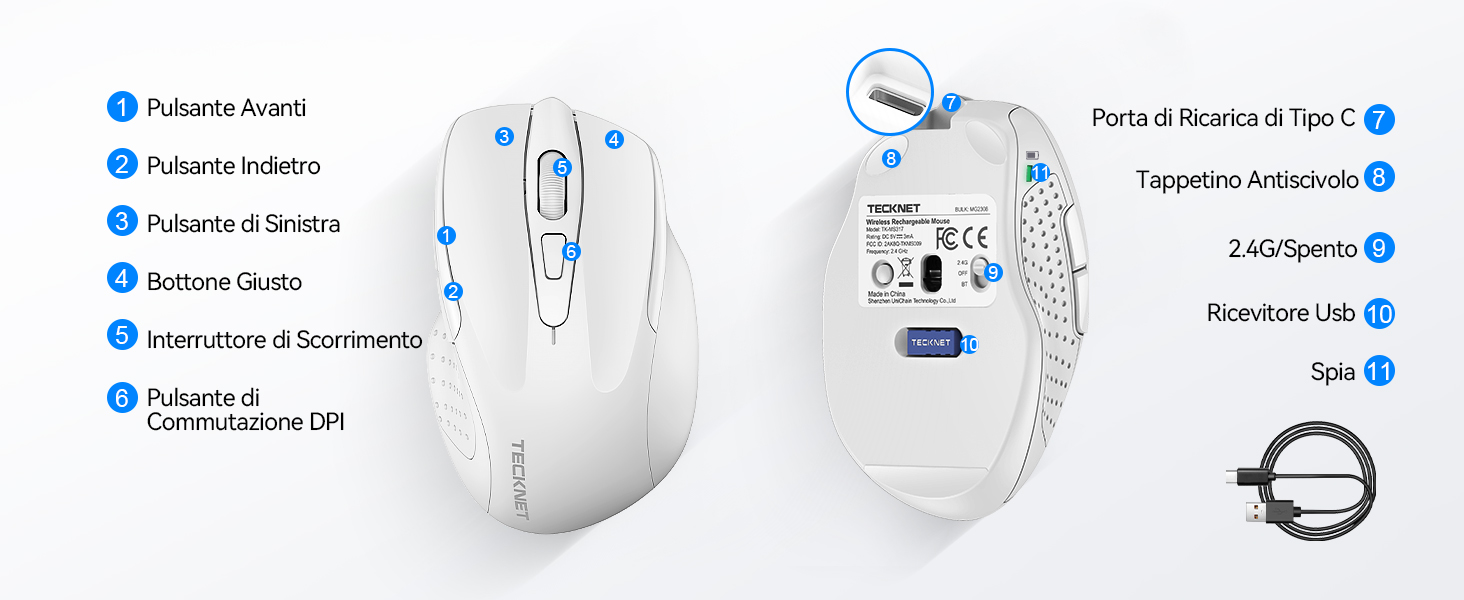
Figure 1: Mouse Components Diagram
- Дугме за напред
- Дугме за назад
- Лево дугме
- Десно дугме
- Точак за померање
- Дугме за ДПИ прекидач
- Порт за пуњење типа Ц
- Подлога против клизања
- 2.4G/Off Switch
- Складиштење USB пријемника
- Светло индикатора
Упутства за подешавање
1. Пуњење миша
Before first use, it is recommended to fully charge the mouse. Connect the provided USB-C charging cable to the mouse's Type-C charging port and the other end to a USB power source (e.g., computer USB port, USB wall adapter).

The mouse features a 700mAh built-in battery, providing extended usage on a single charge. The indicator light will show charging status.
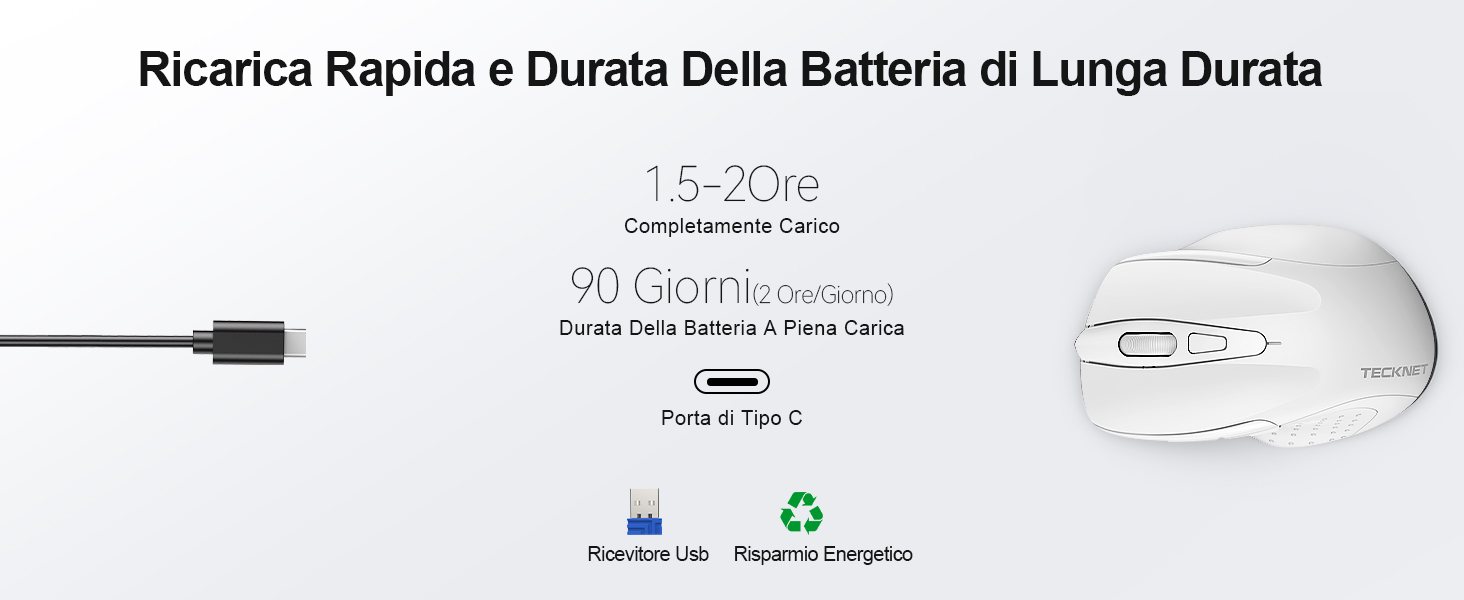
A full charge takes approximately 1.5-2 hours and can last up to 90 days (based on 2 hours/day usage).
2. Повезивање USB пријемника
The mouse uses a 2.4GHz wireless connection for reliable data transmission.
- Locate the USB receiver stored in the compartment on the underside of the mouse.
- Plug the USB receiver into an available USB port on your computer (PC, laptop, Chromebook, etc.).
- Turn on the mouse using the 2.4G/Off switch located on the underside.
- Your computer should automatically detect and install the necessary drivers. The mouse is plug-and-play, requiring no additional software.

The effective working distance is up to 15 meters.

Ensure the mouse is switched on after plugging in the receiver.
Упутство за употребу
ДПИ Адјустмент
The mouse features 6 adjustable DPI levels (800/1200/1600/2400/3200/4800) to suit various tasks, from precise targeting to fast gaming movements. Press the DPI switch button (Component 6 in Figure 1) to cycle through the DPI settings.

Adjust DPI for optimal cursor speed and precision.
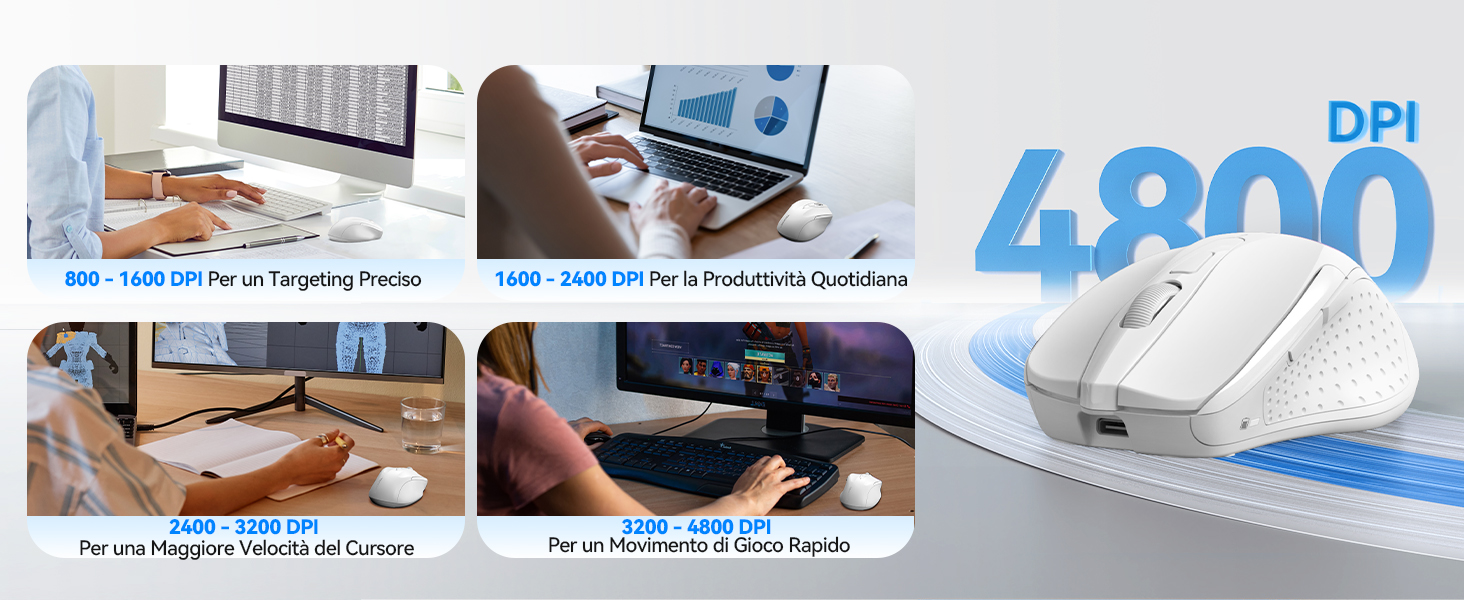
DPI settings for different usage scenarios.
Silent Click Feature
The mouse is designed for silent operation, reducing click noise by up to 90%. This allows for a quiet working environment without disturbing others.

Enjoy a quiet working experience.
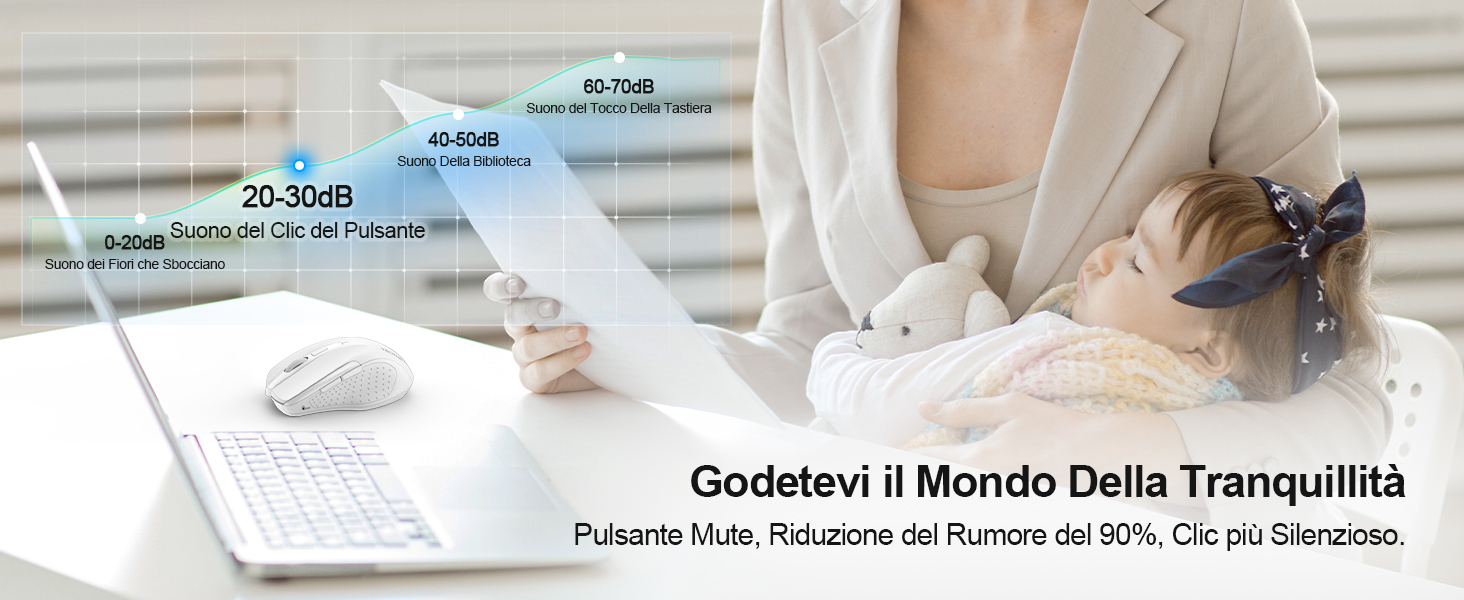
Sound level comparison demonstrating reduced click noise.
Ергономски дизајн
The mouse is ergonomically designed to fit the natural curvature of your hand, reducing muscle pressure by up to 30% and ensuring comfortable use for extended periods. Soft natural rubber grips on the sides provide a secure and comfortable hold.

Ergonomic shape for comfortable use.
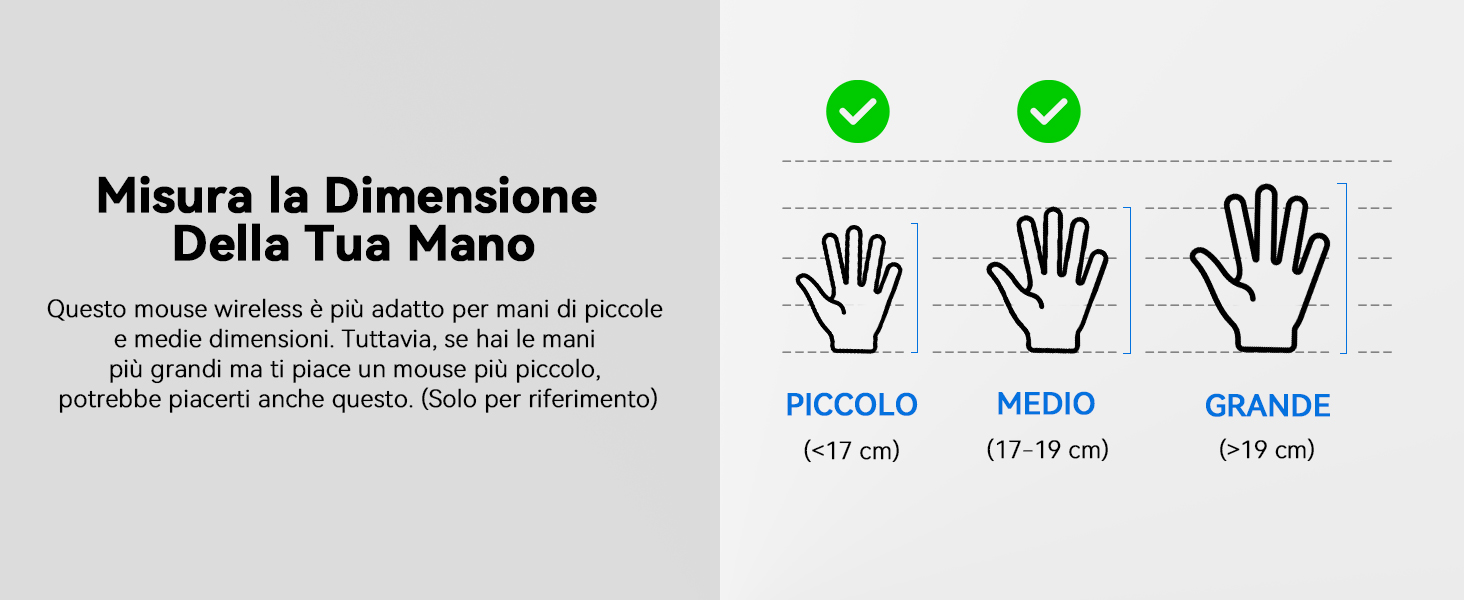
This mouse is suitable for small to medium hand sizes. Refer to the guide for reference.
Карактеристике уштеде енергије
The mouse includes intelligent power-saving features:
- Ауто Слееп Моде: If inactive for 10 seconds, the mouse enters standby mode. After 10 minutes of inactivity, it enters deep sleep mode to conserve battery.
- Функција буђења: Притисните било које дугме да пробудите миш из режима спавања.
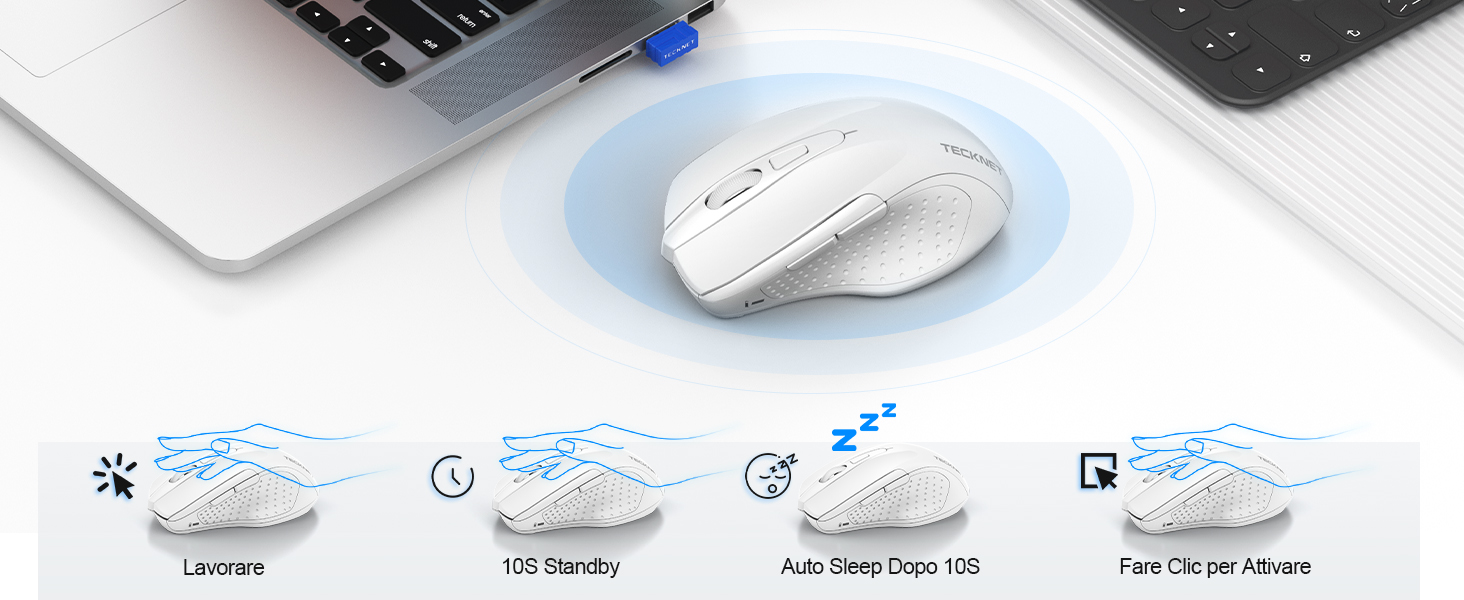
Power saving modes for extended battery life.
Одржавање
- Чишћење: Користите меку, суву крпу за чишћење миша. За тврдокорну прљавштину, благо дamp може се користити крпа, водећи рачуна да влага не уђе у уређај.
- Пуњење: Recharge the mouse when the indicator light signals low battery. Avoid completely draining the battery frequently to prolong its lifespan.
- Складиштење: When not in use for extended periods, turn off the mouse and store the USB receiver in its designated compartment.
Решавање проблема
| Проблем | Могући узрок | Решење |
|---|---|---|
| Миш не реагује | Low battery; USB receiver not connected; Mouse switched off; Driver issue. | Charge the mouse; Ensure USB receiver is securely plugged in; Turn on the mouse; Try a different USB port; Restart computer. |
| Повремена веза или кашњење | Interference from other wireless devices; Distance from receiver; Obstructions. | Move closer to the receiver; Remove obstructions; Avoid using near other 2.4GHz devices; Try a different USB port. |
| Покрет курсора је неправилан или непрецизан | Прљав оптички сензор; Неодговарајућа површина; Неправилно подешавање DPI-ја. | Clean the optical sensor; Use a mouse pad or a smooth, non-reflective surface; Adjust DPI settings. |
| Mouse does not charge | Faulty charging cable; Faulty USB port; Mouse issue. | Try a different USB-C cable; Try a different USB power source; Contact customer support if the issue persists. |
Спецификације
| Бранд | ТЕЦКНЕТ |
| Број модела | ТК-МС009 |
| Боја | Бела |
| Технологија повезивања | 2.4 GHz бежични (USB пријемник) |
| Посебне карактеристике | Rechargeable, Long Battery Life, Silent Click, Ergonomic Design |
| Технологија детекције покрета | Оптицал |
| Број дугмади | 6 |
| Оријентација руке | Десноруки |
| Компатибилни уређаји | Laptop, PC, Chromebook, Computer |
| Оперативни системи | Windows 11/10/8.1/8/7/Vista/XP, Linux, Mac OS (side buttons not available on Mac OS) |
| Просечно трајање батерије | 1050 Hours (approx. 1-2 months on 2-hour charge) |
| Мак Сенситивити | 4800 ДПИ |
| Домет | 15 метара |
| Димензије (Д к Ш) | 10.6Д x 6.8Ш цм |
| Материјал | Пластика |
Гаранција и подршка
TECKNET нуди 36-месечна гаранција for registered users. If you encounter any issues during the use of your mouse, please contact our professional customer service team as soon as possible. We are committed to assisting you in resolving any problems.
За подршку, посетите званичну страницу TECKNET-а webсајт или погледајте контакт информације које се налазе на паковању производа.
Онлине ресурси:


