
ATTOP X-PACK 18
ATTOP Drone with Camera User Manual
Model: X-PACK 18

Увод
This manual provides comprehensive instructions for the operation and maintenance of your ATTOP X-PACK 18 Drone with Camera. Please read this manual thoroughly before operating the drone to ensure safe and optimal performance. The ATTOP X-PACK 18 is a foldable drone equipped with a 1080P 120° wide-angle FPV Wi-Fi camera, offering features like one-key take-off/landing, headless mode, 3-speed modes, 360° flip, emergency stop, one-key return, and various APP-controlled functions including gesture, voice, and gravity control, as well as flight path mode.

Image: ATTOP Drone with remote control, batteries, and carrying case.
Шта је у кутији
Проверите да ли су све компоненте присутне у пакету:
- ATTOP X-PACK 18 Drone
- Ремоте Цонтрол
- 2 x 3.7V / 1100mAh Rechargeable Batteries
- Торбица за ношење
- Резервне оштрице
- УСБ кабл за пуњење
- Шрафцигер
- Држач телефона

Image: Visual representation of the drone, remote, batteries, and accessories included in the package.
Водич за подешавање
Отварање дрона
Carefully unfold the drone arms until they are fully extended. Ensure all arms click into place securely.

Image: Illustration of the drone's foldable design and dimensions.
Инсталација батерије
Insert the fully charged battery into the designated compartment on the drone. Ensure it is securely latched.
Телефон Клamp Installation (for Remote Control)
Приложите телефон цлamp to the remote control. Secure your smartphone into the clamp for FPV viewing and APP control.
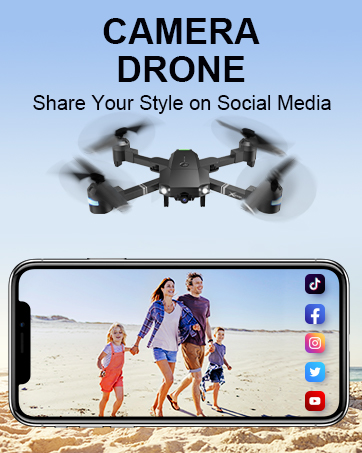
Image: Close-up of the remote control with a smartphone mounted in the clamp.
Повер Он
Press and hold the power button on the drone until the indicator lights illuminate. Power on the remote control.
Упаривање
After powering on both the drone and remote, push the left control stick on the remote fully up and then fully down to pair the devices. The drone lights will stop flashing once paired.
Калибрација
If playing for the first time, press the calibration button on the remote control. This ensures stable flight.
Преузимање апликације и повезивање
Download the "ATTOP CLUB" APP from your device's app store. Connect your phone to the drone's Wi-Fi network (e.g., "X-PACK 18-XXXXXX"). Open the APP and select "X-PACK 18" to connect and access advanced features and FPV view.
Video: Demonstrates the ATTOP CLUB APP download, Wi-Fi connection, and interface display for the X-PACK 18 drone.
Упутство за употребу
Familiarize yourself with the drone's controls and features for an optimal flight experience.
Video: Comprehensive guide demonstrating drone setup, basic flight controls, and advanced features like 360° stunts and headless mode.
Основне контроле лета:
- Полетање/слетање једним тастером: Press the dedicated button on the remote or APP for automatic take-off or landing.
- Ascend & Descend: Use the left control stick to adjust the drone's altitude.
- Одржавање надморске висине: The drone maintains a stable hover at a set altitude, ideal for capturing steady photos and videos.
- Обрезивање: Adjust the drone's flight path to correct any drifting.
- Flying Forward/Backward: Use the right control stick to move the drone in the desired direction.
- Скретање лево/десно: Rotate the drone left or right using the left control stick.
- Леви/десни лет: Move the drone sideways using the right control stick.
Напредне функције:
- 360° Stunt (Flip): Execute impressive aerial flips with a single button press.
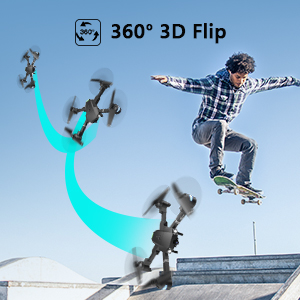
Image: Sequence showing the drone executing a 360-degree flip.
- Режими брзине: Switch between 3 different speeds (30%, 60%, 100%) to match your skill level and environment.
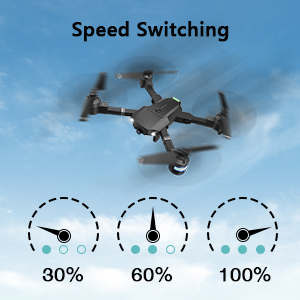
Image: Visual representation of the three-speed modes (30%, 60%, 100%).
- Режим без главе: Simplifies flight by orienting the drone relative to the pilot, regardless of the drone's actual front direction.
- Цирцле Фли: Дрон може да изводи кружне обрасце лета.
- Taking Pictures & Videos: Use the dedicated buttons on the remote or APP to capture 1080P HD photos and videos.
Image: Close-up of the drone's 1080P HD camera.
- Хитно заустављање: Instantly stop the drone in case of an emergency to prevent damage or injury.
- Поврат са једним кључем: The drone will automatically return to its take-off point.
APP-Controlled Functions:
- Контрола покретима: Perform specific hand gestures to trigger photo or video capture.
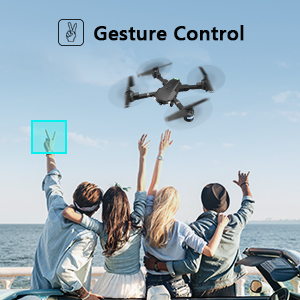
Image: People making a "V" gesture to activate the drone camera.
- Контрола гласом: Command the drone using voice commands for various flight actions (e.g., "Take off", "Landing", "Forward").

Слика: прamples of voice commands like "Take off" and "Right side" for drone control.
- Контрола гравитације: Control the drone's movement by tilting your smartphone, utilizing its built-in G-sensor.
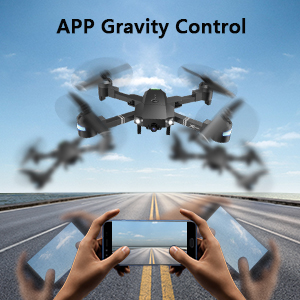
Image: Hands holding a smartphone, demonstrating how tilting controls the drone's direction.
- Flight Path Mode: Draw a desired flight path on your smartphone screen, and the drone will automatically follow it.
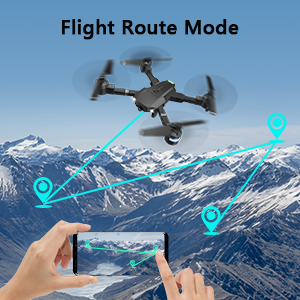
Image: A smartphone screen displaying a drawn flight path for the drone to follow.
- ВР режим: Compatible with VR glasses for an immersive first-person view flight experience.
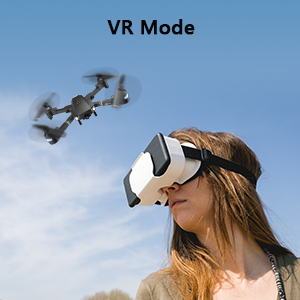
Image: A person wearing VR glasses, experiencing the drone's first-person view.
Одржавање
Regular maintenance ensures the longevity and optimal performance of your drone.
- Чишћење: Use a soft, dry cloth to clean the drone body and camera lens. Avoid using harsh chemicals.
- Инспекција пропелера: Редовно проверавајте пропелере да ли имају оштећења (пукотине, савијања). Оштећене пропелере одмах замените користећи приложене резервне ножеве и одвијач.
- Одржавање батерије: Store batteries in a cool, dry place. Do not overcharge or over-discharge. If storing for extended periods, charge them to about 50% capacity.
- Нега мотора: Keep motors free from dust and debris. Avoid operating in sandy or dusty environments.
- Складиштење: When not in use, fold the drone and store it in its carrying case to protect it from dust and physical damage.
Решавање проблема
| Проблем | Могући узрок | Решење |
|---|---|---|
| Дрон не реагује на даљински управљач. | Није упарено, слаба батерија, сметње. | Ensure drone and remote are powered on and paired correctly. Recharge batteries. Move away from sources of interference. |
| Дрон лебди током лета. | Not calibrated, uneven surface for take-off, wind. | Perform calibration on a flat surface. Use trimming functions to correct drift. Avoid flying in strong winds. |
| Camera not working or FPV feed is unstable. | Wi-Fi not connected, APP issue, low drone battery. | Ensure phone is connected to drone's Wi-Fi. Restart APP and drone. Charge drone battery. |
| Кратко време лета. | Батерија није потпуно напуњена, стара батерија. | Потпуно напуните батерије пре сваког лета. Размислите о замени старих батерија. |
| Дронови се често руше. | Lack of experience, environmental factors, damaged propellers. | Practice in open areas. Avoid obstacles. Check and replace damaged propellers. |
Спецификације
| Феатуре | Детаљ |
|---|---|
| Бранд | АТТОП |
| Назив модела | Кс-ПАЦК 18 |
| Посебне карактеристике | 360 Degree Flip, Speed Adjustment, Foldable, First Person View (FPV), Long Battery Life |
| Узраст (опис) | 96 месеца и више |
| Боја | Јет Блацк |
| Резолуција снимања видео записа | 1080п |
| Технологија повезивања | Ви-Фи |
| Ниво вештине | Све |
| Капацитет батерије | 1100 mAh (по батерији) |
| Време лета | До 20 минута (са 2 батерије)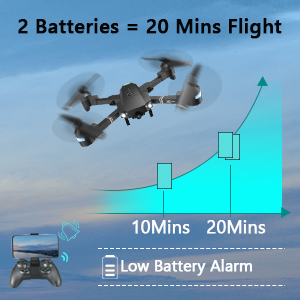 Image: Graph showing flight time with two batteries. |
| Формат видео снимања | МП4 |
| Технологија даљинског управљања | Ви-Фи |
| Тип контроле | Ремоте Цонтрол |
| Максимални домет | 80 метара |
| Материјал | Plastic or Reinforced Plastic |
| Димензије производа | 13.8 cm D x 12.6 cm Š x 2.76 cm V |
| Тежина артикла | 1.76 фунти |
| Датум изласка | 12. новембар 2023 |
Гаранција и подршка
ATTOP provides customer support and assistance for your drone. For any questions or to inquire about extended warranty, please refer to the following:
- Подршка путем е-поште: суппорт@аттоптоис.цом
- Подршка на мрежи: Скенирајте КР код испод или посетите аттоп.афтерсервице.вип за помоћ и информације о гаранцији.

Image: QR code for quick access to ATTOP customer service and extended warranty information.