
1. Увод
Thank you for choosing the Portronics Ear 2 Wired Earphones. This manual provides essential information for the proper setup, operation, and maintenance of your earphones. Please read it carefully to ensure optimal performance and longevity of your device.
2. Производ је готовview
The Portronics Ear 2 earphones are designed for clear audio and convenient communication. They feature a 3.5mm audio jack for universal compatibility, an inline microphone for calls, and a durable braided cable.
Компоненте:
- Left and Right Earbuds with Metal Casing
- 1.2 Meter Woven Braided Cable
- Inline Control Button with Integrated Microphone
- КСНУМКСмм Аудио Јацк

Image: Portronics Ear 2 earphones, highlighting the powerful audio output from the 10mm dynamic drivers.
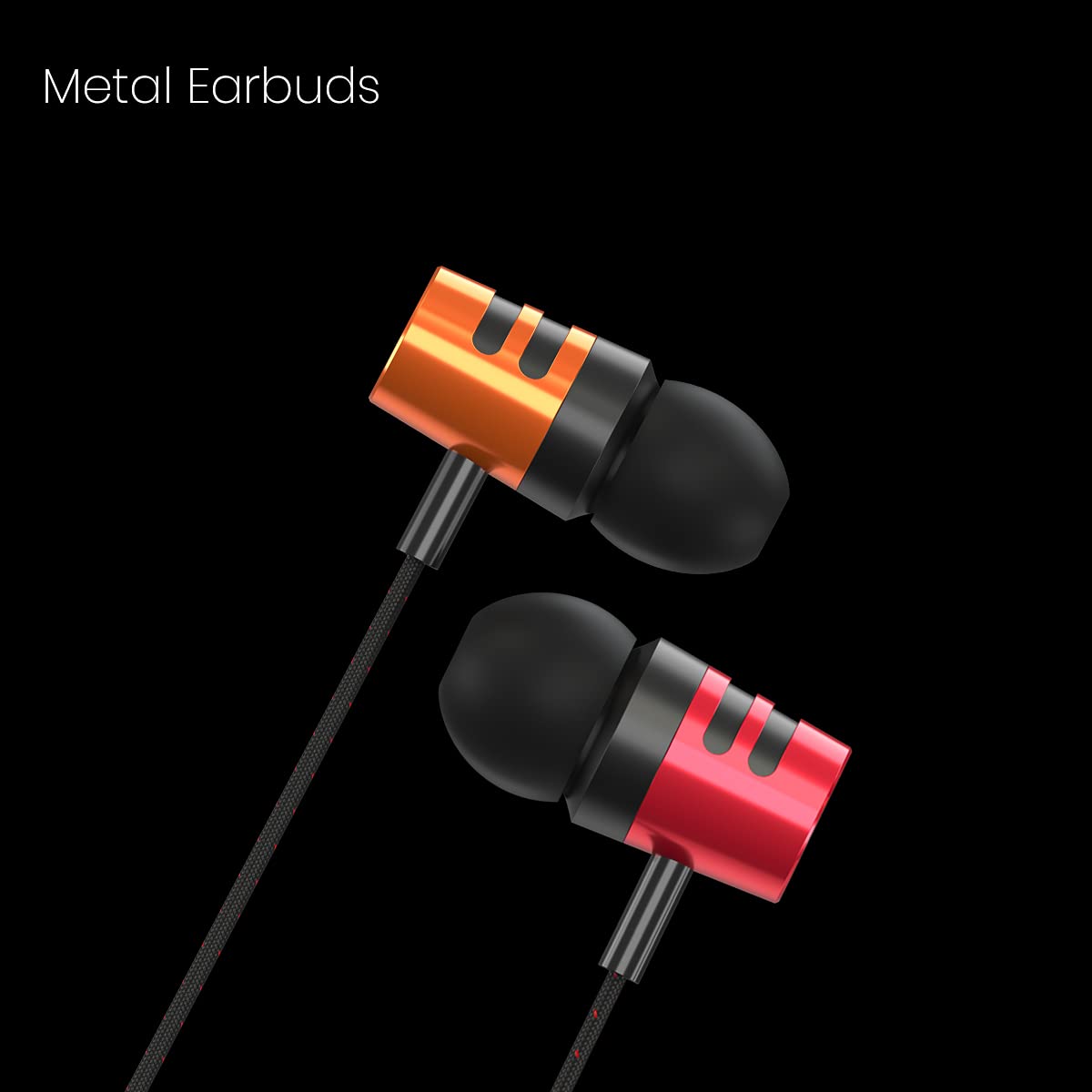
Слика: Крупни план view of the durable metal earbuds of the Portronics Ear 2.

Image: Detail of the woven braided wire, designed for enhanced durability and tangle resistance.

Image: The inline control button, allowing easy management of calls and music playback.

Image: The standard 3.5mm audio jack for broad device compatibility.
3. Подешавање
Setting up your Portronics Ear 2 earphones is straightforward. Follow these steps to begin using your device:
- Идентификујте аудио порт: Locate the 3.5mm audio jack on your smartphone, tablet, MP3 player, PC/laptop, or gaming console. This port is typically marked with a headphone icon.
- Повежите слушалице: Insert the 3.5mm audio jack of your Portronics Ear 2 earphones firmly into the device's audio port. Ensure a secure connection.
- Носите слушалице: Place the earbuds comfortably into your ears. The ergonomic design ensures a secure fit for extended listening.

Image: Portronics Ear 2 earphones connected to a laptop, demonstrating typical usage.
4. Упутство за употребу
Once connected, your Portronics Ear 2 earphones are ready for use. The inline control button provides convenient access to essential functions.
Аудио репродукција:
- Пусти/паузирај: Press the inline control button once to play or pause audio.
- Следећа нумера: Press the inline control button twice quickly to skip to the next track.
- Претходни запис: Press the inline control button three times quickly to go to the previous track.
Управљање позивима:
- Одговори/заврши позив: Press the inline control button once to answer an incoming call or end an ongoing call.
- Одбиј позив: Press and hold the inline control button for approximately 2 seconds to reject an incoming call.
Употреба микрофона:
Интегрисани микрофон омогућава комуникацију без употребе руку током позива. Уверите се да је микрофон правилно постављен ради јасног снимања гласа.
5. Одржавање
Proper care and maintenance will extend the life of your earphones and ensure consistent audio quality.
- Чишћење: Regularly wipe the earbuds and cable with a soft, dry cloth. Avoid using harsh chemicals or abrasive materials. For ear tips, gently remove them and clean with a damp крпом, водећи рачуна да се потпуно осуше пре поновног причвршћивања.
- Складиштење: When not in use, store the earphones in a clean, dry place, away from direct sunlight and extreme temperatures. Avoid tangling the cable by coiling it loosely.
- Нега каблова: Do not pull the cable forcefully from the audio jack or the earbuds. Always grasp the plug when disconnecting. Avoid bending the cable at sharp angles, especially near the connectors.
- Отпорност на воду: These earphones are није водоотпоранИзбегавајте излагање води, зноју или високој влажности како бисте спречили оштећења.
КСНУМКС. Решавање проблема
If you encounter any issues with your Portronics Ear 2 earphones, refer to the following common problems and solutions:
- Нема звука:
- Ensure the 3.5mm audio jack is fully inserted into the device's port.
- Проверите ниво јачине звука на повезаном уређају.
- Test the earphones with another device to rule out a device-specific issue.
- Прегледајте кабл за видљива оштећења или ломове.
- Микрофон не ради:
- Ensure the earphones are fully plugged into the device.
- Проверите аудио подешавања уређаја да бисте били сигурни да је изабран спољни микрофон.
- Test the microphone function with another application or device.
- Sound Distortion or Poor Quality:
- Уверите се да је аудио прикључак чист и без прљавштине.
- Покушајте да подесите јачину звука на свом уређају.
- Тестирајте са другим аудио извором или уређајем.
Ако проблем и даље постоји након што сте испробали ова решења, обратите се корисничкој подршци.
7. Спецификације
| Феатуре | Спецификација |
|---|---|
| Бранд | Портроницс |
| Назив модела | Ухо 2 |
| Број модела | ПОР-1371 |
| Постављање уха | Ин Еар |
| Форм Фацтор | Ин Еар |
| Контрола буке | Ниједан |
| Тип аудио драјвера | Динамички драјвер (10 мм) |
| Цабле Ленгтх | 1.2 метара |
| Карактеристике каблова | Woven Braided Wire |
| Прикључак за слушалице | 3.5 мм прикључак |
| Микрофон | Integrated Inline Microphone |
| Тип контроле | Call Control, Music Playback |
| Компатибилни уређаји | Smartphones, Tablets, MP3 Players, PC/Laptops, Gaming Consoles |
| Ниво отпорности на воду | Није водоотпоран |
| Тежина артикла | 25 грама |
| Земља порекла | Кина |
8. Гаранција и подршка
Информације о гаранцији:
The Portronics Ear 2 Wired Earphones come with a 6 Months Manufacturing Warranty from the date of purchase. This warranty covers manufacturing defects. It does not cover damage caused by misuse, accidents, unauthorized modifications, or normal wear and tear.
Корисничка подршка:
For warranty claims, technical assistance, or any other inquiries, please contact Portronics customer support:
- Произвођач: Portronics Digital Pvt Ltd.
- Адреса: B-76, 1st & 2nd Floor, Wazirpur Industrial Area, New Delhi-110052, India
- Телефон: 9555-245-245
Молимо вас да сачувате рачун као доказ о куповини за потребе гарантног периода.