
1. Увод
This manual provides detailed instructions for the setup, operation, maintenance, and troubleshooting of your cimetech 2.4G Wireless Keyboard and Mouse Combo. Please read this manual thoroughly before using the product to ensure optimal performance and longevity.

Image: The cimetech Wireless Keyboard and Mouse Combo, featuring the full-size keyboard, ergonomic mouse, and the compact USB receiver.
2. Подешавање
2.1. Unpacking and USB Receiver Location
Carefully remove the keyboard and mouse from their packaging. The 2.4G USB receiver is typically stored within the battery compartment of the mouse or keyboard for safekeeping during transit. Locate and remove the USB receiver before proceeding with battery installation.

Image: The USB receiver is conveniently stored inside the battery compartment of the keyboard.
2.2. Инсталација батерије
The keyboard requires two AAA batteries, and the mouse requires one AA battery (batteries not included). Follow these steps:
- Open the battery compartment cover on the underside of the keyboard.
- Уметните две ААА батерије, водећи рачуна о исправном поларитету (+/-).
- Затворите поклопац одељка за батерије.
- Отворите поклопац одељка за батерију на доњој страни миша.
- Уметните једну АА батерију, водећи рачуна о исправном поларитету (+/-).
- Затворите поклопац одељка за батерије.
2.3. Повезивање са вашим уређајем (Plug and Play)
The cimetech Wireless Combo uses a single USB receiver for both devices:
- Plug the 2.4G USB receiver into an available USB port on your computer or laptop.
- Turn on the keyboard using the ON/OFF switch located on its underside.
- Turn on the mouse using the ON/OFF switch located on its underside.
- Your computer should automatically detect and install the necessary drivers. The keyboard and mouse are now ready for use.
3. Operating the Combo
3.1. Карактеристике тастатуре
- Изглед у пуној величини: The keyboard features a full-size layout with 99 keys, including a numeric keypad for efficient data entry.
- Ултра танак дизајн: Његов танак професионалацfile (14.5x5.8x0.2 inches) makes it portable and suitable for various environments.
- Тихи тастери: The keys are designed for reduced noise, providing a quiet typing experience.
- Ергономски нагиб: The keyboard is designed with a tilt angle to promote a comfortable typing position, reducing wrist fatigue.

Слика: Са стране view of the cimetech keyboard, illustrating its ergonomic tilt angle for comfortable use.
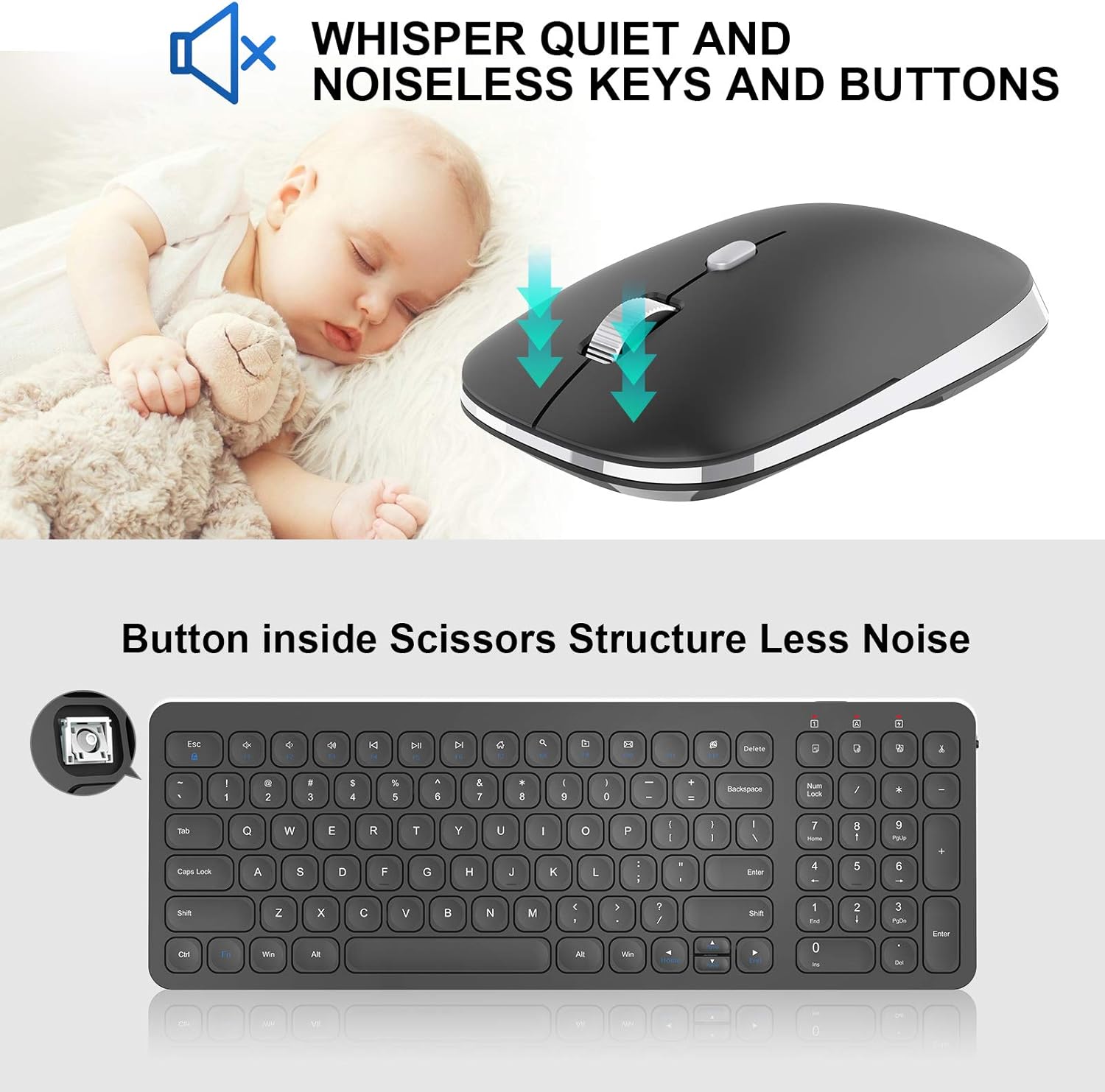
Image: Close-up of the mouse, highlighting its silent click mechanism, and a graphic indicating quiet operation for both mouse and keyboard keys.
3.2. Мултимедијалне пречице
The keyboard includes dedicated multimedia hotkeys for quick access to various functions:
- FN + F1-F12: Access functions such as music playback, volume control, internet browser, email, and more. Refer to the key legends for specific functions.

Image: A visual guide to the 12 multimedia shortcut keys on the cimetech keyboard, enabling quick access to various system functions.
3.3. Карактеристике миша
- Тихи клик: The mouse features silent click buttons to minimize disturbance in quiet environments.
- Контурни облик: Designed for comfortable grip and extended use.
- ДПИ подешавање: The mouse may include a button to adjust DPI (dots per inch) sensitivity, allowing you to customize cursor speed.
4. Одржавање
4.1. Замена батерије
When the devices stop responding or the indicator light (if present) signals low battery, replace the batteries:
- For the keyboard, replace the two AAA batteries.
- For the mouse, replace the one AA battery.
- Обезбедите исправан поларитет током инсталације.
4.2. Чишћење
Да бисте одржали оптималне перформансе и хигијену:
- Use a soft, dry cloth to wipe the surfaces of the keyboard and mouse.
- За тврдокорну прљавштину, благо дampОбришите крпу водом или благим средством за чишћење. Избегавајте прекомерну влагу.
- Немојте користити абразивна средства за чишћење или раствараче.
КСНУМКС. Решавање проблема
If you encounter issues with your cimetech Wireless Keyboard and Mouse Combo, try the following solutions:
- Без одговора: Ensure both the keyboard and mouse are turned on and have fresh batteries. Check that the USB receiver is securely plugged into a working USB port on your computer.
- Кашњење или повремена веза: Move the devices closer to the USB receiver. Ensure there are no large metal objects or other wireless devices interfering with the 2.4G signal.
- Mouse Cursor Not Moving: Check the mouse's laser sensor for any obstructions. Ensure the mouse is on a suitable surface.
- Кључеви не раде: If specific keys are not responding, try cleaning around the keys. If the entire keyboard is unresponsive, refer to the 'No Response' steps.
- Поновно упаривање: In rare cases, you might need to re-pair the devices with the receiver. Consult the manufacturer's website or support for specific re-pairing instructions if needed.
6. Спецификације
| Феатуре | Детаљ |
|---|---|
| Бранд | сајметек |
| Модел (тастатура) | КФ31 |
| Модел (миш) | ТМ013 |
| Технологија повезивања | 2.4G бежични (USB пријемник) |
| Компатибилни уређаји | Laptop, Personal Computer (Windows XP / Vista / 7 / 8 / 10) |
| Димензије тастатуре | 14.5 к 5.8 к 0.2 инча (приближно) |
| Тежина артикла | 1.3 фунти |
| Посебне карактеристике | Ergonomic, Lightweight, Portable, Silent Click Mouse, Multimedia Hotkeys |

Image: Diagram illustrating the dimensions of the cimetech Wireless Keyboard and Mouse, highlighting their compact and ultra-thin profiles.
7. Гаранција и подршка
For warranty information, technical support, or further assistance, please refer to the product packaging or visit the official cimetech webсајту. Сачувајте рачун о куповини за гаранције.
Такође можете посетити Циметек продавница на Амазону за више информација о производу и ресурсе за подршку.