
1. Производ је готовview
The TP-Link Archer T4U Plus is an AC1300 Dual Band Wireless USB Adapter designed to provide high-speed Wi-Fi connectivity for desktop computers. It supports the 802.11ac Wi-Fi standard, offering speeds of up to 867 Mbps on the 5 GHz band and 400 Mbps on the 2.4 GHz band. Equipped with dual high-gain antennas and a USB 3.0 interface, it aims to enhance wireless range and data transfer efficiency.

The TP-Link Archer T4U Plus USB WiFi Adapter, featuring two high-gain antennas and a USB 3.0 cable for connection to a computer.
2. Садржај пакета
Проверите да ли ваш пакет садржи следеће ставке:
- AC1300 двоструки антенски бежични USB адаптер са високим појачањем (Archer T4U Plus)
- USB 3.0 кабл од 1 метра
- Водич за брзу инсталацију
- Ресурсни ЦД (за драјвере)
3. Упутства за подешавање
3.1 Инсталација хардвера
- Распакујте адаптер: Carefully remove the Archer T4U Plus adapter and its USB cable from the packaging.
- Повежите УСБ кабл: Connect one end of the provided 1-meter USB 3.0 cable to the USB 3.0 port on the Archer T4U Plus adapter.
- Повежите се са рачунаром: Plug the other end of the USB 3.0 cable into an available USB 3.0 port on your desktop computer. For optimal performance, use a USB 3.0 port (typically blue inside).
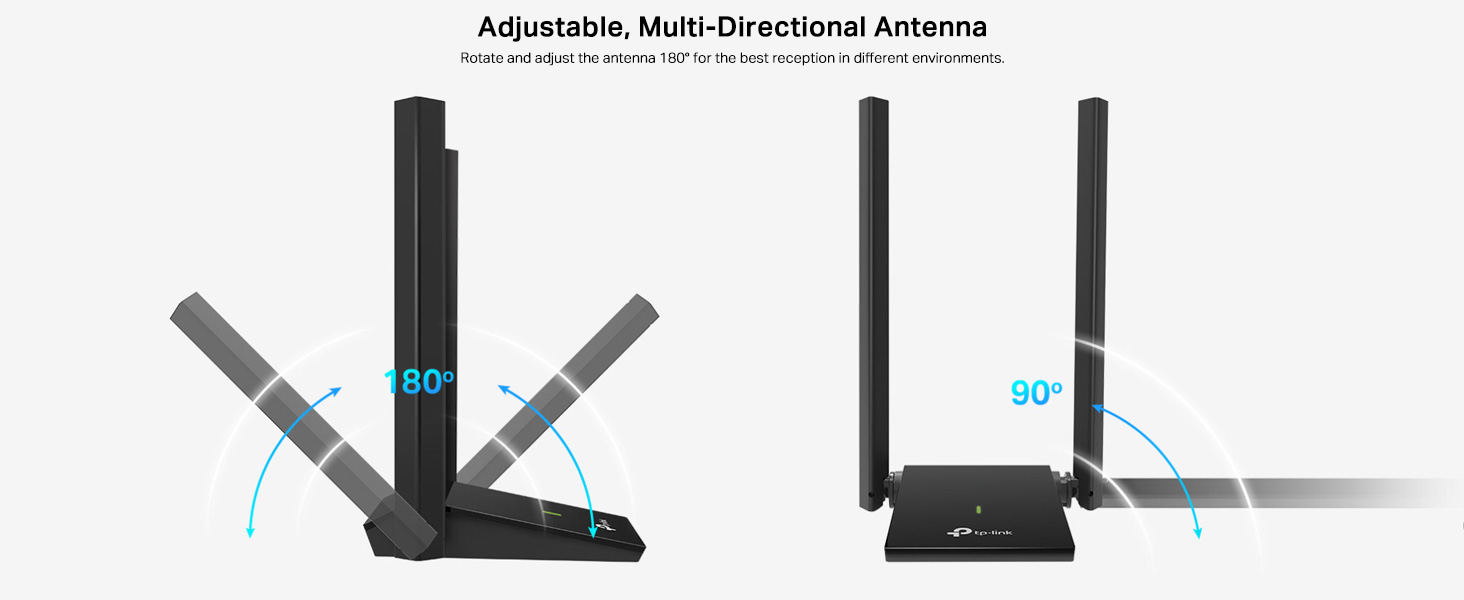
- Позиционирајте адаптер: Place the adapter in a location that allows for good signal reception, ideally away from obstructions. The adjustable antennas can be rotated and angled for best performance.

The Archer T4U Plus adapter shown connected to a USB port via its included cable, illustrating its desktop placement.
3.2 Инсталација драјвера
The Archer T4U Plus requires drivers to function correctly. Drivers can be installed via the included Resource CD or by downloading them from the TP-Link webсајту.
For Windows Operating Systems (Windows 11/10/8.1/8/7/XP):
- Коришћење ресурсног ЦД-а: Insert the Resource CD into your computer's CD-ROM drive. Follow the on-screen instructions to install the drivers.
- Преузимање са ТП-Линка Webсајт: If your computer lacks a CD-ROM drive, visit the official TP-Link support website, search for "Archer T4U Plus", and download the latest drivers for your specific Windows version. Run the downloaded installer and follow the prompts.
- Automatic Installation (Windows 10/11): In some cases, Windows 10 or 11 may automatically detect and install the necessary drivers upon connecting the adapter. Verify installation in Device Manager under "Network Adapters".
For Mac OS (10.15 and earlier):
- Преузимање са ТП-Линка Webсајт: Посетите званичну подршку компаније TP-Link website, search for "Archer T4U Plus", and download the latest drivers for your Mac OS version.
- Инсталирајте драјвере: Отворите преузето file and follow the installation instructions. You may need to restart your computer after installation.
4. Упутство за употребу
4.1 Повезивање са бежичном мрежом
Once the drivers are successfully installed, you can connect to a Wi-Fi network:
- Подешавања приступа мрежи:
- Виндовс: Кликните на икону Wi-Fi мреже у системској палети (доњи десни угао екрана).
- Мац ОС: Кликните на икону Wi-Fi у траци менија (горњи десни угао екрана).
- Изаберите мрежу: Појавиће се листа доступних бежичних мрежа. Изаберите жељену мрежу (SSID).
- Унесите лозинку: If prompted, enter the Wi-Fi password (security key) for your network.
- Повежите се: Click "Connect" to establish the wireless connection.
4.2 Рад у двопојасном режиму
The Archer T4U Plus supports both 2.4 GHz and 5 GHz Wi-Fi bands. You can choose the band that best suits your needs:
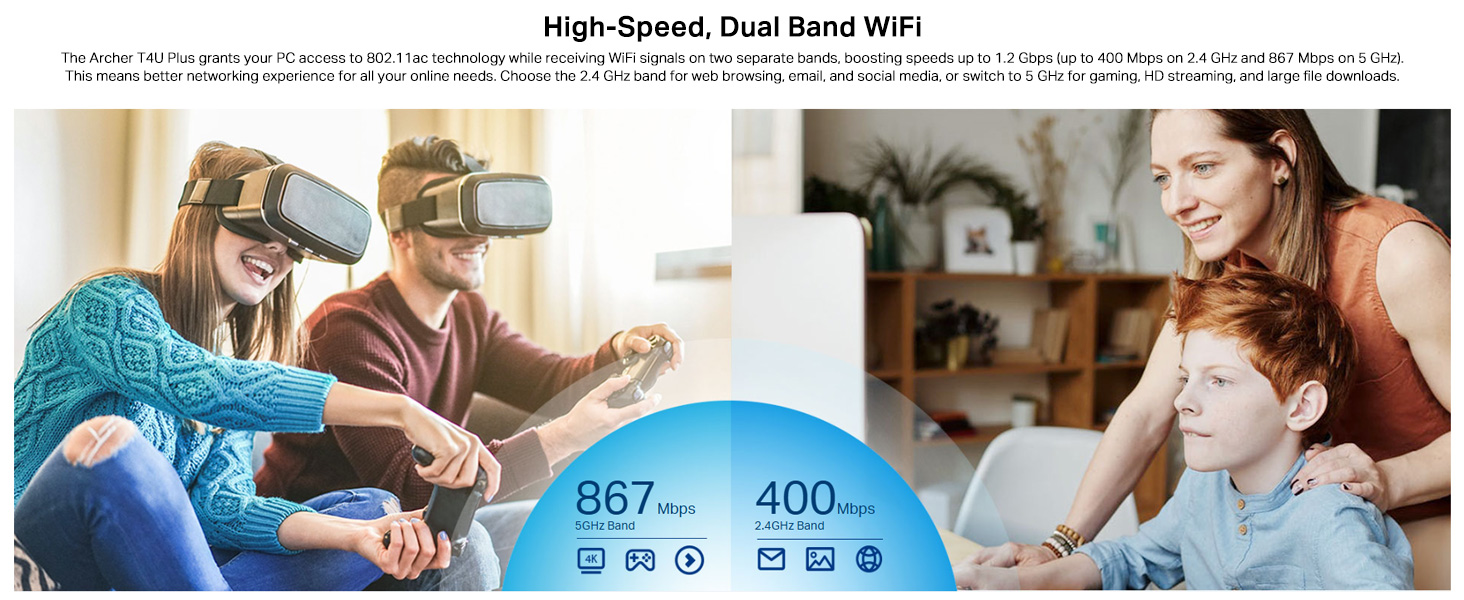
- Опсег од 2.4 GHz: Offers broader coverage and better penetration through walls, suitable for general internet use like web прегледање и е-пошта.
- Опсег од 5 GHz: Provides faster speeds and less interference, ideal for bandwidth-intensive activities such as online gaming, HD video streaming, and large file трансфери.
Your router may broadcast separate SSIDs for each band (e.g., "MyWiFi_2.4GHz" and "MyWiFi_5GHz"). Select the appropriate network from the available list.

An image illustrating the dual-band capabilities of the adapter, showing 867 Mbps on the 5GHz band for activities like 4K streaming and gaming, and 400 Mbps on the 2.4GHz band for web прегледање и е-пошта.
4.3 Enhanced Coverage and MU-MIMO
The dual high-gain antennas are designed to improve signal transmission and reception, extending your wireless coverage. For optimal performance, adjust the antennas to point towards your wireless router.
Illustrates the flexibility of the adapter's antennas, which can be rotated 180 degrees and adjusted 90 degrees for optimal signal reception.
The adapter also supports MU-MIMO technology. When used with a compatible MU-MIMO router, this technology allows the adapter to communicate with multiple devices simultaneously, improving network throughput and efficiency.
A visual representation of MU-MIMO technology, showing how the Archer T4U Plus adapter, when paired with a compatible router, can communicate with multiple devices simultaneously for improved network efficiency.
5. Одржавање
- Држите драјвере ажурираним: Редовно проверавајте подршку за ТП-Линк webсајт за најновије драјвере како би се осигурале оптималне перформансе и компатибилност.
- Очистите уређај: Користите меку, суву крпу за чишћење адаптера. Избегавајте употребу течних средстава за чишћење или растварача.
- Правилно постављање: Ensure the adapter is placed in a well-ventilated area and not covered, to prevent overheating.
- Сигурна веза: Ensure the USB cable is securely connected to both the adapter and your computer to prevent intermittent disconnections.
КСНУМКС. Решавање проблема
- Нема Wi-Fi везе:
- Ensure the adapter is properly connected to a USB port.
- Verify that the drivers are correctly installed. Check Device Manager (Windows) or System Information (Mac OS) for the adapter's status.
- Поново покрените рачунар и рутер.
- Покушајте да се повежете на други УСБ порт.
- Споре брзине Wi-Fi-ја:
- Ensure you are connected to the 5 GHz band if available and your router supports it, for faster speeds.
- Adjust the adapter's antennas for better signal reception.
- Минимизирајте физичке препреке између адаптера и рутера.
- Проверите да ли постоје сметње од других уређаја (нпр. микроталасне пећнице, бежични телефони).
- Update your adapter's drivers to the latest version.
- Чести прекиди везе:
- Ensure the USB cable is not loose.
- Пробајте други УСБ порт, пожељно УСБ 3.0 порт.
- Check for updated drivers.
- Ensure the adapter is not overheating.
- Проблеми са инсталацијом драјвера:
- Disable any antivirus or firewall software temporarily during installation.
- Download drivers directly from the official TP-Link webсајт за ваш специфични оперативни систем.
- For Linux users, specific driver installation steps may be required, often involving command-line instructions. Refer to community forums or TP-Link's support for detailed guidance.
7. Спецификације
| Феатуре | Опис |
|---|---|
| Бранд | ТП-Линк |
| Број модела | Арцхер Т4У Плус |
| Хардверски интерфејс | УСБ 3.0 |
| вирелесс стандард | 802.11ац |
| Брзина преноса података | 1300 Mbps (867 Mbps on 5GHz, 400 Mbps on 2.4GHz) |
| Антене | Две антене са високим појачањем од 5dBi |
| Оперативни системи | Windows 11/10/8.1/8/7/XP, Mac OS 10.15 and earlier |
| Димензије (Д к Ш к В) | 8.4Д к 15.6В к 1.9Х центиметара |
| Тежина артикла | 100 грама |
| Боја | Црно |
8. Гаранција и техничка подршка
8.1 Информације о гаранцији
Овај производ долази са а Двогодишња гаранција произвођачаМолимо вас да сачувате доказ о куповини за потребе гаранције.
8.2 Техничка подршка
For technical assistance, driver downloads, or further inquiries, please contact TP-Link support:
- TP-Link India Private Limited
- Адреса: Греен Индустриал Парк, Донгри Пада, Поман, Каман-Бхиванди Роад, Васаи Еаст, Палгхар, Махараштра – 401208
- Бесплатни контакт: 1800 2094 168
- Подршка путем е-поште: support.in@tp-link.com
- Произвођач: TP-Link Corporation, South Building, No.5 Keyuan Road, Central Zone, Science & Technology Park, Nanshan, Shenzhen, P.R. China
For the most up-to-date support information and resources, please visit the official TP-Link webсајту.