
1. Увод
This manual provides comprehensive instructions for the Huawei P Smart Plus 2019 smartphone. It covers essential information regarding product features, setup, operation, maintenance, and troubleshooting to ensure optimal use of your device. Please read this manual thoroughly before using your smartphone.
2. Производ је готовview
Familiarize yourself with the physical components of your Huawei P Smart Plus 2019 smartphone.
Слика 2.1: Позади view of the Huawei P Smart Plus 2019 smartphone, showing the triple camera module, fingerprint sensor, and HUAWEI branding.
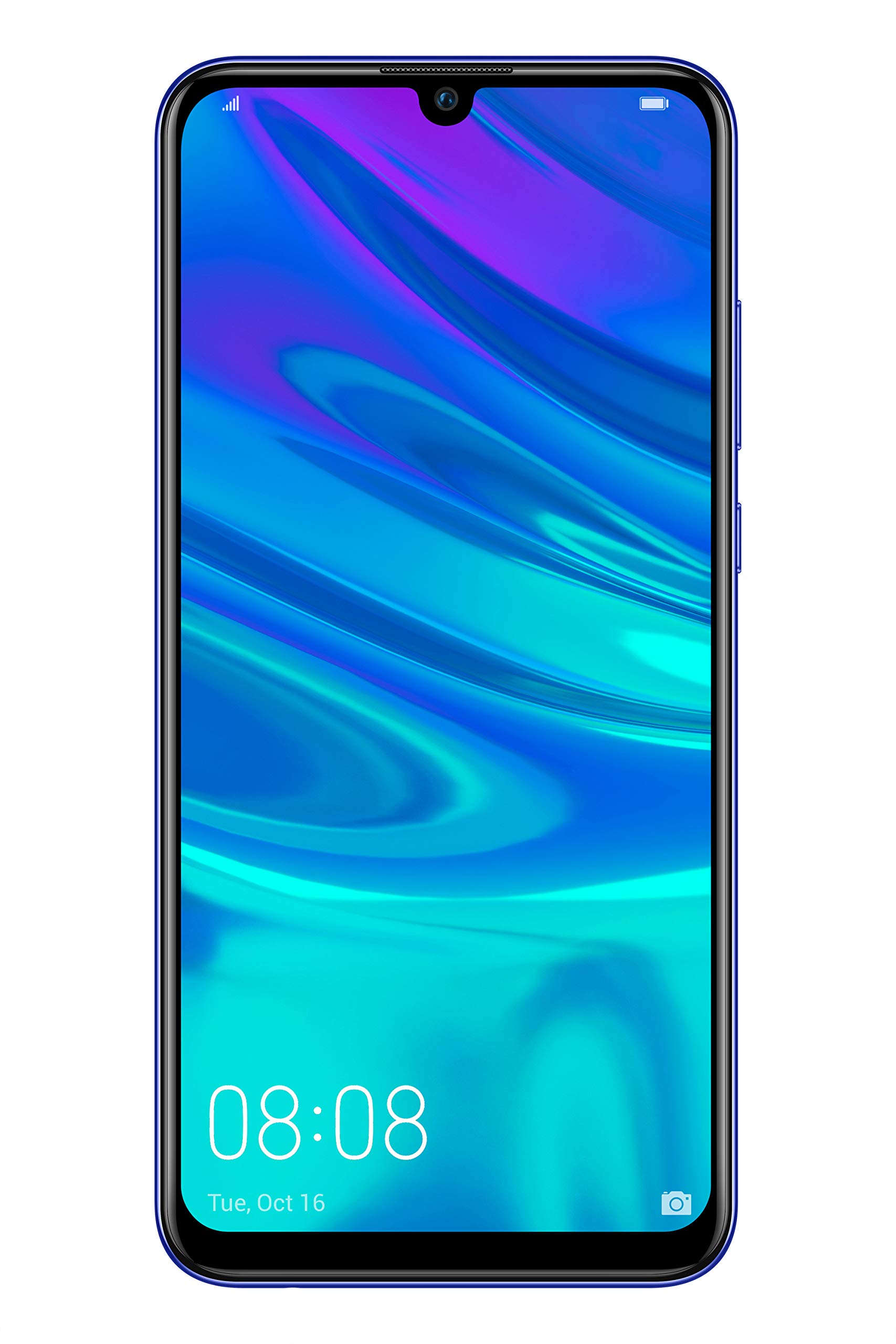
Слика 2.2: Фронт view of the Huawei P Smart Plus 2019 smartphone, displaying the 6.21-inch screen with a small notch for the front camera.

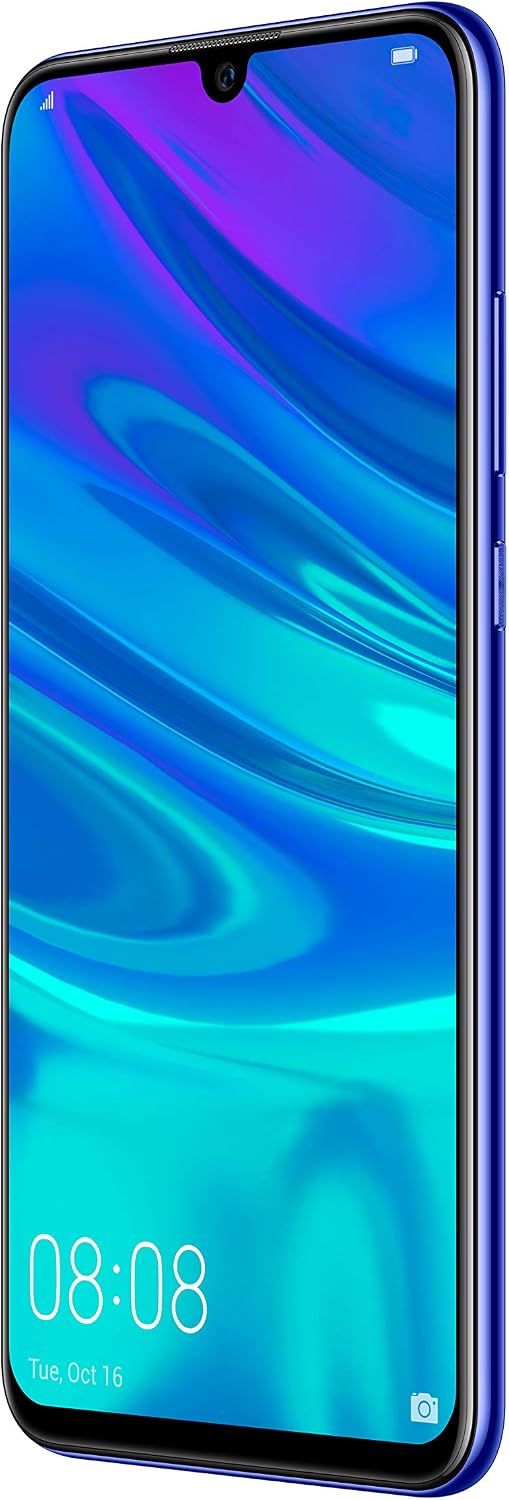
Слика 2.3: Сиде view of the Huawei P Smart Plus 2019 smartphone, highlighting the power and volume buttons.
Кључне компоненте:
- Приказ: 6.21-inch FHD+ LCD screen.
- Предња камера: Налази се у удубљењу на екрану.
- задње камере: Triple camera module on the back.
- Сензор отиска прста: Circular sensor on the rear panel.
- Дугме за напајање: На десној страни уређаја.
- Дугмад за јачину звука: Above the power button on the right side.
- Слот за SIM/MicroSD картицу: Typically on the left side or top edge.
- Порт за пуњење: USB Type-C, usually at the bottom.
- Звучник/микрофон: Налази се на дну.
3. Подешавање
3.1 Уметање SIM и MicroSD картица
- Пронађите лежиште за СИМ картицу са стране уређаја.
- Уметните алат за избацивање СИМ картице у мали отвор поред лежишта да бисте га отворили.
- Place your Nano-SIM card(s) and/or microSD card into the tray, ensuring correct orientation as indicated on the tray. This device supports Dual SIM functionality and expandable storage up to 512GB.
- Пажљиво гурните лежиште назад у отвор док се не поравна са уређајем.
3.2 Прво укључивање и пуњење
- To power on, press and hold the Power button until the HUAWEI logo appears.
- Пратите упутства на екрану да бисте завршили почетно подешавање, укључујући избор језика, Wi-Fi везу и подешавање Google налога.
- Before first use, it is recommended to fully charge the device. Connect the provided USB Type-C cable to the phone's charging port and the other end to a power adapter.
4. Упутство за употребу
4.1 Основне функције
- Power On/Off/Restart: Press and hold the Power button. Select the desired option from the menu.
- Закључавање/откључавање екрана: Press the Power button to lock/unlock the screen. Use Face Recognition or the Fingerprint Sensor for secure unlocking.
- Позиви и поруке: Use the Phone and Messaging applications for communication.
- Мрежна повезаност: Access Wi-Fi settings from the Quick Settings panel or Settings app. Enable mobile data for internet access via your SIM card.
4.2 Употреба камере
The Huawei P Smart Plus 2019 features a versatile camera system.
- Задња камера: The triple camera setup includes a 24MP main sensor, a 16MP ultra-wide sensor, and a 2MP bokeh sensor. Open the Camera app and select modes like Automatic, Portrait, or Sport.
- Предња камера: An 8MP front camera is available for selfies and video calls. Switch to the front camera within the Camera app.
- АИ карактеристике: The camera utilizes AI to optimize scene recognition and enhance photo quality.
4.3 Складиштење и меморија
Your device comes with 64GB of internal storage, which can be expanded up to 512GB using a microSD card. It has 3GB of RAM for smooth multitasking.
4.4 Управљање батеријом
The device is equipped with a 3400 mAh Lithium-Polymer battery. To optimize battery life, manage background apps, adjust screen brightness, and utilize power-saving modes available in the Settings app.
КСНУМКС Оперативни систем
The smartphone runs on Android 9 (Pie) with Huawei's EMUI 9 interface, offering a range of features and customization options.
5. Одржавање
5.1 Чишћење уређаја
Use a soft, lint-free cloth to gently wipe the screen and body of your phone. Avoid using harsh chemicals or abrasive materials, which can damage the device's finish or screen coating.
5.2 Ажурирања софтвера
Regularly check for and install software updates to ensure your device has the latest features, security patches, and performance improvements. You can usually find this option in Settings > System > Software update.
5.3 Одржавање батерије
To prolong battery lifespan, avoid extreme temperatures. Do not leave the phone fully charged or fully discharged for extended periods. Use only approved chargers and cables.
5.4 Резервна копија података
Regularly back up your important data (photos, contacts, documents) to a cloud service or a computer to prevent data loss.
КСНУМКС. Решавање проблема
This section addresses common issues you might encounter with your Huawei P Smart Plus 2019.
6.1 Уређај се не укључује
- Уверите се да је батерија напуњена. Прикључите пуњач и сачекајте неколико минута пре него што покушате да је укључите.
- Притисните и држите дугме за напајање најмање 10-15 секунди да бисте поново покренули рачунар.
6.2 Лош век трајања батерије
- Затворите неискоришћене апликације које раде у позадини.
- Смањите осветљеност екрана и подесите краће време чекања екрана.
- Онемогућите Wi-Fi, Bluetooth и GPS када их не користите.
- Проверите потрошњу батерије у Подешавањима да бисте идентификовали апликације које троше много енергије.
6.3 Network Issues (No Signal/Wi-Fi Disconnection)
- Поново покрените уређај.
- Ensure your SIM card is correctly inserted and your mobile data plan is active.
- For Wi-Fi, try restarting your router. Forget the network on your phone and reconnect.
6.4 Рушење или замрзавање апликација
- Присилно затворите апликацију и поново је отворите.
- Обришите кеш меморију и податке апликације у Подешавања > Апликације.
- Уверите се да је апликација ажурирана на најновију верзију.
- Ако проблем и даље постоји, размислите о деинсталирању и поновној инсталацији апликације.
6.5 Ресетовање на фабричка подешавања (последње средство)
If other troubleshooting steps fail, a factory reset may resolve persistent issues. Упозорење: This will erase all data on your device. Back up your data before proceeding. Go to Settings > System > Reset > Factory data reset.
7. Спецификације
| Феатуре | Детаљ |
|---|---|
| Број модела | POT-LX1T, 51093RVX |
| Дисплаи | 6.21 inches, LCD, FHD+ (2340 x 1080 pixels), 415 PPI |
| Процесор | Kirin 710 Octa-core (4 x 2.2 GHz, 4 x 1.7 GHz) |
| РАМ | 3 ГБ |
| Интерна меморија | 64 ГБ |
| Екпандабле Стораге | МицроСД до 512 ГБ |
| Задња камера | Triple: 24 MP (main) + 16 MP (ultra-wide) + 2 MP (bokeh) |
| Предња камера | 8 МП |
| Батерија | 3400 мАх литијум-полимер |
| Оперативни систем | Android 9 (Pie) with EMUI 9 |
| Тип СИМ картице | Nano-SIM (Dual SIM support) |
| Повезивање | LTE, GSM, Wi-Fi, Bluetooth, USB Type-C |
| Биометријска безбедност | Fingerprint Sensor, Face Recognition |
| Димензије | 8 к 155 к 73 мм |
| Тежина | 160 грама |
| Просечно трајање батерије | 25 сата |
8. Безбедносне информације
Молимо вас да се придржавате следећих безбедносних смерница како бисте спречили повреде или оштећење уређаја:
- Не излажите уређај екстремним температурама, директној сунчевој светлости или влази.
- Користите само одобрене пуњаче и додатну опрему.
- Избегавајте испуштање или излагање уређаја јаким ударцима.
- Не покушавајте сами да растављате или поправљате уређај. Обратите се овлашћеном сервисеру.
- Држите уређај даље од медицинских уређаја како бисте избегли сметње.
- Одложите уређај и његову батерију одговорно у складу са локалним прописима.
9. Гаранција и подршка
Your Huawei P Smart Plus 2019 smartphone is covered by a limited warranty. For detailed warranty terms and conditions, please refer to the warranty card included in the product packaging or visit the official HUAWEI webсајту.
For technical support, service, or further assistance, please contact HUAWEI customer service or visit an authorized service center. Contact information can typically be found on the official HUAWEI support webсајту.


