
Yeelight Cube Smart Ambient Lighting
Yeelight Cube Smart Table Lamp
User Manual
Nhanganyaya
Thank you for choosing the Yeelight Cube Smart Table Lamp. This intelligent lamp offers versatile lighting options with Wi-Fi and Bluetooth connectivity, allowing for seamless control and customization. Its modular design and advanced features make it a perfect addition to any modern space. This manual provides detailed instructions to help you set up, operate, and maintain your Yeelight Cube lamp.
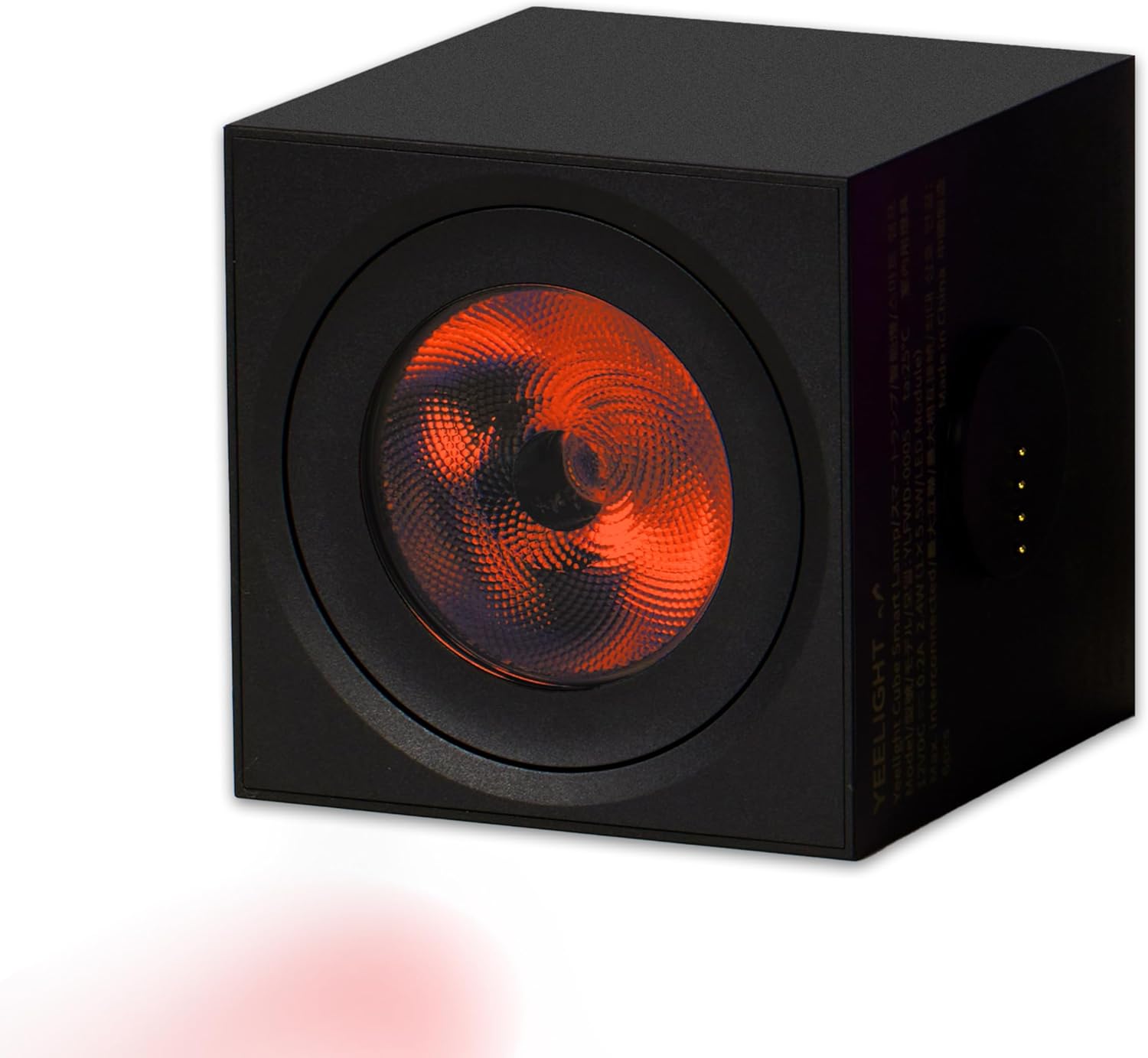
Figure 1: Yeelight Cube Smart Table Lamp
Gadzirira
Follow these steps to set up your Yeelight Cube Smart Table Lamp:
- Bvisa iyo Lamp: Carefully remove all components from the packaging. Ensure you have the Martix Cube Smart Lamp and the User Manual.
- Power Connection: Batanidza iyo lamp to a standard 240V AC power outlet using the provided power cord. The lamp is designed for corded electric power.
- Magnetic Connection (for multiple units): If you have multiple Yeelight Cube units, they can be easily connected magnetically to create various configurations. Simply snap, mix, and match the pieces.
- Kuiswa kweApp: Download the official Yeelight app from your smartphone's app store (available for iOS and Android).
- Kutanga Kubatanidza: Open the Yeelight app and follow the on-screen instructions to pair your lamp via Wi-Fi or Bluetooth. This will enable smart control features.

Figure 2: Magnetic Connection for Easy Setup

Mufananidzo 3: Chii chiri muBhokisi
Operating Instruction
The Yeelight Cube offers a variety of smart control options and features:
- App Control: Use the Yeelight app to fully control your lamp. This includes adjusting brightness, changing colors (16 million colors available), setting scenes, and scheduling.
- Adjustable Angle: Iyo lamp allows for an adjustable lighting angle of up to 135 degrees, enabling you to direct light precisely where needed to create your desired ambient space.
- Music Flow: Synchronize your lamp's lighting effects with music for an immersive audio-visual experience.
- Multiple Smart Control: The Yeelight Cube is compatible with various smart home platforms, including SmartThings, Apple Home, Google Home, Alexa, and Matter. Note that customized features are primarily accessible via the Yeelight App, and third-party platforms may offer limited control options.
- RGBIC Individually Addressable: Enjoy pixel LED control, allowing you to customize individual colors and brightness for unique lighting patterns and effects like Pixel Graffiti and Color Play.
- Random Combination: Build your creative color space by combining multiple units and utilizing the lamp's extensive color capabilities.

Figure 4: Key Features of Cube Smart Light

Figure 5: Adjustable Angle Feature

Figure 6: Multiple Smart Control Options

Figure 7: RGBIC Individually Addressable Pixels

Figure 8: Random Combination for Creative Color Space
Maintenance
To ensure the longevity and optimal performance of your Yeelight Cube Smart Table Lamp, tevera mazano ekugadzirisa aya:
- Kuchenesa: Bvisa lamp from the power source before cleaning. Use a soft, dry cloth to wipe the exterior of the lamp. Do not use abrasive cleaners, solvents, or harsh chemicals, as these may damage the finish.
- Kubvisa Dust: Nguva dzose guruva lamp to prevent accumulation, which can affect light output and internal components.
- Kuchengeta: Kana kuchengeta lamp for an extended period, ensure it is clean and dry. Store it in a cool, dry place away from direct sunlight and extreme temperatures.
- Dzivisa Kuratidzwa Kwemvura: Izvi lamp is not waterproof. Avoid exposing it to water or high humidity environments.
Kugadzirisa matambudziko
If you encounter issues with your Yeelight Cube Smart Table Lamp, tarisa matambudziko akajairika nemhinduro dzinotevera:
| Dambudziko | Zvinogoneka Chikonzero / Mhinduro |
|---|---|
| Lamp haina kubatidza. |
|
| Cannot connect to the Yeelight app. |
|
| Lamp is unresponsive or flickering. |
|
| Limited control via third-party smart home platforms. |
|
Zvinotsanangurwa
| Feature | Detail |
|---|---|
| Brand | Yeelight |
| Model | Cube Smart Ambient Lighting (YLFWD-0005) |
| Chiedza Chinyorwa Type | LED |
| Special Features | Corded, Smart Control (Wi-Fi/Bluetooth), Adjustable Angle, Music Flow, RGBIC Individually Addressable |
| Voltage | 240 Volt AC |
| Wattage | 12 watts |
| Simba Source | Corded Electric |
| Material Type | Plastiki |
| Mounting Type | Tabletop |
| Product Dimensions | 19.81 x 14.48 x 8.89 cm (7.8 x 5.7 x 3.5 inches); 408 g (0.9 lbs) |
| Color | Nhema |
| Chinja Type | Remote Control (via app) |
Warranty uye Support
Yeelight products are designed for quality and reliability. For information regarding warranty coverage, please refer to the warranty card included with your product or visit the official Yeelight website.
If you require technical assistance, have questions about your product, or need to report an issue, please contact Yeelight customer support through their official website or the contact information provided in the product packaging. When contacting support, please have your product model number (YLFWD-0005) and purchase details ready.
Ask a question about this manual
Ask about setup, troubleshooting, compatibility, parts, safety, or missing instructions. Manuals+ will review the question and use this page’s manual context to help answer it.