
IZI IZI ONE+
IZI ONE+ Action Camera User Manual
Model: IZI ONE+
Brand: IZI
Folasaga
Welcome to the IZI ONE+ Action Camera user manual. This guide provides comprehensive instructions for setting up, operating, and maintaining your new action camera. The IZI ONE+ is designed to capture your adventures in stunning 5K resolution with advanced stabilization and versatile features.
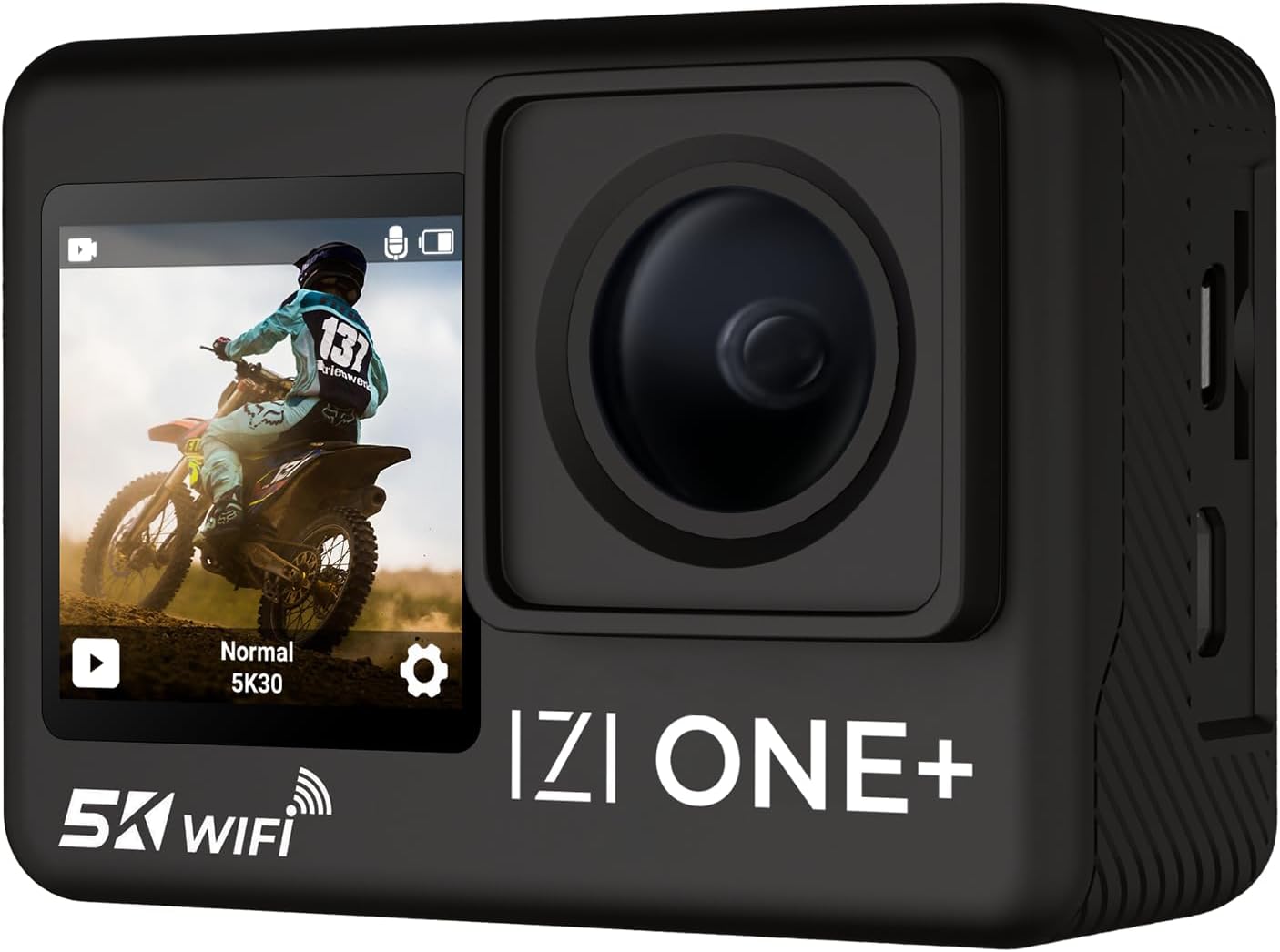
Figure 1: IZI ONE+ Action Camera
O a mea i totonu o le Pusa
Ia mautinoa o mea uma nei e aofia i lau afifi:
- IZI ONE+ Action Camera
- 2 x 1350mAh Maa e mafai ona toe fa'atumuina
- Tusi Lesona a le Tagata (lenei pepa)
- Tauave Pusa
- 20+ Accessories (various mounts, straps, etc.)
- Type-C Wired External Microphone
- Fast Charging Type-C Cable

Figure 2: IZI ONE+ Package Contents
Vaega Autu
- Pu'eina o Ata Maualuga: Record stunning 5K video at 30 frames per second (FPS) and 4K video at 60 FPS. Capture high-detail photos with a 48MP sensor.
- Fa'amautuina Maualuga: Equipped with 6-Axis Gyro Stabilization and Electronic Image Stabilization (EIS) for smooth, shake-free footage, even in dynamic environments.
- Mata lua: Features a 2.0-inch FHD touch screen at the rear and a 1.3-inch HD front screen for easy framing and control, especially for vlogging and selfies.
- Fuafuaga e le suavai: The camera is waterproof up to 110 feet (30 meters) with the included waterproof housing, allowing for underwater capture.
- Lagolago maikolofoni i fafo: Includes a high-quality Type-C wired external microphone for professional-grade audio recording.
- Fetufa'aiga Fa'apitoa Pu'ega: Explore various creative modes including Time-lapse, Slow-motion, Burst photos, Self-timer, Loop recording, Screen saver, and White balance adjustment.
- Lautele fanua o View (FOV): Features a 170° wide-angle lens to capture expansive scenes.
- Feso'ota'i: Built-in Wi-Fi for easy data transfer and remote control via a smartphone app.

Figure 3: High-Resolution Capabilities

Figure 4: 6-Axis Gyro EIS Stabilization

Figure 5: Dual Screen Functionality
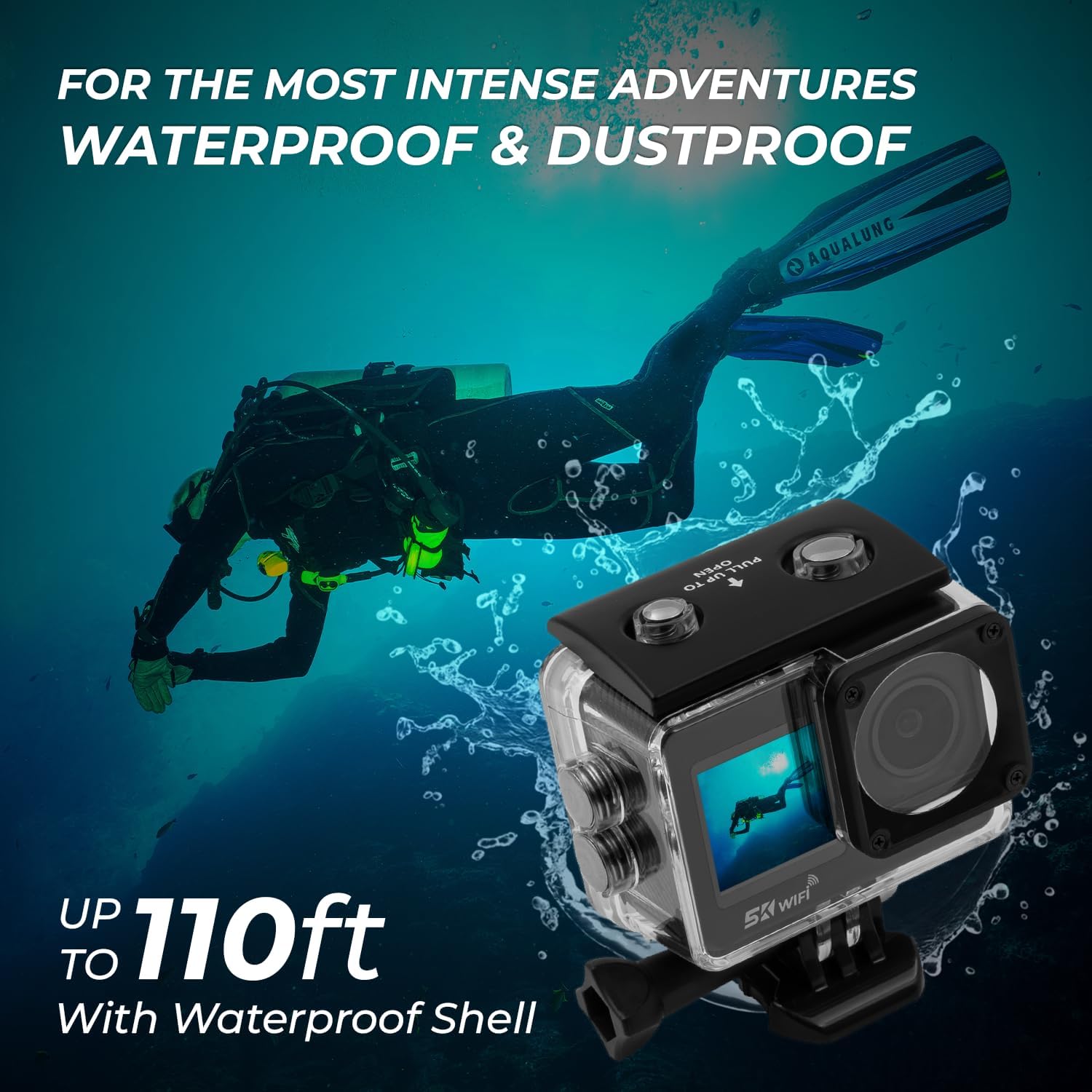
Figure 6: Waterproof Capability

Figure 7: External Microphone Connection
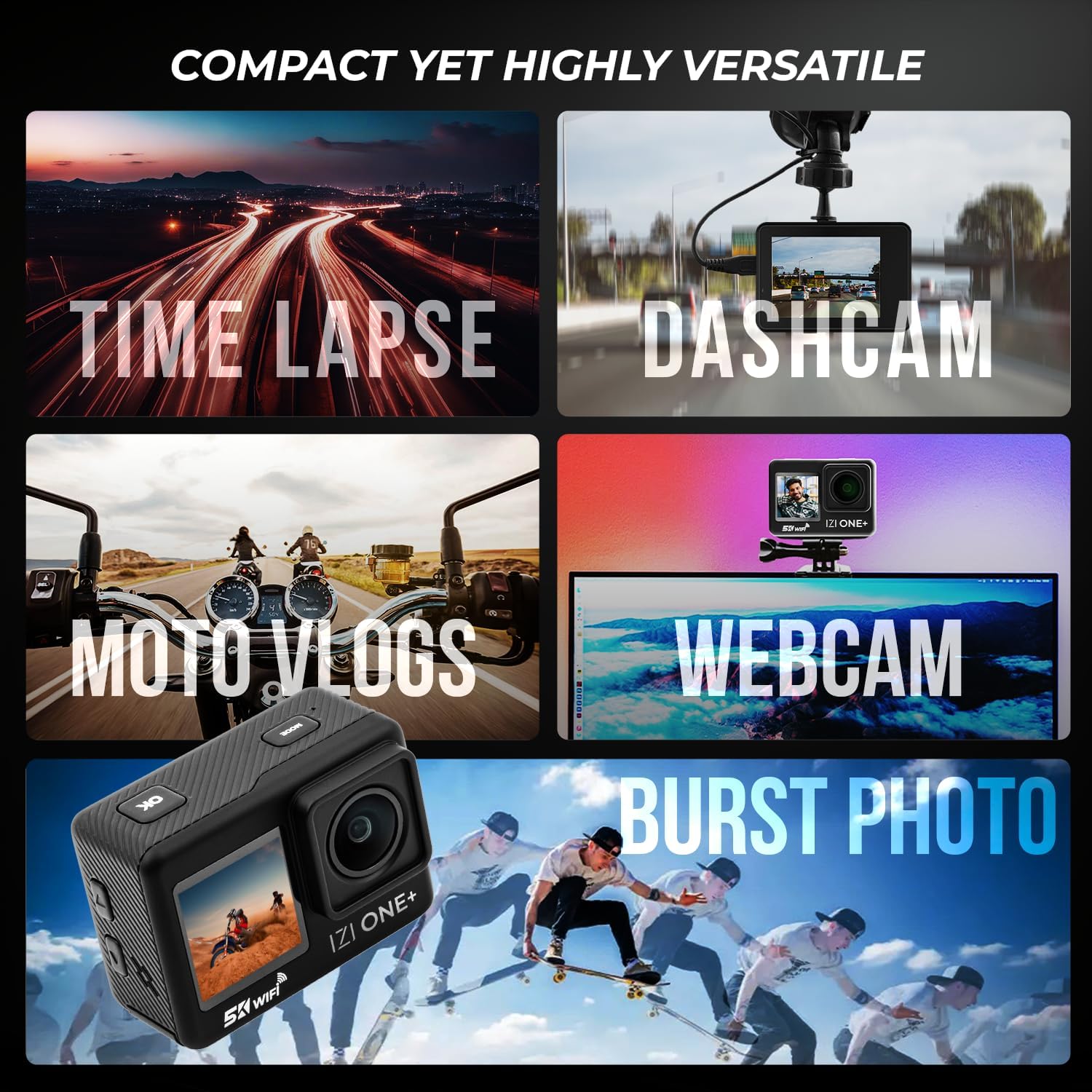
Figure 8: Versatile Shooting Modes

Figure 9: 170° Wide Angle FOV

Figure 10: Real-Time Sharing via Wi-Fi
Seti Taiala
1. Totogiina le Maa
The IZI ONE+ comes with two 1350mAh Lithium Ion batteries. For optimal performance, fully charge both batteries before first use.
- Connect the provided Type-C charging cable to the camera's Type-C port.
- Fa'afeso'ota'i le isi pito o le uaea i se feso'ota'iga eletise USB (e le'o aofia ai) po'o se uafu USB a le komepiuta.
- O le a moli le moli faailoilo o le fa'atumuina. O le a tape pe suia le lanu pe a mae'a ona fa'atumuina.

Figure 11: Battery Information
2. Inserting the Battery and SD Card
- Su'e le tapuni o le maa i le pito i lalo ole meapueata.
- Open the cover and insert a charged 1350mAh battery, ensuring correct polarity.
- Insert a compatible SDHC flash memory card (not included) into the SD card slot until it clicks into place. Ensure the camera is off before inserting or removing the SD card.
- Tapuni lelei le ufiufi o le vaega o maa.
Fa'atonuga o Galuega
1. Malosi / Malosi
- To power on, press and hold the Power/Mode button until the screen illuminates.
- To power off, press and hold the Power/Mode button until the screen turns off.
2. Suia Faiga
Briefly press the Power/Mode button to cycle through different shooting modes (Video, Photo, Playback, Settings).
3. Recording Video / Taking Photos
- In Video mode, press the Shutter/OK button to start recording. Press again to stop.
- In Photo mode, press the Shutter/OK button to take a photo.
4. Using Dual Screens
The 2.0-inch rear touch screen is for primary operation and playback. The 1.3-inch front screen is ideal for framing yourself when vlogging or taking selfies. You can switch between screens or use both simultaneously depending on the camera's settings.
Video 1: IZI ONE+ Action Camera Features Overview. This video demonstrates the camera's key functionalities including 5K resolution, 48MP photos, dash cam mode, EIS stabilization, multi-shooting modes, battery life, wide-angle panorama, waterproofing, dual screens, and built-in front screen for vlogging.
5. Connecting External Microphone
Plug the Type-C external microphone into the camera's Type-C port for enhanced audio quality. The camera will automatically detect the external microphone.
Tausiga
1. Fa'amamaina o le Meapueata
- Use a soft, lint-free cloth to clean the camera body and lenses.
- Mo palapala malo, fai sina oampen the cloth with water. Do not use harsh chemicals or solvents.
- Ensure the camera is dry before storing or using, especially before closing ports or battery compartments.
2. Waterproof Housing Care
- After each use in water, rinse the waterproof housing with fresh water.
- Allow it to air dry completely before storing.
- Regularly check the O-ring seal for any debris or damage. Clean and lubricate the O-ring as needed to maintain its waterproof integrity.
Fa'afitauli
| Fa'afitauli | Mafuaaga e ono tupu | Fofo |
|---|---|---|
| E le ola le meapueata. | Ua uma le ma'a pe le'i fa'aofi sa'o. | Fa'atumu le maa. Ia mautinoa ua sa'o le polarity o lo'o fa'aofi i totonu o le maa. |
| Le mafai ona pu'e ata/pu'e ata. | SD card is full, corrupted, or not inserted. | Insert a new/formatted SD card. Reformat the SD card (this will erase all data). |
| Footage tetete. | EIS/Stabilization is off or insufficient for activity. | Ensure 6-Axis Gyro Stabilization and EIS are enabled in settings. Use appropriate mounts for activity. |
| Le lelei leo. | Internal mic used in noisy environment or external mic not connected properly. | Use the external microphone for clearer audio. Ensure external mic is fully plugged in. |
| Ua malo le meapueata. | Polokalama fa'aletonu po'o le maualalo le maa. | Remove and reinsert the battery to reset. Ensure battery is charged. Update firmware if available. |
Fa'amatalaga
| Fa'aaliga | Fa'amatalaga |
|---|---|
| Fa'ailoga | IZI |
| Numera Fa'ata'ita'i | IZI ONE+ |
| I'uga Vitio | 5K@30FPS, 4K@60FPS |
| I'uga o Ata | 48 Megapixels |
| Fa'amautu | 6-Axis Gyro EIS Stabilization |
| Mata | 2.0" FHD Touch Screen (Rear), 1.3" HD Front Screen |
| Lele ose Suavai | Up to 110 feet (30 meters) with housing |
| Field of View (FOV) | 170° Matamata Lautele |
| Feso'ota'i | Wi-Fi, Type-C USB |
| Ma'a | 2 x 1350mAh Lithium Ion (included) |
| Teuga | SDHC Flash Memory (external, not included) |
| Mea mamafa | 1.32 pauna |
| Fua o Mea | 2.4 x 0.8 x 1.5 inisi |
| Lanu | Lanu uliuli |
Fa'amaonia ma Lagolago
The IZI ONE+ Action Camera comes with a 1 tausaga fa'amaonia mai le aso na fa'atau ai. O lenei fa'amaonia e aofia ai fa'aletonu o gaosiga ma fa'amautinoa o lo'o fa'agaioiga lau oloa e pei ona fa'amoemoeina ile fa'aoga masani.
For technical support, warranty claims, or any inquiries, please refer to the contact information provided on the IZI official website or your purchase receipt. Please have your model number (IZI ONE+) and proof of purchase ready when contacting support.