1. Uvod
This manual provides detailed instructions for the safe and efficient operation of your iSinbox AC311 4K Projector. Please read this manual thoroughly before use and retain it for future reference.
The iSinbox AC311 is a portable smart projector designed for versatile entertainment. It features a 360° rotatable stand, 1.1:1 short-throw ratio, 1000 ANSI lumens brightness, 4K HDR10+ support, integrated Smart TV OS with official apps like Netflix, YouTube, and Prime Video, Dolby Audio, Bluetooth 5.4, and WiFi 6 connectivity. It also includes intelligent automatic adjustments for focus and keystone correction.
2. Vsebina paketa
Preverite, ali so v paketu vsi spodaj navedeni predmeti. Če kateri koli predmet manjka ali je poškodovan, se obrnite na podporo strankam.
- iSinbox AC311 Projector Unit
- Daljinski upravljalnik (baterije AAA niso priložene)
- Napajalni kabel
- HDMI kabel
- Čistilna krpa
- Čiščenje brisov
- Uporabniški priročnik

3. Nastavitev
3.1 Napajalni priključek
- Connect the power cord to the power input port on the back of the projector.
- Drugi konec napajalnega kabla priključite v stensko vtičnico.
3.2 Začetni vklop in izbira jezika
- Press the power button located on the top of the projector to turn it on.
- Sledite navodilom na zaslonu, da izberete želeni jezik.
- Connect to your Wi-Fi network as instructed.
4. Navodila za uporabo
4.1 Uporaba daljinskega upravljalnika
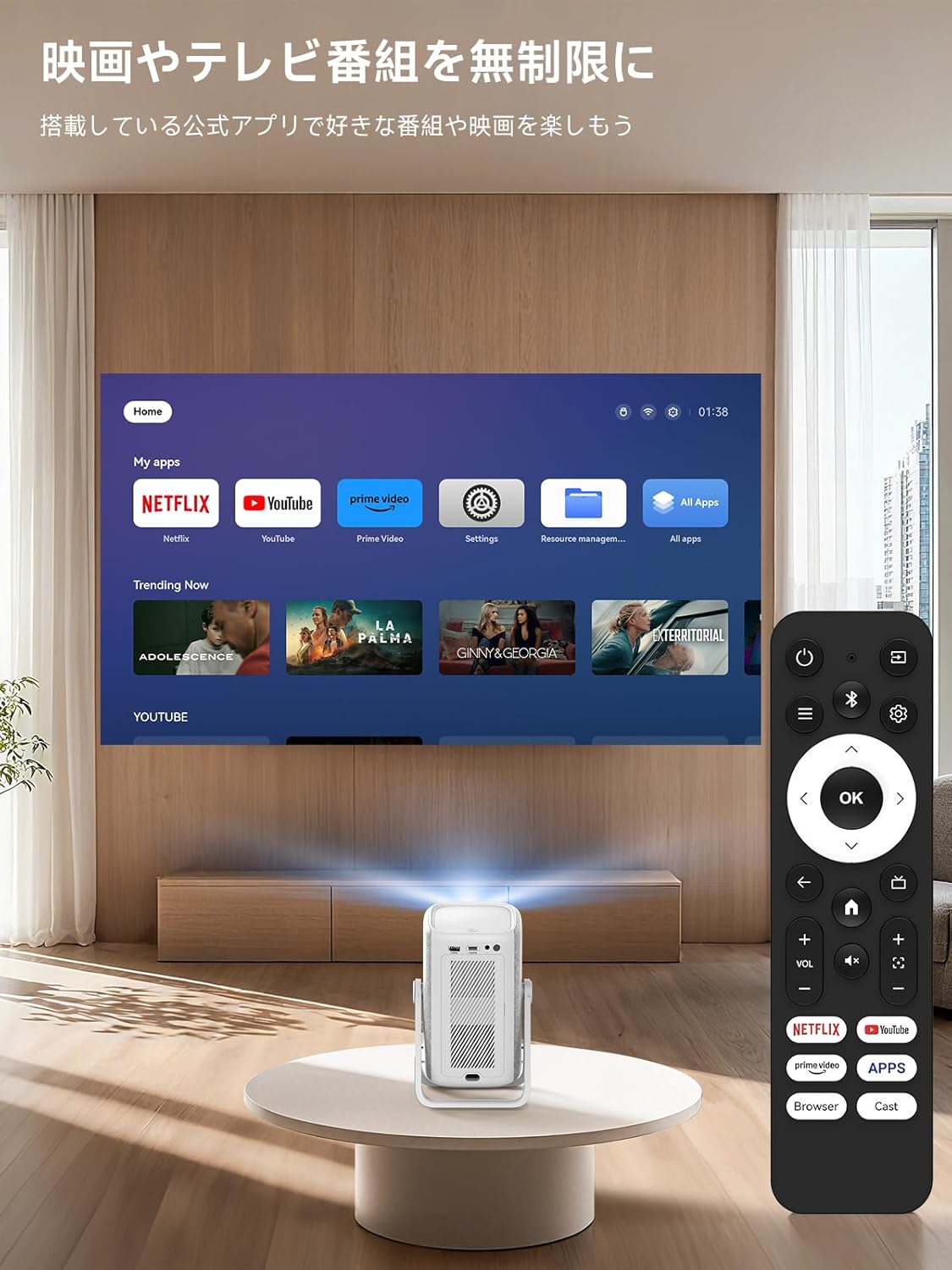
The included remote control allows for easy navigation and control of the projector's functions. Insert two AAA batteries (not included) into the remote before use.

4.2 Smart TV OS and Applications
The iSinbox AC311 features an integrated Smart TV operating system, providing direct access to popular streaming services.
- Vnaprej nameščene aplikacije: Netflix, YouTube, Prime Video, Disney+, and more are pre-installed for immediate use.
- App Store: Access the App Store to download additional applications.
- Brskalnik: Use the built-in browser to navigate the internet and access web-based content.
4.3 Image and Sound Adjustment
Adjust image and sound settings for an optimal viewizkušnje.
- Navigate to the "Settings" menu.
- Select "Display and Sound" to adjust image mode (brightness, contrast, color, sharpness, noise reduction, color temperature) and sound effects (standard, movie, music, news, sports).
4.4 Automatic Adjustments
The projector features AI auto-focus and 6D keystone correction, automatically adjusting the image for clarity and proper alignment within approximately 3 seconds. It also includes automatic obstacle avoidance.
4.5 Povezljivost
- Wi-Fi 6: Supports high-speed wireless connections for seamless streaming and screen mirroring.
- Bluetooth 5.4: Connect external Bluetooth speakers or use the projector as a standalone Bluetooth speaker.
- HDMI/USB: Connect external devices such as game consoles, Blu-ray players, or USB drives.
5. Značilnosti in zmogljivosti
- 360° Rotation & Portable Design: The projector features a 360° rotatable stand and an ergonomic handle, allowing for easy adjustment from wall projection to ceiling projection and convenient portability.
- 1.1:1 Short-Throw Ratio: Project a large 100-inch screen from a distance of approximately 2.4 meters (95 inches), ideal for small spaces.
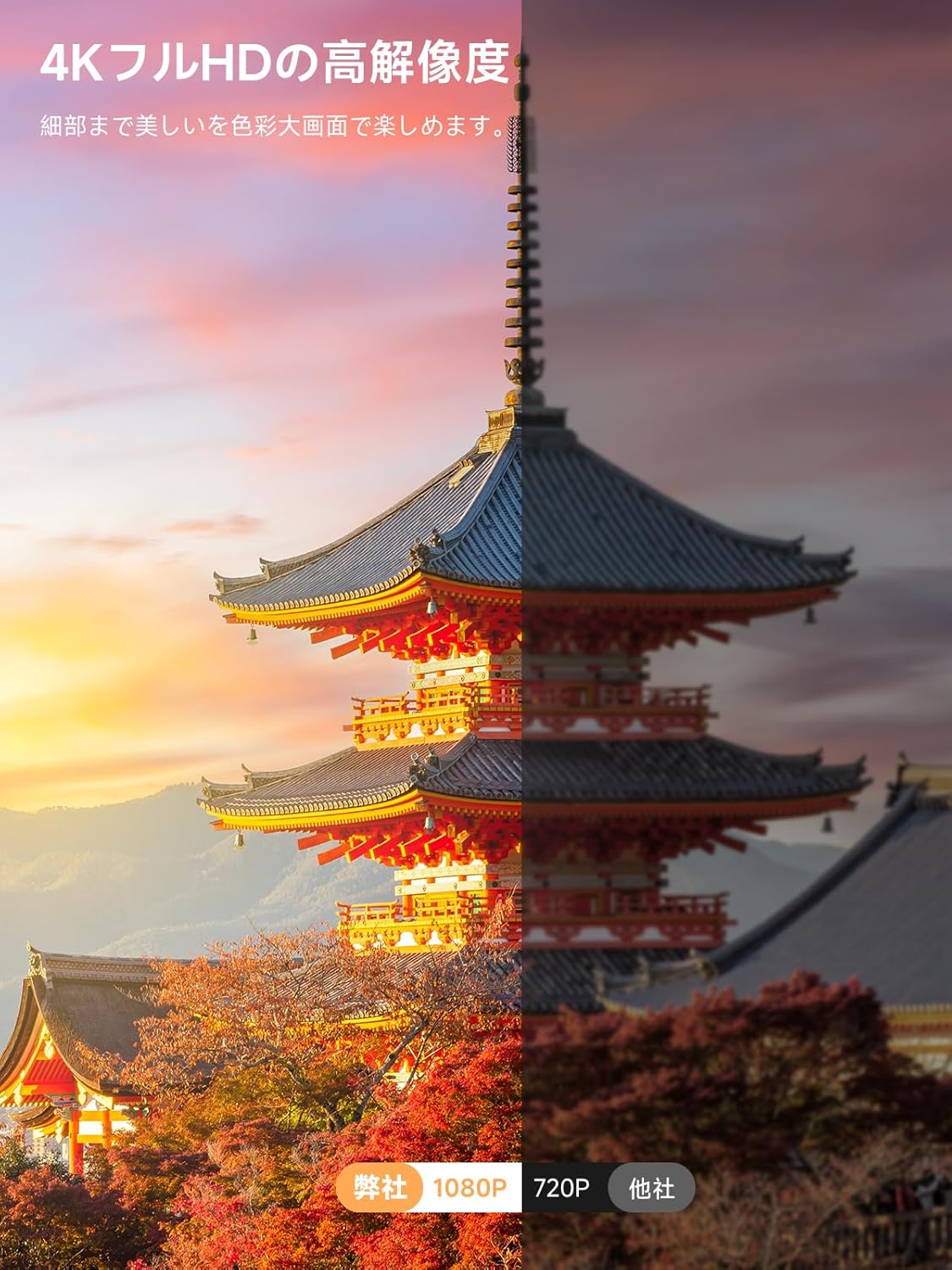
- 1000 ANSI Lumens & 4K HDR10+ Support: Delivers bright, clear 1080p resolution with support for 4K HDR10+ content, ensuring vibrant colors and sharp details.
- Dolby Audio & DTS Decoding: Provides an immersive audio experience with HiFi stereo speakers and DTS decoding technology.
- AI Image Enhancement & Eye Protection: Utilizes AI image enhancement technology for 98% NTSC color reproduction and blue light reduction for comfortable long-term viewing.
- Digitalni zoom: Adjust screen size from 50% to 100% without moving the projector.


6. Vzdrževanje
6.1 Čiščenje zračnega filtra
Regularly clean the air filter to ensure optimal performance and longevity of your projector.
- Locate the filter cover on the side of the projector.
- Nežno odprite pokrov.
- Odstranite zračni filter.
- Clean the filter using the provided cleaning swabs or a soft brush.
- Ponovno vstavite čisti filter in tesno zaprite pokrov.
7. Odpravljanje težav
If you encounter any issues with your iSinbox AC311 Projector, please refer to the following common troubleshooting tips:
- Brez napajanja: Ensure the power cord is securely connected to both the projector and the power outlet. Try a different outlet.
- Brez slike: Check that the projector is powered on. Verify the input source if using HDMI/USB. Ensure the lens cap is removed.
- Zamegljena slika: The projector features auto-focus. If the image remains blurry, try moving the projector slightly or manually adjusting focus in the settings.
- Slika ni pravokotna: The projector has automatic keystone correction. If the image is still distorted, try repositioning the projector or manually adjusting keystone in the settings.
- Ni zvoka: Check the volume settings on both the projector and any connected external audio devices. Ensure the correct audio output is selected in the settings.
- Daljinski upravljalnik ne deluje: Replace the AAA batteries in the remote control. Ensure there are no obstructions between the remote and the projector.
For further assistance, please contact iSinbox customer support.
8. Specifikacije
| Funkcija | Specifikacija |
|---|---|
| Znamka | iSinbox |
| Številka modela | AC311 |
| Dimenzije izdelka | 11.5 x 13 x 19 cm |
| Teža predmeta | 1.35 kilogramov |
| Izvorna ločljivost | 1920 x 1080 slikovnih pik (1080p) |
| Največja ločljivost zaslona | 1920 x 1080 slikovnih pik |
| Svetlost | 1000 ANSI lumnov |
| Tehnologija povezljivosti | Bluetooth, HDMI, USB, Wi-Fi |
| Brezžična komunikacija | Bluetooth 5.4, Wi-Fi 6 |
| Faktor oblike | Prenosni |
| Posebne lastnosti | Wi-Fi compatible, Built-in speaker, Foldable arm, Auto screen alignment, Lightweight |
| Wattage | 6.5 W |
9. Garancija in podpora
iSinbox is committed to providing excellent customer service and product quality.
- 1-Year Free Exchange: Enjoy a one-year free exchange policy for eligible issues.
- 3-letna garancija: The product comes with a conditional three-year warranty.
- Doživljenjska tehnična podpora: iSinbox offers lifetime technical support for your projector.
For any questions or concerns, please do not hesitate to contact our customer support team.