
Uvod
This manual provides essential information for the setup, operation, maintenance, and troubleshooting of your SAMSUNG Galaxy Watch Ultra 2025. This AI Smartwatch is designed for rugged reliability, offering advanced fitness tracking, communication features, and long-lasting battery performance. It is equipped with a 1.5" AMOLED display, 64GB storage, 2GB RAM, and supports Unlocked LTE, Wi-Fi, and Bluetooth connectivity.

Figure 1: SAMSUNG Galaxy Watch Ultra 2025 (Titanium Blue)
Kaj je v škatli
Upon unboxing your SAMSUNG Galaxy Watch Ultra 2025, verify that all components are present:
- SAMSUNG Galaxy Watch Ultra 2025 (Titanium Blue)
- Watch Strap (matching color)
- Kabel za brezžično polnjenje
- Fast Charger Cube
- Vodnik za hiter začetek in varnostne informacije
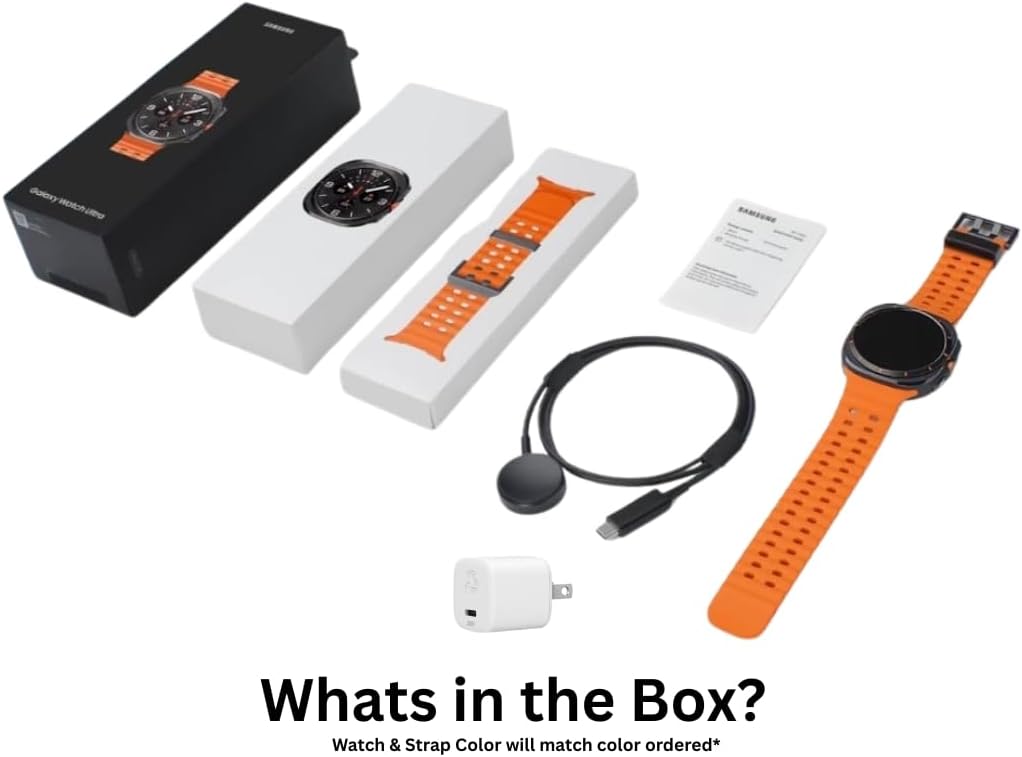
Figure 2: Included accessories and watch components
Nastavitev
Začetno polnjenje
Before first use, fully charge your Galaxy Watch Ultra. Connect the wireless charging cable to the provided fast charger cube, and place the watch onto the charging pad. The watch display will indicate charging status. A full charge can provide up to 100 hours of use.
Device Pairing (Android Only)
The SAMSUNG Galaxy Watch Ultra 2025 is compatible with Android devices only. To pair:
- Ensure your Android smartphone has the latest Galaxy Wearable app installed.
- Turn on your Galaxy Watch Ultra.
- Open the Galaxy Wearable app on your phone and follow the on-screen instructions to connect to your watch.
- Potrdite kodo za seznanjanje, prikazano na obeh napravah.
LTE Setup (eSIM)
This international model supports eSIM for LTE connectivity. Cellular LTE features are compatible with T-Mobile in the US. Contact your carrier to register your eSIM. During initial setup, if country selection is not available, select any option; the country will update after connecting to Wi-Fi in settings.
Navodila za uporabo
Osnovna navigacija
Navigate the watch interface using the touchscreen and the physical buttons. The customizable Quick Button allows for rapid access to frequently used functions, such as starting, pausing, or ending a workout, or activating an emergency siren.
Fitness Tracking with Galaxy AI
The Galaxy Watch Ultra 2025 utilizes Galaxy AI for enhanced fitness tracking:
- Sledenje srčnemu utripu: Provides precise readings during workouts by filtering out physical movements.
- Primerjava zmogljivosti: Compare current workout performance to previous sessions to track improvement.
- Prilagojeni nasveti za dobro počutje: Receive daily suggestions based on insights collected by your watch.
- GPS navigacija: Utilize built-in GPS for confident outdoor adventure tracking during runs or bike rides.
Komunikacija in pametne funkcije
Stay connected with ease:
- Smart Reply with Galaxy AI: Get quick text reply suggestions based on conversation context.
- Google Pay: Supports contactless payments.
Sledenje spanju
Galaxy AI-powered sleep tracking helps monitor your sleep patterns and provides personalized tips to improve rest. It can also assist in detecting moderate to severe sleep apnea.
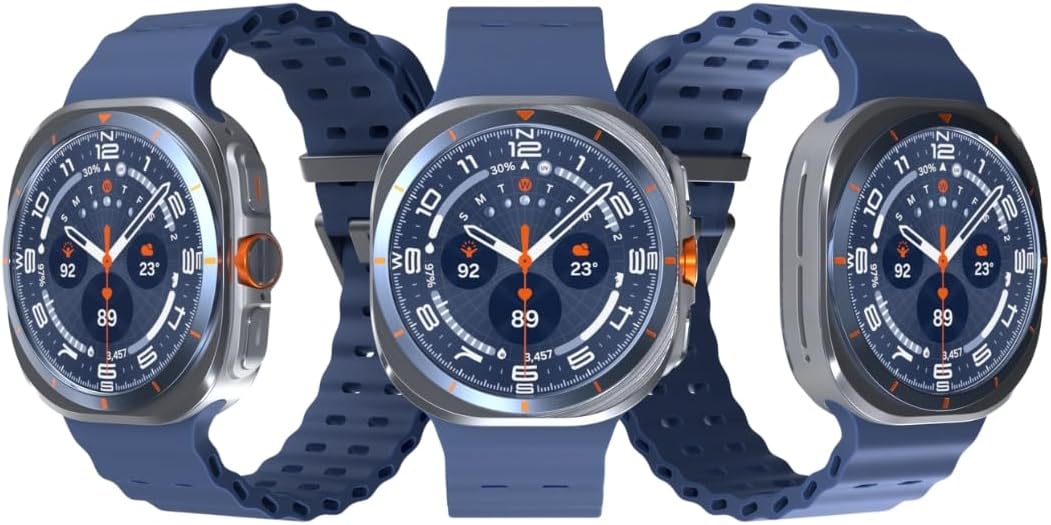
Slika 3: Spredaj view of the Galaxy Watch Ultra 2025
Vzdrževanje
Vzdržljivost in vodoodpornost
The Galaxy Watch Ultra 2025 features a durable titanium design, MIL-STD 810H certification, and IP68/10ATM water resistance up to 100 meters. This makes it suitable for use in rainy or dusty conditions and during ocean swimming. After exposure to saltwater, rinse the watch with fresh water and dry thoroughly.
Čiščenje
Regularly clean your watch and strap to prevent skin irritation and maintain performance. Use a soft, lint-free cloth. For stubborn dirt, slightly dampkrpo sperite z vodo. Izogibajte se uporabi agresivnih kemikalij ali abrazivnih materialov.
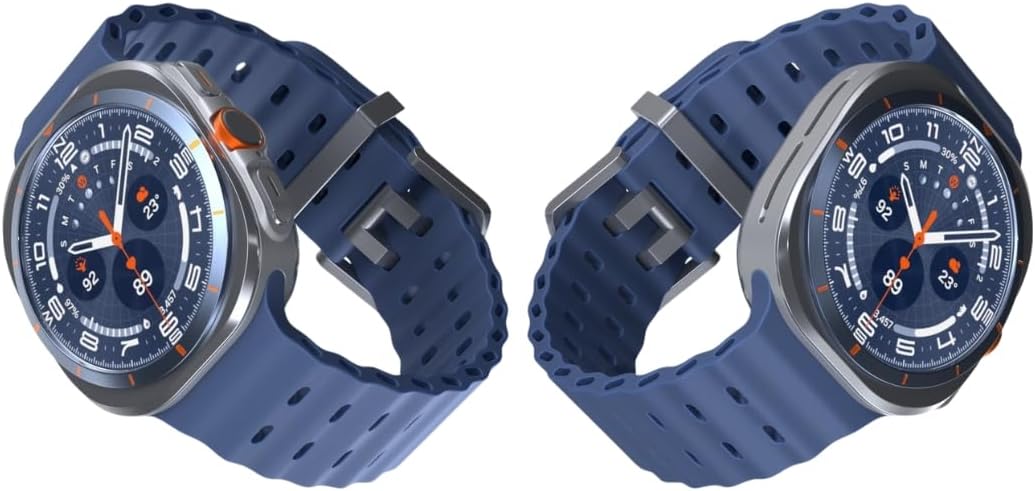
Slika 4: stran view of the Galaxy Watch Ultra 2025
Odpravljanje težav
Težave s povezljivostjo
- Bluetooth/Wi-Fi: Ensure both devices have Bluetooth/Wi-Fi enabled and are within range. Restart both the watch and the phone.
- LTE (eSIM): Verify that your eSIM is properly registered with your carrier (T-Mobile in the US). Check cellular signal strength.
Življenjska doba baterije
- If battery life is shorter than expected, check for excessive background app usage.
- Reduce screen brightness or disable always-on display.
- Limit continuous heart rate monitoring or GPS usage when not needed.
Splošna uspešnost
- If the watch is unresponsive, press and hold the Power button to restart.
- Ensure the watch software is up to date via the Galaxy Wearable app.
Specifikacije
| Funkcija | Podrobnost |
|---|---|
| Številka modela | 3d512f97-68d2-44a2-b46c-b2c700087e18 |
| Zaslon | 1.5-palčni Super AMOLED, 480 x 480 slikovnih pik |
| Shranjevanje | 64 GB |
| RAM | 2 GB |
| Procesor | Exynos W1000 (3nm), penta-jedro |
| Operacijski sistem | Android Wear OS 5, One UI Watch 8 with AI Assistant |
| Kapaciteta baterije | 590mAh (up to 100 hours) |
| Vzdržljivost | MIL-STD 810H certified |
| Vodoodpornost | IP68/10ATM (100m) |
| Zdravstvene značilnosti | ECG certified, Blood pressure monitor, Heart Rate Tracking, Sleep Tracking |
| Povezljivost | Unlocked LTE (eSIM), Wi-Fi, Bluetooth, NFC, Built-in GPS |
| Dimenzije | 6 x 4 x 4 palcev |
| Teža predmeta | 8 unče (0.5 funta) |
Garancija in podpora
Please note that this is an International Model and does not come with a manufacturer's warranty in certain regions. For specific warranty information, please refer to the documentation provided with your purchase or contact your point of sale.
For assistance with LTE setup or carrier-specific inquiries, contact your mobile service provider directly. For general product support and troubleshooting, you may visit the official Samsungova trgovina ali njihovo uradno podporo webmesto.