
1. Uvod
The Contixo F28A Premium Drone is a high-performance quadcopter equipped with a 4K camera, 2-axis gimbal, and Electronic Image Stabilization (EIS). Designed for both beginners and experienced pilots, it offers intelligent flight modes, extended flight time, and a robust control range. This manual provides essential information for safe operation, setup, and maintenance of your drone.
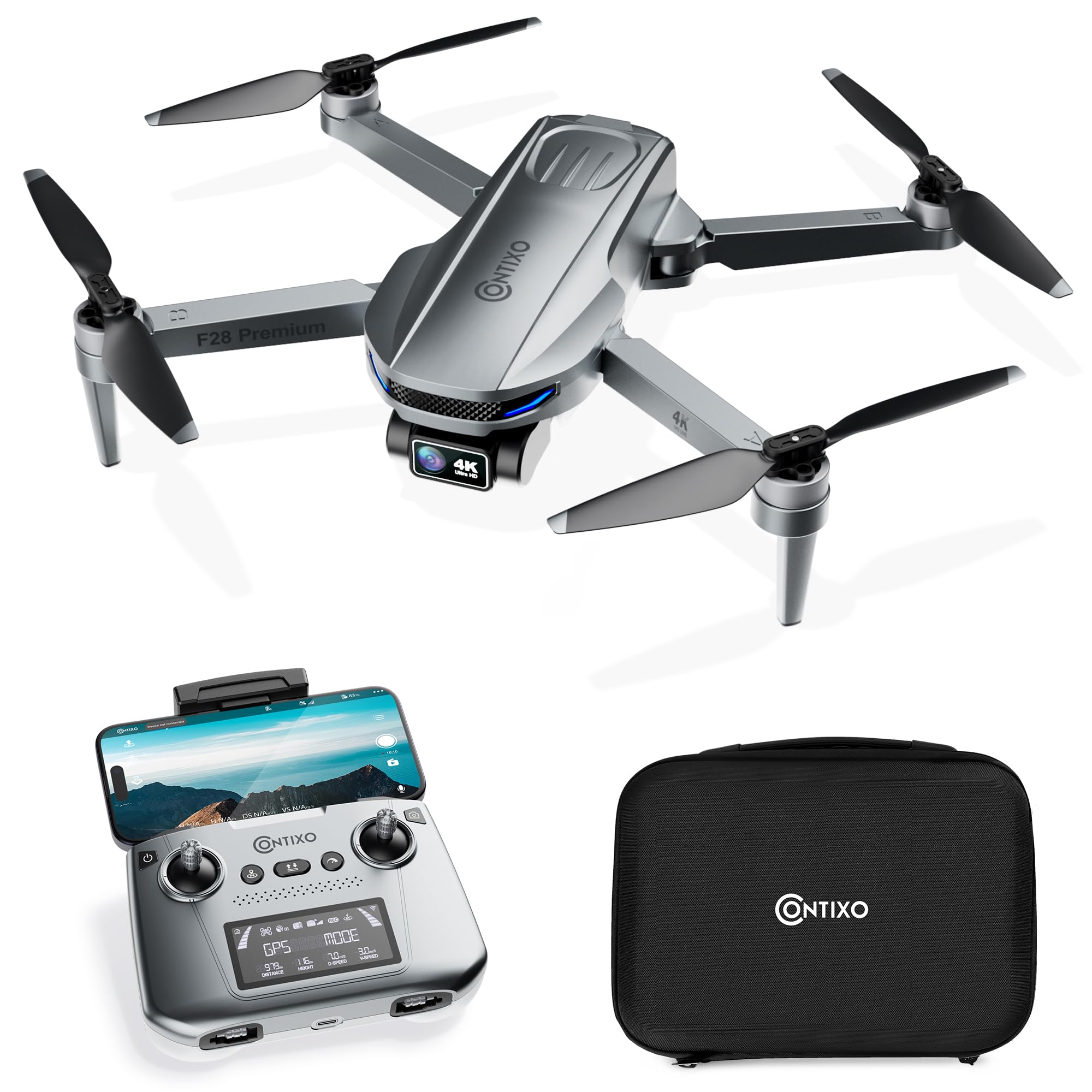
Image 1.1: The Contixo F28A Premium Drone in flight.
2. Kaj je v škatli
Preverite, ali so v paketu prisotne vse komponente:
- Contixo F28 Premium Drone x1
- Battery x1 (7.7V 1820mAh Li-Po)
- Transmitter (Remote Control) x1
- Blades x8 (4 installed, 4 spare)
- Landing Gear x1
- Polnilni kabel x1
- Waterproof Carry Case x1
- Uporabniški priročnik x1

Image 2.1: All items included in the Contixo F28A Premium Drone package.
3. Izdelek je končanview
The Contixo F28A drone features a compact, foldable design for portability. Key components include the 4K camera with a 2-axis gimbal, brushless motors, and an intelligent flight battery.

Image 3.1: Dimensions of the Contixo F28A drone in both folded and unfolded states.

Image 3.2: Illustration of the drone's compact design, brushless motor, and intelligent flight battery.
4. Nastavitev
4.1 Razstavljanje drona
- Carefully unfold the front arms of the drone.
- Odprite zadnji roki.
- Ensure all arms are securely locked into position.
4.2 Namestitev baterije
- Insert the fully charged battery into the battery compartment on the rear of the drone until it clicks into place.
- Press the power button on the battery once to check the charge level, then press and hold for 2 seconds to power on the drone.
4.3 Nastavitev daljinskega upravljalnika
- V daljinski upravljalnik vstavite 4 baterije AA (niso priložene).
- Power on the remote control by pressing and holding the power button.
- Attach your smartphone to the remote control holder.
4.4 App Connection and Linking
Download the Contixo F28 app from your smartphone's app store. Follow these steps to link the drone and remote:
- Vklopite dron in daljinski upravljalnik.
- On your smartphone, go to Wi-Fi settings and connect to the drone's Wi-Fi network (e.g., "Contixo-F28-Premium-XXXX").
- Open the Contixo F28 app. The app should display a live feed from the drone's camera once connected.
- Wait for the drone to acquire sufficient GPS satellites (indicated by solid green lights on the drone and GPS status on the remote).
Video 4.1: Official Contixo F28 Premium Drone Linking Guide. This video demonstrates the steps for unfolding the drone, installing the battery, powering on the remote, and connecting to the app via Wi-Fi.
5. Navodila za uporabo
5.1 Kontrolni seznam pred letom
- Prepričajte se, da sta bateriji drona in daljinskega upravljalnika popolnoma napolnjeni.
- Preverite propelerje glede poškodb in se prepričajte, da so varno pritrjeni.
- Pred vzletom preverite moč GPS signala.
- Ensure you are in an open area, free from obstacles and people.
5.2 Osnovni elementi upravljanja leta
Refer to the remote control diagram in the included manual for specific button functions. Common controls include:
- Leva krmilna palica: Nadzoruje višino (gor/dol) in zasuk (vrtenje levo/desno).
- Desna igralna palica: Nadzoruje gibanje naprej/nazaj in levo/desno.
- Vzlet/pristanek z enim gumbom: Press the designated button for automatic takeoff or landing.
- Ustavitev v sili: Press and hold the emergency stop button to immediately cut power to the motors (use only in emergencies).

Image 5.1: Visual representation of the one-key takeoff and landing function.
5.3 Smart Flight Modes
The F28A drone offers several intelligent flight modes for enhanced control and creative shots:
- Sledite mi: The drone automatically follows the remote controller or a designated subject.
- Točka poti: Plan a custom flight path by setting multiple waypoints on the app map. The drone will fly along the specified route.
- Orbitalni način: The drone circles around a designated point of interest, maintaining a set distance and altitude.
- Samodejna vrnitev domov (RTH): The drone automatically returns to its takeoff point in case of low battery, signal loss, or manual activation.

Image 5.2: The drone actively following a person in Follow Me mode.

Image 5.3: The drone flying a pre-programmed route using Waypoint mode.

Image 5.4: The drone performing a circular flight path in Orbit Mode.

Slika 5.5: Konecview of GPS Intelligent Return functions, including Signal Loss RTH, Low Battery RTH, and One-key RTH.
6. Delovanje kamere
The F28A is equipped with a 4K UHD camera featuring a 2-axis gimbal and Electronic Image Stabilization (EIS) for smooth, high-quality footage.
- Zajem fotografije/videoposnetka: Use the dedicated buttons on the remote control or within the app interface to take photos or start/stop video recording.
- Gimbal Control: Adjust the camera's tilt angle using the dedicated dial on the remote control.
- Nadzor s kretnjami: Perform specific hand gestures for photo and video capture (refer to the app for details).

Image 6.1: Close-up of the 4K UHD camera with 2-axis gimbal and EIS, highlighting its 110° wide-angle lens and 90° adjustable angle.

Image 6.2: Comparison showing improved stability in pitch and roll with the 2-Axis Gimbal and EIS technology.

Image 6.3: Demonstrates hand gestures for initiating photo and video capture.
7. Vzdrževanje
7.1 Čiščenje
- Regularly clean the drone body and camera lens with a soft, dry cloth.
- Remove any dust or debris from the motors and propellers.
7.2 Zamenjava propelerja
If a propeller is damaged, replace it immediately using the spare blades provided. Ensure you match the correct 'A' and 'B' propellers to their respective motor arms.
7.3 Skrb za baterije
- Napolnite baterijo s priloženim polnilnim kablom.
- Baterije ne prepolnite ali popolnoma izpraznite.
- Baterije shranjujte na hladnem in suhem mestu, stran od neposredne sončne svetlobe.
8. Odpravljanje težav
- Dron se ne vklopi: Ensure the battery is fully charged and correctly installed. Press and hold the power button for 2 seconds.
- No live video feed in app: Verify that your smartphone is connected to the drone's Wi-Fi network. Restart the app and drone if necessary.
- Dron med letom zanaša zrak: Ensure GPS mode is active and the drone has acquired enough satellites before takeoff. Calibrate the gyroscope if drifting persists.
- Daljinski upravljalnik se ne poveže: Ensure both the drone and remote are powered on. Re-link the remote control following the instructions in the full manual.
- Kratek čas leta: Ensure the battery is fully charged. Flight time can be affected by wind conditions and aggressive flying.
9. Specifikacije
| Znamka | Contixo |
| Ime modela | F28 Premium |
| Ločljivost zajema videa | 4K |
| Učinkovita še vedno ločljivost | 8 MP |
| Tehnologija povezljivosti | Wi-Fi |
| Kapaciteta baterije | 1820 milliamp Ure (7.7 V) |
| Največji doseg | 3280 Feet (Control), 2600 Feet (Video Transmission) |
| Čas letenja | Do 23 minut |
| Teža | Less than 249g (0.55 lbs) |
| Material | ABS, plastika |
| Dimenzije (D x Š x V) | 11.8 cm D x 12.6 cm Š x 2.2 cm V (razgrnjeno) |
10. Varnostne smernice
Always prioritize safety when operating your drone:
- Fly in open areas, away from people, animals, and obstacles.
- Ves čas vzdržujte vizualno linijo z dronom.
- Ne letite v bližini letališč ali omejenega zračnega prostora.
- Izogibajte se letenju v močnem vetru ali slabih vremenskih razmerah.
- Ensure propellers are clear before starting motors.
- Familiarize yourself with local drone regulations.
11. Garancija in podpora
For warranty information, technical support, or service inquiries, please refer to the official Contixo webspletno mesto ali se obrnite na njihovo službo za pomoč strankam. Račun shranite kot dokazilo o nakupu za uveljavljanje garancije.
Contixo is committed to customer satisfaction and provides support for their products. For further assistance, please visit the Contixo Store on Amazon.