
Uvod
This manual provides essential information for the safe and efficient use of your Samsung QLED 4K Vision AI Smart TV, model QE50Q8FAAUXZT. Please read these instructions thoroughly before operating the device and retain them for future reference.
Vsebina paketa
Preverite, ali so v škatli vse komponente:
- 1x Samsung Smart TV 50'' Serie Q8F, QLED 4K
- 1x napajalni kabel
- 1x Standard Remote Control
- 1x Solar-powered Remote Control
- 1x Uporabniški priročnik (ta dokument)
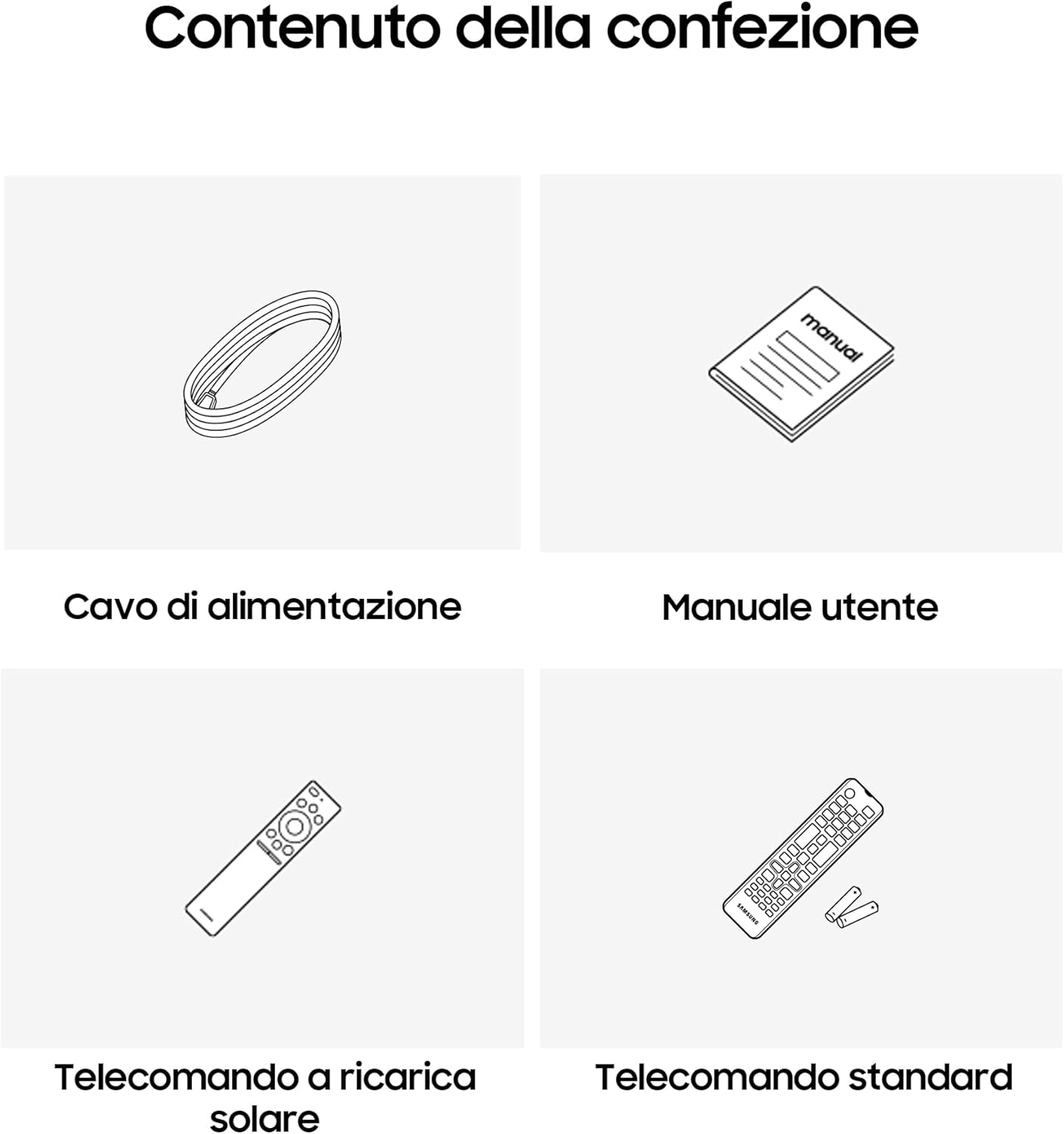
Image: Diagram showing the included items: power cable, user manual, solar-powered remote, and standard remote.
Nastavitev
Razpakiranje in namestitev
Televizor previdno vzemite iz embalaže. Televizor postavite na stabilno, ravno površino ali ga namestite na steno z združljivim nosilcem VESA (naprodaj ločeno). Zagotovite ustrezno prezračevanje okoli televizorja.
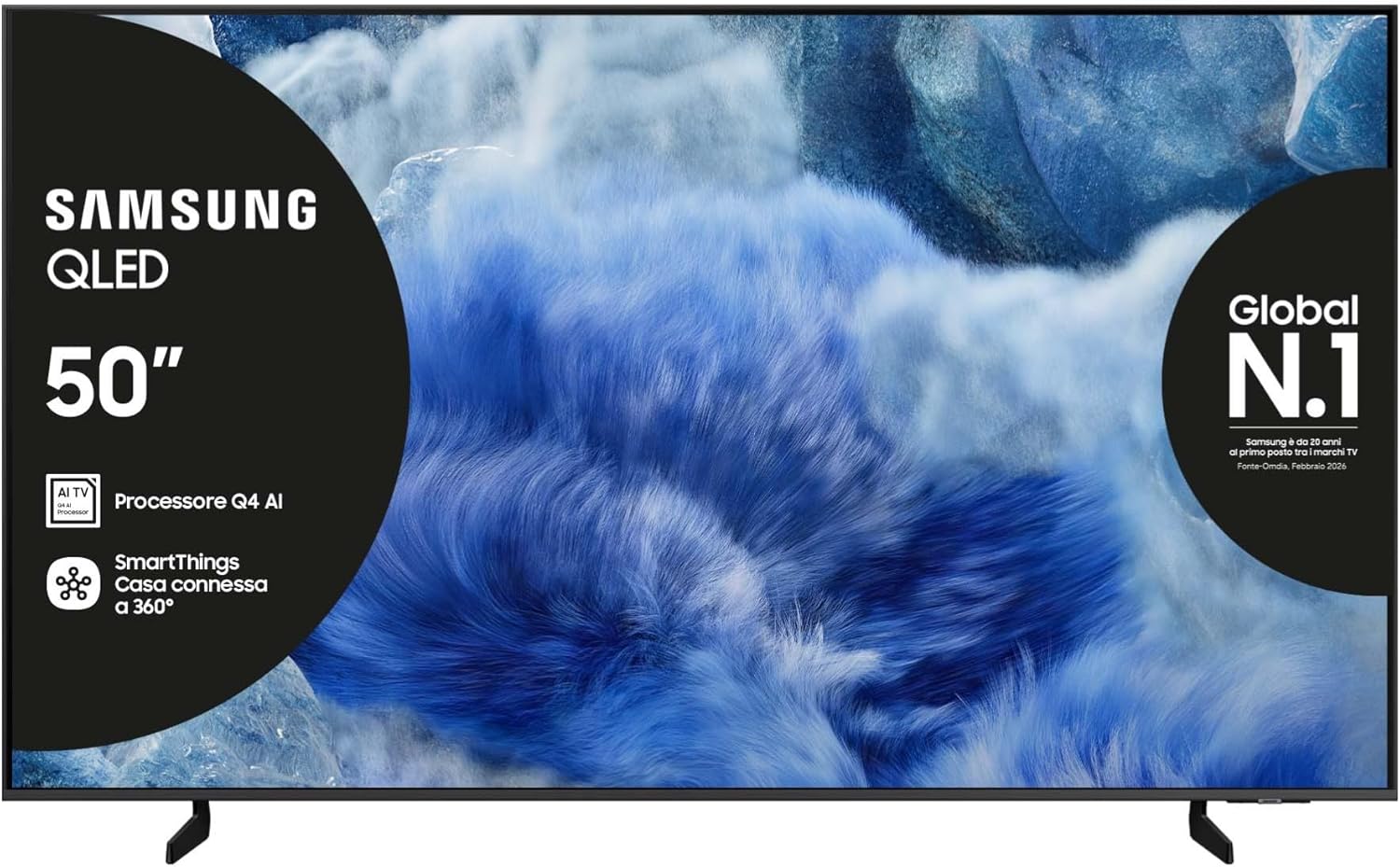
Slika: spredaj view of the Samsung QLED TV with its stand.

Slika: Stran view of the Samsung QLED TV, showcasing its Air Slim Design.
Povezovanje zunanjih naprav
Zunanje naprave (npr. kabelski sprejemnik, predvajalnik Blu-ray, igralno konzolo) priključite na ustrezna vrata na zadnji strani televizorja.

Image: Rear panel connections of the TV, showing HDMI, USB, LAN, and antenna ports.
- HDMI: For high-definition audio and video devices. The TV features multiple HDMI ports, including HDMI 3 with eARC support.
- USB: Za priklop USB-naprav za shranjevanje podatkov.
- LAN: Za žično internetno povezavo.
- MRAVLJE V: Za priklop antene ali kabla.
Napajalni priključek
Napajalni kabel priključite v vtičnico za napajanje televizorja in nato v stensko vtičnico.
Čarovnik za začetno namestitev
Ob prvem vklopu vas bo televizor vodil skozi postopek začetne nastavitve, vključno z izbiro jezika, omrežno povezavo in iskanjem kanalov.
Upravljanje televizorja
Funkcije daljinskega upravljanja
Your TV comes with two remote controls. The solar-powered remote offers convenience and reduces battery waste. Familiarize yourself with the buttons for power, volume, channel, navigation, and smart features.

Image: The Samsung Vision AI Companion interface displayed on the TV screen, alongside a remote control, illustrating voice command capabilities.
Smart Hub and AI Features
Access the Smart Hub for applications, streaming services, and connected devices. The Q4 AI Processor enhances picture and sound quality through 4K Upscaling and AI Mode. Utilize Vision AI for personalized entertainment and real-time suggestions.

Slika: Podrobna view of the Samsung Q4 AI Processor chip, emphasizing its role in 4K upscaling and optimizing visual and audio experience.

Image: Icons representing Samsung Knox Security, SmartThings, Samsung Vision AI, and Endless Free Content, highlighting key features of the TV's ecosystem.
Nastavitve slike in zvoka
Adjust picture modes (e.g., Standard, Dynamic, Movie) and sound settings (e.g., Standard, Adaptive Sound, OTS Lite) to suit your preferences. OTS Lite provides 3D surround sound, and Q-Symphony synchronizes TV speakers with a compatible soundbar.

Image: A vibrant image on the QLED screen, illustrating the 100% Color Volume with Quantum Dot technology for optimal viewing.
Gaming Hub
Access the Gaming Hub to play games from various platforms directly on your TV, enhanced by Motion Xcelerator for smooth visuals.
Vzdrževanje
Čiščenje televizorja
Gently wipe the screen and frame with a soft, dry, lint-free cloth. Do not use abrasive cleaners or solvents. For stubborn marks, lightly dampen krpo z vodo.
Posodobitve programske opreme
Ensure your TV's software is up to date for optimal performance and security. Updates can be performed via the TV's settings menu or automatically when connected to the internet.
Odpravljanje težav
Brez moči
- Preverite, ali je napajalni kabel varno priključen tako na televizor kot v stensko vtičnico.
- Preverite delovanje stenske vtičnice tako, da vanjo priključite drugo napravo.
Ni slike ali zvoka
- Prepričajte se, da je izbran pravilen vhodni vir.
- Preverite vse kabelske povezave (HDMI, antena itd.) glede ohlapnosti.
- Znova zaženite televizor in vse priključene naprave.
Daljinski upravljalnik ne deluje
- For the solar-powered remote, ensure it has sufficient light exposure to charge.
- For the standard remote, replace the batteries if necessary.
- Prepričajte se, da med daljinskim upravljalnikom in televizorjem ni ovir.
Težave z omrežno povezavo
- Znova zaženite usmerjevalnik in modem.
- Če se povezujete brezžično, preverite geslo za Wi-Fi.
- Če uporabljate žično povezavo, se prepričajte, da je kabel LAN pravilno priključen.
Specifikacije
| Funkcija | Specifikacija |
|---|---|
| Velikost zaslona | 50 palcev |
| Tehnologija zaslona | QLED |
| Resolucija | 4K (3840 x 2160) |
| Hitrost osveževanja | 50 Hz |
| Procesor | Procesor umetne inteligence Q4 |
| Povezljivost | Bluetooth, Ethernet, HDMI (več, vključno z eARC), USB, Wi-Fi |
| Posebne lastnosti | Built-in Speaker, Multi-voice Assistant, Browser, Parental Controls, Flat Panel |
| Razmerje stranic | 16:9 |
| Mere izdelka (ŠxGxV) | 111.8 cm x 23.9 cm x 70.2 cm (s stojalom) |

Image: Energy label for the Samsung QE50Q8FAAU, indicating an energy class of E and power consumption details. More details can be found at eprel.ec.europa.eu/qr/2204814.

Image: Detailed product information sheet, including supplier name, model identification, energy efficiency classes, power consumption, display technology, screen dimensions, and other technical data.
Garancija in podpora
Your Samsung TV is covered by a manufacturer's warranty. Please refer to the warranty card included in your package for specific terms and conditions. For technical support, service, or warranty claims, please contact Samsung Customer Service.
Kontaktni podatki:
- Dobavitelj: Samsung
- Naslov dobavitelja: Public Contact, Samsung PO Box 12987, Blackrock, Co Dublin Ireland
- Webspletno mesto: www.samsung.com (general website, specific support link may vary by region)
- E-pošta: eprel@samsung.com (for EPREL related inquiries)
The product information sheet indicates a minimum availability of spare parts for 7 years and minimum support for product software for 7 years.