
Xgody XGODY X32
Uporabniški priročnik za pametni telefon Xgody X32 Android 14
Model: XGODY X32
Uvod
Welcome to the Xgody X32 Android 14 Smartphone User Manual. This guide provides comprehensive instructions for setting up, operating, maintaining, and troubleshooting your new device. The Xgody X32 is designed for ease of use, featuring a compact 5.5-inch display, an octa-core processor, and the latest Android 14 operating system.

Figure 1: Xgody X32 Smartphone (Blue)
Kaj je v škatli
Po odprtju paketa preverite, ali so priloženi vsi naslednji elementi:
- 1 * XGODY X32 Smartphone
- 1 * Polnilec
- 1 * Phone Case
- 1 * Screen Protector (pre-applied or included)
- 1 * kabel USB Type-C
- 1 * Uporabniški priročnik (ta dokument)

Figure 2: Package Contents and Phone Dimensions
Nastavitev
1. Namestitev baterije
The battery may not be pre-installed upon first reception. Follow these steps to install the battery before using your phone.
- Locate the notch on the lower left side of the back cover.
- Hold your phone firmly and push the case through the notch to remove the back cover.
- Insert the battery into the phone's battery compartment, ensuring the contacts align.
- Replace the back cover by aligning it and pressing firmly until it clicks into place.
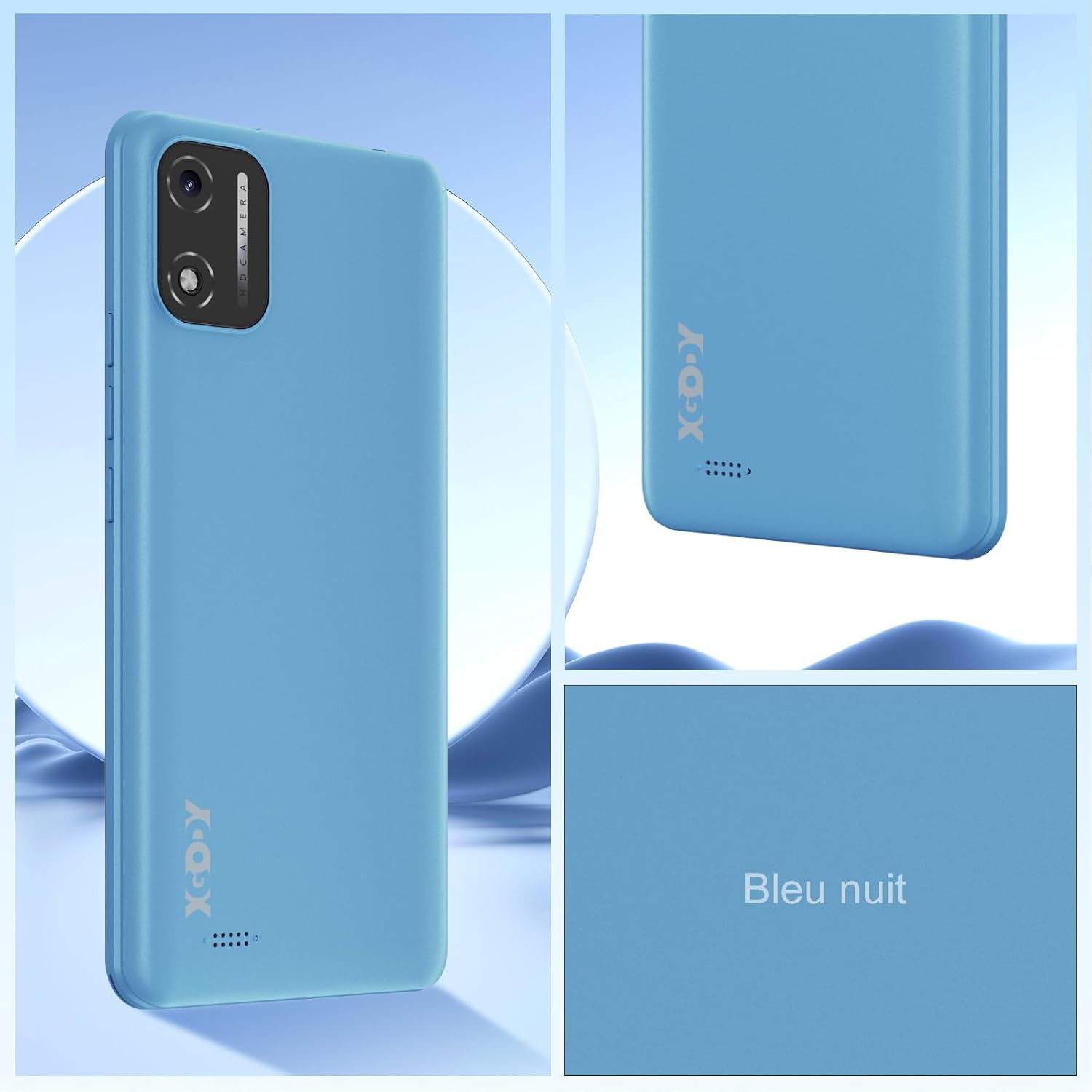
Figure 3: Battery Installation Guide
2. Namestitev SIM kartice in Micro SD kartice
The Xgody X32 supports dual SIM cards (Nano SIM) and one Micro SD card for expandable storage up to 128GB.
- With the back cover removed (as per battery installation), locate the SIM and Micro SD card slots.
- Carefully insert your Nano SIM cards into the designated SIM1 and SIM2 slots.
- Insert your Micro SD card into the Micro SD slot.
- Ensure all cards are seated correctly before replacing the back cover.

Figure 4: SIM and SD Card Slot Configuration
3 Začetni vklop in polnjenje
After installing the battery and cards, press and hold the power button located on the side of the phone until the Xgody logo appears. For first use, it is recommended to fully charge the device.
- Priključite kabel USB Type-C na polnilni vhod telefona.
- Drugi konec kabla priključite na priloženi polnilnik in ga vključite v električno vtičnico.
- Na zaslonu se bo prikazal indikator polnjenja.
Operating Your Xgody X32
1. Operacijski sistem Android 14
The Xgody X32 runs on Android 14, offering an intuitive and efficient user experience. Key features include enhanced personalization, improved battery efficiency, and robust privacy controls.

Figure 5: Android 14 User Interface Overview
2. Odklepanje z Face ID
Unlock your phone quickly and securely using Face ID.
- Pojdite na nastavitve > Varnost in zasebnost > Odklepanje z obrazom.
- Follow the on-screen prompts to register your face.
- Ko ste enkrat registrirani, preprosto poglejte v telefon, da ga odklenete.
Figure 6: Face Unlock Feature
3. Funkcije kamere
The Xgody X32 features an 8MP main camera and a 5MP front camera, equipped with an LED flash for clear photos and video calls.
- Odprite Kamera aplikacijo z začetnega zaslona ali iz predala z aplikacijami.
- Med sprednjo in zadnjo kamero preklapljajte z ikono kamere.
- Za fotografiranje se dotaknite gumba sprožilca.
- Explore various modes such as Beauty Mode for enhanced selfies.

Figure 7: Camera Specifications and Features
4. Povezljivost
Your Xgody X32 supports 4G LTE for fast mobile data, Wi-Fi for internet access, and Bluetooth for connecting to accessories.
- Wi-Fi: Pojdi na nastavitve > Omrežje in internet > Internet za povezavo z razpoložljivimi omrežji Wi-Fi.
- Mobilni podatki (4G LTE): Prepričajte se, da je vaša kartica SIM aktivna in da so mobilni podatki omogočeni v nastavitve > Omrežje in internet > kartice SIM.
- Bluetooth: Seznanitev z napravami Bluetooth prek nastavitve > Povezane naprave > Nastavitve povezave > Bluetooth.
5. Audio and Navigation
The phone includes a 3.5mm headphone jack for wired audio accessories and supports global navigation systems.
- 3.5 mm priključek za slušalke: Za zasebno poslušanje si priključite slušalke.
- GPS/Navigation: The Xgody X32 supports GPS, GLONASS, and Galileo for accurate location services and navigation.
Vzdrževanje
1. Skrb za baterijo
The 2850mAh battery provides reliable power for daily use. To maximize battery life:
- Izogibajte se ekstremnim temperaturam.
- Uporabite priloženi polnilnik in kabel.
- Izogibajte se pogostemu popolnemu praznjenju baterije.
- Enable battery saver mode in Android settings when needed.
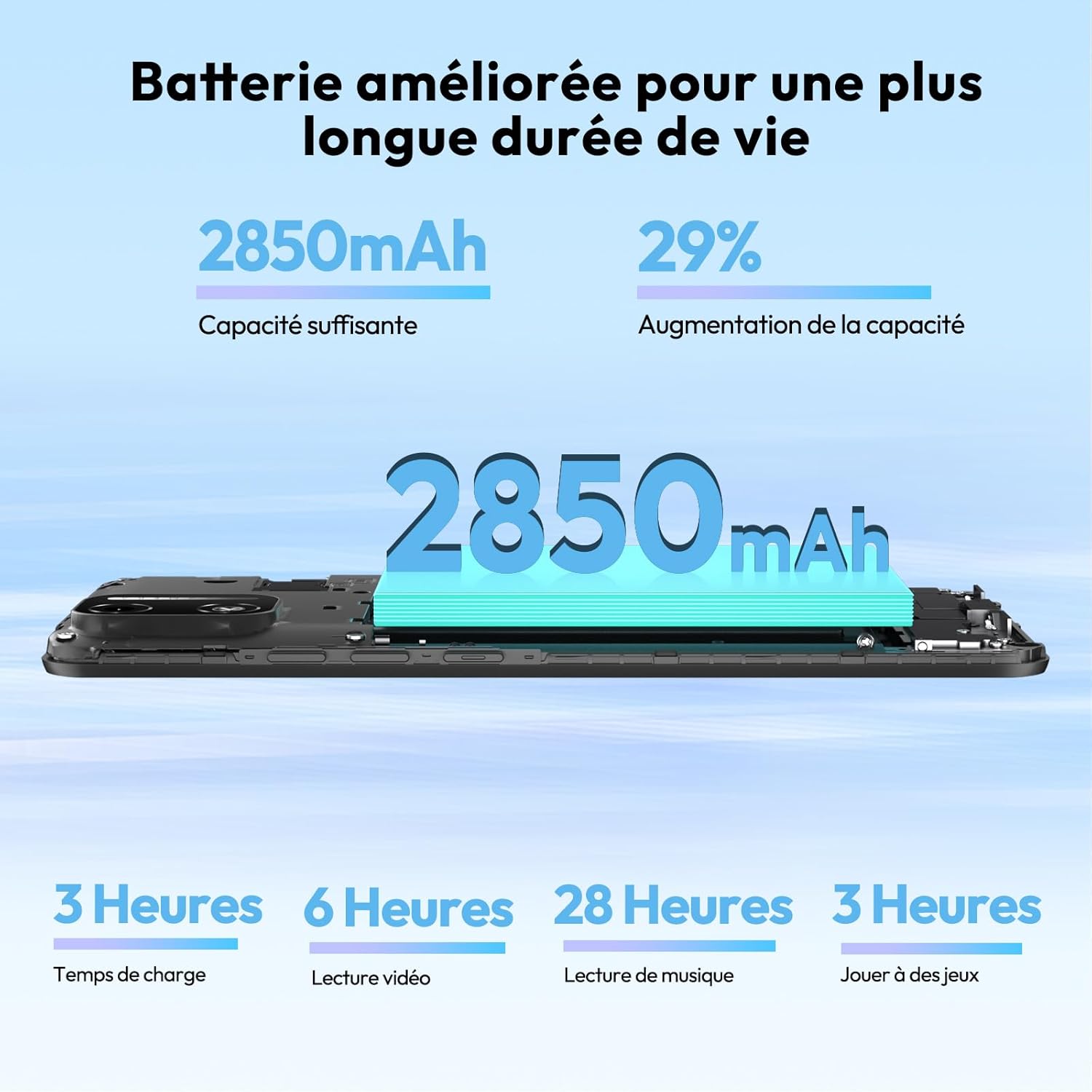
Figure 8: Battery Capacity and Estimated Usage
2. Čiščenje naprave
Za čiščenje zaslona in ohišja telefona uporabljajte mehko krpo, ki ne pušča vlaken. Izogibajte se abrazivnim materialom ali močnim kemikalijam.
3. Posodobitve programske opreme
Redno preverjajte posodobitve programske opreme, da zagotovite optimalno delovanje in varnost.
- Pojdi na nastavitve > Sistem > Posodobitev sistema.
- Connect to a Wi-Fi network before downloading updates to avoid mobile data charges.
Odpravljanje težav
| Težava | Možen vzrok/rešitev |
|---|---|
| Telefon se ne vklopi. | Ensure battery is correctly installed and charged. Connect to charger for at least 15 minutes. |
| Baterija se ne polni. | Check charger and USB cable for damage. Try a different outlet. Ensure charging port is clean. |
| Kartica SIM ni zaznana. | Ensure SIM card is correctly inserted into the slot. Restart the phone. Verify SIM card is active with your carrier. |
| Slab signal omrežja. | Move to an area with better coverage. Check if mobile data is enabled. Restart the phone. |
| Telefon je počasen ali se ne odziva. | Close unused applications. Clear cache. Restart the phone. Consider a factory reset if issues persist (backup data first). |
| Phone heats up during use. | This can be normal during heavy use (gaming, video streaming). If excessive, close background apps or reduce usage. |
Specifikacije
| Funkcija | Podrobnost |
|---|---|
| Ime modela | XGODY X32 |
| Operacijski sistem | Android 14 |
| Zaslon | 5.5-inch IPS Screen, 720 x 1280 Resolution |
| Procesor | Octa-Core (MediaTek Helio P60T / Unisoc SC9863) |
| RAM | 2GB (expandable with 2GB virtual RAM) |
| Notranji pomnilnik | 16 GB |
| Razširljiv prostor za shranjevanje | Up to 128GB via Micro SD card |
| Zadnja kamera | 8 Megapixels with LED Flash |
| Sprednja kamera | 5 milijonov slikovnih pik |
| Baterija | 2850mAh Litij-ion |
| Povezljivost | 4G LTE, Wi-Fi, Bluetooth |
| Vrsta kartice SIM | Dvojna nano SIM kartica |
| Varnostne funkcije | Odklepanje z Face ID-jem |
| Avdio priključek | 3.5 mm |
| Navigacija | GPS, GLONASS, Galileo |
| Mere (pribl.) | 5.88 inches (height) x 2.78 inches (width) x 0.39 inches (thickness) |
| Teža (pribl.) | 200 g |
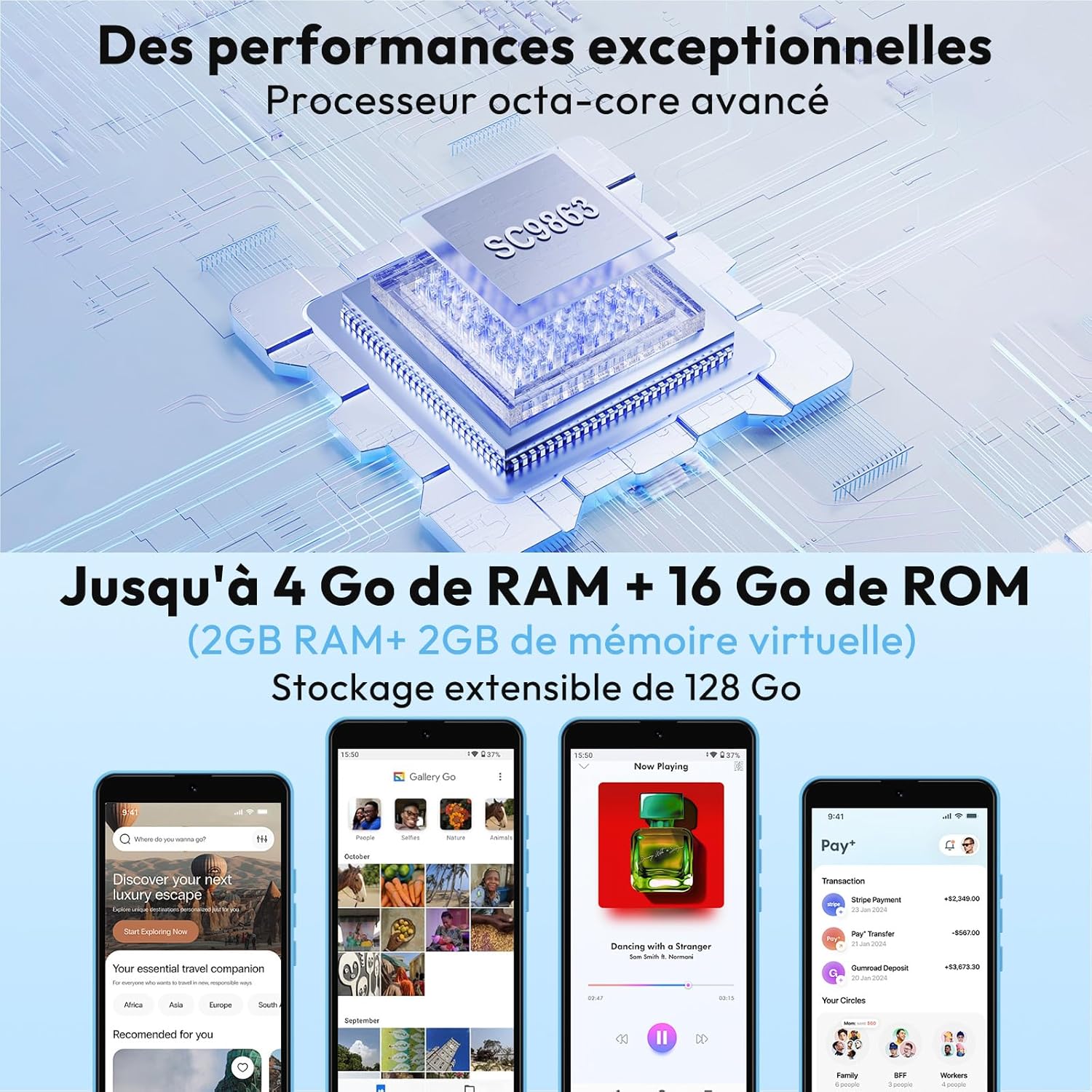
Figure 9: Octa-Core Processor and Memory Configuration
Garancija in podpora
The Xgody X32 comes with a manufacturer's warranty.
- Garancija proizvajalca: Enoletna garancija.
- For technical support or warranty claims, please refer to the contact information provided with your purchase or visit the official Xgody webmesto.
- Informacije o razpoložljivosti rezervnih delov niso podane.