
Edifier W800BT SE
Uporabniški priročnik za brezžične naglavne slušalke Edifier W800BT SE
Model: W800BT SE
Uvod
Thank you for choosing the Edifier W800BT SE Wireless Over-Ear Headphones. This manual provides detailed instructions for setting up, operating, and maintaining your headphones to ensure optimal performance and longevity. Please read this manual thoroughly before use.
Vsebina paketa
Preverite, ali so v paketu vsi elementi:
- Edifier W800BT SE Headphones x 1
- Polnilni kabel USB Type-C x 1
- Uporabniški priročnik x 1
Konec izdelkaview
Funkcije slušalk
- 40 mm dinamični gonilniki: Equipped with titanium-coated diaphragm driver units for clear and detailed audio.
- Bluetooth 5.4: Zagotavlja stabilno in učinkovito brezžično povezljivost.
- Zmanjšanje šuma pri klicih z umetno inteligenco: Enhances voice clarity during calls by filtering background noise.
- Večtočkovna povezava: Omogoča hkratno povezavo z dvema napravama Bluetooth.
- Dolga življenjska doba baterije: Do 45 ur predvajanja.
- Hitro polnjenje: 15 minutes of charge provides 8 hours of playback.
- Igralni način z nizko zakasnitvijo: Reduces audio delay for gaming.
- Udoben dizajn: Lightweight (approx. 242g), adaptive fit, pressure-relief headband, and soft earpads.
- Zložljiv dizajn: Za enostavno shranjevanje in prenosljivost.
Kontrole in vrata
The Edifier W800BT SE headphones feature intuitive button controls on the earcup and a USB-C port for charging.
Slika: Konecview of headphone controls and USB-C charging port.
- Gumb za povečanje glasnosti: Single press for volume up, press and hold for next track.
- Večnamenski gumb: Single press for play/pause or answer/end call, double press to reject call, triple press for voice assistant.
- Gumb za zmanjšanje glasnosti: Single press for volume down, press and hold for previous track.
- Gumb za preklop načina: Single press to cycle through Music mode, Game mode, and Theatre mode.
- Vrata USB-C: Za polnjenje slušalk.
Nastavitev
1. Polnjenje slušalk
Before first use, fully charge the headphones. A full charge takes approximately 1.5 hours. A 15-minute quick charge provides up to 8 hours of playback.
- Priloženi kabel USB Type-C priključite na polnilni priključek na slušalkah.
- Drugi konec kabla priključite na napajalnik USB (ni priložen) ali na vrata USB računalnika.
- The indicator light will show charging status (e.g., red for charging, off when fully charged).
Image: USB-C charging port.

Slika: Podrobnosti o življenjski dobi baterije in hitrem polnjenju.
2. Vklop/izklop
- Vklop: Press and hold the Multi-function button for approximately 3 seconds until the indicator light flashes.
- Ugasniti: Press and hold the Multi-function button for approximately 5 seconds until the indicator light turns off.
3. Bluetooth seznanjanje
Če želite slušalke povezati z napravo:
- Prepričajte se, da so slušalke izklopljene.
- Press and hold the Multi-function button for approximately 5 seconds until the indicator light flashes red and blue alternately, indicating pairing mode.
- V napravi (pametnem telefonu, tablici, računalniku) omogočite Bluetooth in poiščite razpoložljive naprave.
- Select "EDIFIER W800BT SE" from the list of found devices.
- Ko je povezava vzpostavljena, bo indikatorska lučka počasi utripala modro.
Image: Bluetooth 5.4 technology for stable connection.
4. Večtočkovna povezava
The W800BT SE headphones support connecting to two Bluetooth devices simultaneously.
- Pair the headphones with the first device (e.g., your smartphone) as described above.
- Onemogočite Bluetooth na prvi napravi. Slušalke bodo znova prešle v način seznanjanja.
- Slušalke seznanite z drugo napravo (npr. prenosnikom).
- Ponovno omogočite Bluetooth na prvi napravi. Slušalke se bodo samodejno povezale z obema napravama.
- To switch between devices, pause playback on the currently active device and start playback on the other. For calls, the headphones will automatically switch to the device receiving the call.

Image: Multipoint connection with phone and laptop.
Navodila za uporabo
Osnovne kontrole
| Akcija | Pritisnite gumb |
|---|---|
| Vklop/izklop | Press and hold Multi-function button (3s for On, 5s for Off) |
| Predvajanje/začasno ustavitev glasbe | Večfunkcijski gumb z enim pritiskom |
| Sprejmi/končaj klic | Večfunkcijski gumb z enim pritiskom |
| Zavrni klic | Dvakrat pritisnite večfunkcijski gumb |
| Glasnost | Single press Volume Up button |
| Zmanjšanje glasnosti | Single press Volume Down button |
| Naslednja skladba | Press and hold Volume Up button |
| Prejšnja skladba | Press and hold Volume Down button |
| Aktivirajte glasovnega pomočnika | Triple press Multi-function button |
| Switch Mode (Music/Game/Theatre) | Single press Mode Switch button |
Zmanjšanje šuma pri klicih z umetno inteligenco
The integrated AI call noise reduction algorithm and high-sensitivity microphones work to filter out ambient noise, ensuring your voice is clear during phone calls.

Image: AI Call Noise Reduction in action.
Igralni način
Activate Game Mode for an ultra-low latency experience (0.06s), providing enhanced sound effects and perfect audio-visual synchronization for gaming.
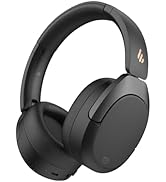
Image: Low latency gaming experience.
Aplikacija Edifier ConneX
Enhance your headphone experience by downloading the EDIFIER ConneX app. The app provides additional functions:
- Personalized control settings
- Preset EQ options
- Prilagodljive nastavitve EQ
- Schedule power off
- "Find Your Product" feature

Image: Edifier ConneX App interface.
Vzdrževanje
- Slušalke naj bodo suhe. Ne izpostavljajte jih ekstremnim temperaturam.
- Slušalke čistite z mehko, suho krpo. Izogibajte se uporabi agresivnih kemikalij ali abrazivnih materialov.
- Slušalke shranjujte na hladnem in suhem mestu, ko jih ne uporabljate. Zložljiva zasnova omogoča kompaktno shranjevanje.
- Pazite, da vam slušalke ne padejo ali da jih ne izpostavljate močnim udarcem.
- Do not attempt to disassemble the headphones. This will void the warranty.
Odpravljanje težav
| Težava | rešitev |
|---|---|
| Cannot power on headphones. | Prepričajte se, da so slušalke napolnjene. Priključite jih na vir napajanja s kablom USB-C. |
| Ni mogoče seznaniti z napravo Bluetooth. |
|
| Ni zvoka ali nizka glasnost. |
|
| Kakovost zvoka je slaba. |
|
| Klici so nejasni. | Ensure the microphone is not obstructed. The AI Call Noise Reduction feature is active during calls. |
Specifikacije
- Model: W800BT SE
- Različica Bluetooth: 5.4
- Bluetooth Profiles: A2DP, AVRCP, HFP
- Učinkovita razdalja: 10 metrov
- Pogonska enota: 40mm Dynamic Driver with Titanium-coated Diaphragm
- Frekvenčni odziv: Up to 20 kHz (Typical range is 20Hz-20kHz)
- Impedanca: 32 Ohmov
- Življenjska doba baterije: Do 45 ur (predvajanje)
- Vrata za polnjenje: USB Type-C
- Čas polnjenja: Approximately 1.5 hours (full charge), 15 minutes for 8 hours playback
- Teža: Približno 242g
- Dimenzije: 3.35 x 3.15 x 3.35 inches (Product dimensions)
- Vrsta nadzora: Button Control, App Control (Edifier ConneX)
- Posebne lastnosti: AI Call Noise Reduction, Multipoint Connection, Low Latency Game Mode (0.06s), Lightweight, Foldable Design
Garancija in podpora
Edifier products are designed for reliability and performance. For warranty information and technical support, please refer to the warranty card included in your package or visit the official Edifier webspletno mesto. Shranite račun kot dokazilo o nakupu.
Uradni Edifier Webspletno mesto: www.edifier.com
Uradni videoposnetek izdelka
Video: Uradni izdelek je končanview of the Edifier W800BT SE Wireless Over-Ear Bluetooth 5.4 Headphones, demonstrating key features and design.
Ask a question about this manual
Ask about setup, troubleshooting, compatibility, parts, safety, or missing instructions. Manuals+ will review the question and use this page’s manual context to help answer it.