
Tapo Tapo C425 KIT
Tapo C425 KIT Solar-Powered Security Camera User Manual
Model: Tapo C425 KIT
Uvod
This user manual provides comprehensive instructions for the installation, operation, and maintenance of your Tapo C425 KIT Solar-Powered Security Camera. Please read this manual carefully before using the product to ensure proper functionality and safety.
The Tapo C425 KIT is a wireless outdoor security camera designed for reliable surveillance. It features 2K QHD resolution, color night vision, AI detection for people, pets, and vehicles, two-way audio, and robust IP66 weather resistance. Powered by a long-lasting 10000mAh battery and a solar panel, it offers continuous operation with minimal intervention.

Figure 1: Tapo C425 Camera and Solar Panel Kit
This image displays the main components of the Tapo C425 KIT: the white cylindrical camera unit with its lens and sensors, and the black solar panel designed to provide continuous power.
Varnostne informacije
Always adhere to the following safety guidelines to prevent damage to the device or injury to yourself and others:
- Naprave ne poskušajte razstaviti, popraviti ali spremeniti.
- Ensure the camera and solar panel are securely mounted to prevent falling.
- Avoid placing the camera in direct sunlight for prolonged periods without the solar panel connected, as this may cause overheating.
- Keep the device away from extreme temperatures, humidity, and water, unless specifically designed for such conditions (IP66 rating indicates resistance to dust and water jets, not submersion).
- Uporabljajte samo napajalnik in kable, ki jih je priložil ali priporočil proizvajalec.
- Baterije zavrzite v skladu z lokalnimi predpisi. Ne sežigajte.
Vsebina paketa
Preverite, ali so v paketu vsi spodaj navedeni predmeti. Če kateri koli predmet manjka ali je poškodovan, se obrnite na podporo strankam.
- Kamera Tapo C425 × 1
- Tapo A201 solarni panel × 1
- Nosilec kamere × 1
- Extension Cable × 1
- Okrasna pokrivna plošča × 1
- Montažna šablona × 1
- Type C to Micro USB Adapter × 1
- Mounting Anchor × 6
- Montažni vijaki × 6
- Waterproof Gaskets × 2
- Charger Cable × 1
- Cable Band × 1
- Screw Plugs × 2
- Hitri vodnik × 1

Figure 2: Tapo C425 KIT Product Packaging
This image shows the retail box for the Tapo C425 KIT, indicating the contents and key features such as 2K QHD resolution and continuous solar charging.
Nastavitev
1. Polnjenje kamere
Before initial use, fully charge the camera's built-in 10000mAh battery using the provided charger cable. Connect the charger cable to the camera's charging port and a suitable USB power adapter (not included, but a charger cable is). The indicator light will show charging status.
2. Installing the Tapo App
Prenesite aplikacijo Tapo iz trgovine App Store (iOS) ali trgovine Google Play (Android). Ustvarite račun Tapo ali se prijavite, če ga že imate.
3. Dodajanje kamere v aplikacijo
- Open the Tapo app and tap the "+" icon to add a new device.
- Select your Tapo C425 KIT from the list of devices.
- Sledite navodilom na zaslonu, da kamero povežete z omrežjem Wi-Fi 2.4 GHz.
- Ensure your Wi-Fi signal is strong at the intended installation location.
4. Montaža kamere in sončne celice
The Tapo C425 KIT is designed for outdoor security. Choose a location that provides optimal sunlight exposure for the solar panel and a clear view for the camera. The camera offers a 150-degree viewvhodni kot.

Figure 3: Flexible Installation
This image illustrates the wireless nature of the Tapo C425 camera, showing it mounted on a wall without visible power cables, highlighting its flexible placement options.
- Za označevanje lukenj za vrtanje na steni uporabite priloženo montažno šablono.
- Drill holes and insert the mounting anchors.
- Attach the camera bracket using the mounting screws.
- Mount the camera onto the bracket. The magnetic mount allows for easy adjustment and removal for charging if needed.
- Mount the solar panel in a location that receives at least 45 minutes of direct sunlight daily to ensure continuous power. Connect the solar panel to the camera using the extension cable and waterproof gaskets.
Slika 4: Povezava solarnega panela
This image shows the Tapo C425 camera connected to its solar panel, illustrating how the solar panel provides continuous power to the camera, reducing the need for manual recharging.
Upravljanje kamere
V živo View in Snemanje
Access the live feed of your camera through the Tapo app. The camera provides 2K QHD resolution for clear images. You can manually record video or take snapshots from the live view.

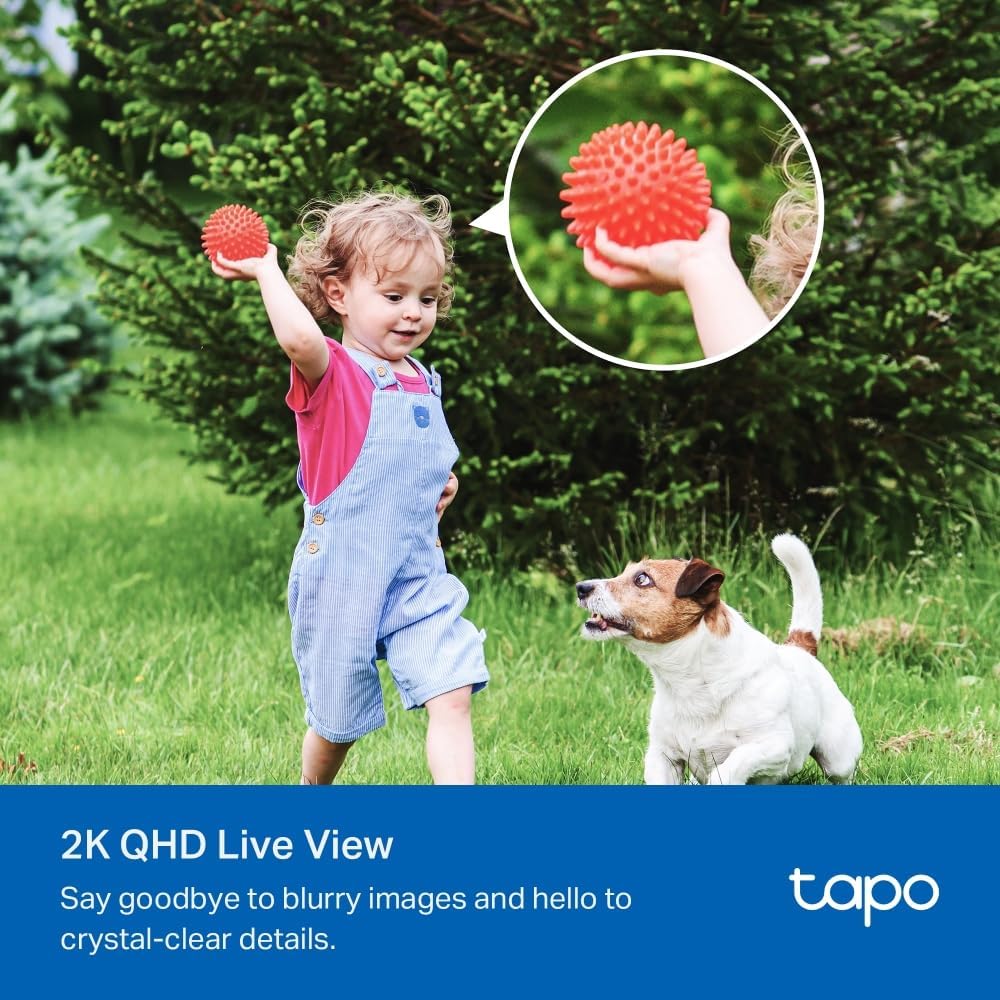
Figure 5: 2K QHD Live View Kakovost
This image demonstrates the clarity of the 2K QHD live view, showing a child and a dog in a garden, emphasizing the detailed image quality.
Zaznavanje gibanja in funkcije umetne inteligence
The Tapo C425 KIT features advanced AI detection capabilities. It can accurately identify people, pets, and vehicles, sending you relevant notifications and reducing false alarms. You can customize detection zones and sensitivity settings within the Tapo app.

Figure 6: AI Detection Capabilities
This image illustrates the camera's AI detection feature, highlighting how it identifies and categorizes objects such as a person, a pet, and a vehicle within the camera's field of view.
Dvosmerni zvok
Za komunikacijo z obiskovalci ali odvračanje vsiljivcev uporabite funkcijo dvosmernega zvoka. V živo tapnite ikono mikrofona. view govoriti prek zvočnika kamere.
Barvni nočni vid
The camera is equipped with built-in spotlights and a starlight sensor, enabling full-color night vision for enhanced security and clearer details in low-light conditions.

Figure 7: Color Night Vision in Action
This image demonstrates the camera's color night vision capability, showing a car parked at night with clear, vivid details, thanks to the integrated spotlights and starlight sensor.
Lokalna in oblačna shramba
Recordings can be stored locally on a microSD card (up to 512 GB, not included) inserted into the camera. For cloud storage options and additional features, consider subscribing to Tapo Care after the free trial period.
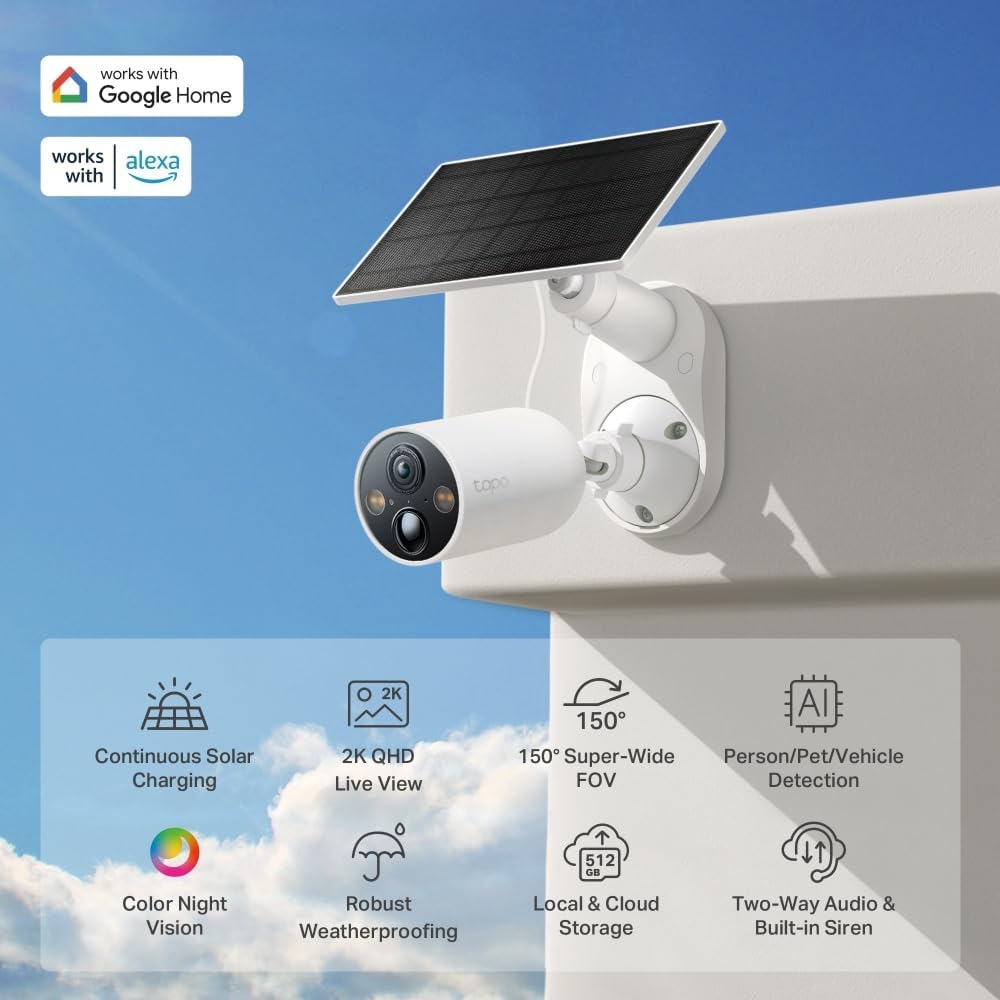
Figure 8: MicroSD Card Slot
This image highlights the microSD card slot on the Tapo C425 camera, indicating its support for local storage of recorded footage.
Vzdrževanje
Cleaning the Camera and Solar Panel
Regularly clean the camera lens and solar panel surface with a soft, damp krpo, da zagotovite optimalno delovanje. Izogibajte se uporabi agresivnih kemikalij ali abrazivnih materialov.

Slika 9: Odpornost na vremenske vplive IP66
This image showcases the Tapo C425 camera's IP66 weatherproof rating, depicting it operating reliably in various outdoor conditions, including rain, snow, and bright sunlight.
Upravljanje baterije
The 10000mAh battery provides up to 300 days of performance on a single charge, supplemented by the solar panel. Monitor battery levels via the Tapo app. If the solar panel cannot maintain charge due to insufficient sunlight, you may need to manually recharge the camera using the provided charger cable.
Posodobitve vdelane programske opreme
Keep your camera's firmware updated through the Tapo app to ensure the latest features, security enhancements, and bug fixes. The app will notify you when updates are available.
Odpravljanje težav
| Težava | Možen vzrok | rešitev |
|---|---|---|
| Kamera brez povezave | Weak Wi-Fi signal, power issue, or network interference. | Check Wi-Fi signal strength at camera location. Restart camera and router. Ensure camera battery is charged. |
| Slaba kakovost videa | Dirty lens, low light, or network bandwidth issues. | Clean the camera lens. Ensure adequate lighting for optimal color night vision. Check network speed. |
| Solarna plošča se ne polni | Insufficient direct sunlight, dirty panel, or connection issue. | Relocate solar panel to receive more direct sunlight. Clean the panel surface. Ensure secure connection between panel and camera. |
| Opozorila o lažnem gibanju | High sensitivity, environmental factors (e.g., moving branches, shadows). | Adjust motion detection sensitivity in the Tapo app. Define specific activity zones to exclude irrelevant areas. |
Specifikacije
| Funkcija | Podrobnost |
|---|---|
| Model | Tapo C425 KIT |
| Video ločljivost | 2K QHD (4MP) |
| Polje od View | 150 stopinj |
| Območje nočnega vida | Do 9 metrov (barvni nočni vid) |
| Povezljivost | Wi-Fi (2.4 GHz) |
| Vir napajanja | 10000mAh Lithium-ion Battery, Solar Panel |
| Odpornost na vremenske vplive | IP66 (vodoodporen) |
| Možnosti shranjevanja | MicroSD card (up to 512 GB), Cloud Storage (Tapo Care subscription) |
| Posebne lastnosti | AI Detection (Person, Pet, Vehicle), Two-Way Audio, Built-in Siren, Sound-triggered Recording, Built-in Indicator Light, Tamper Odkrivanje |
| Dimenzije (D x Š x V) | 6.48 x 6.48 x 12.64 cm |
| Teža | 480 gramov |
Garancija in podpora
For warranty information and technical support, please refer to the official Tapo webspletno mesto ali se obrnite na njihovo službo za stranke. Shranite račun kot dokazilo o nakupu.
Spletna podpora: www.tapo.com/support/
Ask a question about this manual
Ask about setup, troubleshooting, compatibility, parts, safety, or missing instructions. Manuals+ will review the question and use this page’s manual context to help answer it.