
Uvod
This manual provides detailed instructions for the setup, operation, maintenance, and troubleshooting of your ZTE MC888 Ultra 5G Router. The MC888 Ultra is a high-performance 5G router designed to deliver fast and reliable internet connectivity. It supports download speeds up to 3.8 Gbps and upload speeds up to 280 Mbps, features dual Gigabit LAN/WAN ports, and includes an RJ11 port for voice calls via VoIP, VoLTE, or VoNR.
Varnostne informacije
- Pred uporabo naprave natančno preberite vsa navodila.
- Do not open or modify the device. Unauthorized modifications can void your warranty and create safety hazards.
- Use only the power adapter and accessories supplied with the router.
- Napravo hranite ločeno od vode, vlage in ekstremnih temperatur.
- Zagotovite ustrezno prezračevanje okoli usmerjevalnika, da preprečite pregrevanje.
- Izogibajte se postavljanju usmerjevalnika v bližino močnih elektromagnetnih polj.
Vsebina paketa
Preverite, ali so v paketu vsi elementi:
- Usmerjevalnik ZTE MC888 Ultra 5G
- Napajalni adapter
- Ethernet kabel
- Kratki vodnik (ni vključen v ta priročnik)
Naprava je končanaview
Familiarize yourself with the ports and indicators on your ZTE MC888 Ultra 5G Router.
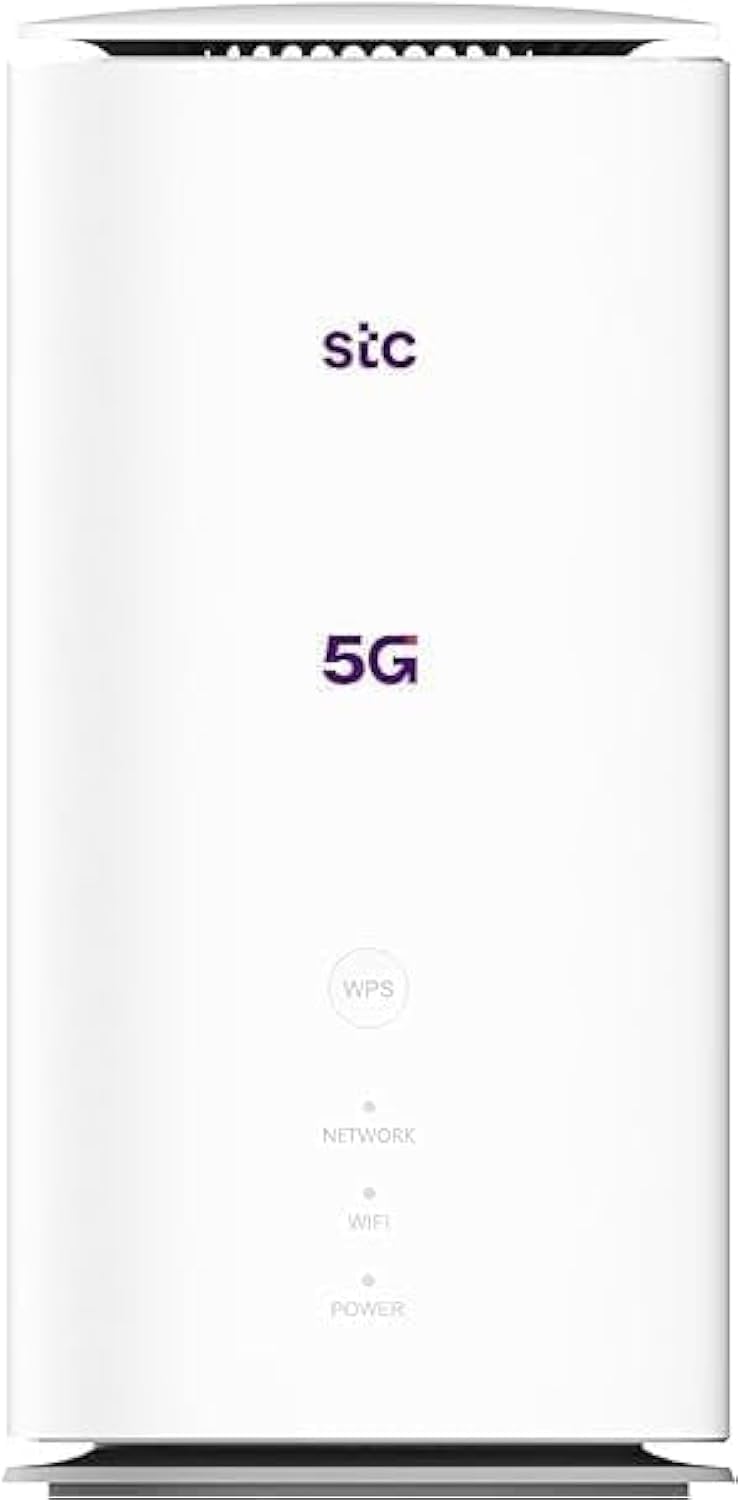
Slika: Spredaj in zadaj view of the ZTE MC888 Ultra 5G Router, showing LED indicators, SIM card slot, power port, LAN/WAN ports, and RJ11 port.
Kazalniki na sprednji plošči:
- LED za napajanje: Označuje stanje napajanja.
- LED za omrežje: Indicates 5G/4G network connection status.
- Wi-Fi LED: Označuje aktivnost omrežja Wi-Fi.
Vrata na zadnji plošči:
- Napajalni priključek: Povezuje se z napajalnikom.
- LAN/WAN Ports (x2): Gigabit Ethernet ports for wired connections or WAN input.
- Pristanišče RJ11: For connecting a telephone for VoIP, VoLTE, or VoNR calls.
- Reža za kartico SIM: For inserting your 5G/4G SIM card.
- Gumb za ponastavitev: Uporablja se za obnovitev tovarniških nastavitev.
Nastavitev
1. Vstavite kartico SIM
- Prepričajte se, da je usmerjevalnik izklopljen.
- Poiščite režo za kartico SIM na zadnji plošči.
- V režo vstavite standardno kartico Nano-SIM z zlatimi kontakti obrnjenimi navzdol in pravilno usmerjenim zarezo v vogalu. Potisnite, da se zaskoči.
2. Priključite napajanje
- Connect the supplied power adapter to the router's power port.
- Drugi konec napajalnika priključite v stensko vtičnico.
3. Vklopite
- The router will automatically power on. Wait for the Power LED to turn solid, and the Network LED to indicate a stable 5G/4G connection. This may take a few minutes.
4. Povežite naprave
- Povezava Wi-Fi: Find the Wi-Fi network name (SSID) and password printed on the label at the bottom of the router. Select this network on your device (smartphone, laptop, etc.) and enter the password.
- Ethernet povezava: Use the provided Ethernet cable to connect your computer or other network device to one of the LAN/WAN ports on the router.
Delovanje
Dostop do Web Vmesnik
- Odpri a web brskalnik v napravi, povezani z usmerjevalnikom.
- Enter the router's default IP address (e.g., 192.168.0.1 or 192.168.1.1) into the address bar and press Enter. The exact IP address is usually found on the router's label.
- Za prijavo vnesite privzeto uporabniško ime in geslo (najdete ju tudi na nalepki usmerjevalnika).
Spreminjanje nastavitev omrežja Wi-Fi
Od web interface, navigate to the Wi-Fi settings section to change your SSID, password, security type, or enable/disable guest networks.
RJ11 Voice Call Functionality
The RJ11 port allows you to connect a standard analog telephone. You can manage sending and receiving calls via a configured VoIP account, or through VoLTE or VoNR, depending on your mobile operator's compatibility and SIM card support. Refer to your service provider for specific setup details.
Način dostopne točke
The router supports Access Point (AP) mode, allowing it to extend an existing wired network wirelessly. This feature can be configured through the web vmesnik v omrežnih nastavitvah.
Vzdrževanje
Posodobitve vdelane programske opreme
Občasno preverite usmerjevalnik web interface for available firmware updates. Keeping your firmware up-to-date ensures optimal performance, security, and access to new features. Follow the on-screen instructions for safe updating.
Čiščenje
Clean the router with a soft, dry cloth. Do not use liquid cleaners or aerosols. Ensure the device is powered off before cleaning.
Ponastavitev na tovarniške nastavitve
If you experience persistent issues or forget your login credentials, you can perform a factory reset. With the router powered on, use a pin to press and hold the Reset button on the rear panel for approximately 5-10 seconds until the indicators flash. The router will restart with default settings.
Odpravljanje težav
- Ni internetne povezave: Check the Network LED. If it's off or red, ensure the SIM card is correctly inserted and has an active data plan. Try restarting the router.
- Počasna hitrost Wi-Fi-ja: Ensure your devices are within range. Reduce interference from other electronic devices. Try changing the Wi-Fi channel in the web vmesnik.
- Dostop ni mogoč Web Vmesnik: Verify your device is connected to the router via Wi-Fi or Ethernet. Double-check the IP address and login credentials. Try clearing your browser's cache.
- Prekinitve povezave z omrežjem Wi-Fi: Update router firmware. Ensure the router is placed in a central location. Check for conflicting Wi-Fi networks.
Specifikacije
| Znamka | ZTE |
| Ime modela | MC888 Ultra |
| Številka modela | MC888 ULTRA |
| Tehnologija povezljivosti | Wi-Fi, 5G/4G Cellular |
| Brezžični standard | 802.11ac |
| Razred frekvenčnega pasu | Dvopasovni |
| Največja hitrost prenosa | 3.8 Gbps |
| Največja hitrost nalaganja | 280 Mbps |
| Pasovna širina LAN vrat | 1000 Mbps (gigabit) |
| Število vrat | 2 x Gigabit LAN/WAN, 1 x RJ11 |
| Vrsta antene | Notranji |
| Varnostni protokol | WPS |
| Posebne lastnosti | Access Point Mode, RJ11 for VoIP/VoLTE/VoNR |
| RAM | 4 GB |
| Združljive naprave | PC, Laptop, Smartphone, Tablet, Gaming Console, Smart TV, Surveillance Camera, Printer, Ethernet-enabled devices |
| Vključene komponente | Router, Ethernet Cable, Charger |
Garancija in podpora
Informacije o garanciji
The ZTE MC888 Ultra 5G Router comes with a 2-year agent warranty. Please retain your proof of purchase for warranty claims. The warranty covers manufacturing defects and malfunctions under normal use. It does not cover damage caused by misuse, accidents, unauthorized repairs, or acts of nature.
Podpora uporabnikom
For technical assistance, warranty service, or further inquiries, please contact your local ZTE authorized service center or the retailer from whom you purchased the product. You may also visit the official ZTE webspletno mesto za vire podpore in pogosta vprašanja.