
JADENS D261LAB01
Uporabniški priročnik za termični etiketni papir JADENS
Model: D261LAB01
1. Uvod
This manual provides essential information for the proper use and care of your JADENS 4x6 inch Thermal Label Paper. Designed for direct thermal printers, these labels offer reliable performance for various applications, including shipping, warehousing, and general labeling needs. Please read this manual thoroughly to ensure optimal results and longevity of your labels.

Image: JADENS 4x6 inch Thermal Label Paper Rolls.
2. Specifikacije izdelka
| Atribut | Podrobnost |
|---|---|
| Znamka | JADENS |
| Številka modela | D261LAB01 |
| Velikost lista | 4 x 6 palca (101.6 x 152.4 mm) |
| barva | Bela |
| Zaključek papirja | Gladka |
| Teža predmeta | Approximately 13.4 ounces (0.84 lbs) per 2 rolls |
| Dimenzije izdelka | 4.53 x 2.17 x 0.1 inches (per roll) |
| Združljivost | Direct thermal printers including Nelko, Rollo, IDRPT, Zebra, Brother, MUNBYN, and JADENS C10/D261 models. |
| Lastnosti | Waterproof, Oil-proof, Easy Peeling with Perforated Line, Fade Resistant, Scratch Resistant, BPA/BPS Free |
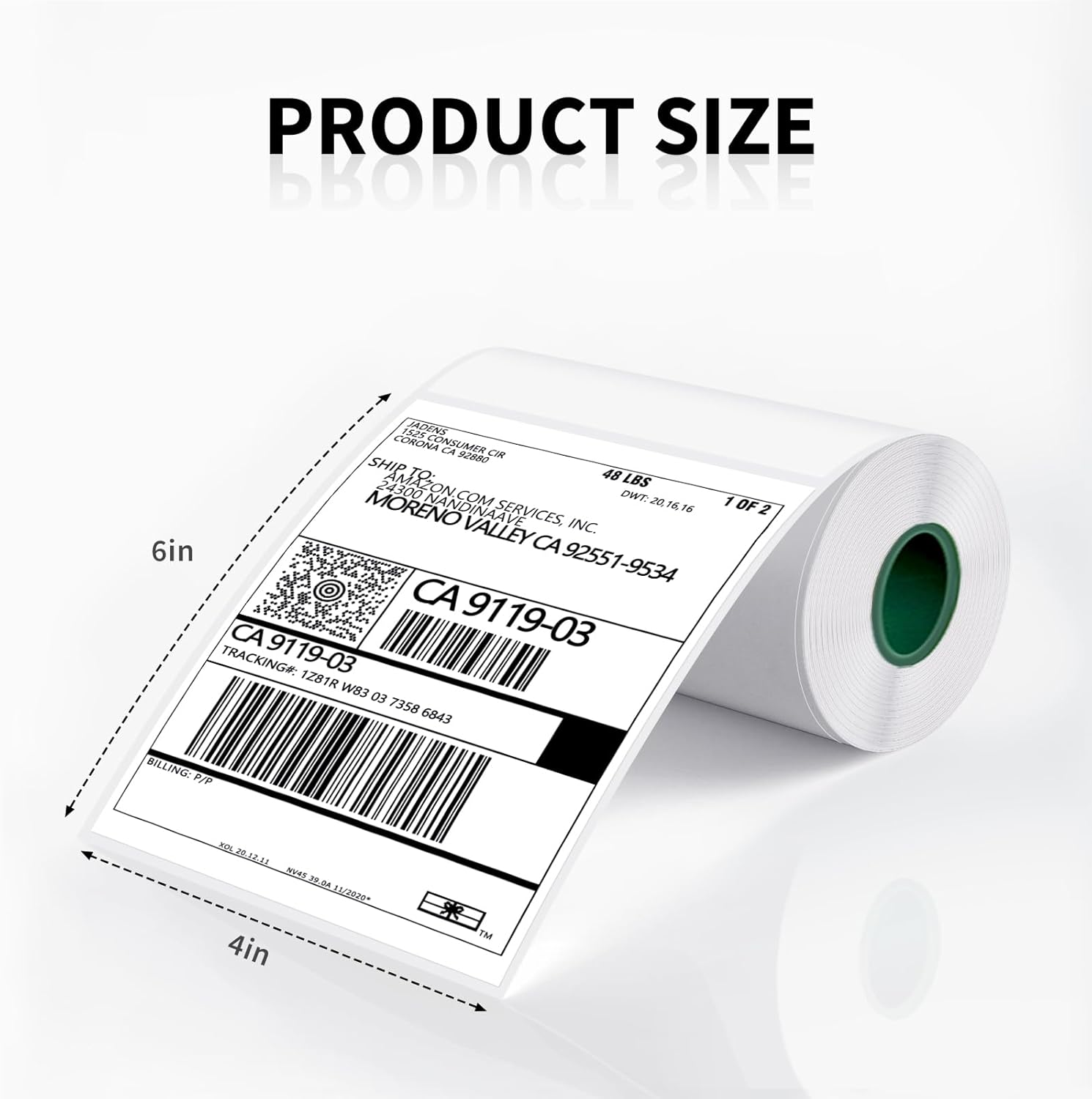
Image: Product size illustration for JADENS 4x6 inch thermal labels.
3. Nastavitev in združljivost
JADENS thermal label paper is designed for ease of use with a wide range of direct thermal printers. Follow your printer's specific instructions for loading label rolls.
3.1 Združljivi tiskalniki
These labels are compatible with most direct thermal label printers, including but not limited to:
- JADENS C10 and D261 series printers
- Nelko printers
- Rollo printers
- IDRPT printers
- Zebra printers
- Brother printers
- MUNBYN printers
- Other direct thermal printers supporting 4x6 inch labels
3.2 Loading Instructions (General)
While specific loading procedures vary by printer model, the general steps involve:
- Open the printer's label compartment or cover.
- Locate the label roll holder or spindle.
- Place the JADENS label roll onto the holder, ensuring the labels feed out from the bottom or front, depending on your printer's design. The printable side (smoother, brighter white) should face the print head.
- Feed the leading edge of the label paper through the printer's guides until it is correctly positioned for printing.
- Zaprite pokrov tiskalnika.
- Perform a test print or calibration if required by your printer model to ensure proper alignment.

Image: JADENS labels being used with a compatible printer.
4. Navodila za uporabo
Once the labels are loaded and your printer is ready, you can begin printing. JADENS labels are designed for clear, crisp prints and easy application.
4.1 Tiskanje
- Ensure your printer drivers are installed and configured correctly for 4x6 inch labels.
- Create your desired label content using appropriate software (e.g., shipping software, label design software).
- Select your direct thermal printer and the correct label size (4x6 inches) in your software's print settings.
- Initiate the print job. The thermal printer will apply heat to the labels, creating the image or text without ink or toner.
4.2 Peeling and Application
JADENS labels feature a perforated line between each label for easy separation and a strong adhesive for secure attachment.
- After printing, gently tear along the perforated line to separate the label from the roll.
- Peel the label from its backing paper. The backing is designed for easy removal.
- Apply the label to a clean, dry, and smooth surface. Press firmly from the center outwards to ensure full adhesion and remove any air bubbles.

Image: Demonstrating the strong adhesive and easy peeling of JADENS labels.
5. Vzdrževanje in shranjevanje
Proper storage and handling will ensure the longevity and print quality of your JADENS thermal labels.
- Okolje za shranjevanje: Store labels in a cool, dry place away from direct sunlight, high humidity, and extreme temperatures. Ideal storage conditions are typically between 20-25°C (68-77°F) and 40-60% relative humidity.
- Avoid Heat and Light: Prolonged exposure to heat, direct sunlight, or strong fluorescent light can cause the labels to darken or fade prematurely, even before printing.
- Kemična izpostavljenost: Avoid contact with chemicals, oils, and plasticizers (found in some plastic wraps or folders) as these can degrade the thermal coating.
- Ravnanje: Handle labels by the edges to avoid transferring oils from your skin, which can affect print quality or label longevity.
- Waterproof and Oil-proof: Once printed and applied, JADENS labels are designed to be waterproof and oil-proof, providing durability in various conditions.
- Fade and Scratch Resistant: The labels are engineered to resist fading and scratching, ensuring your printed information remains legible over time.

Image: Features of JADENS labels: waterproof, oil-proof, and fade resistant.
6. Odpravljanje težav
If you encounter issues while using your JADENS thermal label paper, consider the following common solutions:
| Težava | Možen vzrok | rešitev |
|---|---|---|
| Faint or No Print |
|
|
| Nalepke se ne podajajo pravilno |
|
|
| Labels Peeling Off After Application |
|
|
| Labels Fading Over Time |
|
|
7. Garancija in podpora
For specific warranty information regarding JADENS products, please refer to the packaging or contact JADENS customer support directly. As this product is a consumable item, warranty terms typically cover manufacturing defects.
7.1 Podpora strankam
If you have any questions or require assistance with your JADENS thermal label paper, please visit the official JADENS store or contact their customer service team. You can often find support contact information on the product packaging or the JADENS official webmesto.
JADENS Store Link: Visit the JADENS Store on Amazon
Povezani dokumenti - D261LAB01
 |
Kako tiskati etikete različnih velikosti in oblik s tiskalnikom Jadens Navodila po korakih za tiskanje nalepk po meri in po meri z aplikacijo Jadens Printer in termičnim tiskalnikom nalepk Bluetooth. Vključujejo prenos aplikacije, povezavo tiskalnika, izbiro files, obrezovanje, vrtenje in prilagajanje nastavitev tiskanja za različne vrste nalepk. |
 |
Razumevanje združljivosti termičnega papirja in tiskalnika Vodnik o delovanju termičnega papirja, identifikaciji tiskalne glave in tiskalne strani, vlogi črnih madežev in najboljših praksah za uporabo termičnega papirja s tiskalniki, s poudarkom na izdelkih blagovne znamke Jadens. |
 |
Vodnik za hiter začetek tiskanja z aplikacijo Jadens C10 Obsežen vodnik za hiter začetek uporabe tiskalnika Jadens C10 APP. Naučite se nastaviti tiskalnik, se povezati prek Bluetootha, prilagoditi širino papirja in izbrati med različnimi možnostmi tiskanja, vključno z umetno inteligenco, samostojnim tiskanjem in tiskanjem. file tiskanje in tiskanje iz družbenih omrežij. Podrobnosti o združljivih velikostih in vrstah papirja. |
 |
Aplikacija Jadens Printer za Android: Vodnik za tiskanje etiket po korakih Celovit vodnik za uporabo aplikacije Jadens Printer v napravah Android za brezhibno tiskanje nalepk. Naučite se, kako priključiti tiskalnik, izbrati in pripraviti nalepke ter jih učinkovito natisniti. |
 |
Aplikacija Jadens Printer: Vodnik po korakih za tiskanje etiket Naučite se tiskati nalepke za pošiljanje z aplikacijo Jadens Printer v sistemu iOS. Ta priročnik zajema dva načina: odpiranje iz tiskalnika za pošiljanje filein odpiranje neposredno z nalepke files podrobnimi koraki za nastavitev aplikacije, file izbor in tiskanje. |
 |
JADENS Shipping Printer App: Step-by-Step Guide to Printing Labels A comprehensive guide to using the JADENS Shipping Printer app for seamless label printing. Learn how to download the app, select and crop labels, connect via Bluetooth, and print shipping labels from various sources. |
Ask a question about this manual
Ask about setup, troubleshooting, compatibility, parts, safety, or missing instructions. Manuals+ will review the question and use this page’s manual context to help answer it.