
1. Uvod
Hvala za nakupasing the LEVOIT LTF-F361-WEU Tower Fan. This manual provides important information regarding the safe operation, maintenance, and troubleshooting of your new fan. Please read this manual thoroughly before use and retain it for future reference.
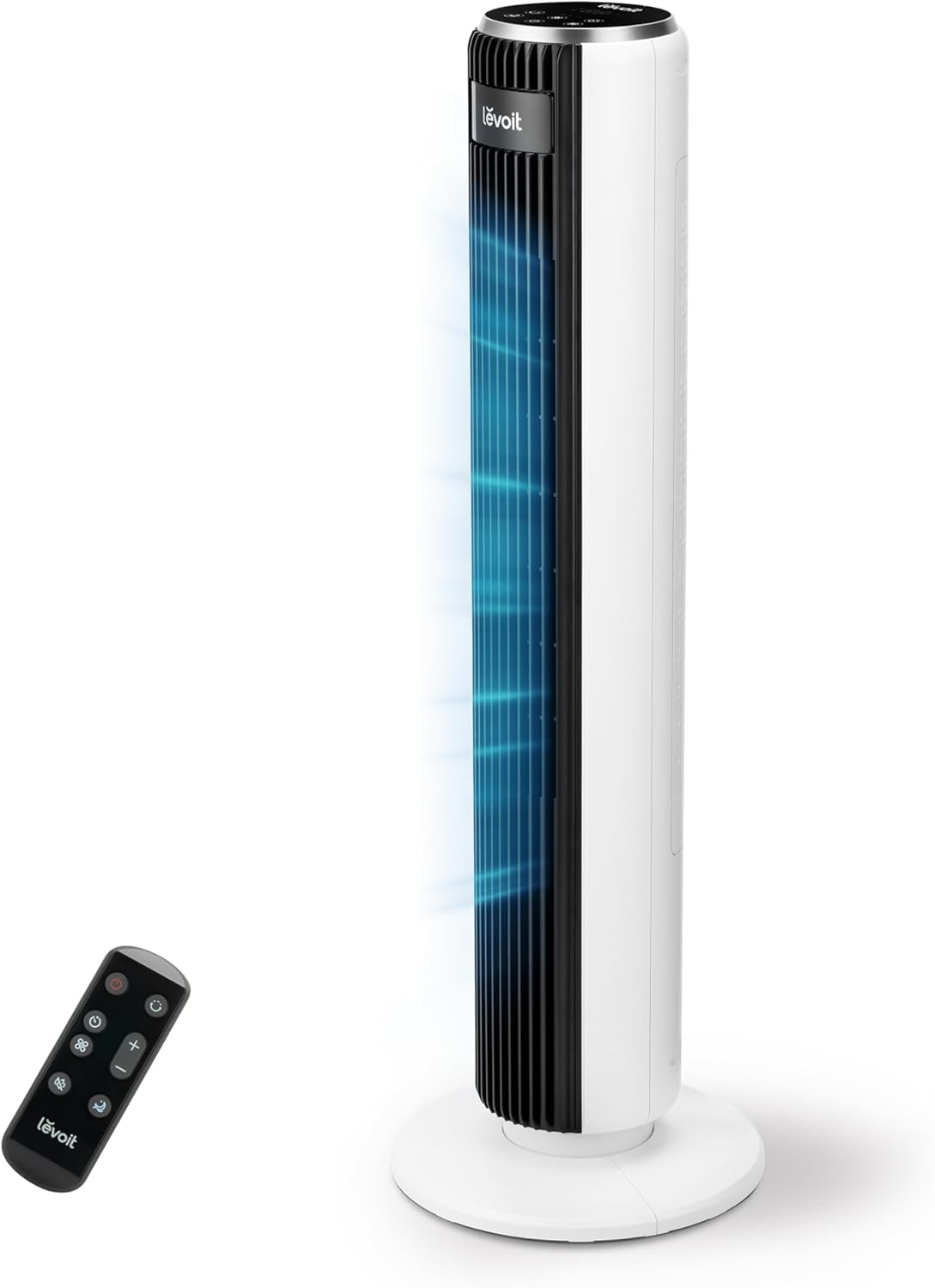
Image 1.1: The LEVOIT LTF-F361-WEU Tower Fan, a sleek and modern cooling device.
2. Pomembna varnostna navodila
To reduce the risk of fire, electric shock, or injury, please read and follow all instructions and warnings in this manual.
- Always place the fan on a stable, level surface.
- Ventilatorja ne uporabljajte v mokrih ali damp lokacijah, kot so kopalnice.
- Ventilator hranite stran od vode in drugih tekočin.
- Med delovanjem ventilatorja ne vstavljajte prstov ali tujih predmetov v rešetko.
- Unplug the fan from the power outlet when not in use, when moving it, or before cleaning.
- Ne uporabljajte ventilatorja s poškodovanim kablom ali vtičem.
- Napajalni kabel hranite stran od vročih površin.
- Ta naprava ni namenjena uporabi s strani oseb (vključno z otroki) z zmanjšanimi fizičnimi, senzoričnimi ali duševnimi sposobnostmi ali s pomanjkanjem izkušenj in znanja, razen če jih oseba, ki je odgovorna za njihovo varnost, nadzoruje ali jim daje navodila glede uporabe naprave.
3. Vsebina paketa
Ob prejemu preverite vsebino paketa. Če kateri koli predmet manjka ali je poškodovan, se obrnite na podporo strankam.
- LEVOIT LTF-F361-WEU Tower Fan
- Daljinski upravljalnik
- Uporabniški priročnik
4. Nastavitev in montaža
The LEVOIT LTF-F361-WEU Tower Fan is designed for easy assembly. Follow these steps to set up your fan:
- Razpakirajte ventilator: Previdno odstranite vse komponente iz embalaže.
- Sestavite osnovo: The base is designed for straightforward attachment. Align the fan body with the base and secure it according to the instructions provided in the quick start guide (if applicable).
- Priključite napajanje: Priključite napajalni kabel v ustrezno električno vtičnico.
The rear grille is detachable for easy cleaning, secured by a single nut.

Slika 4.1: Konecview of the fan's control panel, remote control storage, and the detachable rear cover for maintenance.
5. Navodila za uporabo
Your LEVOIT Tower Fan offers multiple settings for personalized comfort. You can control the fan using the touch control panel on top or the included remote control.
5.1 Vklop/izklop
Pritisnite gumb za vklop na nadzorni plošči ali daljinskem upravljalniku, da vklopite ali izklopite ventilator.
5.2 hitrosti ventilatorja
The fan features 5 adjustable speeds. Use the speed buttons on the control panel or remote to cycle through the speed settings (1-5).
5.3 Načini vetra
Select from 4 distinct wind modes to suit your preference:
- Normalni način: Provides a constant airflow at your selected speed.
- Samodejni način: Adjusts fan speed automatically based on ambient temperature, ensuring optimal comfort and energy efficiency.
- Spanje: Operates at a very low noise level (as low as 23 dB) with automatic display dimming for an undisturbed night's sleep.
- Turbo način: Delivers the highest fan speed for rapid cooling.

Image 5.1: Illustration of the fan's Auto Mode, demonstrating how it adjusts speed based on room temperature for optimal comfort.

Image 5.2: The fan operating in Advanced Sleep Mode, providing quiet airflow (23 dB) for a comfortable night's rest.
5.4 Nihanje
Activate the 90° oscillation feature to distribute airflow across a wider area. This ensures comprehensive room coverage with a maximum range of 7 meters.

Image 5.3: The fan's 90-degree oscillation feature, illustrating how it provides wide-ranging cool air.
5.5 Funkcija časovnika
Set the fan to automatically turn off after a specified period, up to 12 hours. Use the timer button on the control panel or remote to adjust the duration.
5.6 Daljinski upravljalnik
The included remote control allows convenient operation from a distance. Ensure the remote has working batteries and is pointed towards the fan's receiver.
Video 5.4: Kratek uvodview demonstrating the LEVOIT Tower Fan's oscillation feature and quiet operation. This video highlights the fan's movement and low noise level.
Video 5.5: Uradna video predstavitev izdelkaasing the various features and modes of the LEVOIT Tower Fan, including its quiet operation, multiple speeds, and oscillation.
6. Vzdrževanje in čiščenje
Redno čiščenje pomaga ohranjati delovanje in dolgo življenjsko dobo vašega ventilatorja.
6.1 Zunanje čiščenje
- Pred čiščenjem vedno odklopite ventilator.
- Obrišite zunanje površine z mehko damp krpo. Ne uporabljajte abrazivnih čistil ali topil.
- Preden ventilator ponovno priključite, se prepričajte, da je popolnoma suh.
6.2 Internal Cleaning (Detachable Rear Cover)
The rear cover is detachable for easy access to the internal components for cleaning.
- Odklopite ventilator.
- Locate the single nut securing the rear cover and unscrew it.
- Carefully remove the rear cover.
- Use a soft brush or vacuum cleaner to remove dust and debris from the fan blades and internal components.
- The rear cover can be washed with water. Ensure it is completely dry before reattaching.
- Reattach the rear cover and secure it with the nut.

Image 6.1: Illustration of the detachable rear cover and internal fan components, highlighting the ease of cleaning.
7. Odpravljanje težav
Če imate kakršne koli težave z ventilatorjem, si oglejte naslednje pogoste težave in rešitve:
| Težava | Možen vzrok | rešitev |
|---|---|---|
| Ventilator se ne vklopi. | Brez napajanja. | Prepričajte se, da je napajalni kabel varno priključen v delujočo vtičnico. Preverite odklopnik. |
| Šibek pretok zraka. | Air inlet/outlet blocked or dirty. | Clean the air inlet and outlet grilles. Ensure there are no obstructions around the fan. |
| Ventilator oddaja nenavaden hrup. | Foreign object inside or fan not on a level surface. | Unplug the fan and check for any foreign objects. Place the fan on a stable, level surface. |
| Daljinski upravljalnik ne deluje. | Baterije so prazne ali nepravilno vstavljene. | Replace the batteries with new ones, ensuring correct polarity. Point the remote directly at the fan. |
If the problem persists after trying these solutions, please contact LEVOIT customer support.
8. Specifikacije
| Funkcija | Podrobnost |
|---|---|
| Številka modela | LTF-F361-WEU |
| Dimenzije (D x Š x V) | 16.51 x 16.51 x 91.95 cm |
| Teža | 3.6 kilogramov |
| Moč | 39 vatov |
| voltage | 220.0 V |
| Nivo hrupa | 23 dB (lowest) - 28 dB (typical) |
| Hitrost vetra | Do 7 m/s |
| Nihanje | 90 stopinj |
| Časovnik | 12 uri |
| Posebne lastnosti | Portable, Automatic Shut-off Function, Remote Control |
9. Garancija in podpora strankam
9.1 Informacije o garanciji
LEVOIT zagotavlja 2-letna garancija for this tower fan. This warranty covers defects in materials and workmanship under normal use. Please retain your proof of purchase for warranty claims.
9.2 Podpora strankam
If you have any questions about your product, warranty, or need technical assistance, please contact LEVOIT customer support. Our professional team is ready to assist you.
For more information, visit the official LEVOIT webspletnega mesta ali se obrnite na lokalnega distributerja.