
Turtle Beach TBS-2372-01
Turtle Beach Stealth 600 Gen 2 USB Wireless Amplified Gaming Headset User Manual
Model: TBS-2372-01
1. Uvod
Thank you for choosing the Turtle Beach Stealth 600 Gen 2 USB Wireless Amplified Gaming Headset. This headset is officially licensed for Xbox and designed to deliver high-quality audio and clear chat for Xbox Series X, Xbox Series S, Xbox One X, and Xbox One S. This manual provides essential information for setting up, operating, and maintaining your headset to ensure the best possible gaming experience.
2. Kaj je v škatli
- Stealth 600 Gen 2 USB Wireless Amplified igralne slušalke
- Brezžični USB oddajnik
- Polnilni kabel USB-C
- Uporabniški priročnik (ta dokument)
- Nalepka Turtle Beach

Slika 2.1: Vsebina paketa
3. Izdelek je končanview
Familiarize yourself with the key components and controls of your Stealth 600 Gen 2 USB headset.

Figure 3.1: Headset Front View

Figure 3.2: Earcup Controls
- Flip-to-Mute Mic: The Gen 2 mic improves chat clarity and seamlessly integrates into the headset design when muted by flipping it up.
- Nadzor glasnosti: Independently control game and chat audio to find the perfect balance for your gaming preference using the easy-access dials on the headset.
- Ušesne blazinice: Uniquely shaped ear cushions with soft, breathable material improve comfort for long gameplay sessions and allow for a wider audio soundstage. Features Turtle Beach’s exclusive, patented ProSpecs glasses relief system for comfort with eyewear.
- Naglavni trak: Strengthened headband and hinge design ensures added durability and proper functionality over long-term use.
4. Nastavitev
Follow these steps for initial setup of your headset with your Xbox console.
4.1 Povezovanje z Xboxom
- Plug the Wireless USB Transmitter into an available USB port on your Xbox Series X, Xbox Series S, or Xbox One console.
- Power on your Stealth 600 Gen 2 USB headset by pressing and holding the Power button until you hear an audible tone.
- The headset and transmitter will automatically pair, indicated by a solid light on both devices.
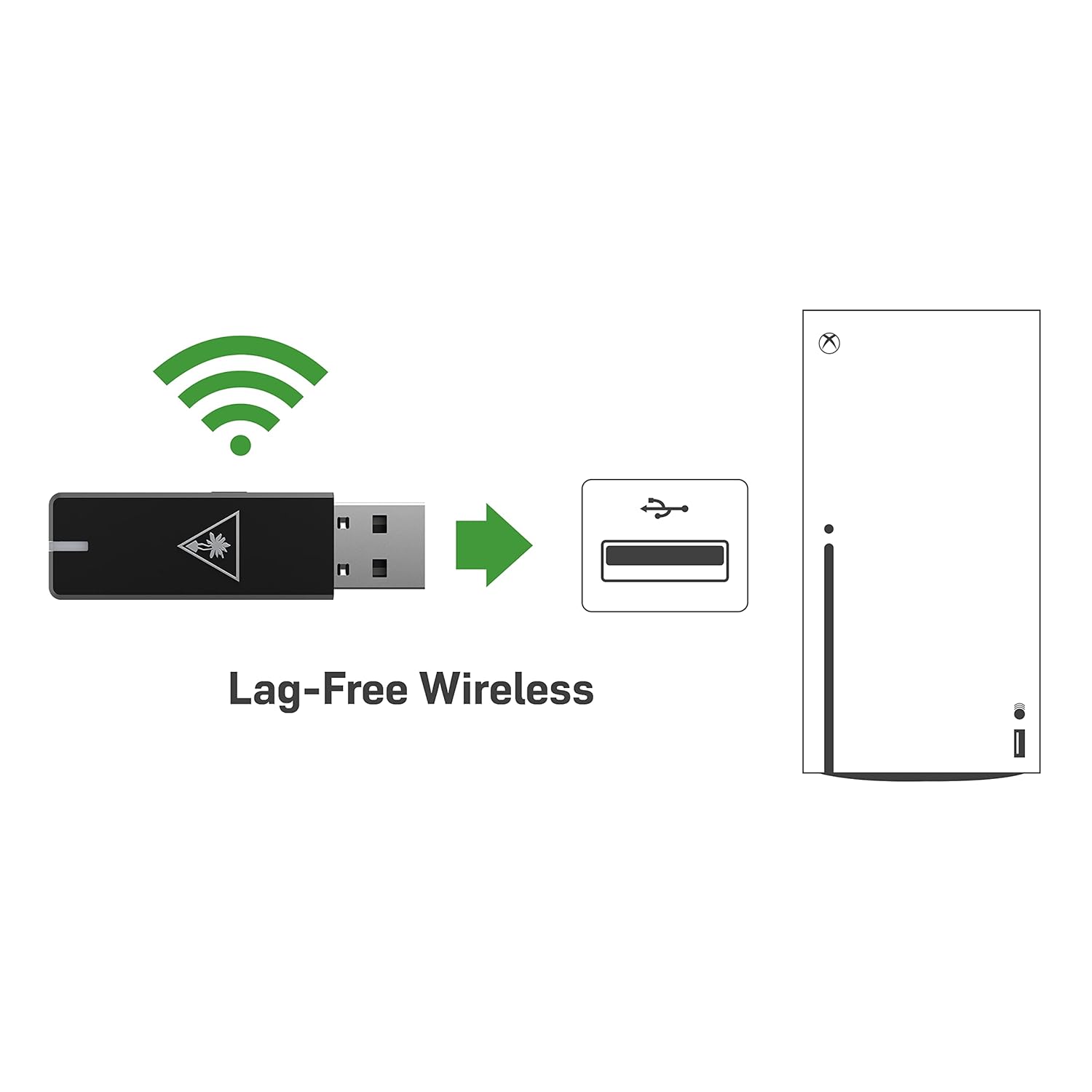
Figure 4.1: Lag-Free Wireless Connection
4.2 Polnjenje slušalk
The headset features an upgraded battery providing 24+ hours of gaming per charge. Use the included USB-C cable for charging.
- Priključite konec polnilnega kabla USB-C v vrata USB-C na slušalkah.
- Connect the USB-A end to a powered USB port (e.g., on your console, PC, or a USB wall adapter).
- A quick charge feature allows for 8.5 hours of battery life on just 15 minutes of charge.

Slika 4.2: Podaljšana življenjska doba baterije
5. Upravljanje slušalk
Maximize your gaming audio experience with these features.
5.1 Mic Monitoring
Avoid shouting thanks to built-in mic monitoring, which allows you to hear your voice through the headset while you chat. This feature helps you regulate your speaking volume.

Figure 5.1: Mic Monitoring Feature
5.2 Superhuman Hearing Sound Setting
Turtle Beach's exclusive Superhuman Hearing sound setting lets you hear subtle, game-changing sounds so you can live longer and win more. Hear vital game details like enemy footsteps and weapon reloads to elevate your game above the rest.

Figure 5.2: Superhuman Hearing Advantage
5.3 Audio Presets
Enhance your gameplay experience at the touch of a button with four signature Turtle Beach audio presets:
- Ojačanje nizkih tonov
- Značilni zvok
- Povečanje visokih tonov
- Vokalno povečanje
6. Vzdrževanje
To ensure the longevity and optimal performance of your Turtle Beach Stealth 600 Gen 2 USB headset, follow these maintenance guidelines:
- Čiščenje: Za čiščenje slušalk uporabite mehko, suho krpo. Za ušesne blazinice nežno obrišite zamp cloth and mild soap if necessary, then allow to air dry completely before use. Avoid harsh chemicals or abrasive materials.
- Shranjevanje: Slušalke shranjujte na hladnem in suhem mestu, stran od neposredne sončne svetlobe in ekstremnih temperatur. Ko jih ne uporabljate, jih je priporočljivo shraniti v zaščitni torbici, da preprečite nabiranje prahu in fizične poškodbe.
- Skrb za kabel: Avoid sharp bends or kinks in the USB-C charging cable. Always grasp the plug, not the cable, when disconnecting.
7. Odpravljanje težav
Če imate težave s slušalkami, poskusite naslednje rešitve:
- No Audio/Mic Issues: Ensure the USB Wireless Transmitter is securely plugged into the console and the headset is powered on and paired. Check the headset's volume dials and your console's audio settings.
- Težave s povezljivostjo: If the headset is not pairing, try re-pairing by following the setup instructions. Ensure there are no major obstructions between the headset and the transmitter.
- Posodobitev vdelane programske opreme: Be sure to update your firmware using the Turtle Beach Audio Hub desktop app for best performance. Visit the official Turtle Beach webspletno mesto za najnovejšo programsko opremo in navodila.
- Baterija se ne polni: Verify the USB-C charging cable is properly connected to both the headset and a working power source. Try a different USB port or charging adapter.
8. Specifikacije
| Funkcija | Specifikacija |
|---|---|
| Ime modela | Stealth 600 USB |
| Tehnologija povezljivosti | USB, 2.4GHz Wireless |
| Priključek za slušalke | USB |
| Združljive naprave | Mac, PC, Windows, Xbox One, Xbox Series X |
| Življenjska doba baterije | 24+ ur |
| Čas polnjenja | 15 minutes for 8.5 hours of play (quick charge) |
| Vrsta zvočnega gonilnika | Dinamični gonilnik |
| Frekvenčno območje | 20 Hz - 20,000 Hz |
| Oblika slušalke | Nad ušesi |
| Teža predmeta | 10.6 unče (0.66 funta) |
| Dimenzije izdelka | 7.48 x 3.54 x 7.67 palcev |
| Proizvajalec | Turtle Beach |
9. Garancija in podpora
For detailed warranty information and technical support, please refer to the official Turtle Beach webspletnega mesta ali uporabniškega priročnika v PDF-ju, ki je priložen izdelku.
Do uradnega uporabniškega priročnika v PDF obliki lahko dostopate tukaj.
For further assistance, contact Turtle Beach Customer Support through their official channels.
Ask a question about this manual
Ask about setup, troubleshooting, compatibility, parts, safety, or missing instructions. Manuals+ will review the question and use this page’s manual context to help answer it.