
Uvod
Hvala za nakupasing the SZELAM Digital Alarm Clock. This manual provides detailed instructions for setting up and operating your new alarm clock. Please read it thoroughly to ensure proper use and to maximize the features of your device.
Konec izdelkaview
Ključne značilnosti:
- Large 14cm LED Display: High-resolution display clearly shows time, date, and temperature. HD white LED digits ensure visibility from a distance.
- Nastavljiva svetlost: 6 levels of brightness (5% to 100%) to suit various lighting conditions.
- 8 Alarm Ringtones: Choose from 8 distinct alarm tones.
- Nastavljiva glasnost alarma: 6 volume levels, ranging from 30 to 90 dB.
- Funkcija dremeža: Provides an additional 9 minutes of sleep after the alarm sounds.
- 12/24-urni format: Switch between 12-hour (AM/PM) and 24-hour time displays.
- Date and Temperature Display: Shows current date and indoor temperature.
- USB Powered with Battery Backup: Operates via USB cable; 3 AAA batteries (not included) provide memory function for settings during power outages.
Vsebina paketa:
- 1 x SZELAM Digital Alarm Clock
- 1 x USB polnilni kabel
- 1 x uporabniški priročnik
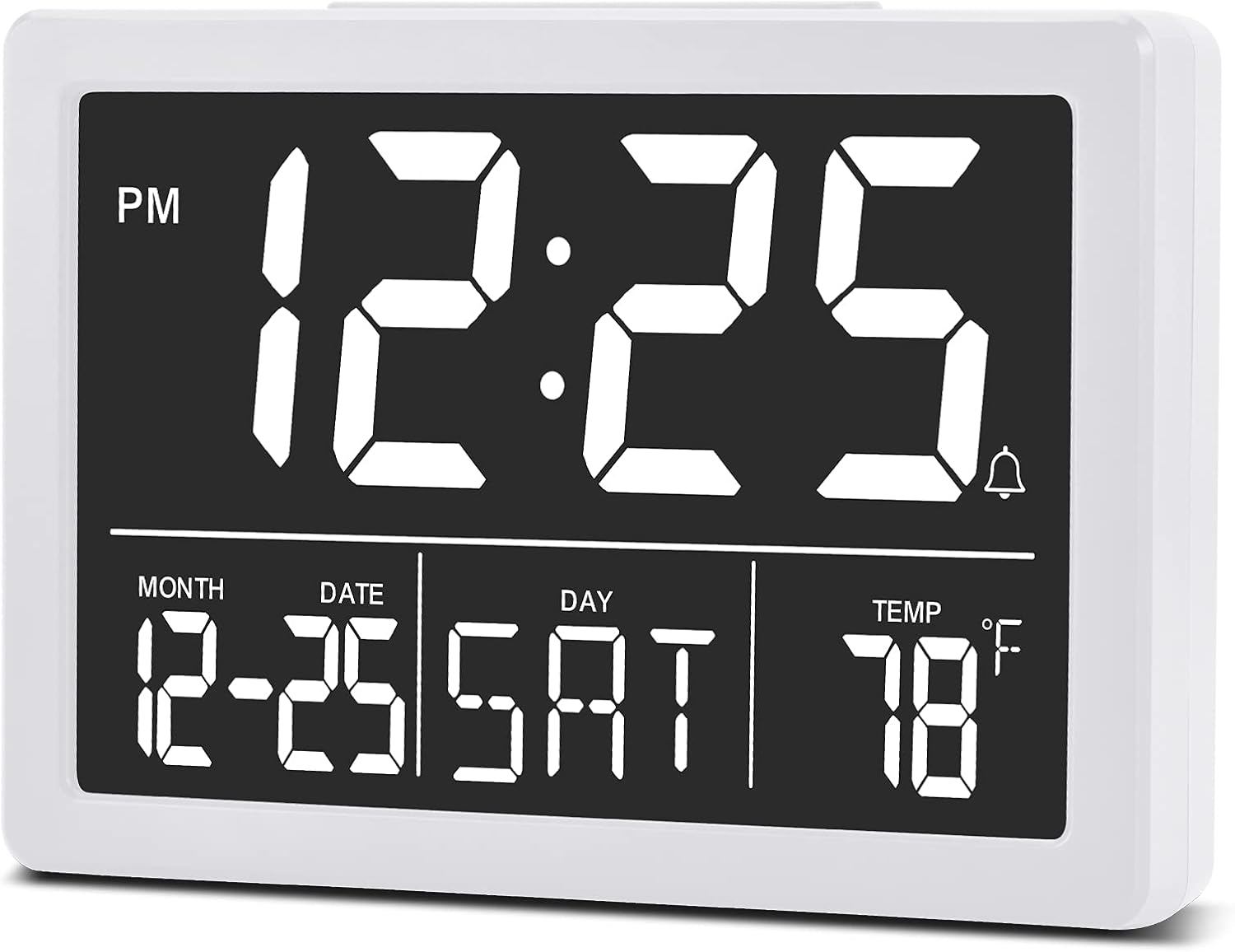
Slika: Spredaj view of the SZELAM Digital Alarm Clock displaying time, date, and temperature.
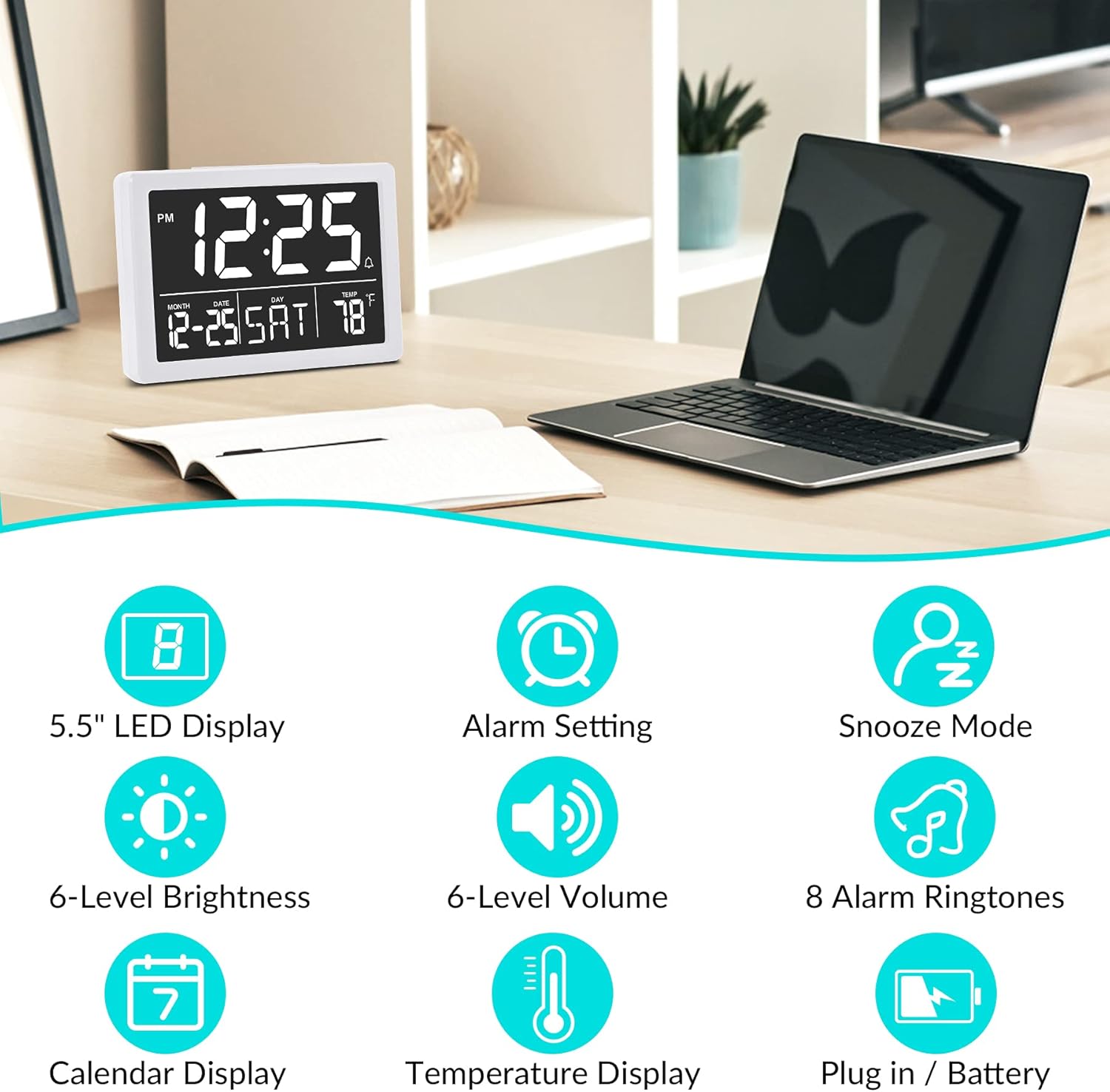
Slika: Graphic illustrating key features: 5.5" LED Display, Alarm Setting, Snooze Mode, 6-Level Brightness, 6-Level Volume, 8 Alarm Ringtones, Calendar Display, Temperature Display, Plug in / Battery operation.
Nastavitev
Powering the Clock:
- Priključite napajanje USB: Insert the provided USB cable into the clock's USB port and connect the other end to a USB power adapter (not included) or a powered USB port. The clock will power on and the display will illuminate.
- Namestitev rezervnih baterij (neobvezno, vendar priporočljivo): Open the battery compartment on the back of the clock. Insert 3 new AAA batteries (not included), ensuring correct polarity (+/-). These batteries will preserve your time and alarm settings in case of a power outage. Opomba: The clock display will not remain continuously lit when operating solely on battery power. The display will turn off after 10 seconds to conserve energy; press any button to temporarily illuminate it. For continuous display, USB power is required.

Slika: Illustration showing the alarm clock powered by a USB cable for continuous display and a note about battery backup for memory function only.
Navodila za uporabo
Refer to the back panel diagram for button locations.

Slika: Zadaj view of the alarm clock, highlighting the USB port, 6 Levels Volume switch, Alarm/Time Setting buttons, Alarm Sounds Switch, °C/°F switch, and 12/24H switch, and 6 Levels Brightness switch.
1. Nastavitev časa in datuma:
- Pritisnite in držite "NASTAVI" button (located on the back) until the hour digits flash.
- Uporabite "GOR" or "DOL" gumbi za nastavitev ure.
- Pritisnite "NASTAVI" again to move to minute setting, then use "GOR" or "DOL" za prilagoditev minut.
- Nadaljujte s pritiskom "NASTAVI" za preklapljanje med nastavitvami leta, meseca in dneva ter prilagajanje vsake od njih z "GOR" or "DOL".
- Pritisnite "NASTAVI" še zadnjič ali počakajte nekaj sekund, da se nastavitve samodejno shranijo.
2. Switching 12/24 Hour Format:
- Poiščite "12/24H" stikalo na zadnji strani ure.
- Slide the switch to select either 12-hour (with AM/PM indicator) or 24-hour format.
3. Nastavitev alarma:
- Pritisnite "ALARM" button (located on the back) once. The alarm time will appear, and the hour digits will flash.
- Uporabite "GOR" or "DOL" gumbe za nastavitev ure budilke.
- Pritisnite "ALARM" again to move to minute setting, then use "GOR" or "DOL" to adjust alarm minutes.
- Pritisnite "ALARM" one last time or wait a few seconds to save the alarm setting.
- Za vklop/izklop alarma pritisnite "ALARM" button briefly. An alarm icon (bell symbol) will appear on the display when the alarm is active.
4. Adjusting Alarm Volume:
- Poiščite "6 Levels Volume" stikalo na zadnji strani ure.
- Slide the switch to your desired volume level (L1 to L6).

Slika: A family enjoying the alarm clock, illustrating the 8 pleasant alarm bells feature and volume adjustment levels.
5. Selecting Alarm Ringtones:
- Poiščite "Alarm Sounds Switch" na hrbtni strani ure.
- Slide the switch to cycle through the 8 available alarm tones. Select your preferred tone.
6. Using the Snooze Function:
- Ko se oglasi alarm, pritisnite veliko "SNOOZE" button on the top of the clock.
- Alarm se bo za 9 minut ustavil in nato znova zazvonil.
- Če želite alarm popolnoma izklopiti, pritisnite kateri koli drug gumb na hrbtni strani ure.
7. Prilagajanje svetlosti zaslona:
- Poiščite "6 Levels Brightness" stikalo na zadnji strani ure.
- Slide the switch to cycle through the 6 brightness levels (from 5% to 100%).
- The clock also features an automatic dimming function between 6 PM and 7 AM. You can adjust the brightness during these hours, and the setting will be saved for the night mode.

Slika: A series of six alarm clock displays showing the different brightness levels from dimmest to brightest.
8. Prikaz temperature:
- The clock displays the indoor temperature by default.
- To switch between Celsius (°C) and Fahrenheit (°F), locate the "°C/°F" switch on the back of the clock and slide it to your desired unit.
Vzdrževanje
- Čiščenje: Uro obrišite z mehko, suho krpo. Ne uporabljajte abrazivnih čistil ali topil.
- Zamenjava baterije: If using backup batteries, replace them annually or when the clock fails to retain settings during a power interruption. Ensure correct polarity when inserting new batteries.
- Shranjevanje: If storing the clock for an extended period, remove the AAA batteries to prevent leakage.
Odpravljanje težav
| Težava | Možen vzrok | rešitev |
|---|---|---|
| Display is off or flickering. | No USB power; loose USB connection; batteries depleted (if running on battery only). | Ensure USB cable is securely connected to a working power source. If using batteries, replace them. Remember, continuous display requires USB power. |
| Clock does not keep correct time. | Incorrect time setting; backup batteries depleted or not installed. | Re-set the time following the "Setting Time and Date" instructions. Ensure fresh AAA batteries are installed for backup. |
| Alarm se ne oglasi. | Alarm ni aktiviran; glasnost alarma je prenizka; nastavljen je napačen čas alarma. | Verify the alarm icon is visible on the display. Adjust alarm volume using the switch. Check and re-set the alarm time. |
| Funkcija dremeža ne deluje. | Snooze button not pressed correctly. | Ensure you press the large "SNOOZE" button on top when the alarm sounds. Pressing other buttons will turn off the alarm. |
| Zaslon je presvetel ali pretemnejši. | Potrebno je prilagoditi raven svetlosti. | Adjust the "6 Levels Brightness" switch on the back of the clock to your preferred level. |
Specifikacije
| Znamka: | SZELAM |
| Model: | Digitalna budilka |
| barva: | Bela |
| Vrsta zaslona: | Digitalna LED |
| Mere izdelka (D x Š x V): | 13.31 x 3.81 x 9.3 cm (5.24 x 1.5 x 3.66 palca) |
| Teža artikla: | 200 gramov |
| vir energije: | USB Powered (for continuous display), 3x AAA Batteries (for memory backup only, not included) |
| Posebne lastnosti: | Temperature Display, Alarm, Snooze, Adjustable Brightness, Adjustable Volume, 12/24H Format |

Slika: Diagram showing the approximate visual dimensions of the SZELAM Digital Alarm Clock, including display size and overall width.
Garancija in podpora
Your SZELAM Digital Alarm Clock comes with a 1-letna garancija od datuma nakupa. Ponujamo tudi 30-day unconditional refund/exchange policy.
If you encounter any issues or have questions regarding your product, please contact our customer support team via email. We aim to provide solutions within 24 hours.
For further assistance, please refer to the contact information provided on the product packaging or the seller's page.