
Prtukyt 6S
Prtukyt 6S Wireless Headphones User Manual
Model: 6S | Brand: Prtukyt
Uvod
Thank you for choosing the Prtukyt 6S Wireless Headphones. This manual provides detailed instructions on how to set up, operate, and maintain your headphones to ensure optimal performance and longevity. Please read this manual thoroughly before using the product.

Image: Prtukyt 6S Wireless Headphones in black and red, showcasing celotna zasnova.
Ključne značilnosti
- HI-FI Stereo Sound: High-definition audio with deep bass and crystal-clear treble, powered by a 57mm driver for precise sound reproduction.
- Napredni Bluetooth 5.0: Ensures fast, stable connections and low latency for audio/video streaming.
- Dolga življenjska doba baterije: Up to 40 hours of continuous playtime on a single charge, thanks to a 500mAh lithium-polymer battery.
- Udoben dizajn: Features super soft, skin-texture simulating ear cushions and an adjustable, padded headband for extended wear comfort.
- Zložljiv in prenosen: Ergonomic, foldable design for easy storage and transport, ideal for travel and daily use.
- Predvajanje v več načinih: Supports wireless Bluetooth, wired 3.5mm audio connection, Micro SD/TF card playback, and FM radio.
- Vgrajen mikrofon: High-quality microphone for clear, hands-free calls.

Slika: Konecview of the headphones' key features, including Hi-Fi sound, comfortable earmuffs, radio receiver, long battery life, foldable design, and HD call capability.
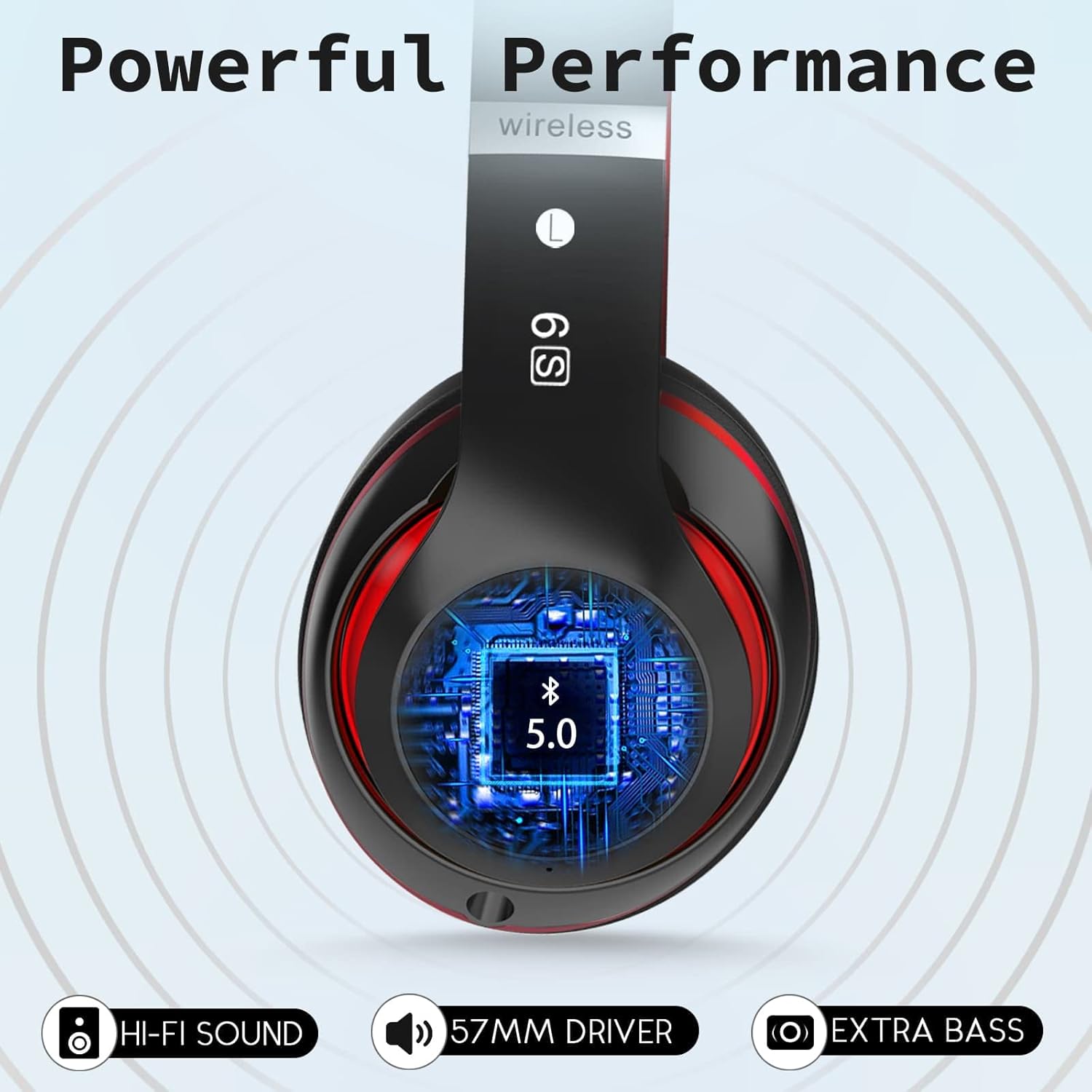
Image: Close-up of the headphone earcup highlighting the Bluetooth 5.0 chip, Hi-Fi sound, 57mm driver, and extra bass capabilities.
Vsebina paketa
Označite polje za naslednje elemente:
- Prtukyt 6S Wireless Headphones
- USB polnilni kabel
- 3.5 mm avdio kabel
- Uporabniški priročnik

Image: Visual representation of the items included in the product packaging: the headphones, a USB charging cable, and a 3.5mm audio cable.
Nastavitev
1. Polnjenje slušalk
Pred prvo uporabo slušalke popolnoma napolnite. Popolno polnjenje traja približno 3 uri in zagotavlja do 40 ur predvajanja.
- Manjši konec polnilnega kabla USB priključite na polnilno vtičnico na ušesni školjki slušalk.
- Večji konec polnilnega kabla USB priključite na napajalnik USB (ni priložen) ali na vrata USB računalnika.
- The LED indicator light will show charging status (e.g., red for charging, off when fully charged).

Image: Visual representation of the headphones' long battery life, indicating up to 40 hours of playtime on a single charge.
2. Bluetooth seznanjanje
Pair your headphones with your Bluetooth-enabled device (smartphone, tablet, PC).
- Prepričajte se, da so slušalke napolnjene in izklopljene.
- Pritisnite in držite gumb za vklop/večfunkcijo, dokler LED indikator ne utripa izmenično modro in rdeče, kar označuje način seznanjanja.
- V svoji napravi omogočite Bluetooth in poiščite razpoložljive naprave.
- Na seznamu najdenih naprav izberite »6S«.
- Once paired, the LED indicator will flash blue slowly, and you will hear a confirmation tone.
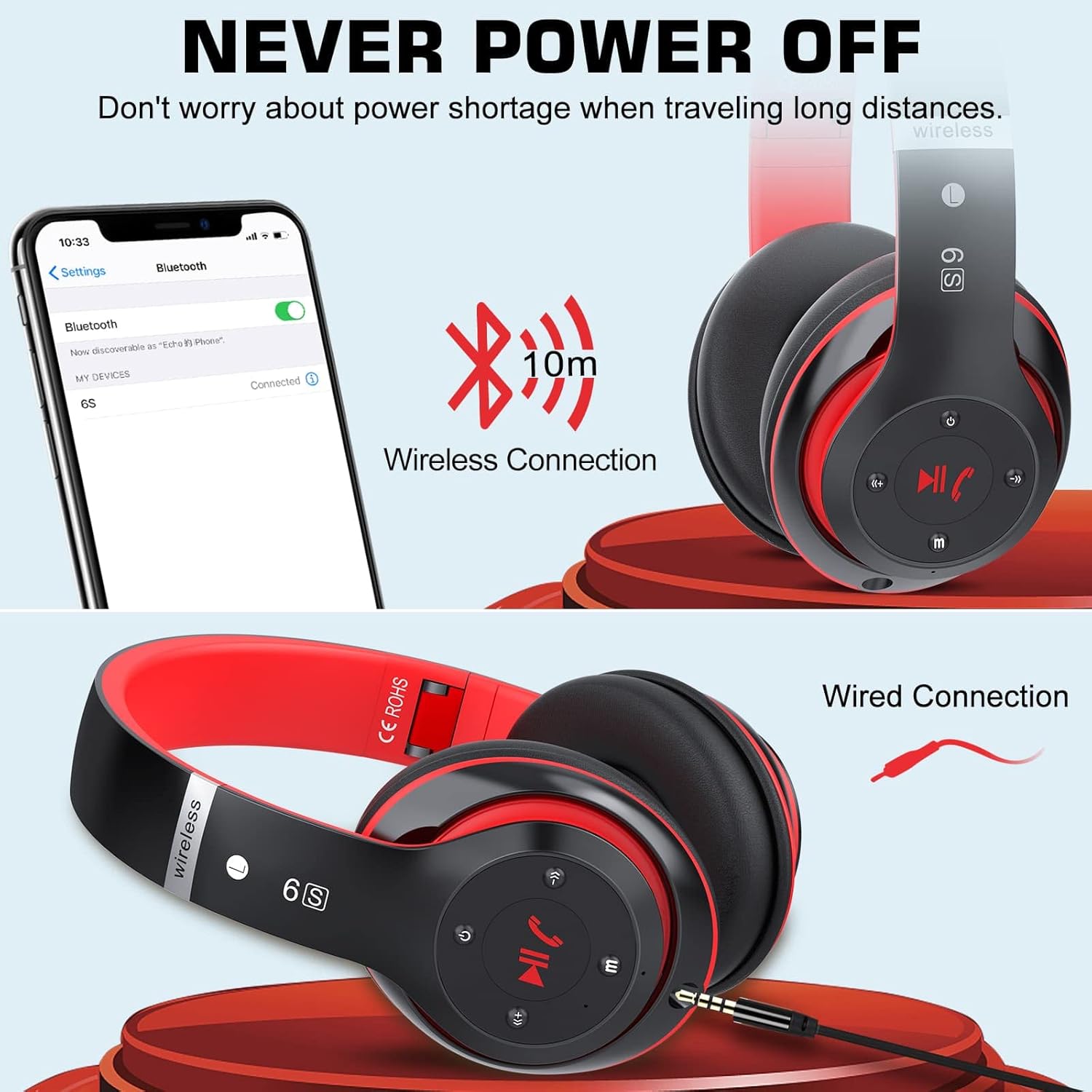
Image: Demonstrates both wireless Bluetooth connection (up to 10m range) and wired connection options for the headphones.
3. Žična povezava (način Aux)
Use the included 3.5mm audio cable for a wired connection, especially when the battery is low or for non-Bluetooth devices.
- Plug one end of the 3.5mm audio cable into the audio input port on the headphone earcup.
- Drugi konec priključite v 3.5 mm avdio priključek na vaši napravi.
- Slušalke bodo samodejno preklopile v žični način.
4. Micro SD/TF Card Playback
Insert a Micro SD/TF card loaded with MP3 audio files into the designated slot on the headphones.
- Locate the Micro SD/TF card slot on the headphone earcup.
- Gently insert the Micro SD/TF card until it clicks into place.
- The headphones will automatically switch to TF card playback mode. Use the control buttons to navigate tracks.
5. Način radia FM
The headphones can receive FM radio signals. For best reception, ensure the 3.5mm audio cable is plugged in, as it acts as an antenna.
- Vklopite slušalke.
- Pritisnite gumb "M" (Način), da preklopite v način FM radia.
- Pritisnite gumb Predvajaj/Pavza za samodejno iskanje in shranjevanje razpoložljivih FM postaj.
- Za preklapljanje med shranjenimi postajami uporabite gumba Prejšnja/Naslednja skladba.
Navodila za uporabo
Familiarize yourself with the control buttons located on the earcup for easy operation.

Image: Detailed diagram showing the location and function of each button on the headphone earcup, including power, track control, volume, mode, and call handling.
| Gumb/dejanje | funkcija |
|---|---|
| Gumb za vklop (vklop/izklop) | Pritisnite in držite za vklop/izklop. |
| Play/Pause / Answer/Hang Up | Press once to play/pause music. Press once to answer/end a call. Press and hold to reject a call. |
| Previous Song / Volume Down (-) | Kratek pritisk za prejšnjo skladbo. Dolg pritisk za zmanjšanje glasnosti. |
| Next Song / Volume Up (+) | Kratek pritisk za naslednjo skladbo. Dolg pritisk za povečanje glasnosti. |
| Gumb za način (M) | Press to switch between Bluetooth, TF Card, and FM Radio modes. |
| Audio Cable Link Hole | Connect 3.5mm audio cable for wired playback. |
Vzdrževanje
- Čiščenje: Za čiščenje slušalk uporabljajte mehko, suho krpo. Ne uporabljajte abrazivnih čistil ali topil.
- Shranjevanje: Ko slušalk ne uporabljate, jih shranjujte na hladnem in suhem mestu, stran od neposredne sončne svetlobe in ekstremnih temperatur. Zložljiva zasnova omogoča kompaktno shranjevanje.
- Vzdrževanje baterije: Da podaljšate življenjsko dobo baterije, se izogibajte pogostemu popolnemu praznjenju slušalk. Redno jih polnite, tudi če jih dlje časa ne uporabljate.
- Izogibajte se vlagi: Slušalk ne izpostavljajte vodi ali prekomerni vlagi.

Image: The headphones in their folded state, illustrating their compact and portable design for easy carrying and storage.
Odpravljanje težav
| Težava | Možen vzrok | rešitev |
|---|---|---|
| Slušalke se ne vklopijo. | Nizka baterija. | Slušalke povsem napolnite. |
| Ni mogoče seznaniti z napravo Bluetooth. | Slušalke niso v načinu seznanjanja; Bluetooth naprave izklopljen; preveč oddaljeno od naprave. | Prepričajte se, da so slušalke v načinu seznanjanja (utripa modro/rdeče). Vklopite Bluetooth na napravi. Slušalke premaknite bližje napravi (v 10 m). |
| V načinu Bluetooth ni zvoka. | Volume too low; not properly paired; wrong audio output selected on device. | Increase headphone and device volume. Re-pair the headphones. Select "6S" as the audio output on your device. |
| Slab sprejem FM radia. | No antenna connected; weak signal. | Plug in the 3.5mm audio cable (acts as antenna). Try auto-scanning again. Move to an area with better signal. |
| Micro SD/TF card not recognized. | Card not inserted correctly; unsupported format. | Re-insert the card firmly. Ensure card contains MP3 files. |
Specifikacije
| Funkcija | Podrobnost |
|---|---|
| Ime modela | 6S |
| Znamka | Prtukyt |
| Tehnologija povezljivosti | Brezžično (Bluetooth 5.0) |
| Brezžična komunikacijska tehnologija | Bluetooth |
| Avdio vhod | 3.5 mm vtičnica |
| Faktor oblike | Čez uho (cirkum-aurikularne) |
| Vrsta baterije | Litij-polimer (500 mAh) |
| Igralni čas | Do 40 ur |
| Čas polnjenja | Pribl. 3 ur |
| Brezžično Domet | Do 10 metrov (33 čevljev) |
| Material | Usnje, plastika |
| barva | Črna/rdeča |

Image: Illustration of a 40mm stereo driver, emphasizing its role in delivering sound purity and precision.
Garancija in podpora
Prtukyt provides a 12-month warranty for this product. If you encounter any issues or have questions regarding your Prtukyt 6S Wireless Headphones, please contact our customer support for assistance. We are committed to ensuring your satisfaction.
Kontaktne podatke za podporo običajno najdete na embalaži izdelka ali na uradni spletni strani blagovne znamke. webmesto.
Ask a question about this manual
Ask about setup, troubleshooting, compatibility, parts, safety, or missing instructions. Manuals+ will review the question and use this page’s manual context to help answer it.