
1. Úvod
This manual provides essential information for the safe and efficient operation of your podoru 10000mAh Magnetic Power Bank. Please read these instructions thoroughly before using the device and retain them for future reference.
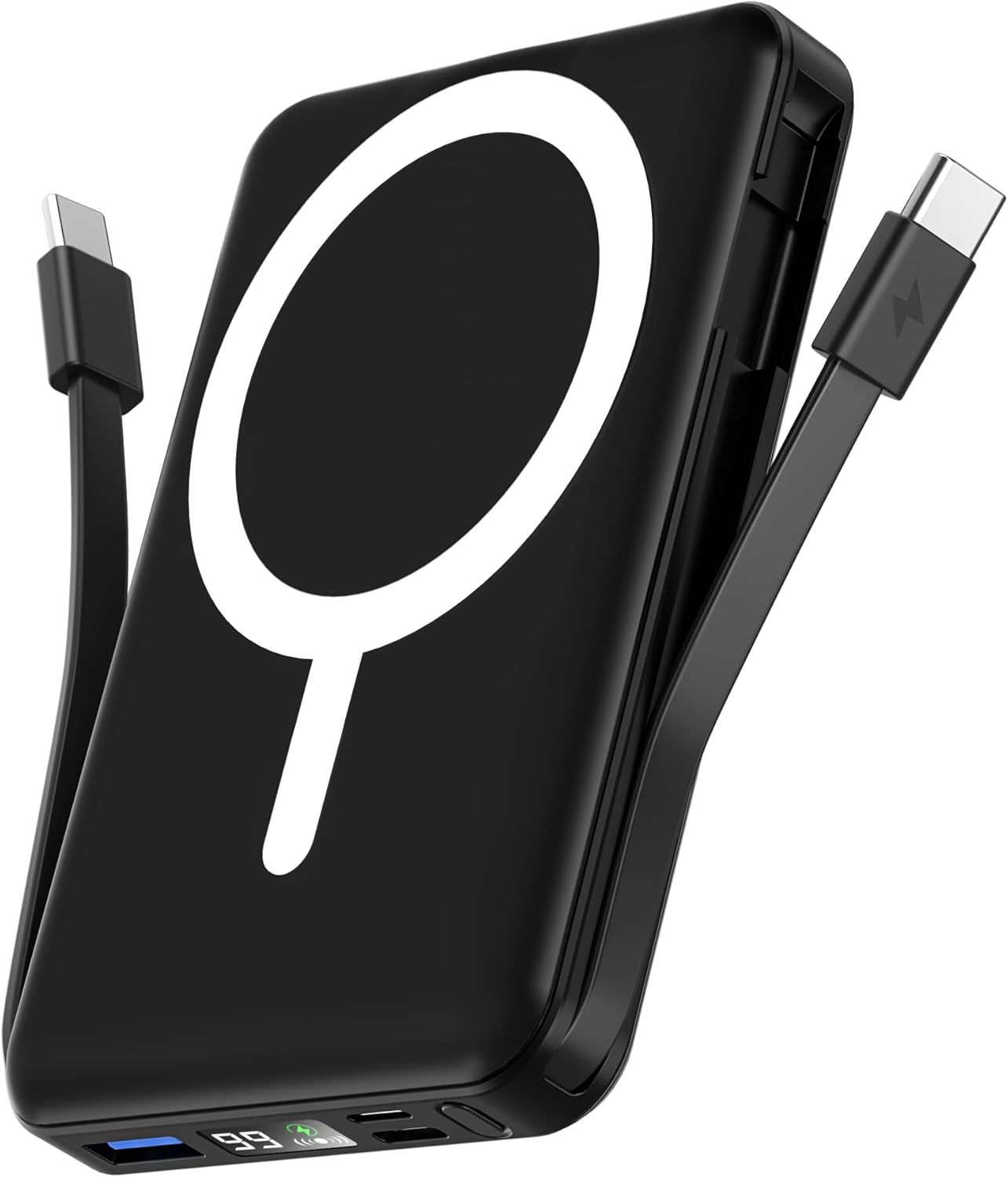
Image 1: The podoru 10000mAh Magnetic Power Bank in black, featuring its magnetic charging surface and built-in cables.
2. Kľúčové vlastnosti
- Vysoká kapacita 20 000 mAh: Provides substantial power for extended device usage.
- Magnetické bezdrôtové nabíjanie: Supports up to 15W wireless charging for compatible iPhone 12-17 series.
- Built-in Dual USB-C Cables: Integrated USB-C cables for convenient wired charging of various devices, eliminating the need for extra cables.
- Nabíjanie viacerých zariadení: Capable of charging up to 5 devices simultaneously via wireless, USB-C PD (20W output), USB (22.5W output), and built-in cables.
- Digitálny LED displej: Clear display shows exact remaining power percentage, wireless charging status, and PD fast charging indicator.
- Kompaktný a prenosný dizajn: Lightweight (186g) and pocket-sized (105x71x19mm) for easy portability.
- Integrovaný stojan: Umožňuje používanie bez použitia rúk viewpočas nabíjania.
- Vynikajúca bezpečnosť: Features comprehensive multi-protect safety system including temperature control, overcharge protection, and short circuit protection.
3. Obsah balenia
Skontrolujte, prosím, balenie, či neobsahuje nasledujúce položky:
- podoru 10000mAh Magnetic Power Bank (Model KT-D011)
- Používateľská príručka
- Nabíjací kábel USB-C na USB-C (na nabíjanie powerbanky)
4. Úvodné nastavenie
4.1 Prvé použitie
Before first use, fully charge your power bank. This ensures optimal battery performance and longevity. The digital LED display will show "100%" when fully charged.
4.2 Kontrola stavu batérie
Press the power button once to activate the LED display and view aktuálne percento batérietage. The display will also show the wireless charging symbol and a green PD fast charging symbol when active.
5. Návod na obsluhu
5.1 Bezdrôtové nabíjanie
- Ensure your device is compatible with magnetic wireless charging (e.g., iPhone 12-17 series).
- Align the back of your compatible device with the magnetic charging surface of the power bank. The magnets will securely attach the device.
- The power bank will automatically begin wireless charging. The LED display will show the wireless charging symbol.

Image 2: Illustrates an iPhone magnetically attached to the power bank for wireless charging.
5.2 Wired Charging (Using Built-in Cables)
- Locate the built-in USB-C cables on the sides of the power bank.
- Gently pull out the appropriate cable (USB-C to USB-C or USB-C to Lightning, depending on your device).
- Pripojte kábel k nabíjaciemu portu zariadenia. Powerbanka sa automaticky začne nabíjať.

Image 3: The power bank simultaneously charging multiple devices using its built-in cables and wireless function.
5.3 Wired Charging (Using External Ports)
- The power bank features additional USB-A and USB-C input/output ports.
- Connect your device using a compatible external charging cable to the desired port.
- Powerbanka sa automaticky začne nabíjať.
5.4 Nabíjanie powerbanky
The power bank can be recharged using either a Lightning cable or a USB-C cable.
- Connect a Lightning cable to the Lightning input port or a USB-C cable to the USB-C input/output port.
- Connect the other end of the cable to a power adapter (not included).
- LED displej zobrazuje priebeh nabíjania.

Image 4: Demonstrates recharging the power bank using either a Lightning or USB-C cable.
5.5 Funkcia stojana
The power bank features a built-in kickstand for convenient hands-free viewing while your phone is magnetically attached and charging.
- Gently pull out the integrated kickstand from the back of the power bank.
- Place the power bank with your attached phone on a flat surface.
- Nastavte uhol tak, aby bol optimálny viewing.
6. Kompatibilita
This power bank is compatible with a wide range of devices:
- Magnetické bezdrôtové nabíjanie: iPhone 12 Series, iPhone 13 Series (including mini, Pro, Pro Max), iPhone 14 Series (including Plus, Pro, Pro Max), iPhone 15 Series (including Plus, Pro, Pro Max), iPhone 16 Series (including Plus, Pro, Pro Max), iPhone 17 Series (including Pro, Pro Max, Air).
- Káblové nabíjanie: Compatible with iPhone and Type-C devices (e.g., Samsung, Pixel, Huawei series, Tablets) using the built-in USB-C cables or external cables via USB-A/USB-C ports.

Image 5: Illustrates the power bank's compatibility with various smartphone brands and tablets.
7. Špecifikácie
| Funkcia | Detail |
|---|---|
| Rozmery produktu | 4.13 x 2.79 x 0.74 palca |
| Hmotnosť položky | 8.4 unce (186 g) |
| Číslo modelu | KT-D011 |
| Typ batérie | Vyžaduje sa 1 lítium-polymérová batéria |
| Kapacita batérie | 10000 milamp Hodiny |
| Bezdrôtový nabíjací výstup | Až 15W |
| USB-C PD výstup | Až 20W |
| USB výstup | Až 22.5W |
| Vstup blesku | Až 12W |
| Vstup USB-C | Až 20W |
| Špeciálne funkcie | Built-in Cables, Digital Display, Fast Charging, Pocket Size, Wireless Charging |
8. Bezpečnostné informácie
Pre zaistenie bezpečnej prevádzky a predchádzanie poškodeniu dodržiavajte nasledujúce pokyny:
- Do not disassemble, hit, crush, or throw the power bank into fire.
- Ak je batéria silne opuchnutá, okamžite prestaňte používať.
- Do not use in a high-temperature environment.
- Do not immerse the power bank in water.
- Uchovávajte mimo dosahu detí.
- It is normal for the power bank to become slightly warm during charging.
- Nepoužívajte poškodené káble alebo nabíjačky.
- Do not place metal objects between the power bank and the device during wireless charging.
9. Údržba
- Keep the power bank clean and dry. Do not wash with corrosive chemicals.
- Charge the power bank once every 3 months if it is not used for a long time to maintain battery health.
- Skladujte na chladnom a suchom mieste mimo dosahu priameho slnečného žiarenia a extrémnych teplôt.
10. Riešenie problémov
- Zariadenie sa nenabíja: Ensure the power bank is charged. Check cable connections. For wireless charging, ensure proper alignment and device compatibility.
- Pomalé nabíjanie: Verify that your device and cable support fast charging. Ensure the power bank has sufficient charge.
- Powerbanka sa nenabíja: Try a different charging cable or power adapter. Ensure the charging port is clean and free of debris.
- LED displej nefunguje: Press the power button to activate the display. If it remains off, the power bank may be fully discharged or require service.
11. Záruka a podpora
For warranty information or technical support, please refer to the contact details provided with your purchase or visit the official podoru website. Each item has a unique code that can be verified before shipping for authenticity.